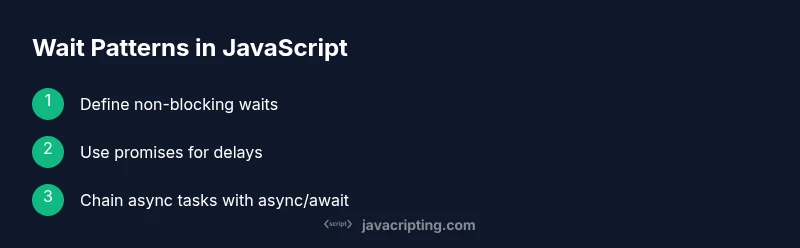
Wait JavaScript: Master Non-Blocking Delays with Async
Learn to wait in JavaScript without blocking the UI, using promises, async/await, and timers. Practical patterns with real-world examples and best practices for non-blocking waits.


Quickly learn how to wait in JavaScript without freezing the UI. This guide shows non-blocking patterns using promises, async/await, and timer-based delays. You'll see practical steps to implement waits around asynchronous tasks, API calls, and user interactions, plus best practices to avoid blocking the event loop. This quick answer outlines the core idea and sets expectations for deeper steps ahead.
What does 'wait javascript' mean in practice?
According to JavaScripting, waiting in JavaScript means coordinating asynchronous tasks without blocking the main thread. The event loop handles callbacks and promises in a way that lets the UI stay responsive while you wait for timers, network responses, or user input. In practice, wait javascript patterns focus on scheduling work in the future (or after another task) rather than pausing execution. This approach preserves smooth rendering and avoids freezes in apps, dashboards, and interactive components. Understanding these concepts is essential for aspiring developers who want reliable, responsive web apps.
Key idea: waits should be implemented using non-blocking primitives (promises, async/await) instead of spinning loops or synchronous sleeps. By embracing asynchronous waits, you can orchestrate complex flows without degrading user experience. This section lays the groundwork for practical patterns covered later.
Non-blocking wait patterns you should know
JavaScript relies on the event loop and task queues. A non-blocking wait schedules work for a later tick without pausing the current one. The most common patterns include using timers (setTimeout, setInterval) and promise-based delays. Async/await syntax makes these patterns feel synchronous while remaining non-blocking. Mastery comes from understanding when to use each pattern and how to combine them with real data fetches, user events, and UI updates.
- Timers: setTimeout and setInterval schedule callbacks after a delay or repeatedly. They are the simplest form of non-blocking waits.
- Promises: Wrap callbacks in promises to compose delays with other asynchronous tasks.
- Async/await: Syntactic sugar over promises that makes sequential waits readable while preserving non-blocking behavior.
- Cancellation: Plan for cancellation to avoid memory leaks when a user navigates away or changes tasks.
Practical examples: delays, API calls, and user interactions
Below are representative patterns you can adapt. The code blocks demonstrate how to implement non-blocking waits without blocking the main thread.
// 1) Simple non-blocking delay
function wait(ms) {
  return new Promise(resolve => setTimeout(resolve, ms));
}

async function demoDelay() {
  console.log('Start waiting...');
  await wait(1000); // non-blocking delay
  console.log('Done waiting 1s');
}// 2) Timeout for a fetch with Promise.race (cancellation pattern)
async function fetchWithTimeout(url, ms) {
const controller = new AbortController();
const timer = setTimeout(() => controller.abort(), ms);
try {
const res = await fetch(url, { signal: controller.signal });
clearTimeout(timer);
return res;
} catch (e) {
throw e;
}
}// 3) Sequencing waits with async/await
async function sequenceDemo() {
console.log('Step 1');
await wait(500);
console.log('Step 2');
await wait(700);
console.log('Step 3');
}These patterns show how to structure waits around asynchronous tasks (APIs, timers, and user actions) without blocking the UI. Adapt them to your app’s needs and measure impact on perceived performance.
Common pitfalls and how to avoid them
- Blocking calls inside async flows: Do not perform heavy work synchronously within a wait sequence. Move work to asynchronous tasks or web workers when possible.
- Overusing timers: Rely on actual events or data availability rather than arbitrary delays to maintain responsiveness.
- Leaking timers: Always clear timers when a component unmounts or a task is canceled to prevent memory leaks.
- Ignoring cancellations: Users may navigate away; ensure pending waits terminate cleanly and do not cause side effects.
Testing waits and debugging tips
Testing non-blocking waits requires simulating realistic timing and user interactions. Use performance.now() or the browser Performance API to measure durations precisely. Tools like browser DevTools Performance panel or Node’s profiler help identify where waits impact rendering. Add small, labeled logs around awaits to verify ordering without cluttering production output. When you simulate slow networks, confirm that waits do not excessively extend the UI’s response time.
Putting it all together: a mini project
Create a small app that shows a live search input with a debounced wait before triggering a fetch. This demonstrates non-blocking waits in a real UI scenario:
- Debounce user input using a non-blocking wait. 2) Fetch results with a timeout. 3) Update the UI with results or a friendly delay message. 4) Add a cancel button to abort in-flight waits. 5) Profile performance and adjust delays for optimal UX. This project reinforces how waits integrate with events, data loading, and rendering.
Tools & Materials
- Code Editor (e.g., Visual Studio Code)(Set up with ESLint/Prettier)
- Node.js (latest LTS)(Use npm for demos)
- Modern browser with DevTools(Test timings and UI rendering)
- Timer utility (optional)(Useful for demos but not required)
- Internet access(To consult docs and run online examples)
Steps
Estimated time: 60-75 minutes
- 1
Define a non-blocking wait helper
Create a Promise-based wait function that resolves after ms milliseconds. This keeps the event loop free to handle other work while you wait.
Tip: Keep the function generic to handle various wait conditions, not just time. - 2
Create a demo async function using the wait helper
Make an async function that awaits the wait helper, demonstrating how subsequent code runs after the delay without blocking.
Tip: Log messages before and after awaits to visualize the non-blocking flow. - 3
Use wait in a real fetch flow
Combine wait with a data fetch to illustrate non-blocking sequencing. Ensure errors are handled gracefully.
Tip: Wrap in try/catch and provide a user-friendly error state. - 4
Add a timeout to a long-running fetch
Use Promise.race to race a fetch against a timeout, allowing graceful cancellation if the server is slow.
Tip: Clear any timers or abort controllers when the fetch completes. - 5
Integrate cancellation
Implement cancellation logic for waits when the user navigates away or changes tasks, preventing stale updates.
Tip: Maintain references to timers and cancellation tokens for cleanup. - 6
Test and profile
Test waits with realistic timing, observe UI responsiveness, and profile with browser tools to identify hot paths.
Tip: Use Performance API and DevTools to measure paint times around waits. - 7
Refactor for readability
Extract wait-related logic into reusable utilities, document intent, and ensure consistent naming across the codebase.
Tip: Add unit tests for edge cases like immediate cancellation. - 8
Deploy and monitor
Push the feature to a staging environment and monitor real user timing data to validate perceived performance gains.
Tip: Iterate on delays based on actual UX feedback.
Questions & Answers
What does non-blocking wait mean in JavaScript?
Non-blocking wait postpones work using asynchronous mechanisms so the main thread can continue rendering and responding to user input. Promises and async/await are common tools.
Non-blocking waits postpone work without freezing the UI, using promises or async/await.
When should I use a timer-based wait vs awaiting a fetch?
Use timer-based waits to simulate delays or coordinate timed actions, and use awaiting fetch when you need actual data. Both should avoid blocking the UI.
Use timers to delay actions; use awaits for real asynchronous data.
Can I block the event loop to wait for something?
Blocking the event loop is strongly discouraged as it freezes the UI. Favor non-blocking waits and asynchronous patterns instead.
Don't block the event loop; use non-blocking waits with promises.
How can I cancel a pending wait in progress?
Cancelation is achieved by clearing timers or aborting the task. Keep references to timers and use signals to stop ongoing work.
You can cancel waits by clearing timers or aborting the task.
What is the difference between microtasks and macrotasks?
Macrotasks include timers and I/O callbacks; microtasks include promise callbacks. They have a defined order in the event loop, affecting timing of subsequent renders.
Macrotasks and microtasks run in a specific order in the event loop.
Are there libraries to help with waits?
Most scenarios can be handled with native Promises and async/await. Libraries exist but are often unnecessary for typical waits.
Yes, but most needs are met with built-in promises and async/await.
Watch Video
What to Remember
- Use non-blocking waits for async flows
- Prefer promises and async/await for delays
- Avoid busy loops that freeze the UI
- Test waits under realistic conditions
- Profile timing to optimize rendering