How to foreach js: A Practical, Hands-On Guide
Learn how to use JavaScript's forEach to iterate arrays, NodeLists, and typed arrays. This step-by-step guide covers syntax, callback parameters, thisArg, comparisons with map and for loops, and practical patterns for real-world code.


By the end of this guide you’ll master JavaScript’s forEach: syntax, callback parameters, and how to apply it to arrays, NodeLists, and typed arrays. You’ll compare it to for loops and map, learn about thisArg, and handle common pitfalls like trying to break out early. This practical approach helps you write cleaner, side-effect tasks with confidence.
Why foreach JS remains a staple tool in modern development
In JavaScript, forEach is a highly used iteration pattern because it keeps code readable and expressive when you want to perform side effects on each element. It encourages a functional style by focusing on what to do with each item rather than how to control the loop. The JavaScripting team notes that developers frequently reach for forEach when updating related data, logging insights, or transforming adjacent structures without creating a new array. This approach helps teams maintain clean, maintainable codebases while handling common array tasks with confidence.
Basic syntax and the callback signature
The canonical form is array.forEach((item, index, array) => { ... }). The callback receives three parameters: the current item, its index, and the original array. If you don’t need index or the full array, you can omit them, keeping the function concise. You can use a traditional function expression to access this within the callback, or an arrow function for lexical this. Understanding the parameter order is essential for writing precise, readable logic that operates on every element in the collection.
Iterating different iterable types: arrays, NodeLists, and TypedArrays
While arrays are the primary target, forEach also exists on NodeList in modern browsers and on TypedArray instances like Uint8Array. When iterating a NodeList obtained from document.querySelectorAll, you can apply the same callback style as with arrays. TypedArrays expose forEach with similar semantics. If you encounter environments without forEach on a given collection, you can convert it to a real array first (e.g., Array.from(nodeList) or [...nodeList]), then apply forEach.
forEach vs map vs a traditional loop: when to choose each
Use forEach when you need to perform side effects for each element and you don’t intend to transform the array into a new one. Use map when you want to produce a new array with transformed elements. Use a traditional for loop when you need to control iteration flow, breaks, or performance optimizations. In practice, forEach simplifies code for non-transform tasks, while map should be your tool for functional transformations and immutability.
Early exit and control flow: why forEach isn’t a breakable loop
A common pitfall is assuming forEach can be terminated early with a break. Unlike for loops, forEach does not support breaking out mid-iteration. If you need to stop processing once a condition is met, consider some or every, or revert to a traditional for loop. You can simulate early exit with a flag and return inside the callback, but that doesn’t actually stop the loop in many engines and can lead to confusing code.
ThisArg and binding: does this inside a forEach depend on function type?
The forEach method accepts an optional thisArg parameter to set the value of this inside the callback. When you use a function expression, thisArg has a clear effect. With an arrow function, this is lexical and tied to the surrounding scope, so passing a thisArg won’t change it. If you need to rely on this within the callback, use a function expression or bind a context outside the call.
Practical example: summing numbers with forEach
const numbers = [1, 2, 3, 4, 5];
let sum = 0;
numbers.forEach(n => { sum += n; });
console.log(sum); // 15
In this example, forEach performs a side-effect (accumulating a running total). Note that forEach itself returns undefined, so you shouldn’t rely on its return value for transformed data.
Practical example: extracting a property from objects
const users = [ { id: 1, name: 'Ada' }, { id: 2, name: 'Grace' } ];
const names = [];
users.forEach(u => names.push(u.name));
console.log(names); // ['Ada', 'Grace']
This pattern demonstrates gathering results into a separate array. If your goal is to transform data into a new array, map would be more appropriate and concise.
Performance considerations and common optimizations
ForEach is typically very close in performance to a plain for loop for standard tasks, but tight loops that push heavy work into callbacks may benefit from a traditional loop or map/reduce-style patterns for better readability and potential JIT optimizations. Avoid performing expensive I/O or network calls inside a forEach callback, as it can complicate error handling and timing.
Common pitfalls and how to avoid them
Pitfalls include mutating the original array unexpectedly inside the callback, relying on thisArg with arrow functions, and assuming forEach can early-exit. To avoid these issues, keep the callback focused on a single, well-defined action, prefer const where possible, and pick the right tool (forEach/map/for) based on the transformation and control flow you need.
Alternatives for asynchronous work: when to use for...of or Promise.all
If you need to await asynchronous operations inside a loop, forEach is not ideal since it doesn’t await promises. Use a for...of loop with await for sequential operations, or map with Promise.all for concurrent work, e.g., Promise.all(items.map(async item => { await something(item); })). This keeps your asynchronous logic readable and correct.
Real-world patterns and recipes
Common recipes include counting occurrences, grouping by a key, and aggregating data for reporting. Many teams prefer forEach for side effects (like logging or mutating related structures) and reserve map for pure transformations. When introducing forEach into a codebase, document intent clearly and pair it with unit tests that verify side effects and state changes.
Recap and practical takeaways
Mastery of forEach comes from practice with real data, understanding callback parameters, and knowing when to choose alternatives like map or for loops. With deliberate usage, you’ll write cleaner, more maintainable JavaScript that handles daily iteration tasks with confidence.
Tools & Materials
- Code editor(VS Code, WebStorm, or any editor you prefer)
- JavaScript runtime(Browser DevTools or Node.js (latest LTS recommended))
- Console/Test environment(Browser console or Node REPL for quick experiments)
- Linter/formatter(ESLint, Prettier for consistent style)
Steps
Estimated time: 60-90 minutes
- 1
Set up your environment
Install or open your code editor and ensure you have a JavaScript runtime ready (browser console or Node.js). Create a new file to test forEach examples. This initial setup establishes a safe space to experiment with syntax without affecting production code.
Tip: Keep a notes file of patterns you observe while experimenting to reinforce learning. - 2
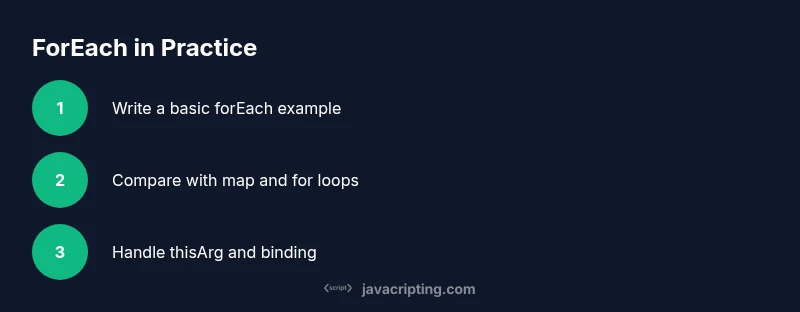
Write a basic forEach example
Create a simple array and apply forEach with a concise callback to perform a side effect, like logging each item. Run the code to confirm the expected output appears in the console.
Tip: Start with an arrow function for readability; switch to a function expression if you need this binding. - 3
Inspect callback parameters
Log the item, its index, and the original array to observe how the callback receives arguments. This helps you decide whether you need index-based logic or access to the entire array.
Tip: Use destructuring inside the callback to extract fields from objects when iterating an array of objects. - 4
Experiment with thisArg
If your callback relies on a specific this value, supply the thisArg parameter. Test with a function expression to see how binding changes, and note how arrow functions ignore thisArg.
Tip: Avoid mixing arrow functions with thisArg when you rely on dynamic binding. - 5
Compare with map and for loops
Create parallel examples using map and a classic for loop to highlight differences in return values, readability, and intent. Observe that map returns a new array while forEach does not.
Tip: Use map when you need a transformed array; reserve forEach for side effects. - 6
Handle empty or edge cases gracefully
Test with empty arrays, nullish values, and nested arrays to observe behavior. Establish guard clauses to prevent runtime errors.
Tip: Prefer input validation early to reduce unexpected runtime issues. - 7
Add a practical, real-world example
Iterate an array of user objects to build a separate list of usernames or to accumulate statistics. Keep the logic concise and focused on the single responsibility of the callback.
Tip: Document the purpose of the side effects to aid future maintenance. - 8
Plan for asynchronous work responsibly
If your task requires awaiting asynchronous operations, switch to for...of with await or use Promise.all with map. Do not rely on forEach to handle asynchronous control flow.
Tip: Write tests that verify asynchronous patterns behave as expected.
Questions & Answers
What is Array.prototype.forEach?
forEach executes a callback for every element in an array and does not return a new array. It is best for side effects rather than data transformation.
forEach runs a callback for each element and returns nothing.
Can I break out of a forEach loop early?
No. For early exit, use some or every, or a traditional for loop. You can simulate stopping by returning from the callback, but it won't stop the loop in all engines.
You can’t break out of forEach; use other constructs if you need early exit.
How does forEach differ from map?
forEach is for side effects and does not produce a new array. Map returns a transformed array. If you need a new array, prefer map.
forEach is for side effects; map creates a new array with transformed items.
Is forEach asynchronous?
The callback in forEach runs synchronously for each element. It does not wait for promises. For async work, use for...of with await or Promise.all with map.
forEach doesn't wait for async operations; use other patterns for async work.
What is thisArg and how do I use it?
forEach accepts a thisArg to bind this inside the callback. With arrow functions, thisArg is ignored because arrows inherit this from the surrounding scope.
Use a function expression if you need to bind this; arrow functions ignore thisArg.
Can I iterate NodeLists or TypedArrays with forEach?
Yes, NodeList and TypedArray instances support forEach in modern environments. If you’re targeting older environments, convert to an array first.
NodeLists and typed arrays support forEach in modern browsers; convert if you need compatibility.
Watch Video
What to Remember
- Master forEach to handle side effects cleanly
- Know when to use map vs forEach vs for loops
- Understand callback parameters and thisArg effects
- Avoid async pitfalls by choosing the right looping construct