How to Make a List in JavaScript: A Practical Guide
Learn how to create and manipulate lists (arrays) in JavaScript with practical steps, examples, and best practices. This comprehensive guide covers declarations, methods, iteration, and real-world scenarios to help you master arrays.


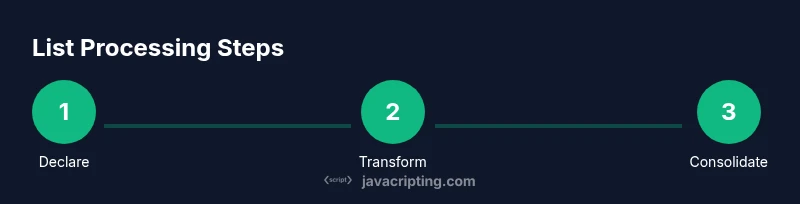
In this guide you will learn how to make a list in JavaScript by creating arrays, adding and removing items, and iterating over data. You’ll explore practical examples and core array methods—push, pop, shift, map, forEach, and reduce. By the end, you’ll be able to build, transform, and debug lists confidently in real projects.
Understanding Arrays as Lists in JavaScript
In JavaScript, a list of items is typically represented by an array. Arrays are ordered collections that can hold numbers, strings, objects, and even other arrays. The phrase how to make a list in javascript often points to learning array basics, because almost every practical project starts by organizing data into lists. According to JavaScripting, getting comfortable with arrays is the fastest path to writing concise, maintainable code. By treating lists as first-class citizens, you can leverage a wide range of built-in methods to add, remove, transform, and search items. This section lays the mental model: a list is a mutable collection with a stable order, where each element can be accessed by a zero-based index. You’ll see how this simple concept unlocks patterns used across web apps, from rendering lists of articles to filtering user input. The goal is to move from thinking about 'a set of values' to thinking in terms of an actionable, writable sequence.
Declaring Your First List
The most common way to create a list in JavaScript is the array literal: const fruits = ['apple','banana','cherry']; This concise syntax is preferred for most scenarios because it creates and initializes the array in one statement. You can also declare empty lists using const nums = []; and then fill them later with push or other methods. Remember the difference between const and let: const prevents reassignment of the reference, but you can still mutate the contents of the array. For clarity, keep your arrays typed with consistent element types when possible, or use mixed content only when necessary. In more complex apps, you might build lists from dynamic data by mapping API results into an array of objects. The key habit is to initialize with a clear shape so later operations are predictable and easy to reason about.
Accessing Elements and Size
Arrays use zero-based indexing, so the first element is at index 0. Access is straightforward: fruits[0] returns 'apple'. If you try to access an index outside the current length, JavaScript returns undefined, which helps guard against crashes but requires careful checks. The .length property tells you how many items are in the list, which is essential for loops and pagination. For a multi-dimensional array, you access nested elements with multiple indexes, such as matrix[row][col]. Understanding these basics makes it easier to implement features like paginating a list of results or rendering items in a UI.
Adding and Removing Elements
JavaScript provides several methods to modify lists. To add items at the end, use push: const nextCount = numbers.push(6, 7); For the beginning, unshift adds items at index 0. To remove from the end, pop returns the removed value; shift removes the first element. If you need to insert or delete in the middle, use splice(index, deleteCount, item1, item2, ...). Splice returns the removed items as a new array. A good practice is to avoid mutating original data when possible, especially in state-driven UI frameworks; instead, create a new array with the desired changes using spread syntax. This helps prevent subtle bugs and keeps the flow predictable.
Iterating Over Lists
Looping is how you actually use lists. The classic for loop gives you index control: for (let i = 0; i < arr.length; i++) { doSomething(arr[i]); }. For...of iterates directly over values: for (const item of arr) { ... }. The forEach method offers a functional style: arr.forEach(item => { ... }); However, forEach cannot break early; if you need early exit, use a normal for loop or a some() return pattern. Each approach has trade-offs in readability and performance. When working with arrays of objects, you can access properties like person.name inside the loop. Good practice is to separate data traversal from side effects, making code easier to test.
Transforming Lists with map, filter, reduce
These three methods enable powerful data pipelines. map transforms each element and returns a new array: const upper = fruits.map(s => s.toUpperCase()); filter keeps elements that pass a condition: const long = fruits.filter(s => s.length > 5); reduce reduces the list to a single value, like summing numbers: const sum = nums.reduce((acc, n) => acc + n, 0). Remember that map, filter, and reduce are pure functions; they do not mutate the original array. Chaining them is common: const result = nums.filter(n => n > 0).map(n => n * 2).reduce((a,b)=>a+b,0); This style often leads to clearer and more maintainable code.
Copying Lists and Immutability
In modern JavaScript, immutability is a common pattern for predictable state. To copy a list, you can use slice or spread syntax. Example: const copy = fruits.slice(); // shallow copy or const copy2 = [...fruits]; Both create a new array that shares the same element references for non-primitive values. When you need a shallow copy of nested structures, you may combine methods or use structured cloning for deep copies. Understanding when mutating the original list is acceptable depends on your app architecture; in UI frameworks like React, immutability helps with change detection and performance.
Working with Nested Lists
Lists can contain other lists, creating a multi-dimensional structure. Access nested elements with additional indices: matrix[2][1] is the element in row 3, column 2. Flattening nested lists is common; you can use flat(), flatMap(), or a reduce-based approach. When flattening, decide on depth carefully to avoid data loss. Nested lists allow representing hierarchical data, such as categories with subitems or a comment thread structure, but they also invite complexity; design with a clear schema to simplify processing.
Real-World Scenarios: Data Processing with Lists
This section shows practical patterns. Example 1: Build a list of user names in uppercase from an API response: const names = users.map(u => u.name.toUpperCase()); Example 2: Filter out invalid records and sum a field: const validTotal = records.filter(r => r.valid).reduce((acc, r) => acc + r.value, 0); These patterns appear in dashboards, forms, and data pipelines. You’ll often combine multiple operations to reach a desired result, which highlights the value of a fluent, chainable approach to arrays.
Debugging Lists and Common Pitfalls
Common mistakes include assuming arrays are immutable, mutating data in place, or forgetting that .length can change as you modify the list. Always console.log the array or use breakpoints to inspect values during iteration. When working with asynchronous data, ensure that your operations run after data arrives; otherwise you’ll encounter undefined or stale results. If you see unexpected undefined values, check your indexing and consider guard checks like Array.isArray and typeof item !== 'undefined'.
Next Steps: Practice Projects
To reinforce learning, try small projects: build a to-do list with add/remove capabilities, then extend it to filter completed items. Create a simple inventory list and implement search and sort. Practice flattening a nested list from a mock API, and finally contribute to a tiny data-visualization app that renders lists based on user input. The key is to code every day and refactor often, applying the methods shown above. JavaScripting encourages you to pair practice with reading code from real projects to see how lists are used in context.
Quick Recap and Further Reading
You now know how to create, access, modify, and transform lists in JavaScript using arrays and modern methods. Revisit map, filter, and reduce to build concise data pipelines, and remember to consider immutability in your architecture. As you grow, explore typed arrays for performance-critical work and practice using lists in UI rendering patterns. For deeper dives, consult official documentation and reputable educational sources.
Tools & Materials
- Code editor (e.g., Visual Studio Code)(Set up a workspace and enable JavaScript syntax highlighting)
- Web browser with DevTools(Use Console and Sources to test array operations)
- Node.js (optional)(Run JavaScript outside the browser for quick experiments)
- Sample data (array literals)(Create simple arrays to practice; expand to objects later)
- Linter/formatter(ESLint/Prettier recommended for clean code)
Steps
Estimated time: 25-45 minutes
- 1
Define the list
Create your first array using a literal. This establishes the list structure and data types you’ll work with. Start with a simple list of strings or numbers to keep the example approachable.
Tip: Use const for the array reference to prevent accidental reassignment. - 2
Inspect the list length
Check the length to understand how many items exist. This helps plan loops and user-facing pagination.
Tip: Remember that .length updates automatically as you modify the array. - 3
Access elements by index
Retrieve items with zero-based indexing. Practice with arr[0], arr[1], and bracketing beyond the end to see undefined.
Tip: Guard against undefined when accessing indexes that might not exist. - 4
Add to the end
Use push to append items. This mutates the original array but is efficient for appending in most cases.
Tip: If you need to preserve immutability, create a new array with the spread operator. - 5
Add to the start
Unshift inserts at the beginning. It shifts existing elements to higher indexes.
Tip: Unshift can be less performant for very large lists; consider building a new array instead. - 6
Remove from the end
Use pop to remove the last item and return it. Useful in stacks and last-in-first-out scenarios.
Tip: Pop mutates the original array; capture the return value if you need it. - 7
Remove from the start
Shift removes the first item. It’s often O(n) in time complexity because it shifts all elements.
Tip: For large lists, prefer slicing a portion or rebuilding the array when removing from the start. - 8
Insert in the middle
Splice allows insertion and deletion at any index. It’s versatile but can be confusing.
Tip: When possible, avoid mutating the original array; use slicing or spreading instead. - 9
Iterate over the list
Choose for, for...of, or forEach based on readability and need for control. Each offers different guarantees on early exit.
Tip: Prefer for...of or map/filter/reduce for clearer intent when transforming data. - 10
Transform with map
Map creates a new array by applying a function to every element. It’s a cornerstone of functional programming in JS.
Tip: Chain map with filter and reduce for concise data pipelines. - 11
Copy and immutability
Copy arrays with slice or spread to preserve previous versions. This is crucial in UI frameworks.
Tip: Use const for copies when you don’t intend to mutate the reference. - 12
Test and debug
Log intermediate results to verify assumptions as you build the list logic.
Tip: Add guards like Array.isArray to avoid runtime errors in dynamic data.
Questions & Answers
What is the difference between an array and a list in JavaScript?
In JavaScript, an array is the built-in data structure used to represent a list of items. A list is a general concept; in code, an array is the concrete implementation that provides methods for manipulation, iteration, and transformation.
An array is the actual list structure in JavaScript, with methods to add, remove, and transform items.
How do you copy an array without mutating the original?
To copy without mutating the original, use slice() or the spread operator [...arr]. These create a new array while leaving the source unchanged.
Use slice or spread to copy arrays so you don't mutate the original.
What is the difference between map, filter, and reduce?
Map transforms every element and returns a new array. Filter selects elements that meet a condition. Reduce reduces the list to a single value. They can be chained to form data pipelines.
Map changes items, filter selects them, and reduce compresses the list into one value.
How can I flatten a nested list?
Use flat() or flatMap() to collapse one or more nesting levels. For deeper structures, consider a reducer approach to control depth explicitly.
Flatten nested lists with flat or flatMap, or write a reducer for deeper depth.
Why is immutability important in lists?
Immutability helps with predictable state changes and makes debugging easier, especially in UI frameworks that rely on change detection.
Immutability makes state changes predictable and helps debugging.
What are common pitfalls when working with arrays in async code?
Asynchronous data requires careful timing; ensure data is present before transforming lists and beware of stale or undefined values.
Await data before processing a list to avoid undefined results.
Watch Video
What to Remember
- Master list creation with arrays first.
- Prefer non-mutating transforms when possible.
- Choose appropriate iteration methods for clarity.
- Practice real-world data flows to cement patterns.