Does JavaScript Work on iPad? Practical Guide for 2026
Discover whether does javascript work on ipad and how iPadOS Safari handles JavaScript, performance, APIs, and practical tips for reliable mobile web apps.


Yes—JavaScript runs on iPad by using Safari on iPadOS and any app that leverages WebKit. In practice, most client-side scripts run normally, and developers can rely on standard APIs like the DOM, events, and async features; however, some modern APIs, WebGL options, or background tasks may have caveats on mobile. For testing, expect performance that’s competitive with mid-range mobile devices.
Why iPad is a capable JavaScript environment
The iPad has evolved into a robust platform for running JavaScript, especially when you rely on Safari on iPadOS or WKWebView-based apps. Modern iPad devices pack multi-core CPUs, generous memory budgets relative to smartphone form factors, and optimized GPU paths that help with animation and WebGL tasks. On the software side, Apple’s engine relies on WebKit and the JavaScriptCore runtime, delivering Just-In-Time compilation and optimization techniques that keep common frameworks fast. For developers asking does javascript work on ipad, the answer is generally yes for standard web pages and client-side apps. The combination of a capable JavaScript engine, solid DOM support, and mature developer tools means you can build interactive experiences, run heavy UI libraries, and debug in-device.
However, there are caveats. Mobile devices have power and thermal constraints that can throttle long-running scripts or heavy rendering. You should design with graceful degradation and consider user-perceived latency. If your app relies on background processing, you may need to optimize work into smaller chunks and leverage requestIdleCallback or similar patterns when available. Finally, test across iPad models and iPadOS versions to account for small variations in memory and graphics stacks. With careful design, the iPad remains a highly capable target for modern JavaScript, especially for progressive web apps and lightweight hybrid solutions.
How iPadOS and Safari handle JavaScript
On iPad, JavaScript runs inside Safari (the default browser) or inside apps that embed WebKit. Apple uses the JavaScriptCore engine (a key component of WebKit) to execute scripts with just-in-time compilation, memory management, and inline optimizations. This means that typical web APIs—DOM manipulation, fetch, promises, async/await, and event handling—work much like on desktop browsers. The difference often comes down to touch input, screen size, and energy considerations. In practice, you’ll see smooth scrolling, responsive layouts, and near-desktop usability for many frameworks such as React, Vue, or Svelte when pages are optimized for mobile.
If you’re developing cross-platform experiences, you’ll also encounter WKWebView in hybrid apps, which uses the same underlying engine but runs in a separate sandbox. In these contexts, JavaScript runs with the same language features and standard APIs, but some native integrations and performance boundaries may differ. For developers, you’ll want to enable feature detection and progressive enhancement to ensure a consistent experience across Safari on iPadOS and WKWebView. In short, the core JavaScript platform is well-supported on iPad, but always verify behavior in-device rather than relying solely on desktop emulation.
Performance and reliability on iPad
Performance on iPad is generally strong for client-side JavaScript, but you should should plan for mobile-specific realities. JavaScriptCore provides a robust JIT compiler and optimization path; still, single-threaded execution means CPU-bound work can block UI responsiveness if not chunked properly. For animation-heavy apps or games, expect that frame rates and paint times can vary with device age and thermals, especially during sustained workloads like complex canvases or WebGL. The practical takeaway: write non-blocking code, debounce expensive handlers, and use requestAnimationFrame for visual updates. Consider using web workers for parallelizable tasks in as much as Apple restrictions permit on iPadOS; Service Workers, IndexedDB, and caching improve offline experiences when needed.
Memory pressure matters on tablets too. If you run large datasets, avoid loading everything into memory at once; prefer streaming or pagination where possible. For testing, verify startup time, time-to-interactive, and UI smoothness across multiple iPad models and iPadOS versions. Real-world testing on both Wi‑Fi and cellular connections helps reveal network-related latency or caching behavior that influences perceived performance. Overall, the iPad is a capable JavaScript platform, especially for mobile-first web apps, provided you optimize for energy usage and responsiveness.
API coverage and limitations on iPad
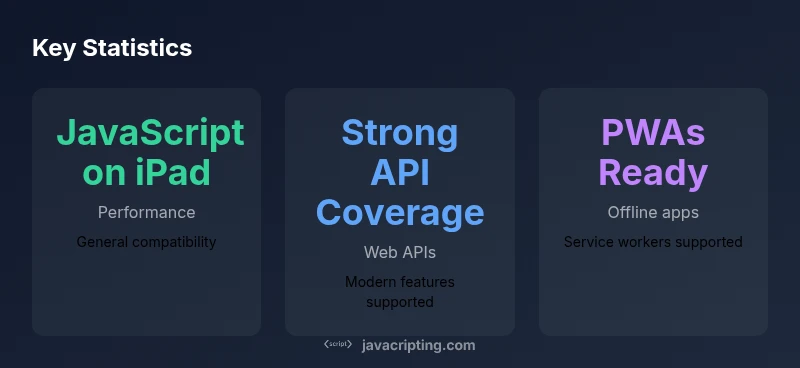
Modern Safari on iPadOS supports a broad set of web APIs, including DOM, fetch, localStorage, IndexedDB, WebGL, WebRTC, and many modern ES features. For developers asking does javascript work on ipad, you’ll find that most standard APIs behave as expected. Service Workers and Progressive Web Apps are supported, enabling offline scenarios and push notifications in many cases. However, there are caveats: some newer Web APIs arrive later on mobile Safari, and certain background tasks may be limited by battery and OS policies. If your app uses WebRTC, ensure you test on physical devices since network conditions and hardware encoders can affect quality. Graphics-intensive features like WebGL2 generally work, but performance varies with device generation and thermal state.
If you rely on browser-specific features, consider implementing graceful degradation and polyfills where feasible. For enterprise apps or educational sites that require broader compatibility, progressively degrade features and provide robust fallbacks. Safari’s developer tools let you inspect the DOM, console, and network activity directly on iPad or via remote debugging; these tools help you identify differences between desktop and mobile behavior. In sum, iPadOS supports a rich set of web standards, but plan for gradual API adoption and testing across devices to ensure a consistent experience.
Practical guidelines and testing strategies
To maximize compatibility and performance on iPad, adopt a mobile-first mindset. Start with a solid baseline of standards-compliant JavaScript, and progressively enhance with features that phones and tablets can handle. Use feature detection (not browser detection) to branch behavior, and prefer async/await with thoughtful error handling. Optimize DOM access: batch writes, avoid forced reflows, and cache selectors when possible. For performance testing, run audits on real devices across multiple iPad sizes—the 11-inch and 12.9-inch models, as well as older generations if you can—to observe differences in rendering and interaction latency. Use realistic network conditions to evaluate caching strategies and offline support.
Testing workflows should include in-device debugging with Safari’s Web Inspector, remote debugging via macOS, and automated tests that simulate touch events and orientation changes. When shipping a mobile-oriented app, consider a light-weight service worker strategy for offline usage, and keep storage usage in check. Finally, document the expected behavior across devices so teams understand trade-offs and can adjust UI and logic accordingly. By following these practices, you’ll deliver reliable experiences on iPad that feel native and responsive.
Real-world decisions and next steps
For teams starting a new project targeting iPad users, map the core features to the devices that will run them. If you expect heavy UI interactivity, choose a framework with proven mobile performance and test early on iPad devices. If you need offline support, implement Service Workers and IndexedDB with careful caching policies. Keep accessibility in mind: ensure large tappable targets, readable fonts, and keyboard navigation for external keyboards. As you iterate, measure concrete metrics: time-to-interactive, input latency, and battery impact, and compare across iPad generations. Finally, maintain a living checklist of supported APIs and fallbacks so future feature adoption remains predictable. In the end, does javascript work on ipad is part of a broader mobile-web strategy: build projects that degrade gracefully, test on real devices, and invest in performance profiling. The JavaScripting approach emphasizes practical guidance, realistic expectations, and careful planning so you can ship robust iPad experiences.
Comparison of iPad JavaScript environments
| Engine | APIs | Offline Support |
|---|---|---|
| JavaScriptCore | DOM, Fetch, IndexedDB, ES features | Service Workers supported in modern Safari |
| WebKit (Safari) | WebGL/WebRTC, LocalStorage | PWAs eligible under mobile constraints |
| WKWebView (hybrid) | Same core APIs, sandboxed | Performance varies by app setup |
Questions & Answers
Does JavaScript run on iPad's Safari browser?
Yes. JavaScript runs in Safari on iPadOS with broad support for standard web APIs. For complex apps, test on real devices to confirm performance and compatibility.
Yes—Safari on iPad supports JavaScript and most standard web APIs; test on devices for performance.
Can iPad run Node.js or server-side JavaScript locally?
Native Node.js is not supported on iPad. Some apps provide terminal-like environments, but for production server-side code you’ll need remote execution or a cloud-based backend.
Node.js isn’t natively available on iPad; consider cloud or remote options for server-side tasks.
Are Web Workers and Service Workers supported on iPad?
Service Workers and Web Workers are supported in modern Safari on iPadOS, enabling offline apps and background tasks in many cases. Always verify with the target iPadOS version.
Yes, service and web workers are supported on modern iPadOS, but verify across versions.
What APIs are most reliable for offline iPad apps?
IndexedDB, Cache API, and Service Workers form a reliable offline stack on iPad when used with proper fallbacks and testing.
Use IndexedDB and Service Workers with solid fallbacks for offline support.
How can I test JavaScript performance on iPad?
Use real devices across model ranges, observe time-to-interactive, input latency, and battery impact, and supplement with Safari Web Inspector.
Test on real iPads; watch interaction timing and battery usage.
Is WebGL supported on iPad Safari?
WebGL and WebGL2 are supported in Safari on iPadOS, with performance dependent on device generation and thermal state.
WebGL is supported on iPad Safari; performance varies by device.
“On iPad, reliable JavaScript experiences come from embracing the mobile runtime: test early, degrade gracefully, and lean on proven web standards.”
What to Remember
- Rely on standard web APIs; iPad supports DOM, fetch, and ES features well
- Test on multiple iPad models for performance and memory behavior
- Prefer progressive enhancement to cover API differences
- Use Service Workers for offline Web Apps when possible
- Leverage Safari/Developer Tools for in-device debugging