How to Store Big Numbers in JavaScript
A practical guide to storing and manipulating large numbers in JavaScript. Learn number limits, when to use BigInt, conversions, JSON considerations, and best practices for frontend and backend code.


In this guide you will learn how to store big numbers in JavaScript, including the limits of the Number type, when to use BigInt, and practical patterns for precise arithmetic. You'll see clear comparisons, conversion tricks, and safe handling strategies for JSON, databases, and browser scripts. We'll cover common pitfalls, performance considerations, and recommended libraries for decimal math.
What 'big numbers' means in JavaScript
In JavaScript, the term 'big numbers' usually refers to integers that exceed what the Number type can represent exactly, or decimals where precision matters. According to JavaScripting, the language uses a 64-bit floating-point representation for numbers, which means integers up to a certain size can be represented exactly, and beyond that, digits can be lost during arithmetic or serialization. This has practical implications: when you store large integers in JSON, databases, or transmit data to a server, you may see rounding or subtle mismatches. The first step is to define what counts as 'big' for your app. Do you operate with values near 2^53, or do you regularly handle numbers far larger? Once you have a policy, you can choose the right tools (Number, BigInt, or libraries) and design data flows that minimize precision issues across both client and server.
As you design data models, keep in mind the following: large integers may require exact arithmetic, for which Number cannot guarantee precision. You should also consider whether your values include decimals (for which BigInt is not suitable) or pure integers that exceed 64-bit limits. This section sets the stage for practical decisions and patterns you can apply immediately in your projects.
The built-in number type: limitations you must understand
JavaScript exposes a single primitive type for numbers: Number. It is a double-precision floating-point value, which provides fast arithmetic but finite precision. The range of exactly representable integers is from -(2^53 - 1) to 2^53 - 1. This means you can store and operate on integers within that range exactly, but values outside can lose precision. This limitation manifests in everyday mistakes: adding 1 to a large integer may not change the value, or converting large decimals to strings may yield unexpected results. The practical takeaway is simple: treat arithmetic near the safe integer boundary with caution, and avoid assuming every numeric operation will be exact when dealing with very large numbers. A common hint is to check Number.MAX_SAFE_INTEGER (9,007,199,254,740,991) and plan around it for calculations that require exactness or counting.
Introducing BigInt: when and how to use it
BigInt is a built-in type designed to handle integer arithmetic with arbitrary precision. It can represent integers of any size, restricted only by memory. The syntax is simple: append n to a numeric literal (e.g., 123456789012345678901234567890n) or use the BigInt function (BigInt('9007199254740993')). Important rules: you cannot mix Number and BigInt in the same arithmetic expression without explicit conversion, and BigInt cannot be used for decimals. Conversions are straightforward: Number(big) converts to a Number (with potential loss of precision), and BigInt(number) or BigInt(string) converts to BigInt. When using BigInt, remember that JSON.stringify will not serialize BigInt values directly; you must convert to string first. In modern environments, BigInt is widely supported, but it’s still wise to verify compatibility with your target browsers or runtimes.
Working with BigInt in practice: conversions and arithmetic
To perform arithmetic, all operands must be BigInt or you must convert them to BigInt first. For example, 123n + 456n yields 579n. If you need to mix with a Number, convert the Number to BigInt (provided it is safe) or convert the BigInt to Number (risking precision loss). When you serialize data for JSON, convert BigInt to string (e.g., bigIntValue.toString()) and parse back on receipt if needed. Printing results can be done with bigIntValue.toString() to avoid losing precision in output. Remember that division in BigInt returns a BigInt, discarding any remainder, so be mindful of precision requirements in financial or scientific contexts. Finally, for decimals or precise fractional arithmetic, continue using a dedicated decimal library alongside BigInt, rather than trying to force both into a single operation.
Practical patterns: storing big numbers safely (strings, libraries, JSON)
A robust approach combines BigInt for integer calculations with string representations for storage and transmission. Store large integers as strings in JSON to avoid serialization pitfalls, then convert to BigInt when processing. If your app requires decimal arithmetic with fixed precision, use libraries like decimal.js or big.js to maintain strict control over rounding and precision. For databases, store the string representation of big numbers and perform critical arithmetic in application code or with database-native big integer types when available. Always document the expected numeric formats in your API contracts to prevent misinterpretation across services.
An illustrative pattern: receive a number as a string from an API, construct a BigInt for arithmetic, and convert back to string for storage or transport. This approach minimizes precision loss and makes the data flow predictable across layers.
Performance and trade-offs you should know
BigInt is powerful, but it comes with trade-offs. It generally has slower arithmetic and higher memory usage compared to Number, and there may be compatibility considerations across environments. Complex decimal arithmetic still benefits from specialized libraries, so don't rely on BigInt alone for accurate fractional values. When profiling, measure the impact of BigInt on your hot paths and consider whether you can refactor to limit conversions or use a mixed strategy that leverages Number for common, safe-range values and BigInt only when necessary.
Putting it all together: recommended workflow
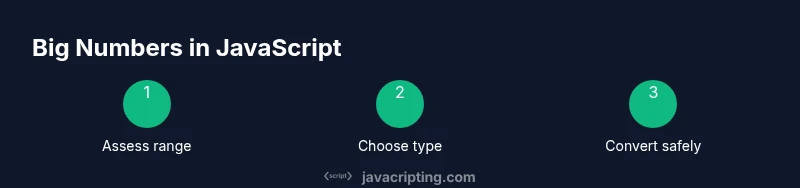
Start by defining your data domain and whether exact arithmetic is essential. For integers within the safe range, use Number for performance and simplicity. For integers beyond the safe range, adopt BigInt for calculations and convert to strings for JSON or storage. Use decimal libraries when decimals require precise rounding. Always test edge cases around boundary values (max safe integer, cross-boundary additions, large multiplications) and establish clear rules for converting back and forth between representations. With a consistent policy, you’ll minimize bugs and simplify debugging across frontend and backend layers.
Tools & Materials
- Node.js (LTS version)(Needed to run sample scripts and tests locally)
- Code editor(For editing and running example code)
- Modern browser or Node environment(To verify BigInt support and runtime behavior)
- Decimal arithmetic library (optional)(e.g., decimal.js or big.js for precise decimals)
Steps
Estimated time: 25-40 minutes
- 1
Assess numeric requirements
Identify whether integers fall within the safe range or exceed it. Clarify if decimals require precision or if whole numbers are the main concern. This determines whether to lean on Number, BigInt, or a decimal library.
Tip: Document the max value you expect to store and any operations that rely on exactness. - 2
Choose the primary numeric type
If all numbers stay within the safe integer range and decimals aren’t critical, use Number. If you need exact large-integer arithmetic, plan to use BigInt for relevant computations.
Tip: Avoid surprises by mapping each data path to a canonical type. - 3
Enable BigInt where necessary
Use BigInt literals (e.g., 123n) or BigInt('1234567890123456789') for large integers. Keep arithmetic within BigInt unless a conversion is required.
Tip: Reserve BigInt for the parts of your codebase that handle very large integers. - 4
Handle conversions between types
When interacting between Number and BigInt, convert explicitly (BigInt(number) or Number(bigInt)). Avoid implicit mixing in expressions to prevent runtime errors.
Tip: Define helper functions for safe conversions with clear error handling. - 5
Serialization and JSON
BigInt cannot be serialized directly to JSON. Convert to string with toString() before JSON.stringify, and parse back as needed when receiving data.
Tip: Include these conversions in API contracts and data models. - 6
Decimals and precision
For decimal arithmetic with high precision, prefer a dedicated decimal library rather than trying to combine Number with BigInt. This avoids rounding surprises and improves reliability.
Tip: Evaluate library options and choose one with good test coverage. - 7
Test edge cases and performance
Create tests around boundary values, cross-boundary sums, and repeated operations to catch precision and performance issues early. Profile hot paths to ensure acceptable performance.
Tip: Automate tests that cover near-boundary scenarios.
Questions & Answers
What is the maximum safe integer in JavaScript?
Number.MAX_SAFE_INTEGER is 9007199254740991. Beyond this value, integers may lose precision in arithmetic and comparisons.
The maximum safe integer is 9007199254740991; larger integers may lose precision.
Can I mix Number and BigInt in calculations?
No. You must convert one type to the other before performing arithmetic to avoid runtime errors.
No, convert numbers to the same type before arithmetic.
How do I serialize BigInt to JSON?
BigInt cannot be serialized directly. Convert to string with toString() or implement a custom replacer for JSON.stringify.
BigInt isn't JSON-friendly; convert it to a string first.
Is BigInt supported in all environments?
Most modern environments support BigInt, but older browsers and some runtimes may not. Verify compatibility for your target audience.
BigInt is widely supported now, but check older environments.
What if I need decimal precision?
Use a decimal arithmetic library (e.g., decimal.js or big.js) for precise fractional values rather than relying on Number or BigInt alone.
For decimals, use a specialized library for accuracy.
What is a good pattern for data storage?
Store large integers as strings in JSON and convert to BigInt in memory for calculations. Convert back to strings for storage or transport.
Store big numbers as strings in JSON and convert to BigInt when needed.
Should I always use BigInt for large numbers?
Not necessarily. Use BigInt only for integers beyond the safe range or when exact large-integer arithmetic is essential.
Only use BigInt when you need exact large-integer arithmetic.
Watch Video
What to Remember
- Use Number for values within the safe integer range.
- Switch to BigInt for integers beyond safe limits.
- Avoid mixing Number and BigInt in the same expression.
- Serialize BigInt as strings for JSON transport and storage.