How to Remove the Last Character from a JavaScript String
A comprehensive, step-by-step guide on removing the last character from JavaScript strings using slice, substring, and Unicode-safe approaches. Includes edge cases, examples, and real-world patterns for robust code.


Learn how to safely remove the last character from a string by using built-in methods like slice and substring, with Unicode-safe options for surrogate pairs. You’ll get concise examples, understand edge cases such as empty strings, and know when to guard against multibyte characters. By the end you’ll pick the simplest, most reliable approach for your codebase.
Understanding the problem: what it means to remove the last character in JavaScript
In JavaScript, strings are immutable sequences of UTF-16 code units. Removing the last character means creating a new string that contains all code units except the last one. This seems straightforward for ASCII letters like 'hello', but the last character can be part of a surrogate pair in Unicode, which complicates things. The keyword javascript remove last character from string is a common search for developers cleaning input, trimming user data, or producing compact UI feedback. According to JavaScripting, mastering string manipulation in JavaScript, including removing the last character, is a foundational skill for frontend developers. The core idea is to return a new string rather than mutating the original, keeping code predictable and testable across browsers. In practice, you’ll want a method that is concise, readable, and resilient to edge cases like empty strings or multi-code-unit characters.
Core methods: slice, substring, and endsWith-based patterns
Most developers reach for slice when removing characters from the end. The expression s.slice(0, -1) returns a new string with all code units except the last one. You’ll also see s.substring(0, s.length - 1) in legacy code, which achieves the same result but behaves slightly differently with negative indices. For most situations, slice(0, -1) is the simplest and most idiomatic solution. If you need compatibility with older environments, substring remains a safe alternative. In addition, you can combine endsWith to conditionally trim only when a certain trailing character is present, though that’s an added layer of logic that isn’t required for a generic “remove last character.” Based on JavaScripting analysis, slice is generally robust and efficient for removing the last character from typical strings, while still being readable and concise.
Edge cases you must handle: empty strings, surrogate pairs, and Unicode
The most important edge case is an empty string: removing the last character should yield the empty string, not throw an error. For strings with only one character, the result should be the empty string. A trickier scenario involves Unicode. If the last visible character is a surrogate pair (two code units), using length and code units may truncate the character, producing invalid Unicode. To handle this safely, prefer code point-aware techniques such as Array.from(s).slice(0, -1).join('') or for...of to iterate over code points. When performance matters, you can guard small strings with a simple length check, but for user-facing text you’ll usually want a Unicode-safe method.
Practical examples: ASCII, Unicode, emojis, and multi-code-unit characters
Examples help cement the concepts:
- ASCII: const s = 'hello'; const t = s.slice(0, -1); // 'hell'
- One Unicode code point: const s = 'é'; const t = s.slice(0, -1); // '' (for single-char strings)
- Surrogate pair: const s = '💡a'; // last visible character is 'a' const t = Array.from(s).slice(0, -1).join(''); // '💡'
- Emoji followed by variation selectors: const s = '👍🏻'; const t = Array.from(s).slice(0, -1).join(''); // '👍'
These examples illustrate why code point-aware handling is essential when your data includes non-ASCII characters. The first approach using slice is fine for simple ASCII strings, but for user input that may contain emojis or symbols, Unicode-safe methods protect against broken characters.
Performance and readability: choose concise, readable solutions
In most codebases, slice(0, -1) offers a clean balance between readability and performance. It creates a new string without the last code unit and is typically optimized in modern engines. If your data may include multi-code-unit characters at the end, you’ll gain safety by switching to Array.from(s).slice(0, -1).join(''), which is still reasonably fast for typical inputs. Always favor clarity over clever tricks when working with user-facing text, as maintenance costs can eclipse micro-optimizations.
Common pitfalls and how to avoid them
Common pitfalls include mutating the original string (which isn’t possible in JavaScript) and truncating a surrogate pair, producing invalid Unicode. Avoid older techniques like s.charAt(s.length - 1) and s.substring(0, s.length - 1) without considering code units. If you need to trim a specific trailing character, combine trimming logic with a conditional check rather than removing unconditionally. Finally, test with empty strings, single-character strings, and strings containing emoji or symbols to verify correctness across environments.
Real-world patterns: building utilities and small helpers
Many projects benefit from a small helper like removeLastChar that gracefully handles all edge cases. A Unicode-safe version might look like:
function removeLastChar(str) {
  if (typeof str !== 'string' || str.length === 0) return '';
  return Array.from(str).slice(0, -1).join('');
}
This utility abstracts away the edge cases and makes code using it easier to read. You can export it in a module and reuse it across your frontend projects, ensuring consistent behavior in user input processing, validation logic, and UI updates.
Testing and debugging string trimming in practice
Testing should cover a variety of cases: empty string, single-character string, ASCII strings, strings with Unicode characters, and strings containing emoji or compound glyphs. Use unit tests to assert expected results and message assertions to verify edge-case handling. Debugging tips include logging the length of the string, the code points array, and the resulting string in different browsers. With a robust test suite, you’ll catch regressions when supporting new environments or fonts.
Tools & Materials
- Code editor or IDE(VS Code, WebStorm, or any editor with JavaScript syntax highlighting)
- JavaScript runtime(Browser or Node.js environment for local testing)
- Console or debugging tools( browser dev tools or Node REPL)
- Unicode-aware testing data(Include strings with emojis and multi-byte characters to test edge cases)
Steps
Estimated time: 15-25 minutes
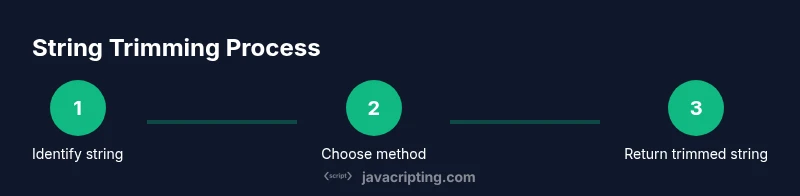
- 1
Identify the target string
Confirm the string you want to trim and the desired result (e.g., remove the last visible character). Check for null or undefined inputs and treat them as empty strings if needed.
Tip: Guard against non-string inputs early to avoid runtime errors. - 2
Choose a base method
For simple ASCII, use slice(0, -1). This is concise and widely supported. For Unicode safety, prepare to use code point-based methods.
Tip: Start with slice(0, -1) if your data is ASCII-only. - 3
Handle empty input case
If the string is empty, return an empty string immediately to avoid unnecessary operations.
Tip: A simple guard like if (!str) return ''; covers most cases. - 4
Add Unicode-safe fallback
If you expect non-ASCII characters, implement a Unicode-safe path using Array.from(str).slice(0, -1).join('').
Tip: Array.from preserves Unicode code points, preventing surrogate-pair truncation. - 5
Wrap in a small utility
Create a reusable function so your approach is consistent across the codebase.
Tip: Export the function and reuse to minimize drift in behavior. - 6
Test with diverse data
Run tests with ASCII, Unicode, and emoji-containing strings to ensure correctness.
Tip: Include edge cases like empty strings and single-character inputs. - 7
Integrate and document
Document the expected behavior, constraints, and any Unicode considerations for future maintainers.
Tip: Add inline comments near the helper to explain why code points are used.
Questions & Answers
What is the simplest way to remove the last character from a string in JavaScript?
The simplest approach is s.slice(0, -1), which returns a new string without the last character for ASCII strings. For Unicode-safe handling, consider converting to code points first.
Use slice(0, -1) for most cases, and switch to a code point approach when Unicode safety is required.
Does slice handle multibyte characters correctly?
Slice operates on UTF-16 code units. This can truncate surrogate pairs, so for Unicode-safe trimming you should use Array.from(str) to work with code points.
Slice works for ASCII, but for Unicode you should use a code-point approach.
How do I guard against empty strings when trimming?
Check for empty strings before trimming: if (!str) return '' or if (str.length === 0) return ''. This ensures you never operate on invalid data.
Guard empty strings before trimming to avoid surprises.
Is there a performance difference between slice and Array.from-based approaches?
Slice is typically faster for ASCII data, while Unicode-safe approaches incur a small overhead due to array creation, but they prevent broken characters in the last position.
Slice is faster for simple text; Unicode-safe code points add a tiny cost but keep results correct.
What about browser compatibility?
All modern browsers support slice with negative end indices. For the Unicode-safe path, Array.from is widely supported in current environments but verify older runtimes if needed.
Slice with -1 is broadly supported; Unicode-safe methods are also widely supported but test in your target environments.
When should I remove the last character only if it matches a specific character?
If you need to trim only when a trailing character matches, check the last code point and apply the trim conditionally rather than always removing.
Trim only when the last character matches, otherwise keep the string intact.
Watch Video
What to Remember
- Use slice(0, -1) for simple strings.
- Prefer Unicode-safe techniques for non-ASCII data.
- Guard against empty inputs to avoid surprises.
- Create a reusable removeLastChar utility for consistency.