String to Number in JavaScript: A Practical Guide
Learn reliable methods to convert strings to numbers in JavaScript, handle edge cases, and avoid common pitfalls. A practical, example-driven guide for aspiring developers.


This guide shows how to convert a string to a number in JavaScript using safe methods like Number(), parseInt(), parseFloat(), and the unary plus operator. You’ll learn when to use each approach, how to handle NaN, and how to validate inputs to avoid common pitfalls. We’ll cover decimal strings, scientific notation, and performance considerations to help you implement string a number javascript across projects.
Understanding the Problem: What Does 'string to number' Mean in JavaScript
According to JavaScripting, converting a string to a number is a foundational skill for any JavaScript developer. The phrase string to number javascript appears frequently in tutorials, code reviews, and debugging sessions because real-world data rarely comes in as a perfect numeric value. Your job is to transform textual input into a numeric value that can be used in calculations, comparisons, and formatting, while guarding against invalid input. The challenge is to decide whether the string represents an integer, a floating-point value, or a value in scientific notation, and to handle cases where conversion yields NaN (Not-a-Number) or Infinity. In practice, you must also account for whitespace, hex notation, and locale quirks that can trip unprepared code.
Understanding the distinction between "conversion" and "parsing" helps avoid common mistakes. Conversion attempts to turn the entire string into a number, while parsing examines the string from the start and stops when it encounters non-numeric characters. This distinction matters because it changes how robust your code is when dealing with user input or data from external services. Here are a few quick examples to illustrate:
Number('42')        // 42
Number('3.14')      // 3.14
Number('  7  ')     // 7
Number('')           // 0
Number('abc')        // NaN
parseInt('42px', 10) // 42
parseFloat('3.14px') // 3.14
As you can see, you’ll often need a strategy that handles both complete numeric strings and partially numeric strings. The phrase string a number javascript is a useful mental model to guide your approach, but you must translate that phrase into a concrete method that matches your data’s guarantees and your application's correctness requirements.
Core Methods to Convert Strings to Numbers
JavaScript exposes several built-in tools to perform string a number javascript conversions. The most common are Number(), parseInt(), parseFloat(), and the unary plus operator (+). Each has different semantics and edge cases, so choosing the right one depends on the input and the desired result. This section helps you map scenarios to methods so you can write cleaner, safer code.
- Number(value): Converts the entire string to a number. It trims leading/trailing whitespace automatically and returns NaN if the string contains non-numeric characters (excluding whitespace). For an empty string, it returns 0.
- parseInt(string, radix): Parses an integer from the start of the string. Use a radix of 10 for decimal numbers. It stops reading at the first non-digit and can tolerate surrounding whitespace; the entire string need not be numeric. If parsing fails, NaN is returned.
- parseFloat(string): Parses a floating-point number from the start of the string. It supports decimals and exponents, stopping at the first non-numeric character.
- Unary plus (+value): A concise alias for Number(value). It follows the same rules as Number() but with shorter syntax.
- Number.isNaN and isNaN: Number.isNaN is a robust NaN check that doesn’t coerce the input, while global isNaN coerces before checking and can mislead if used blindly.
Practical examples illustrate typical patterns in real projects:
Number(' 10 ')         // 10
parseInt('10px', 10)     // 10
parseFloat('3.5e2')      // 350
+'42.0'                   // 42
Number('0x10')           // 16 (hex interpretation)
In many cases, especially when validating user input, you’ll combine these methods with trimming and explicit checks to enforce data integrity. The keyword string a number javascript remains a helpful mental cue, but the exact technique depends on your input constraints and downstream usage.
Edge Cases and Pitfalls
Converting strings to numbers in JavaScript is easy in simple cases, but real-world data rarely fits a perfect pattern. A few well-known pitfalls can silently produce incorrect results if you’re not careful. This section highlights common scenarios and how to handle them so your string a number javascript logic stays reliable instead of producing surprising NaNs or Infinity values.
- Whitespace: Number() and unary plus ignore leading/trailing whitespace, but trailing non-numeric characters will cause NaN. Use trim() when you expect extra spaces.
- Empty strings: Number('') yields 0, but parsing functions like parseInt('') return NaN. Decide which behavior matches your data contracts.
- Hex and binary literals: Number('0x10') returns 16, while parseInt('0x10', 16) also returns 16. If you require strict decimal input, reject these forms.
- Exponents and scientific notation: parseFloat('1e3') returns 1000, while Number('1e3') also works. Mixed strings like '12abc' generally yield NaN with Number(), but parseInt('12abc', 10) returns 12.
- NaN and Infinity: Any non-numeric input (like 'abc') makes Number() NaN. Guard NaN with Number.isNaN for robust checks. If the numeric result exceeds finite bounds, Infinity may be produced depending on the calculation.
- Hexes and prefixes: Strings like '0xFF' are valid numbers in decimal form. If you want only decimal digits, explicitly validate with a regex first.
A careful approach helps prevent subtle bugs in complex data flows. Remember to document your chosen strategy clearly so teammates understand how you handle tricky inputs, and consider adding unit tests that exercise edge cases. The phrase string a number javascript should translate into deterministic behavior in your codebase.
Choosing the Right Method in Real Projects
Different contexts call for different conversion methods. The key is to match the input guarantees with the method’s semantics, minimize surprises, and keep your code maintainable. This section offers practical guidance to decide which path to take when you encounter the phrase string a number javascript in a real project.
- When you need a guaranteed full-string conversion: Use Number() or unary plus. They attempt to convert the entire string and will yield NaN for any extraneous characters. This is often desirable for strict numeric inputs from forms.
- When you expect an integer at the start of a string: Use parseInt(str, 10). It’s tolerant of trailing text (e.g., '42px'), but you should validate that the parsed value consumes the whole string if that’s required for your app.
- When you expect decimals and possibly exponents: Use parseFloat(str) or Number(str). If the input could contain leading/trailing spaces, trim first. For consistent behavior across environments, Number() is often safer for straightforward decimal data.
- When you need a robust NaN check after conversion: Combine Number.isNaN(value) or isFinite(value) with explicit type checks to ensure you’ve got a finite number and not a NaN.
A practical rule of thumb: if you control the input format, pick a method that mirrors that format (integers with parseInt, decimals with Number/parseFloat). If you’re unsure, prefer Number() or unary plus with a test harness to verify behavior across typical inputs. This approach aligns with string a number javascript best practices and reduces surprises in production.
Performance Considerations and Testing
In performance-critical code, tiny differences between conversion methods can add up when executed inside tight loops or hot paths. Modern JavaScript engines optimize Number(), parseInt(), and parseFloat to similar speeds for typical inputs, but the exact results can vary by engine and context. When you encounter the phrase string a number javascript in a performance-sensitive section, the best practice is to measure in your target environment instead of relying on generalizations. Practical benchmarking helps you decide whether unary plus, Number(), or parsing functions offer measurable gains for your workload.
- Test representative inputs: small integers, large integers, decimals, scientific notation, and invalid strings.
- Benchmark in the target browser or Node.js version you actually deploy to users.
- Prefer readability and correctness first; only optimize after you have concrete data.
Another important consideration is memory usage and code maintainability. While optimization is valuable, it should not come at the cost of clear intent. Hence, comment your choice and provide a small helper function when multiple conversion paths exist. The phrase string a number javascript should be handled by a helper that encapsulates your chosen strategy and makes the code reusable across modules.
Practical Examples: Common Scenarios
Below are real-world patterns that illustrate how to apply the methods discussed to common tasks. Each scenario starts from a string input and ends with a numeric value suitable for calculations, comparisons, or display. The examples intentionally cover a range of input formats and show how to guard against invalid data while keeping the code concise and readable. Combine these patterns with unit tests to ensure consistent behavior across the app. The concept of string a number javascript should remain consistent across scenarios.
-
Scenario A: Form input validation. A user enters a number in a field; you trim, then convert and validate. Example:
JSfunction parseUserAge(input) { const raw = input.trim(); const n = Number(raw); return Number.isFinite(n) && Number.isInteger(n) ? n : null; }This approach uses Number() for a strict numeric conversion and validates finiteness and integrality. If the value is invalid, you can return null or show an error message.
-
Scenario B: Data from APIs where decimals are expected. You receive a string like '12.34'; convert and format:
JSconst amountStr = '12.34'; const amount = parseFloat(amountStr); if (Number.isNaN(amount)) { // handle error } else { console.log(amount.toFixed(2)); // '12.34' }This pattern aligns with string a number javascript by using parseFloat for decimals and validating the result.
-
Scenario C: CSV parsing or batch data. When you have a list of numeric strings, map them to numbers with defensive checks:
JSconst rows = ['1', '2.5', '3e2', 'abc']; const nums = rows.map((s) => Number(s)); // nums => [1, 2.5, 300, NaN], then filter or handle NaN as neededThe string a number javascript approach here is to apply a consistent conversion then address invalid entries in a follow-up step.
-
Scenario D: Hex and binary literals. If your data may contain hexadecimal values, you can parse with radix when appropriate:
JSNumber('0xFF'); // 255 parseInt('FF', 16); // 255Use radix-aware parsing when your data is known to be hex-encoded; otherwise reject to avoid surprises.
These practical examples reflect typical workflows in frontend development and backend services alike. They reinforce the idea that the best approach depends on input shape and downstream expectations. Remember to document your decision and add tests to prevent future regressions in string a number javascript logic.
Authoritative Sources and Final Notes
When validating your approach, rely on established documentation and best practices. The following sources provide authoritative explanations of the conversion functions discussed above and help you reason about edge cases and cross-environment behavior. The guidance in this section is intended to complement your familiarity with string a number javascript and to anchor your implementation in well-understood behavior.
- JavaScript Number() Reference – MDN: https://developer.mozilla.org/en-US/docs/Web/JavaScript/Reference/Global_Objects/Number
- parseInt() Reference – MDN: https://developer.mozilla.org/en-US/docs/Web/JavaScript/Reference/Global_Objects/parseInt
- parseFloat() Reference – MDN: https://developer.mozilla.org/en-US/docs/Web/JavaScript/Reference/Global_Objects/parseFloat
For advanced scenarios, you may also consult the ECMA-262 specification or reputable educational resources. These references help you verify edge cases like empty strings, whitespace handling, and exponent notation across engines. The JavaScripting team encourages you to test your code thoroughly in your target environment and to adopt a consistent conversion strategy across the project. In practice, the safest stance is to pick a method that aligns with input guarantees and to wrap conversions in small, well-documented helpers. The JavaScripting team recommends documenting decisions clearly and validating all inputs before conversion to maintain robust, reliable code.
Common Mistakes and How to Avoid Them
Even experienced developers can fall into pitfalls when dealing with string to number javascript. A few frequent errors and the strategies to avoid them:
- Overreliance on Number() without input checks: Always validate the result before using it in arithmetic. Use Number.isFinite for guard rails.
- Ignoring whitespace and non-numeric trailing characters: Trim inputs and verify complete consumption for strict formats.
- Confusing NaN with zero: NaN is not equal to anything, including itself. Use Number.isNaN to detect invalid conversions.
- Mixing methods without a plan: If multiple conversion paths exist, standardize on a helper function to keep behavior consistent.
- Not testing across environments: JavaScript engines may implement parsing differently. Test in the browsers and Node.js versions used by your users.
By avoiding these mistakes and adopting a consistent approach, you’ll keep string a number javascript conversions predictable and maintainable.
Quick Reference: 2-3 Practical Rules of Thumb
- Prefer Number() or unary plus for straightforward conversions when input must be fully numeric. Validate with Number.isFinite afterward.
- Use parseInt(str, 10) for integers embedded in text with trailing content, and ensure you verify that the parsed value matches the expected string form when necessary.
- Use parseFloat(str) for decimals and scientific notation if partial strings contain valid numeric prefixes, followed by strict checks for remaining content.
- Regularly test with representative inputs, including empty strings, spaces, hex forms, and invalid tokens, to ensure string a number javascript behavior remains stable.
FAQ Section
AUTHORITY SOURCES
- What does Number('') return and why?
- How do I correctly parse decimals from user input?
- When should I avoid parseInt in favor of Number()?
- Can I rely on hex input in typical numeric fields?
- How can I detect and handle invalid conversions gracefully?
- What are best practices for locale-specific numbers?
Tools & Materials
- Code editor(VS Code, JetBrains WebStorm, or any modern editor)
- Node.js installed(LTS version recommended for consistency)
- Browser with DevTools(Chrome/Edge/Firefox for testing)
- Test data set(Example strings: '42', '3.14', ' 7 ', '0x10', 'abc')
- Linter/TypeScript (optional)(Helps ensure consistent style and type safety)
Steps
Estimated time: 20-30 minutes
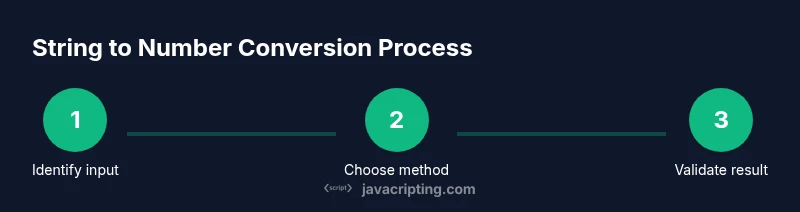
- 1
Identify the input string
Find where the string comes from (form field, API, file) and note any guarantees about format. Decide whether the value should be an integer, decimal, or a general number. This clarity guides your conversion choice.
Tip: Log the raw input early to understand its shape. - 2
Trim and normalize
Remove extraneous whitespace and apply a normalization strategy (lowercasing for codes, if applicable). Normalization helps prevent subtle errors when the string includes spaces.
Tip: Use input.trim() before converting. - 3
Select a conversion method
Choose Number(), parseInt(), parseFloat(), or unary plus based on the input and required output. Consider whether you require strict full-string conversion or permissible prefixes.
Tip: If you’re unsure, start with Number() for clear semantics. - 4
Apply the conversion
Compute the numeric value using the chosen method. Ensure you store the result in a clearly named variable for readability.
Tip: Keep the conversion isolated in a helper function for reuse. - 5
Validate the result
Check for finite numbers and handle NaN. If you require integer values, verify Number.isInteger(result).
Tip: Use Number.isFinite to catch Infinity as well. - 6
Handle edge cases
Address empty strings, hex inputs, and exponent notation explicitly if your domain expects these formats.
Tip: Document how edge cases are treated and add tests. - 7
Test with representative data
Create a small test suite that covers typical inputs and corner cases. Validate outputs against expected results.
Tip: Include both valid and invalid strings to discourage regressions.
Questions & Answers
What is the difference between Number(), parseInt(), and parseFloat() in string to number conversions?
Number() converts the entire string and returns NaN if any non-numeric character remains. parseInt() parses from the start and stops at the first non-digit, optionally using a radix. parseFloat() parses decimals and exponents from the start. Choose based on whether you need strict full-string conversion or partial parsing.
Number converts the whole string, parseInt reads from the start and stops, parseFloat handles decimals. Pick the one that matches your data format.
Why does Number('') return 0?
In JavaScript, an empty string coerces to 0 when using Number(). Understanding this helps avoid misinterpretation of empty inputs. If you need to treat empty input as invalid, add an explicit check before conversion.
An empty string turns into zero with Number(), so check for empty input if that's not desired.
Is it safe to use unary plus (+str) for conversion?
Yes, unary plus is a concise shorthand for Number(str). It follows the same rules and returns NaN for invalid input. Use it when you want compact syntax, but ensure you validate the result.
Yes, +str is a short form for Number(str) and returns NaN for non-numeric input.
How can I validate that a string truly represents an integer?
Use Number.isInteger(Number(str)) after trimming. For strict checks, ensure the parsed value consumes the entire string, or compare to a regex that matches only integers.
Check that the converted value is an integer and that the input matches the expected format.
What about hex and scientific notation?
Number('0x10') yields 16, and parseInt('0x10', 16) also yields 16. parseFloat supports '1e3'. If you require only decimal, validate and reject hex or exponent forms.
Hex values like 0x10 will convert to 16 with Number(); use validators if you need only decimals.
How to handle locale-based numbers?
JavaScript uses a dot as the decimal separator. For locales that use commas, you must normalize the string (e.g., replace ',' with '.') or use a parsing library that supports localization.
Decimals use a dot; if your locale uses comma, normalize first or use a library.
Watch Video
What to Remember
- Convert with a clear goal: integer vs. decimal.
- Validate results before use to avoid NaN or Infinity.
- Prefer explicit methods and tests over ad-hoc conversions.
- Document decisions to create robust code.
- Use a helper to encapsulate string a number javascript logic.