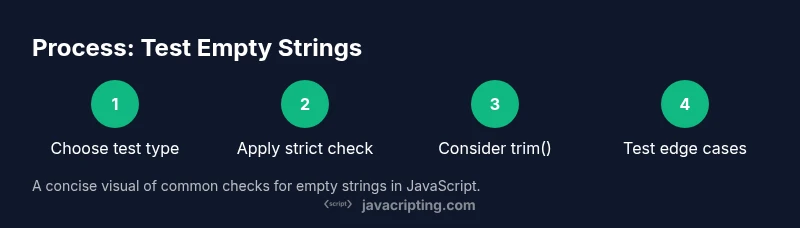
javascript test for empty string: a practical guide
Learn how to reliably detect an empty string in JavaScript, handle whitespace, guard against non-string inputs, and implement reusable tests. This guide covers patterns, pitfalls, and best practices for real-world apps.


You will learn reliable techniques to test if a value is an empty string in JavaScript, including strict equality checks, length property, and edge cases with undefined or null. You’ll see practical code examples, pitfalls, and best practices for robust input validation. This quick guide covers strings, template literals, and common library helpers, with clear recommendations you can apply immediately.
javascript test for empty string
Understanding what counts as an empty string is foundational for input validation in JavaScript. An empty string is a string with zero characters, represented as "". It is distinct from a string containing whitespace, such as " ", which is not empty. In practice, you often need to distinguish between truly empty values and strings that merely appear blank to the user. This distinction matters in forms, API requests, and user input processing. When building resilient apps, treat an empty string as a first-class special case and decide early whether whitespace should be considered empty. In addition, recognize that values in JavaScript can be of different types; a non-string value such as null, undefined, or a number should not be treated as an empty string unless your business logic requires coercion. The phrase javascript test for empty string will appear throughout this article as you see concrete patterns and clear, repeatable checks.
javascript test for empty string — key idea
In its simplest form, an empty string is detected with a strict comparison to the empty literal: value === "". This check is type-safe and guarantees that only string values with zero length are considered empty. It is the most explicit and commonly used approach in production code.
Why empty string checks matter in real apps
Empty strings can break form validation, API payloads, and downstream logic if not properly handled. For example, sending an empty string for a required username could trigger server-side errors or misleading UX. By detecting empty strings early, you prevent invalid data from propagating through the system. This is especially important in chat apps, search inputs, and configuration forms where a missing value has real consequences.
Basic methods to test for emptiness
There are several patterns you can use, each with its own trade-offs:
- Strict equality (recommended for strings): if (text === "") { … }
- Length check: if (text.length === 0) { … }
- Trimmed empty check: if (text.trim() === "") { … } // ignores whitespace
Code examples show how each method behaves with different inputs, including whitespace, multi-byte characters, and empty buffers. Using trim() is especially useful when accepting user input, but consider whether whitespace should count as empty in your domain.
Handling whitespace-only strings and whitespace normalization
Whitespace-only strings should often be treated as empty, but not always. A deliberate decision is required: do you want to consider a string like " \t" as empty or non-empty? If you decide to treat whitespace as empty, use text.trim() === "". If not, document the behavior and implement alternatives such as text.trimEnd() for display or data storage while preserving the original input.
Guarding against non-string inputs
A robust test should guard against non-string values like null, undefined, or numbers. A common, safe pattern is to test the type first, then length: typeof value === 'string' && value.length === 0. If you must accept string-like values, consider a helper that coerces only when appropriate, without converting numbers to empty strings.
A small utility approach for consistency
Creating a tiny helper function helps keep tests consistent and reduces duplication across components:
function isEmptyString(value) {
  return typeof value === 'string' && value.length === 0;
}
Use this utility wherever empty-string checks are required, and export it from a single module to enforce uniform behavior across your codebase.
Practical integration in forms and APIs
In frontend forms, you typically validate on submit or on blur. Example:
const nameInput = document.querySelector('#name').value;
if (isEmptyString(nameInput)) {
  showError('Name cannot be empty');
}
For APIs, ensure that payload builders apply the same rule before sending data. If you require a non-empty string in your API contract, validate before serialization and again on the server.
Testing strategy: unit tests and coverage
Unit tests are essential to prevent regressions. Write tests for the core scenarios: empty string, non-empty string, whitespace-only string (depending on your policy), and non-string inputs. A simple test suite can validate isEmptyString('') is true and isEmptyString('hello') is false, while also covering value undefined.
Summary of approach and recommended patterns
When testing for an empty string, prefer explicit type checks followed by length checks. Use trim() when whitespace should be ignored, but document this decision. Encapsulate the logic in a small, reusable utility to ensure consistency across the project. Finally, pair runtime checks with unit tests to catch edge cases early.
Tools & Materials
- Code Editor (e.g., VS Code)(Set up for JavaScript editing with linting enabled)
- Node.js environment(Run snippets locally and execute tests)
- Console or REPL(Experiment with strings interactively)
- Unit testing framework(Jest, Mocha, or Jasmine for automated tests)
- Linter/formatter(Maintain consistent style across tests and utilities)
Steps
Estimated time: 30-45 minutes
- 1
Define the test goal
Decide whether an empty string should be treated strictly (only "") or whether whitespace should count as empty. Document this decision to guide all validations and tests.
Tip: Write down the exact definition of empty for your project before coding. - 2
Check strict equality against the empty string
Implement a direct comparison: if (value === ""). This is the clearest, most predictable check for a string that is truly empty.
Tip: Prefer === over == to avoid type coercion surprises. - 3
Add a length-based check as an alternative
If you are certain the input is a string, length === 0 is a concise check. It is slightly faster and explicit about the length constraint.
Tip: Run both methods in tests to confirm equivalence on your domain inputs. - 4
Consider whitespace handling with trim
If whitespace should be treated as empty, use value.trim() === "". This normalizes common user input issues like spaces, tabs, or newlines.
Tip: Be mindful that trim may affect performance in hot paths; measure if used in tight loops. - 5
Guard against non-string values
To avoid misclassifying numbers or objects, combine a type check with a length check: typeof value === 'string' && value.length === 0.
Tip: Encapsulate this in a utility to avoid repetition and keep semantics centralized. - 6
Create a reusable utility
Expose a single function like isEmptyString and reuse it across components, forms, and API payload builders.
Tip: Export and document the function so future contributors apply the same rule. - 7
Test edge cases
Add tests for whitespace-only strings, null/undefined inputs, and strings with multi-byte characters to ensure correct behavior.
Tip: Automated tests guard against regressions as code evolves. - 8
Integrate into validation workflows
In forms, call isEmptyString on submit or on blur; in APIs, validate payloads before serialization.
Tip: Couple with user-friendly error messages tailored to the domain. - 9
Review and refine
Periodically review the policy on empty strings to reflect evolving business rules and localization considerations.
Tip: Keep a changelog of behavior decisions for transparency.
Questions & Answers
What counts as an empty string in JavaScript?
An empty string is a string with zero characters, represented as "". It is distinct from whitespace-only strings like " ".
An empty string is just the string with no characters. Whitespace-only strings are not empty unless you decide to trim.
When should I trim input before testing emptiness?
If your validation should ignore leading and trailing whitespace, apply trim() before testing. If you need to preserve user input exactly, test without trimming and handle display separately.
Trim only if your requirements say whitespace should not count as input.
How do I handle null or undefined values?
Null or undefined are not strings, so decide whether to treat them as empty strings or to handle them separately. A common pattern is to test type first: typeof value === 'string' && value.length === 0.
If you require a string, first check the type before testing length.
Can I test for empty strings in TypeScript?
Yes. In TypeScript, you can use the same runtime checks, and you may refine types with type guards, such as value is string, to ensure correctness at compile time.
Use the same checks, but you’ll get compile-time safety too.
What is a good pattern for reusable validation in forms?
Create a small library or utility module exporting isEmptyString and use it in all form validators to keep behavior consistent.
A shared validator keeps behavior uniform across the app.
Should I test whitespace-only strings as empty?
If your app treats whitespace as empty, use text.trim() === '' to detect emptiness after normalization. If not, only test for the actual length.
Trim if your domain requires ignoring whitespace.
Watch Video
What to Remember
- Use strict string checks for clarity.
- Trim whitespace only when your domain requires it.
- Guard non-string inputs to avoid false positives.
- Encapsulate logic in a reusable utility.
- Test edge cases to ensure robust behavior.