Get Query String in JavaScript: A Practical Guide
Learn how to extract and parse the query string from the URL in JavaScript using URLSearchParams, manual parsing, and robust techniques. Includes real-world examples, cross-browser considerations, and security tips.


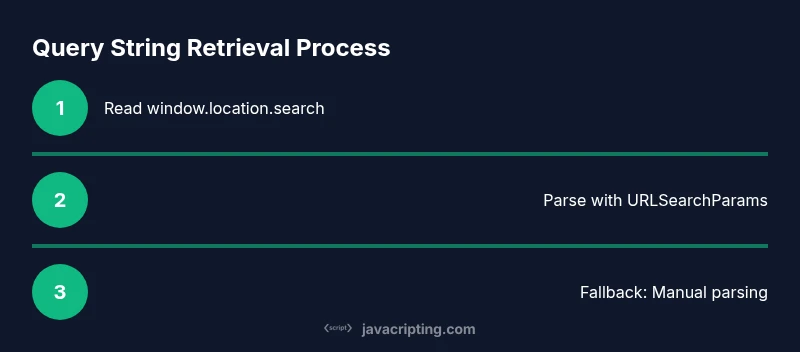
You will extract the query string from the current page URL in JavaScript using URLSearchParams or a manual parser. This quick method handles common parameters, decodes values, and works across modern browsers. By the end, you’ll know how to read, check, and safely use query parameters in client-side code. In practice, you'll often combine these approaches to support fallback paths and error handling.
Why Getting the Query String Matters
In the age of dynamic web pages, query strings are a lightweight way to pass information from the browser to client-side code without making additional server requests. They influence UI state, filtering, sorting, and feature flags on a page. According to JavaScripting, understanding how to reliably read these parameters is foundational for building responsive, data-driven interfaces. When you retrieve the query string, you gain access to user-specified values that can alter what content is shown, how data is fetched, or which features are activated. This knowledge helps prevent brittle code that assumes parameters exist and formats data safely for consumption by JavaScript running in the browser.
From a developer’s perspective, a clean approach to query strings reduces bugs, supports maintainability, and makes your code more portable across frameworks and libraries. You’ll learn to parse, validate, and sanitize input so that parameters influence behavior without introducing security risks. The techniques discussed here apply whether you’re building plain JavaScript, enhancing a React app, or crafting a small utility library. The goal is to give you practical, production-ready patterns you can reuse across projects.
Understanding the URL and Query String
A URL consists of multiple components: protocol, host, path, and the query string. The query string begins after the question mark (?) and includes key-value pairs separated by ampersands (&). For example, in https://example.com/search?q=javascript&page=2, q and page are query parameters. The query portion is not automatically decoded by browsers; you must decode it to use the values safely in JavaScript. Understanding this structure helps you design robust extraction logic that works across real-world URLs, including those with encoded characters like %20 or + representing spaces.
When you read the query string, you’re often turning a string like ?q=javascript&page=2 into a usable object { q: 'javascript', page: '2' }. The first step is to obtain the raw string, typically via window.location.search or via the URL interface when you’re working with URL objects. From there, you decide whether to use built-in utilities or write your own parsing code depending on your target environments.
Native JavaScript Methods to Retrieve the Query String
Modern JavaScript provides a few straightforward options to access the query string. The simplest is window.location.search, which returns the raw ?-prefixed query string. You can then parse that string manually or pass it to URLSearchParams for a friendlier API. If you’re working with a URL object, you can call url.search or url.searchParams to access the parts you need. These approaches cover most common use cases and keep your code concise and readable.
Another option is to instantiate a URL object with a string URL, e.g., const url = new URL(window.location.href); This lets you access url.search and url.searchParams with a consistent API, even in complex routing scenarios. Understanding these core methods sets you up for cross-browser consistency and clean integration with frameworks and libraries.
Using URLSearchParams: Simple, Flexible, Modern
URLSearchParams is a modern, convenient API for parsing query strings. It provides methods like get, getAll, has, and set to retrieve and manipulate parameters. For example, const params = new URLSearchParams(window.location.search); const user = params.get('user'); const tags = params.getAll('tag'); if (params.has('debug')) { // enable debug mode } is a typical pattern. URLSearchParams handles decoding for you, so you don’t need to call decodeURIComponent manually for standard keys.
If you’re working in environments where URLSearchParams might not be available (older browsers), you can write a small polyfill or fallback to a manual parser. In practice, many production apps use URLSearchParams for its clarity and reliability, while providing a fallback for legacy support. This approach improves readability and reduces the chance of errors when dealing with multiple values for the same key.
Manual Parsing: When URLSearchParams Isn’t Available
In legacy environments, URLSearchParams may not exist. A lightweight manual parser can be written by extracting window.location.search (or a provided query string), removing the leading ?, splitting on &, and then splitting each pair on =. Remember to use decodeURIComponent to convert any URL-encoded characters. A typical helper looks like:
function parseQueryString(qs) {
  const params = {};
  if (!qs) return params;
  // Remove leading '?'
  const pairs = qs.startsWith('?') ? qs.substring(1) : qs;
  for (const pair of pairs.split('&')) {
    if (!pair) continue;
    const [key, value] = pair.split('=');
    const k = decodeURIComponent(key);
    const v = value !== undefined ? decodeURIComponent(value) : '';
    if (params.hasOwnProperty(k)) {
      // If the key already exists, convert to array and push
      if (Array.isArray(params[k])) {
        params[k].push(v);
      } else {
        params[k] = [params[k], v];
      }
    } else {
      params[k] = v;
    }
  }
  return params;
}
This manual method gives you total control and works in older browsers. It also serves as a solid fallback when you need custom decoding rules or non-standard parameter formats.
Practical Examples: Reading Common Parameters
Consider a URL like https://example.com/search?q=javascript&sort=date&tags=web&tags=frontend. With URLSearchParams, you can read values with clarity:
const qs = window.location.search;
const params = new URLSearchParams(qs);
const q = params.get('q'); // 'javascript'
const sort = params.get('sort'); // 'date'
const allTags = params.getAll('tags'); // ['web','frontend']
If you’re using the manual parser, you’d call parseQueryString(window.location.search) and then work with the resulting object. This example highlights a common pattern: provide sensible defaults when a parameter is missing and validate values before using them in your logic.
Handling Multiple Values for the Same Key
Query strings often carry multiple values for the same key. URLSearchParams.getAll('key') returns an array of all values for that key, preserving the order in which parameters appear. This is useful for multiselect filters, categories, or any scenario where a single parameter has multiple values. When parsing manually, you can collect multiple values by pushing to an array each time a key repeats. Always normalize values to the shape your application expects (string, array, or null).
Example:
const params = new URLSearchParams(window.location.search);
const ids = params.getAll('id'); // ['123','456','789']
From a data integrity perspective, consider validating each value’s type and length before using it in API requests or UI decisions.
Dealing with Missing or Malformed Values
No query parameter is guaranteed to be present. When a required value is missing, provide a safe default or fall back to a sensible UI state. For example, if the user parameter controls personalization, you might show generic recommendations when user is undefined. If a parameter is expected to be a number, validate and coerce it, and handle invalid input gracefully.
Code patterns:
const user = params.get('user') ?? 'guest'; // default to 'guest'
const page = parseInt(params.get('page') ?? '1', 10);
if (Number.isNaN(page) || page < 1) {
  // fallback to page 1
}
Robust apps never rely on a single path to obtain critical state; always build fault tolerance into your query-string handling.
Cross-Browser Considerations and Fallbacks
URLSearchParams enjoys broad support in modern browsers, but you should plan for environments lacking this API. Feature detection is a good practice:
if ('URLSearchParams' in window) {
  // use URLSearchParams
} else {
  // fallback to manual parsing
}
For SPA routing, consider how your framework handles URL parsing. Some frameworks expose location, history, or router objects that can influence how you extract query data. If your code runs in a web worker or a non-DOM context, avoid direct access to window and structure the logic to accept an input string for testability.
In JavaScript modules, you can export a small utility that accepts a URL string and returns a normalized object, ensuring consistent behavior across environments.
Security and Validation: Keep Data Safe
Query strings are user-supplied input and should never be trusted implicitly. Always validate and sanitize values before you pass them to APIs, render them in the DOM, or use them to affect logic. Avoid constructing HTML directly from parameter values to prevent XSS. When displaying values, escape them or use textContent instead of innerHTML. If you’re using values for API requests, ensure proper escaping or parameter encoding to prevent injection attacks.
Best practices:
- Validate types and ranges (e.g., page >= 1, id is numeric when required).
- Decode values safely; avoid double-decoding.
- Use safe defaults and feature flags instead of parameter-driven UI changes without checks.
Integrating with Frameworks: React, Vue, and Vanilla JS
Many modern apps read query strings to drive state. In React, you often pull parameters from the router or useLocation from react-router to extract search queries and then map them into state. In Vue, you can access this.$route.query to retrieve parameters and react to changes. In vanilla JS, URLSearchParams is sufficient for straightforward needs. A good pattern is to centralize query-string parsing in a utility module that can be imported wherever needed, ensuring consistent behavior across components, routes, and utilities.
Testing, Debugging, and Best Practices
Test your query-string logic with unit tests that cover typical, edge, and malformed inputs. Create tests for missing values, repeated keys, and encoded characters. Use console.log or a debugger to inspect parsed objects during development, and consider writing a small playground page to exercise different URL strings. Document the expected parameter behavior so teammates know how to rely on the parsing utility. Finally, favor URLSearchParams when available, but keep a small, well-tested fallback for older browsers to maximize reliability.
Tools & Materials
- Modern browser with developer tools(Chrome/Edge/Firefox with console capabilities)
- Code editor (e.g., VS Code)(For writing utilities and samples)
- Access to sample URLs or a test page(To simulate real scenarios)
- Node.js (optional)(Run quick tests or a small script)
Steps
Estimated time: 15-25 minutes
- 1
Identify the source of the query string
Determine whether you will read the query string from window.location.search, from a URL string you receive, or from a router object in your framework. This establishes the initial input for parsing.
Tip: Prefer window.location.search for client-side use; use a passed URL string for testability. - 2
Choose a parsing approach
If URLSearchParams is available, prefer it for clarity and stability. If not, prepare a manual parsing function that can handle single and multiple values.
Tip: Use feature detection to pick the right path. - 3
Read the raw query string
Obtain the string with window.location.search or by parsing a URL’s search portion. Remember to handle the leading '?' properly.
Tip: Do not assume the string starts with '?'; strip it if present. - 4
Parse with URLSearchParams
Create a URLSearchParams instance and use get, getAll, and has to read values. Decode is automatic for standard values.
Tip: Check for multiple values with getAll when needed. - 5
Implement a manual fallback
If URLSearchParams is unavailable, run a parsing function that iterates over key-value pairs and decodes components safely.
Tip: Test with repeated keys and encoded characters. - 6
Handle missing or invalid inputs
Provide defaults and validate types for parameters used in logic or UI decisions.
Tip: Use null or safe defaults rather than assuming presence. - 7
Normalize and use values
Convert strings to the expected types (numbers, booleans) and sanitize for display or API requests.
Tip: Keep a single source of truth for the parsed data. - 8
Integrate with framework state
If using a framework, map parsed parameters to component state or store, and react to changes.
Tip: Consider debouncing or guarding expensive updates. - 9
Test in real-world scenarios
Test with URLs containing encoded characters, arrays, and missing values to ensure reliability.
Tip: Create a test URL gallery to cover edge cases.
Questions & Answers
What is the simplest way to read a query string in JavaScript?
Use URLSearchParams to read parameters from window.location.search. It provides get, getAll, and has methods that are easy to use and decode values automatically.
URLSearchParams is the easiest way to read query parameters from the current URL in modern browsers.
How do I handle multiple values for the same key?
Use getAll to retrieve all values for a key when the URL includes repeated parameters, like ?tag=js&tag=dom.
If a key appears more than once, getAll returns all its values.
What should I do if URLSearchParams isn’t supported?
Provide a small manual parser that splits the query string on & and =, then decode each component. Maintain a safe default if needed.
If URLSearchParams isn’t available, fall back to a simple manual parser.
How can I validate query string values before using them?
Check type and range, provide defaults, and sanitize output before rendering or sending to APIs.
Always validate and sanitize query values before using them.
Can query strings affect routing or framework state?
Yes, many frameworks map query parameters to state. Integrate parsing with your router or use a centralized utility.
Query params often influence app state; tie parsing to your router logic.
Is it safe to display query values in the UI?
Escape or use text rendering to avoid XSS. Do not inject raw parameter values into HTML.
Escape values before showing them in the UI to prevent XSS.
Watch Video
What to Remember
- Use URLSearchParams when available for clean code
- Provide a robust fallback with a manual parser
- Validate and sanitize all query string values
- Handle missing and multiple values gracefully
- Test across browsers and frameworks for consistency