How to Remove Event Listener JavaScript: A Practical Guide
Master removing event listeners in JavaScript with clear steps, best practices, and edge-case tips to prevent memory leaks and ensure reliable cleanup.


Remove an event listener in JavaScript by calling removeEventListener with the same event type, callback function, and options you used when attaching it. Do not rely on anonymous functions; store the listener in a named function or variable so you can reference it later. Ensure the capture flag or options match exactly to detach reliably and avoid leaks.
How to remove event listener javascript
Attaching event listeners is a fundamental technique for interactive web pages. You listen for clicks, keystrokes, drags, or custom events, then react accordingly. But there are times when you need to detach those listeners. Perhaps a component is unmounting, a feature is being replaced, or you’re optimizing performance on a busy page. In all of these cases, removing the listener correctly matters as much as adding it. According to JavaScripting, the simplest and most reliable pattern is to keep a named reference to the callback and call removeEventListener with the exact parameters later. This approach avoids the common pitfall of losing the handle to the function, which makes the listener linger and may lead to memory leaks. It also clarifies your code, so future maintenance teams know which function is responsible for handling the event. In practice, you’ll rarely be able to guarantee removal if you use anonymous inline listeners every time you attach one. The core rule is straightforward: store the callback in a variable, then use the same function reference when you remove it. If you follow this pattern, cleanup becomes predictable and robust, even as your application evolves.
Timing and memory considerations when removing listeners
Timing matters just as much as the actual removal. If you detach listeners too late, you may experience unnecessary event handling and wasted CPU cycles; detach too early, and you might miss intentional user actions. Memory leaks are a common consequence of unremoved listeners on long-lived objects or single-page apps with dynamic components. The JavaScripting guidance emphasizes cleanup during lifecycle transitions—unmounting components, navigating away from a page, or tearing down widgets should all trigger listener removals. A disciplined approach is to pair every addEventListener with a corresponding removal in the same lifecycle phase, ensuring objects don’t keep callbacks alive longer than needed. This practice improves performance and reduces debugging toil when tracing event-driven bugs in production environments.
API semantics: identical references and options
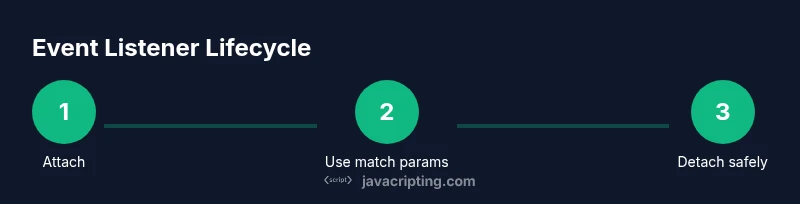
To reliably remove a listener, you must pass the same event type, the exact callback function reference, and the same options value you used in addEventListener. The callback must be the same function object, not an equivalent arrow or a new function created at removal time. The third parameter can be a boolean (capture) or an options object (capture, passive, once). If you used an options object, you should pass an equivalent object or the same values to remove the listener. In practice, many developers keep a single reference to the listener and reuse that reference in both add and remove calls, avoiding the complexity of recreating callbacks. This is the core rule for accurate detachment and clean code.
Patterns for lifecycle management: named callbacks and registries
One robust pattern is to assign the listener to a named function or constant, then store that reference in a registry that maps elements to their listeners. When a component unmounts or a page changes, iterate the registry and call removeEventListener for each entry. In environments like React, place cleanup code in useEffect's return function or in componentWillUnmount to guarantee timely removal. For delegated listeners (attached at a parent level and checking event.target), retain the original callback and ensure detachment points exist for each delegated handler as well. This approach keeps event handling predictable and minimizes memory pressure on the browser.
Practical examples: removing a click listener and handling capture
Example scenario: a button toggles an action on click, and later you decide to disable that action. You can store the listener as a named function and remove it when needed. For instance, attach with button.addEventListener('click', handleClick); and later detach with button.removeEventListener('click', handleClick);. If you used the capture option, ensure you pass the same boolean or a matching options object during removal. Remember, anonymous callbacks cannot be removed later, so avoid defining them inline if you plan to detach the listener later. By keeping a consistent pattern, you reduce bugs and improve maintainability.
Tools & Materials
- Browser with DOM access (Chrome/Edge/Firefox)(Open DevTools to test and debug.)
- Reference to the exact listener function(Must be the same object used in addEventListener.)
- Same options value used in addEventListener(Use the same boolean for capture or an equivalent options object (capture, passive, once).)
- Code context or sample page(Helps when illustrating in a live example.)
- Testing tool or console output(Verify removal by triggering events and checking effects.)
Steps
Estimated time: 20-30 minutes
- 1
Identify the listener reference
Find or create a clearly named function to serve as the callback. Store this reference in a variable so you can reuse it for both adding and removing. Avoid inline anonymous functions if you expect to remove the listener later.
Tip: Always prefer a named function or a stored reference to keep removal deterministic. - 2
Check the addEventListener signature
Note the event type, the exact listener reference, and the options used (capture or an options object). These must align when you remove the listener. If you don’t know the options, review the code path where the listener was attached.
Tip: Capture mode matters; a mismatch will prevent removal. - 3
Call removeEventListener with matching parameters
On the same element, call removeEventListener(type, listener, options) using the same values as when attaching. If you used an options object, pass an equivalent object or the same boolean capture value.
Tip: Passing an identical value guarantees the browser detaches the listener. - 4
Test that the listener is removed
Trigger the event to confirm the callback no longer runs. If it still fires, re-check the function reference and the capture/options values.
Tip: Use console logs to verify the removal path clearly. - 5
Handle multiple listeners
If several listeners exist on the same element, repeat the removal steps for each. Consider a registry map to organize listeners by element and event type.
Tip: A registry reduces mistakes when cleaning up many listeners. - 6
Lifecycle cleanup
Integrate listener removal into lifecycle events (component unmount, page navigation, or app teardown). Frameworks like React require cleanup in useEffect or componentWillUnmount.
Tip: Automated cleanup prevents memory leaks and flaky behavior.
Questions & Answers
Why doesn't removeEventListener work with anonymous functions?
removeEventListener requires the exact function reference used in addEventListener. If you pass an anonymous function, you cannot remove it later unless you store a reference. Use named functions or a stored callback.
Remember: you must pass the same function reference to removeEventListener as you used to add it.
How can I remove multiple listeners from the same element?
Call removeEventListener for each listener, using the correct type and options for each. Keeping a registry of listeners helps manage them efficiently.
Remove each listener with its own reference.
Is it different to remove listeners added in React or other frameworks?
In React, addEventListener is still a DOM API. Cleanup should occur in useEffect cleanup or componentWillUnmount to avoid leaks.
Cleanup in the component lifecycle is essential.
Can I remove a listener from inside the listener function?
You can remove within the callback if you want a one-time effect, but you still must pass the same function reference to remove it.
Yes, but you must reference the same function you attached.
What if you pass different options to removeEventListener than were used in addEventListener?
removeEventListener will not remove a listener if the options (capture, passive, once) do not match exactly.
Match the options exactly.
Watch Video
What to Remember
- Keep a reference to the exact callback function.
- Always match event type and options when removing.
- Avoid anonymous functions for removable listeners.
- Test removal at the same lifecycle stage as attachment.
- Document listener lifecycles to prevent memory leaks.