Open a New Tab in JavaScript: A Practical How-To
Learn how to open a new tab in JavaScript using window.open, understand popup blockers, and apply secure, user-friendly patterns with code examples and best practices for aspiring developers.


To open a new tab in JavaScript, call window.open(url, '_blank', 'noopener,noreferrer') in response to a user gesture (like a click). The new tab loads the specified URL and is isolated from the opener to improve security. If popups are blocked, provide a fallback such as an anchor tag or a visible hint to the user.
Opening a new tab with window.open
Opening a new tab via JavaScript is a common task for enhancing UX when you want to direct users to related content without navigating away from the current page. According to JavaScripting, using the window.open API remains a robust approach when executed in direct response to a user action, such as a click. The function returns a reference to the new window, or null if the browser blocks the popup. A typical pattern is to place the call inside an event handler to ensure it is treated as a user gesture. Example below shows a compact pattern that is easy to adapt in any modern frontend framework:
function openTab(url) {
  const w = window.open(url, '_blank', 'noopener,noreferrer');
  if (w) w.focus();
}

document.querySelector('#openTab').addEventListener('click', () => openTab('https://example.com'));
Key takeaways from this approach include: you get a dedicated tab, you improve security by preventing the new page from accessing the opener, and you gain a straightforward hook to tie into UI elements (buttons, links, or cards).
User gesture requirements and popup blockers
Browser vendors implement popup blockers to curb unsolicited windows, and the most reliable way to bypass them is to tie window.open to a clear user action. If a user triggers the action with a click or key press, most browsers will allow the new tab to open. If the action happens asynchronously (e.g., after a fetch completes), the browser may block the popup. In practice, always bind openTab to a direct user gesture and avoid auto-opening on page load. This improves both usability and reliability.
If a popup is blocked, consider surfacing a graceful fallback UI: an inline link with target="_blank" that the user can click, or a modal explaining that a new tab would open with a trust signal to click again.
Security patterns: noopener and noreferrer
Security is essential when opening a new tab. Include the noopener and noreferrer flags in the features string to ensure the new page cannot access the window.opener and to avoid leaking referrer information. This is particularly important when opening external sites. Without these protections, the opened page could potentially manipulate the original page via window.opener. A best-practice pattern is:
window.open(url, '_blank', 'noopener,noreferrer');Note that while you can also use rel="noopener" or rel="noreferrer" on anchor tags, the window.open approach with the flags ensures the same level of isolation programmatically.
Alternatives and UX patterns: anchors rather than scripts
In many scenarios, an anchor tag with target="_blank" and rel="noopener noreferrer" offers a simple, accessible, and reliable fallback. This pattern respects browser defaults and user expectations, especially for keyboard and screen reader users. If your logic requires dynamic URL selection, you can still render a normal anchor with href set to the target URL and attach a click handler for analytics, while letting the browser perform the navigation. This separation of concerns often yields better accessibility and compatibility across devices.
Focus management and accessibility considerations
When opening a new tab, consider how focus moves between windows. You typically want to return focus to the original page if the user continues interacting there after the new tab opens. In practice, you can call newWindow.focus() immediately after opening, but be aware that some browsers may ignore it or delay it if the user has non-browser focus. Clear visual indicators and concise messaging help users understand what happened, especially for keyboard-only users. If you disable scroll or trap focus, ensure users can easily navigate back to the opener tab.
Cross-origin and same-origin constraints
The new tab is a separate browsing context. If your URL points to a different origin, your ability to interact with the new tab from the opener is strictly limited by the Same-Origin Policy. You can close the new tab from the opener (if you kept a reference to it), but you cannot inspect its DOM or read its properties if it’s cross-origin. Plan your UX around these constraints and rely on postMessage for any cross-origin communication when needed.
Debugging, testing, and real-world patterns
Test across major browsers (Chrome, Firefox, Edge, Safari) and ensure your event binding is robust, not dependent on DOM content loaded timing. Use console.log within your openTab function to verify it fires only in response to user actions. For SPA frameworks, attach the logic to the framework’s event system (onClick for React, v-on:click for Vue, etc.) and keep the call concise to avoid race conditions with asynchronous code.
Real-world patterns in modern apps
In production apps, you’ll frequently see a combination of patterns: a user-initiated action triggers a window.open call for a help article, a separate tab for a payment flow, or a marketing page, all with a secure features string. When a security policy requires a strict origin, you may separate concerns by presenting a clearly labeled action that opens a new tab rather than embedding complex logic in a single button. This approach reduces the surface for popup-blocker interference and aligns with user expectations.
Best practices recap and a practical checklist
- Always trigger window.open from a direct user action. - Use 'noopener,noreferrer' to enhance security. - Provide a visible fallback when popups are blocked. - Prefer anchor-based navigation for simple cases to improve accessibility. - Test across several browsers and devices to account for differences in popup handling.
Tools & Materials
- Web browser with JavaScript enabled(Chrome, Edge, Firefox, or Safari; ensure popup blockers allow user-triggered tabs)
- Text editor or IDE(VS Code, Sublime Text, or any editor; you can also test in DevTools Console for quick experiments)
- Sample URL(Use a trusted URL you control for demos (e.g., https://example.com or a staging page))
- Anchor tag fallback (optional)(Have a ready-made link with target="_blank" and rel="noopener noreferrer" as a fallback)
- Cross-browser testing plan(Test in at least Chrome, Firefox, Safari, and Edge)
Steps
Estimated time: 15-25 minutes
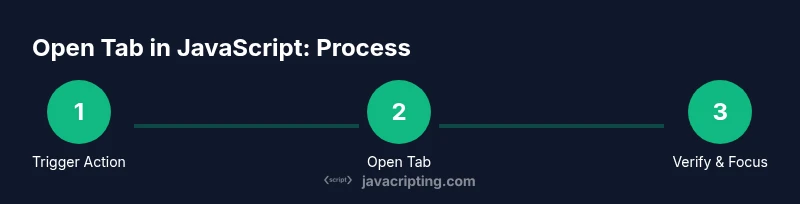
- 1
Define the URL and trigger
Choose the destination URL and ensure you will trigger the action through a user gesture (click or key press). This guarantees the browser treats it as intentional navigation. Prepare the URL in a variable for reuse across your app.
Tip: Pro tip: keep the URL in a constant or configuration to simplify updates and testing. - 2
Bind a user action
Attach an event listener to a UI element (button, link, or card) that will call the openTab function on interaction. Avoid triggering during page load to prevent popup blockers from intervening.
Tip: Pro tip: debounce or guard the call if you attach it to hover or other non-click events. - 3
Call window.open with security flags
Invoke window.open(url, '_blank', 'noopener,noreferrer') and verify the returned window object exists. The flags prevent the opened tab from accessing the opener and avoid leaking referrer data.
Tip: Pro tip: check if the returned object is non-null before calling focus() to handle blocked popups gracefully. - 4
Focus management
If the window opens successfully, attempt to focus the new tab to ensure it’s visible to the user. Some browsers may ignore focus requests; document the behavior for your users.
Tip: Pro tip: call newWindow.focus() only after confirming newWindow is not null. - 5
Provide a graceful fallback
If the popup is blocked, show a clear message and provide an inline anchor tag with target="_blank" and rel attributes as a fallback.
Tip: Pro tip: always include a visible, accessible alternative so users aren’t blocked from reaching the content. - 6
Test across browsers
Verify behavior in Chrome, Firefox, Edge, and Safari. Popup blocking behavior can vary across engines, so real-world testing is essential.
Tip: Pro tip: enable/disable popup blockers during testing to observe differences. - 7
Accessibility and messaging
Add accessible text to explain that a new tab will open and provide a way to continue using the current tab. Ensure keyboard users can initiate the action.
Tip: Pro tip: use aria-labels and visible focus indicators on the trigger element.
Questions & Answers
What is the difference between opening a link in a new tab vs a new window?
Most modern browsers decide between a tab or a window based on user preferences. The href with target='_blank' generally opens a new tab, but some settings may spawn a new window. Functionally, both navigate to the URL without replacing the current page.
Typically, a new tab is opened by default when using target _blank, but the actual behavior depends on the browser and user settings.
Why is window.open sometimes blocked by popup blockers?
Popup blockers detect non-user-initiated windows and may block them to prevent unwanted interruptions. Trigger the call directly from a user action like a click to minimize blocking and improve reliability.
Popup blockers stop non-user-initiated popups, so ensure you call window.open from a real user action.
Can I control the content of the new tab from the opener?
Cross-origin restrictions prevent the opener from manipulating the new tab's DOM if the URL is different origin. You can close the tab from the opener if you hold a reference, but reading its content is restricted.
You can't control the new tab’s content across origins, but you can close it if you have a reference.
What are the security best practices when opening a new tab?
Always use 'noopener' and 'noreferrer' in the window.open call to prevent the new page from gaining access to the opener and to avoid leaking referrer information.
Use noopener and noreferrer to keep the original page secure when opening a new tab.
Is there a fallback pattern if popups are blocked?
Yes. Show a visible link with target='_blank' and rel='noopener noreferrer' as a fallback, or provide a clearly labeled button that users can click to open the tab manually.
If a popup is blocked, offer a plain link or an explicit button that opens the tab.
Watch Video
What to Remember
- Open tabs only from user actions.
- Use noopener and noreferrer for security.
- Offer a fallback when popups are blocked.
- Prefer anchor-based navigation for accessibility.
- Test across major browsers for reliability.