How to Write a Function in JavaScript: A Practical Guide
Master the art of writing JavaScript functions with practical patterns, examples, and best practices. From declarations to closures, this guide helps you code faster and think clearly.


In this guide you will learn how to write a function javascript with clear syntax, parameter handling, return values, and common patterns. You’ll see practical examples, discuss scope and closures, and compare declarations, expressions, and arrow functions to write robust, reusable code.
Why Functions Matter in JavaScript
Functions are the core building blocks of JavaScript, enabling you to encapsulate behavior, reuse logic, and compose complex applications from simpler parts. Learning how to write a function javascript well helps you create modular, testable code with clear interfaces. According to JavaScripting, a well-designed function has a descriptive name, a simple signature, explicit return values, and minimal side effects. Think of a function as a small, well-oiled machine: it takes input, processes it, and returns output. Mastering these patterns sets you up for scalable frontend apps, robust Node.js services, and easier collaboration with teammates. As you study, focus on readability, predictability, and predictable performance.
To satisfy practical needs, start with small, concrete tasks and build up to more complex abstractions. This mindset aligns with modern JavaScript practice and helps you translate requirements into clean, maintainable code.
You will
learn how to write a function javascript with examples, patterns, and best practices.
Come back to this section whenever you need a quick reminder of why functions matter and how their design impacts the rest of your codebase.
Tools & Materials
- Code editor (e.g., Visual Studio Code)(Install extensions for JavaScript syntax highlighting and linting)
- Modern web browser console(Use for quick experiments and debugging)
- Node.js runtime(Useful for server-side testing and tooling)
- MDN JavaScript reference(Reference for syntax and concepts)
- Linter (ESLint)(Helps enforce consistent style and catch issues early)
Steps
Estimated time: 25-40 minutes
- 1
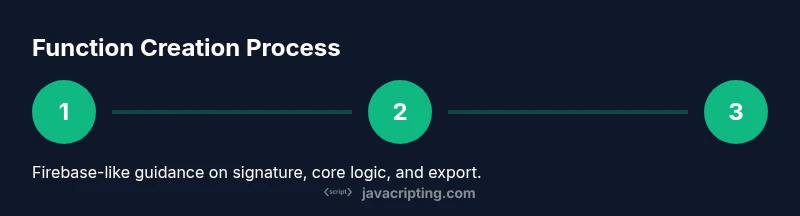
Define the function signature
Choose a descriptive function name and specify input parameters with clear names. Decide if the function should throw on invalid input or handle errors gracefully. This step sets the contract your function promises to fulfill.
Tip: Use intentional parameter names and consider JSDoc comments for API clarity. - 2
Implement the core logic
Write the minimal, pure logic needed to transform inputs into the desired output. Avoid hidden side effects and keep the function focused on a single task.
Tip: Favor pure functions when possible to improve testability and predictability. - 3
Return the result explicitly
Ensure your function returns a value using a clear return statement. If nothing should be returned, return undefined explicitly or structure the function to always return a value.
Tip: Avoid leaking internal state through returns; define a stable API surface. - 4
Validate inputs and handle edge cases
Add checks to enforce expected types or values. Handle edge cases gracefully and provide meaningful error messages when appropriate.
Tip: Guard against NaN, null, and undefined inputs where relevant. - 5
Test with representative examples
Run several scenarios to verify correct behavior, including typical cases, boundary conditions, and error paths.
Tip: Use console.log or unit tests to capture inputs, outputs, and any side effects. - 6
Expose or export the function for reuse
If you’re building a library or module, decide between named export, default export, or attaching to a global object for browser use.
Tip: Document the public API and usage examples so teammates know how to consume it.
Questions & Answers
What is a function in JavaScript?
A function is a reusable block of code that takes input, performs a task, and returns a result. It helps you organize logic, reduce repetition, and build complex features from smaller parts.
A function is a reusable code block that takes input, does work, and returns a result.
What is the difference between a function declaration and a function expression?
A function declaration is hoisted and can be called before its definition, while a function expression is created at runtime and is not hoisted. Arrow functions are a concise form of function expressions.
Declarations are hoisted; expressions aren’t. Arrow functions are shorter expressions.
When should I use an arrow function?
Arrow functions are great for concise, non-method functions and preserve this from the surrounding scope. They are not suitable for methods that require a dynamic this binding or for constructors.
Use arrows for concise functions and to keep this consistent with the surrounding scope; avoid them for constructors.
How do default parameters work?
Default parameters provide fallback values when arguments are missing or undefined. They help simplify function calls and reduce explicit input checks.
Default parameters give you fallback values when an argument isn’t supplied.
What is a closure and why is it useful?
A closure occurs when a function retains access to its lexical scope even after the outer function has finished. It enables patterns like function factories and private state.
A closure lets a function remember the variables around it, even after the outer function runs.
How can I test functions effectively?
Start with simple unit tests that cover typical, boundary, and error cases. Use console tests or a testing framework to automate these checks.
Test with simple unit tests for typical and edge cases to ensure reliability.
Watch Video
What to Remember
- Start with a clear signature and single responsibility.
- Return values explicitly and avoid hidden side effects.
- Leverage declarations, expressions, or arrows to fit your use case.
- Test with real-world input and document the API.
- Export for reuse and maintain a clean, consistent interface.