Map vs Object in JavaScript: A Practical Comparison Guide
A practical guide to choosing Map or Object in JavaScript, covering key differences, performance considerations, and real-world patterns for reliable data handling.


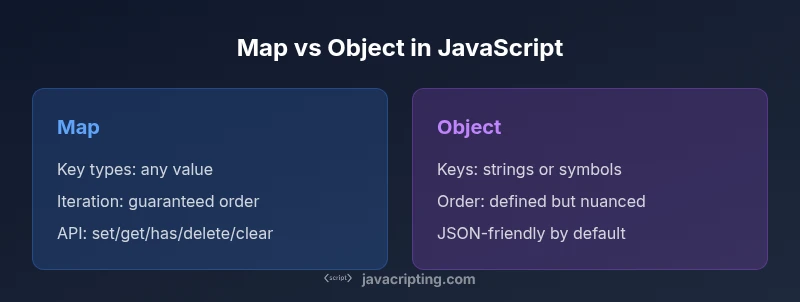
For most dynamic, key-driven data tasks, Map is the safer default in JavaScript. It accepts any type as a key, preserves insertion order, and provides a clean API for set/get/has/delete, which makes it ideal for dictionaries with non-string keys. Objects remain great for simple, JSON-friendly data, but require string keys and extra boilerplate to track size or iteration order.
Overview: Map vs Object in JavaScript
In modern JavaScript, two core constructs for storing key-value pairs are Map and Object. A Map is a built-in object that stores key-value pairs with keys of any type, including objects and functions. An Object is a plain data structure that maps string (and symbol) keys to values. The keyword in this guide, why use map instead of object in javascript, is often answered by weighing flexibility, iteration behavior, and API ergonomics. For developers aiming to build robust data structures, Map frequently offers clearer semantics for dynamic collections, while Objects excel at representing JSON-like data and simple records.
The JavaScript landscape favors clarity when data shapes are fluid. This article explains how to decide between Map and Object, with practical patterns and code snippets you can adapt in real projects. As you read, you’ll see how the two structures differ in key capabilities, performance characteristics, and common use cases, so you can pick the right tool for the job.
wordCount
Comparison
| Feature | Map | Object |
|---|---|---|
| Key types | Any value (objects, functions, primitives) | Strings (and Symbols); non-string keys are coerced to strings |
| Iteration order | Insertion order is guaranteed | Property order is defined but more nuanced (depends on key type) |
| Size access | map.size | Object.keys(obj).length |
| API surface | .set, .get, .has, .delete, .clear | Direct property access; iteration via for...in/for...of; no built-in size |
| JSON compatibility | Not directly JSON-serializable; convert with Object.fromEntries(map) | Directly serializable; friendly with JSON-based data |
| Best for | Dynamic key collections and frequent modification | Static, JSON-like data and simple records |
Benefits
- Supports any value as a key (including objects)
- Preserves insertion order for predictable iteration
- Built-in methods for common operations (set/get/has/delete/clear)
- Size is readily available via .size
The Bad
- Higher memory overhead than plain objects
- Not directly JSON-serializable; requires conversion
- More verbose syntax for basic mappings
- Object literals can be simpler for small datasets
Map is better for dynamic dictionaries with non-string keys; Object is preferable for simple, JSON-friendly data
Choose Map when keys vary in type and you need robust iteration. Opt for Object when data is static, JSON-friendly, and you want minimal ceremony.
Questions & Answers
What is Map in JavaScript?
Map is a collection of key-value pairs where keys can be any value, including objects. It preserves insertion order and offers a dedicated API for CRUD operations.
A Map lets you use any value as a key and remembers the order you inserted items.
Can I convert between Map and Object?
Yes. Convert a Map to an Object with Object.fromEntries(map) and convert an Object to a Map with new Map(Object.entries(obj)).
You can switch between Map and Object using built-in helpers like Object.fromEntries and Map constructor.
Is Map faster than Object for lookups?
Performance depends on the scenario. Maps excel at dynamic inserts/deletes with many keys, while Objects can be faster for static data and direct property access in hot paths.
Performance varies by usage; Maps are great for dynamic data, objects for static data.
Can I JSON.stringify a Map?
Not directly. Convert the Map to an Object or an array of entries before serialization, e.g., Object.fromEntries(map) or Array.from(map.entries()).
Map isn’t JSON-friendly out of the box; convert first.
Do Maps preserve insertion order?
Yes. Maps preserve the insertion order of keys, which makes iteration predictable.
Maps keep the order you inserted items in.
What to Remember
- Prefer Map for flexible keys and frequent edits
- Use Object for JSON-like, static data
- Know how to convert between Map and Object when needed
- Be mindful of iteration order and serialization caveats