Learn JavaScript Game: A Practical Guide to Building Your First HTML5 Canvas Game
A practical, beginner-friendly guide to learning JavaScript game development with HTML5 Canvas, covering setup, the game loop, input handling, and a hands-on starter project.


You will learn to build a browser-based game using JavaScript and the HTML5 canvas. You’ll set up a project, implement a game loop, handle input, and add basic collision detection. Prerequisites include basic JavaScript familiarity, a modern web browser, and a code editor. This step-by-step approach helps you learn javascript game concepts quickly and safely.
Understanding the landscape of learning to code games in JavaScript
Understanding how to learn javascript game starts with a clear mental model and a practical plan. When you want to learn javascript game, you’re building an interactive program that runs inside a web page. The standard approach uses the HTML5 canvas for rendering, a game loop driven by the browser’s requestAnimationFrame API for smooth motion, and event handling to respond to user input. Start small: draw a shape, move it with the arrow keys, then add scoring as you learn. According to JavaScripting, success comes from translating ideas into visible results and iterating in short, focused sessions rather than long marathons. This guide lays out the essential tools, core patterns, and a concrete path from zero to a playable prototype. You’ll learn file structure, coding style, and realistic expectations for progression. Stay consistent: even 20–30 minutes a day beats sporadic, heavy sessions. As you practice, your understanding compounds when you add features and improve readability.
Core concepts you must master
Before you code, build a mental model of how a browser game operates. The core loop updates game state and renders the next frame, while input handling captures keyboard or mouse actions. For 2D games, the Canvas API is your primary drawing surface, and you’ll manage coordinates, velocities, and simple collision checks. To learn javascript game effectively, you should also understand timing with requestAnimationFrame, basic data structures for tracking objects, and a simple state machine to manage menus, play, and game over states. JavaScripting analysis shows that learners who start with a tiny, fully-working project and steadily add features retain concepts longer and stay motivated. Begin with a minimal scene: a player sprite, a few collectibles, and one scoring mechanic. As you grow, refactor into modules for input, physics, rendering, and state management. This approach applies to numerous game types—from puzzles to action games—so you’ll build transferable skills that scale.
A practical starter project: building a tiny canvas game
Now it’s time to implement a concrete starter project. Create an index.html with a canvas element and a main.js file. Draw a player square that you can move with the keyboard, and generate falling stars that the player must catch. The core loop uses requestAnimationFrame to update positions, run collision checks via axis-aligned bounding boxes, increment score, and redraw the scene every frame. Start with a target refresh rate of around 60fps and ensure the game logic remains decoupled from rendering. Keep the example small: one player, a handful of falling objects, and a simple scoring rule. As you expand, introduce increasing difficulty by speeding objects or spawning more often. This hands-on project is an effective way to learn javascript game fundamentals and build confidence with real-time programming.
Debugging, performance, and accessibility considerations
Debugging a canvas game requires methodical testing across devices and browser engines. Use developer tools to inspect drawing calls, log state changes, and profile frame times. Common hiccups include incorrect canvas sizing, image loading order, and unobvious performance bottlenecks from repeated collision checks. Improve performance by separating update and render phases, pruning collision checks, and using efficient data structures. Accessibility matters: provide keyboard controls and on-screen alternatives for players who rely on assistive tech. Measure frame timing to keep rendering under your target budget (often 16ms per frame on 60fps displays). If you encounter stuttering, reduce the number of active objects or simplify rendering during the most demanding frames. Document decisions clearly in comments to help future you or team members.
Next steps and learning path
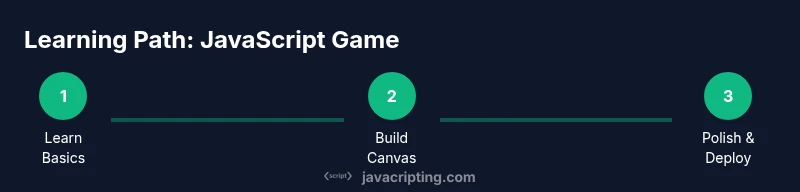
The journey to mastery involves deliberate practice and progressive challenges. After the starter canvas game, try variants like adding levels, improving visuals, or introducing basic physics. Explore libraries such as Phaser or p5.js only after you’re comfortable with vanilla JavaScript; these tools can accelerate development but introduce abstractions you’ll want to understand first. Build a small, public project plan: set weekly goals, log your progress, and seek feedback from peers. The JavaScripting team recommends maintaining a public repo and writing notes about errors and fixes to reinforce learning. With steady effort and incremental milestones, you’ll learn javascript game efficiently and prepare yourself for more complex projects.
Tools & Materials
- Computer with internet access(Any modern OS; ensure a current browser installed)
- Code editor (e.g., VS Code)(Install extensions for linting and live server support)
- Web browser(Chrome, Edge, or Firefox with developer tools)
- Node.js(Use the latest LTS version for tooling and quick local servers)
- Canvas-friendly libraries (optional)(Phaser, p5.js, or similar can speed development after basics)
Steps
Estimated time: 60-75 minutes
- 1
Set up your project
Create a folder for the project, initialize npm if desired, and set up a simple HTML page that loads a canvas and a JavaScript file.
Tip: Use a local server (e.g., npx http-server) to test changes quickly. - 2
Create the game canvas
Add a canvas element to your HTML with explicit width and height, then obtain the 2D context in JavaScript.
Tip: Verify the canvas size matches its drawing area to avoid stretched visuals. - 3
Implement the game loop
Use requestAnimationFrame to create a loop that updates state and renders frames. Separate concerns so update and render don’t interfere.
Tip: Aim for a clean separation of concerns; this makes later refactors easier. - 4
Handle input
Capture keyboard or mouse input to control the player or game objects. Debounce or throttle inputs if necessary.
Tip: Store the current input state in a small object for quick access in the loop. - 5
Add core gameplay
Implement a simple mechanic (e.g., catch falling objects) with basic collision detection and scoring.
Tip: Start with axis-aligned bounding box checks for collisions to keep it simple. - 6
Polish and test
Test across devices, fix edge cases, and consider adding sounds or visual polish. Iterate based on feedback.
Tip: Use feature detection to guard for missing browser APIs.
Questions & Answers
What is the best way to start learning JavaScript game development?
Begin with the basics of JavaScript and DOM, then learn the canvas API. Build a small project like a catching game to apply concepts.
Start with JS basics, then try a tiny canvas game to apply what you learn.
Do I need advanced JavaScript to make games?
Not at first. Focus on syntax, functions, objects, and the canvas API. You can learn advanced topics as you iterate on projects.
You can start with the basics and canvas; advanced topics can come later.
Which libraries help with JavaScript games?
Libraries like Phaser or p5.js can speed up development, but start with vanilla JS to understand fundamentals.
Phaser and p5.js can help, but learn vanilla JS first.
What browsers support canvas well for games?
All modern browsers support canvas; ensure you test on multiple devices for performance.
All modern browsers work; test across devices.
How do I debug a canvas game?
Use console logs, breakpoints, and performance tools to profile rendering and input handling.
Use dev tools to log, pause, and profile performance.
Is this safe for beginners?
Yes, start small, follow steps, and gradually increase complexity. Avoid heavy frameworks until comfortable.
Yes, start small and progress gradually.
Watch Video
What to Remember
- Start with a simple canvas-based game
- Understand the game loop and rendering
- Handle input and collisions reliably
- Test across devices and optimize progressively
- Join the JavaScript game community for feedback