Can You Index a String in JavaScript: A Practical Guide
Learn how to index strings in JavaScript, including bracket notation, Unicode considerations, and practical examples to access and manipulate text reliably in real-world apps.


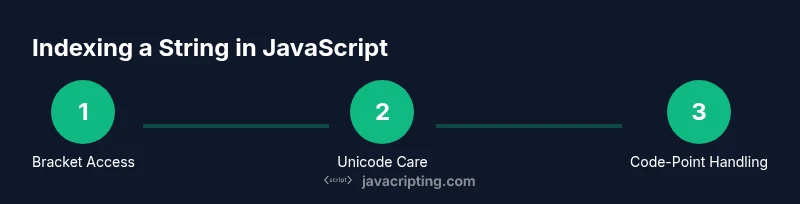
Yes. In JavaScript, you can index a string using bracket notation like s[0] or with String.prototype.charAt(index). Indexes start at 0 and go up to s.length - 1. If you request an index outside this range, you get undefined with bracket notation or an empty string with charAt. For full correctness with non-BMP characters, consider iterating with for...of or converting to code points.
Understanding string indexing in JavaScript
If you're exploring how to work with text in code, you may wonder can you index a string in javascript. The short answer is yes, and the mechanics are straightforward for everyday ASCII text. In JavaScript, strings are sequences of code units, and you can access individual characters using bracket notation (s[0]) or the older charAt(index) method. The index starts at 0 and runs to length - 1. Understanding this foundation helps with parsing, searching, and transforming text in real-world web apps. According to JavaScripting, mastering this basic technique is a foundational step for any JS developer.
In practical terms, indexing is a read-only operation: you don’t extract a byte or a character object, you obtain a one-character string. This distinction matters when you later concatenate, compare, or slice strings. Also note that strings in JavaScript are immutable; indexing does not mutate the original string, it simply yields a new, single-character string when in range.
How strings are indexed in JavaScript
In JavaScript, the normal way to index a string is to use a numeric index. s[0] returns the first character, s[1] the second, and so on, up to s.length - 1. If you access an index outside this range using bracket notation, you will get undefined. With the charAt method, s.charAt(0) behaves similarly for in-range indices but returns an empty string when the index is out of range. This distinction matters when you rely on a truthy value in conditional logic.
Practical examples: indexing characters
Consider the string const s = 'JavaScript rocks';
- s[0] // 'J'
- s[4] // 'S' (the character at position 4)
- s[20] // undefined (out of range)
You can also use the traditional API:
const s = 'JavaScript';
console.log(s[0]);        // 'J'
console.log(s.charAt(0));   // 'J'
console.log(s[999]);        // undefined
Reading characters safely and Unicode
Indexing by code units works well for basic ASCII text, but problems arise with characters outside the Basic Multilingual Plane (BMP), such as many emoji. In those cases, s[0] may not represent a single visible character. To handle this robustly, prefer iterating with for...of, or convert to an array of code points with spread syntax or Array.from:
const s = '👋🏻'; // multi-code-unit character
console.log([...s]); // ['👋', '🏻']
console.log(Array.from(s)); // ['👋', '🏻']
You can also use codePointAt(index) to read the numeric code point for Unicode beyond BMP.
Finding index positions
If you need to locate a character or substring, use indexOf, lastIndexOf, or includes. indexOf returns the first index or -1 if not found; lastIndexOf searches from the end. Includes returns a boolean.
const s = 'JavaScript rocks';
console.log(s.indexOf('S')); // 4
console.log(s.lastIndexOf('a')); // 9
console.log(s.includes('rocks')); // true
These methods treat strings as sequences of code units, which is usually fine for ASCII but can be tricky with Unicode characters.
Common pitfalls and misconceptions
- Bracket indexing returns undefined for out-of-range indexes; charAt returns an empty string for out-of-range indexes.
- s[0] yields a string of length 1, not a numeric code.
- Negative indexes do not wrap around; they simply return undefined.
- Strings are immutable; indexing alone doesn’t mutate the string.
- For proper Unicode handling, avoid assuming a single array element per visible character; use code points instead.
Performance considerations and best practices
- Accessing a character via s[i] is fast for ASCII text and is readable. In performance-critical hot paths, prefer local variables and avoid repeated property lookups.
- If you need to process large strings or many characters, reading with a loop (for...of) is typically clearer and can be optimized by the engine.
- For Unicode correctness, use [...s], Array.from(s), or a for...of loop to iterate by code points rather than code units.
- When you need a single character as a string, s[i] or s.charAt(i) are both fine; choose the one that aligns with your readability and edge-case handling.
Putting it together: a small index-and-slice utility
Here's a tiny utility that safely returns a character at a given index or null if out of bounds. It also demonstrates a guard against non-string inputs:
function getCharAt(str, index) {
  if (typeof str !== 'string') return null;
  if (index < 0 || index >= str.length) return null;
  return str[index];
}

console.log(getCharAt('can you index a string in javascript', 0)); // 'c'
console.log(getCharAt('👍', 0)); // '👍'
This approach balances safety with simplicity for common web app tasks.
Authority sources and next steps
For deeper formal grounding, consult the following resources:
- MDN Web Docs: String (JavaScript) — https://developer.mozilla.org/en-US/docs/Web/JavaScript/Reference/Global_Objects/String
- ECMA-262: ECMAScript Language Specification — https://262.ecma-international.org/12.0/#sec-string.prototype.charat
- Unicode Character Encoding Fundamentals — https://unicode.org/faq/utf_bom.html
JavaScripting Analysis, 2026 indicates that many developers benefit from explicit Unicode awareness when indexing strings, especially in internationalized applications.
Tools & Materials
- Code editor (e.g., VSCode)(Set up a project folder to hold your JS files and examples.)
- Node.js installed(Run and test snippets with node yourfile.js or in browser console.)
- Modern web browser(Chrome/Edge/Firefox for devtools and console debugging.)
- Console/DevTools(Use console.log, inspect objects, and trace variable values.)
- Notepad or notes app(Jot down patterns, pitfalls, and useful snippets.)
Steps
Estimated time: 15-25 minutes
- 1
Define your string
Choose a representative string to work with and confirm its type is string. This establishes the base for indexing experiments and ensures consistent results.
Tip: Use typeof to guard against non-string inputs before indexing. - 2
Choose indexing method
Decide between bracket notation (s[0]) and charAt(index). Bracket notation is concise; charAt is explicit and returns '' for out-of-range indices.
Tip: Bracket notation is generally preferred for readability in modern engines. - 3
Access with bounds check
Always check that index >= 0 && index < s.length before indexing to avoid undefined results.
Tip: Write a small helper like getCharAt to reuse the check. - 4
Iterate over characters
If you need every character, use for...of or [...s] to iterate by code points when Unicode is involved.
Tip: Spread syntax converts the string into an array of characters (by code points in practice). - 5
Handle Unicode properly
For characters outside the BMP, prefer codePointAt, Array.from, or for...of loops to avoid splitting a single character.
Tip: Code points can be obtained with for...of or by converting to an array. - 6
Create a reusable utility
Implement a small utility (e.g., getCharAt) to encapsulate type checks and bounds, ensuring consistent behavior across codebase.
Tip: Documentation helps teammates reuse the pattern.
Questions & Answers
Can I index characters beyond ASCII safely?
Yes, but pay attention to Unicode edge cases. Basic indexing may split characters outside the BMP. Use code-point aware methods like spread syntax or for...of to iterate by actual characters.
Yes—just be mindful of Unicode. For characters outside ASCII, use code-point-aware techniques to avoid splitting a character.
What is the difference between s[0] and s.charAt(0)?
Both access the first character for in-range indexes. s[0] returns undefined if out of bounds, while s.charAt(0) returns an empty string if out of bounds. charAt is safer for loose equality checks.
They mostly behave the same for in-range indices, but charAt is safer for missing indexes.
How do I check if a string contains a character?
Use includes or indexOf. includes returns a boolean, indexOf returns the index of the first occurrence or -1 if not found. Both are straightforward for ASCII text and work in modern browsers.
Use includes or indexOf to check for a character or substring.
How can I get all characters of a string?
Iterate with for...of, or convert to an array with Array.from or spread syntax: [...str] to get an array of characters. This is Unicode-friendly when combined with code points.
Iterate with for...of or spread to access all characters, which works well with Unicode.
Are strings immutable in JavaScript?
Yes, strings are immutable. You can create new strings based on indexing or slicing, but you cannot change the original string in place. Reassignment creates a new string instead.
Strings don’t change in place; you create new strings when you modify or index them.
How does indexing affect performance in loops?
Indexing is generally fast, but repeatedly indexing in large loops can be optimized by caching the length and minimizing bound checks. For Unicode-heavy data, prefer code-point-aware iteration to avoid costly reprocessing.
Indexing inside loops is fast, but optimize by caching lengths and using Unicode-safe iteration when needed.
Watch Video
What to Remember
- Index strings with s[i] or s.charAt(i).
- Bounds checking prevents undefined results.
- Use code-point aware methods for Unicode safety.
- Strings are immutable and indexing returns a new one-character string.
- Create small utilities to standardize behavior across codebases.