Replacing Characters in JavaScript Strings: A Practical Guide
Learn how to replace a character in JavaScript strings using replace, replaceAll, and robust patterns. Includes Unicode-safe techniques, a reusable utility, and practical examples for masking, cleaning, and transforming text.


In this guide you will learn how to replace a character in JavaScript strings using replace and replaceAll, including handling Unicode and edge cases. You'll also see a reusable utility function and practical patterns for common scenarios like masking, removing, or swapping characters. This quick overview points you to concrete code examples, performance tips, and safe practices.
Understanding the problem: replacing characters in JavaScript strings
JavaScript strings are immutable, which means you cannot change a character in place. To replace a character, you create a new string from parts of the original. The most common tools are String.prototype.replace and String.prototype.replaceAll, which support both string literals and regular expressions. When you need to replace a single character, replace is often enough; for replacing every occurrence, replaceAll (or a global regex) is more efficient and concise. In real-world code, you may also need Unicode-safe techniques, because some characters are represented by surrogate pairs in UTF-16. Planning your approach around performance, readability, and correctness will save debugging time and prevent subtle bugs in user-facing text.
If you’re new to JavaScript string manipulation, start with simple examples and progressively introduce more complex patterns, such as character-class regex, capturing groups, and replacer functions. This helps you maintain clarity as your replacement logic grows more sophisticated.
Key terms to know: replace, replaceAll, regex, replacer function, Unicode, surrogate pairs, and code points.
Core string methods: replace, replaceAll, and regex fundamentals
JavaScript provides two primary methods for substitutions in strings:
- replace: replaces the first match by default. It accepts a string or a regular expression. If you want global replacement with replace, you must use a regex with the g flag.
- replaceAll: replaces all occurrences of a substring or pattern. It was introduced in ES2021 and is not available in older environments.
Examples:
let s = "hello world";
console.log(s.replace('l', 'X'))      // heXlo world
console.log(s.replace(/l/g, 'X'))       // heXXo worXd
console.log(s.replaceAll('l', 'X'))     // heXXo worXd
Tip: Use replaceAll when you want a straightforward global replacement of a literal substring. For pattern-based replacements, a regex with the g flag is more flexible, especially if you need to match multiple characters or apply conditions in one pass.
Replacing a character by position: index-based replacement
If you know the index of the character you want to replace, construct a new string from the left part, the replacement, and the right part. This method avoids multiple passes and keeps the operation readable.
function replaceAtIndex(str, index, replacement) {
  if (index < 0 || index >= str.length) return str;
  return str.slice(0, index) + replacement + str.slice(index + 1);
}

console.log(replaceAtIndex("abcdef", 2, 'Z')) // abZdef
This approach is straightforward for ASCII strings. When dealing with Unicode that uses surrogate pairs, index-based slicing can break characters; see the Unicode handling section for safer implementations.
Replacing all occurrences with a pattern: regex and replaceAll
For flexible, pattern-based global replacements, regex is the right tool. You can replace all digits, vowels, or any character class. If you prefer to specify a literal string, replaceAll works well; for patterns, use regex with the g flag.
let text = "Passwords1234 and 5678";
// Replace all digits with '#'
let masked = text.replace(/\d/g, '#');
console.log(masked); // Passwords#### and ####

// Replace all vowels (case-insensitive)
let noVowels = text.replace(/[aeiou]/gi, '');
console.log(noVowels); // Psswrds1234 nd 5678
When using regex, prefer character classes to keep expressions readable and maintainable. If you’re replacing a literal substring globally, replaceAll is simpler and faster.
Unicode and surrogate pairs: replacing characters safely
Some characters (like many emoji) are represented by two UTF-16 code units (a surrogate pair). A naive index-based replacement risks splitting such characters. Safer approaches work with code points rather than code units.
function replaceUnicodeChar(str, targetCodePoint, replacement) {
  // Convert to array of code points to handle surrogate pairs
  const codePoints = Array.from(str);
  for (let i = 0; i < codePoints.length; i++) {
    if (codePoints[i] === targetCodePoint) {
      codePoints[i] = replacement;
    }
  }
  return codePoints.join("");
}

console.log(replaceUnicodeChar("a🙂b", '🙂', '*')) // a*gb
Alternatively, you can use spread syntax or Array.from with a mapping function to guarantee operations work on full code points. This prevents broken characters when text includes emoji or characters outside the Basic Multilingual Plane (BMP).
Practical patterns: masking, cleaning, and transforming text
Beyond simple replacement, common tasks include masking sensitive data, cleaning user input, and transforming text for display. Here are a few practical patterns:
// Mask digits with asterisks
const id = "A-User-2026-1234";
const masked = id.replace(/\d/g, '*'); // A-User-2026-****

// Remove vowels from a string
const noVowels = "JavaScript".replace(/[aeiou]/gi, ''); // JvScrpt

// Normalize whitespace
const messy = "  Hello \t world  \n";
const compact = messy.replace(/\s+/g, ' ').trim(); // 'Hello world'
These patterns help you prepare data for UI rendering, storage, or downstream processing. Regular expressions provide power, while string methods keep implementations approachable and readable.
Building a reusable replaceCharacter utility: index- and pattern-based replacements
Creating a small utility makes your code reusable and testable. Below is a simple function that supports two modes: replace by index and replace by a pattern. It returns a new string without mutating the original.
function replaceCharacter(str, options) {
  // options: { mode: 'index', index, replacement } | { mode: 'pattern', target, replacement }
  if (options.mode === 'index') {
    const { index, replacement } = options;
    if (index < 0 || index >= str.length) return str;
    return str.slice(0, index) + replacement + str.slice(index + 1);
  }
  if (options.mode === 'pattern') {
    const { target, replacement } = options;
    if (target === '') return str;
    return str.split(target).join(replacement);
  }
  return str;
}

console.log(replaceCharacter("abcdef", { mode: 'index', index: 2, replacement: 'Z' })); // abZdef
console.log(replaceCharacter("banana", { mode: 'pattern', target: 'a', replacement: 'o' })); // bonono
You can extend this utility to support Unicode-aware behavior by converting to code points first, then applying replacements and reassembling. Tests are essential to ensure edge cases are covered, especially for surrogate pairs and multi-byte characters.
Performance considerations and best practices
String replacement can trigger memory allocations because strings are immutable. When performing many replacements in a loop, consider building the output in chunks or using an array of pieces joined at the end to minimize intermediate strings. Prefer replaceAll for straightforward global replacements of literal strings and regex with the g flag for pattern-based tasks. If your regex becomes complex, precompile it and reuse it to avoid unnecessary recompilation.
For large-scale transformations, benchmark different approaches in your target environment. In browsers, V8 optimizations often favor straightforward substring operations and well-scoped regex; in Node.js, the same rules generally apply, but you’ll want to profile with realistic data sizes.
Testing, debugging, and common pitfalls
Test against a few representative cases:
- Replacing a single character by position and replacing all occurrences
- Replacing Unicode characters and surrogate pairs
- Replacing with a regex that captures groups and preserves surrounding text
- Edge cases like empty strings, indices out of range, and very long strings
Common pitfalls include assuming replaceAll exists in all environments, forgetting that replace only substitutes the first match, and overlooking surrogate-pair characters that can break simple index-based logic. Use unit tests that cover ASCII and non-ASCII content to ensure robust behavior.
Real-world example: masking an identifier and cleaning input
Suppose you need to render a user identifier in the UI while masking parts for privacy, then strip unwanted characters from a user-provided string. A practical approach combines the techniques discussed:
function displayMaskedId(id) {
  // Mask all digits, then keep the last 4 characters visible if possible
  const masked = id.replace(/\d/g, '#');
  return masked.length > 4 ? masked.slice(-4) : masked;
}

function sanitizeInput(input) {
  // Remove any non-printable characters and normalize spaces
  return input.replace(/[\x00-\x1F\x7F]+/g, '').replace(/\s+/g, ' ').trim();
}

console.log(displayMaskedId("User12345")); // User#####5 or similar depending on length
console.log(sanitizeInput(" \tExample input\u0000")); // 'Example input'
These patterns demonstrate how to combine replace techniques with real-world requirements like privacy, data hygiene, and UI rendering. By modularizing your replacements, you simplify maintenance and improve readability for future developers.
Tools & Materials
- Code editor(VS Code, WebStorm, or any modern editor)
- Modern browser or Node.js runtime(Chrome/Firefox/Edge or Node.js (v12+ recommended))
- Regex tester or console(Optional tool to experiment with patterns)
- Unicode reference materials(Be mindful of surrogate pairs and code points)
Steps
Estimated time: 30-60 minutes
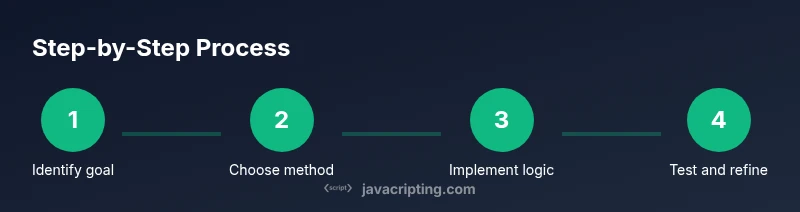
- 1
Identify goal
Define whether you need a single replacement, all occurrences, or a conditional change. Clarify whether you must support Unicode and surrogate pairs.
Tip: Start with a concrete example to lock in scope. - 2
Choose the method
Decide between replace for a single match, replaceAll for global matches, or a regex-based approach for complex patterns.
Tip: If you only need a literal string replacement, replaceAll is the simplest choice. - 3
Implement index-based replacement
If you know the exact position, use slice-based reconstruction to avoid mutating the original string.
Tip: Be careful with multi-byte characters; consider a Unicode-aware approach for safety. - 4
Implement a pattern-based replacement
Use a global regex with replace or the replaceAll method to target a class of characters or a sequence.
Tip: Prefer meaningful character classes over brute-force wildcards for maintainability. - 5
Handle Unicode safely
Process the string as code points to prevent breaking surrogate pairs when replacing characters.
Tip: Use Array.from or [...str] to iterate by code point. - 6
Create a reusable utility
Encapsulate your logic in a function that supports index-based and pattern-based replacements.
Tip: Write unit tests that cover ASCII and non-ASCII content. - 7
Test and validate
Run tests across representative inputs: empty strings, long sequences, and mixed scripts.
Tip: Include edge cases like out-of-range indices.
Questions & Answers
What is the difference between replace and replaceAll?
replace changes only the first match by default, while replaceAll changes every matching occurrence. Use replace with a regex for complex patterns that match multiple types of text. In environments lacking replaceAll, a global regex achieves the same result.
replace changes the first match; replaceAll changes all matches. Use a global regex if you need pattern-based replacements.
Can I safely replace a Unicode character by index?
Index-based replacement can break characters represented by surrogate pairs. Use code-point aware methods (Array.from, spread syntax) when dealing with non-BMP characters.
Index-based replacement may break surrogate pairs; use code-point aware methods instead.
How do I replace a character only if it matches a condition?
Use a replacer function with replace or a conditional regex to transform only matching characters. This keeps behavior explicit and easy to test.
Use a replacer function or conditional regex to change only the characters that meet your condition.
Is replaceAll supported in all browsers?
replaceAll is widely supported in modern browsers and Node.js, but you should feature-detect or provide a polyfill if you must support older environments.
replaceAll is common in modern environments; check compatibility for older browsers.
Can I build a reusable utility for all scenarios?
Yes. Encapsulate common patterns (index-based, pattern-based) with clear inputs and outputs, and add unit tests. This makes maintenance easier and safer.
You can build a reusable utility with clear inputs, safe defaults, and tests.
Watch Video
What to Remember
- Understand when to use replace vs replaceAll
- Handle Unicode safely to avoid breaking characters
- Encapsulate behavior in reusable utilities
- Test across edge cases and real-world data
- Prefer readable code with well-chosen regex patterns