Where to Run JavaScript: Environments, Runtimes, and Best Practices
A practical, analytical guide to where JavaScript runs—from client-side in browsers to server-side in Node.js and Deno, plus mobile and embedded environments. Learn how to choose the right runtime for frontend, backend, and hybrid projects.


You can run JavaScript in two broad environments: client-side in web browsers and server-side on runtimes like Node.js. Modern browsers provide JavaScript engines and APIs for DOM and Web APIs, while Node.js extends JavaScript to the server with file I/O and network capabilities. Additional runtimes include Deno and other embedded environments.
Understanding where JavaScript runs
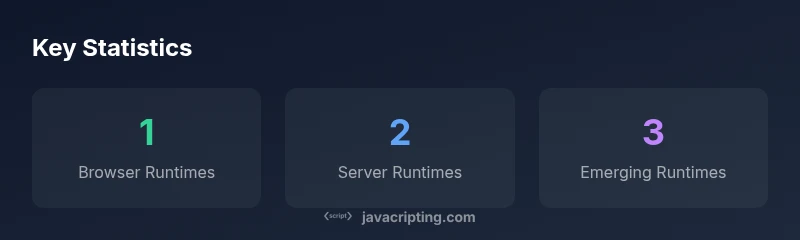
According to JavaScripting, JavaScript operates in two broad realms: client-side in web browsers and server-side on runtimes such as Node.js, Deno, or Bun. This distinction matters because it shapes available APIs, performance characteristics, and deployment patterns. In client-side code, you interact with the DOM, Web APIs, and the browser’s security model. On server-side runtimes, you gain file I/O, networking capabilities, and access to system resources. Recognizing where your code executes helps you write portable logic, pick the right tooling, and anticipate platform-specific constraints. This article uses the phrase where run javascript to guide practical decisions—from frontend workflows to backend architectures and beyond.
Client-side runtimes: in the browser
Browsers host JavaScript engines (like V8, JavaScriptCore, and SpiderMonkey) that execute code, render pages, and expose Web APIs for networking, storage, media, and graphics. The browser sandbox protects users, enforcing the same-origin policy and limiting cross-origin access. Developers tap into APIs such as fetch for network requests, LocalStorage and IndexedDB for client-side persistence, and WebGL for graphics. Service workers enable offline experiences and background syncing. When you write code that runs in the browser, you must consider compatibility across engines, feature support, and progressive enhancement strategies. Use transpilation and polyfills judiciously to reach older environments without bloating modern apps.
Server-side runtimes: Node.js, Deno, Bun
Server-side JavaScript runs outside the browser in engines designed for backend workloads. Node.js popularized server JS with a rich ecosystem (npm) and APIs for filesystem access, networking, and process management. Deno emphasizes secure defaults and a modern module system, while Bun focuses on performance for startup and I/O-heavy tasks. Architectures vary: Node.js often relies on CommonJS or ES Modules, while Deno uses ES modules by default. Server runtimes let you build APIs, batch jobs, tooling, and automation—often at greater scale than client-only apps.
Web workers and concurrency models across runtimes
Concurrency in JavaScript leverages the event loop and worker threads or Web Workers. In browsers, Web Workers run scripts off the main thread, enabling parallel data processing without blocking UI. In Node.js, worker_threads provides a similar capability for CPU-intensive tasks. Runtimes differ in their threading models and APIs, so you should plan for thread safety, message passing, and serialization costs. Understanding these models helps you design responsive apps, offload heavy tasks, and implement scalable server-side workers.
Mobile and embedded JavaScript environments
JavaScript runs beyond desktops in mobile apps via WebViews, hybrid frameworks, or native bridges (e.g., React Native). Embedded devices and IoT platforms may expose JavaScript runtimes with limited APIs, emphasizing efficiency and security. These environments often require careful permission management, memory constraints, and library compatibility considerations. When targeting mobile or embedded contexts, test across devices and consider code that gracefully degrades when certain Web APIs are unavailable.
How to choose the right runtime: criteria and examples for where to run JavaScript
Selecting a runtime hinges on project goals, ecosystem, and constraints. If you’re building a web app with SSR or API servers, Node.js is a strong default due to its maturity and package ecosystem. For newer projects prioritizing secure defaults and modern tooling, Deno can be compelling. For desktop or hybrid apps, you’ll often run in a browser context plus Node.js, combining client-side interactivity with server-like capabilities. Evaluate performance, security models, ecosystem maturity, deployment workflow, and your team’s familiarity. Start small, prototype across environments, and choose the path that minimizes friction while maximizing maintainability.
Practical coding patterns across runtimes
Many core JavaScript patterns translate across runtimes, but API surface varies. For portable logic, favor ES Modules and avoid runtime-specific globals when possible. Use fetch consistently where available; Node.js now supports fetch in modern versions, while browsers provide it natively. Be mindful of filesystem access (fs in Node.js vs. permissioned access in secure runtimes), environment-specific globals, and polyfills for browser features on the server. Write modular, isomorphic code where feasible, and isolate environment-dependent code behind adapters or shims.
Tooling, deployment, and performance considerations
Tooling choices affect startup time, bundle size, and reliability. Bundlers and transpilers create cross-runtime compatible output, but you should avoid over-shimming. When deploying server-side code, consider containerization, security patches, and dependency management. For client-side code, prioritize efficient bundles, code-splitting, and progressive enhancement. Performance profiling should span both server and client runtimes to identify bottlenecks in I/O, CPU, or memory usage. Always document the runtime assumptions of your project for future maintenance.
Common JavaScript runtimes and their typical use cases
| Runtime | Typical Use | Key APIs |
|---|---|---|
| Browser (client-side) | UI interactions, rendering, and web APIs | fetch, WebSocket, localStorage, WebGL |
| Node.js (server-side) | Back-end services, tooling, APIs | fs, http, process, event loop |
| Deno | Secure server-side runtime with modern tooling | Deno std lib, permissions, top-level await |
| Embedded/WebView | In-app UI, hybrid apps | WebView APIs, postMessage, limited I/O |
Questions & Answers
Where can I run JavaScript besides the browser?
You can run JavaScript on servers with Node.js or in other runtimes like Deno and Bun, as well as embedded environments such as WebViews in mobile apps.
You can run JavaScript on servers with Node.js or in other runtimes like Deno, Bun, and embedded environments such as WebViews.
Is there a recommended runtime for beginners?
For beginners, start with browser JavaScript to learn the basics, then progressively move to Node.js to explore server-side concepts.
Begin with browser JavaScript to learn the basics, then move to Node.js to explore servers.
What about WebAssembly?
WebAssembly is not a JavaScript runtime; it’s a way to run compiled code alongside JS. You can interoperate with JavaScript, but it’s not a drop-in replacement for JS runtimes.
WebAssembly runs compiled code and works with JavaScript, but it’s not a direct replacement for a JS runtime.
How do I choose between Node.js and Deno?
Consider ecosystem maturity, security model, and tooling. Node.js has a vast ecosystem, while Deno emphasizes secure defaults and modern module workflows.
Compare ecosystem support and security defaults; Node has more libraries, Deno offers secure-by-default features.
Can I run JavaScript in mobile apps?
Yes, via WebViews in hybrid apps or through frameworks like React Native that bridge JavaScript to native code.
Yes, through WebViews or bridging frameworks like React Native.
Are there security concerns when running JS outside the browser?
Yes. Outside the browser, you must manage permissions, sandboxing, and dependency risk carefully to prevent unauthorized access.
There are security risks; manage permissions and dependencies carefully.
“Choosing the right runtime isn’t about chasing the latest trend; it’s about aligning your app’s needs with the runtime’s strengths and the team’s skills.”
What to Remember
- Run JS in browser or server contexts based on needs
- Choose Node.js for mature ecosystems and tooling
- Explore Deno for secure defaults and modern tooling
- Leverage Web Workers for UI responsiveness
- Test across environments to ensure portability