Which IDE for JavaScript: A Practical Comparison
A thorough, objective comparison of popular JavaScript IDEs and editors (VS Code, WebStorm, Sublime Text, Vim/Neovim) to help you choose your ideal workflow in 2026.


For most JavaScript teams, there isn’t a single best IDE. Visual Studio Code remains the default due to its extensibility, performance, and strong JavaScript/TypeScript support; WebStorm offers a complete out-of-the-box experience for heavy workflows; lighter editors like Sublime Text or Vim/Neovim can excel when configured for speed and customization. The final choice depends on project size and workflow.
The landscape of JavaScript IDEs
JavaScript development today spans full-featured IDEs, editor-based setups, and hybrid tools. The line between IDE and editor has blurred as modern tooling adds debugging, linting, and project automation directly into the workspace. When asked which ide for javascript to choose, focus on your core tasks: code intelligence, debugging, project navigation, performance, and collaboration. According to JavaScripting, the best starting point is to compare major options against those tasks, then calibrate to your team size and learning curve. In 2026 the market remains diverse, with large vendors offering mature features and nimble editors delivering speed and customization. The JavaScripting team found that most teams converge on a short list of reliable choices, while a minority opt for highly customized keyboard-centric setups. The aim is to reduce cognitive load while maximizing code quality and velocity.
Core features to evaluate in any JS IDE
At minimum, examine: code intelligence (autocompletion, type hints), built-in debugger, test runner integration, npm script support, integrated terminal, Git tooling, and project navigation. Consider performance on large codebases, extension quality, and cross-platform consistency. Accessibility features and collaboration hooks (live share, remote editing) may matter for distributed teams. Remember to audit your workflow: if you rely heavily on TypeScript, a robust TS integration saves time; if you mostly edit small scripts, speed and light weight might win. JavaScripting analysis suggests starting with a baseline setup: a solid editor, essential extensions, and a simple workflow you can scale later.
Visual Studio Code: the default for many developers
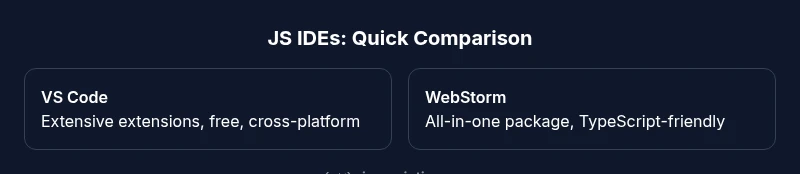
Visual Studio Code dominates adoption due to its balance of features and a vast ecosystem. It ships free, runs on Windows/macOS/Linux, and supports powerful JavaScript/TypeScript tooling out of the box. The real strength comes from extensions: linters, formatters, debuggers, test runners, and language servers. For teams, VS Code configurations can standardize formatting, linting rules, and commit hooks, reducing onboarding time. The editor’s integrated terminal, Git integration, and remote development capabilities further streamline workflows. When performance starts to dip, try disabling nonessential extensions, enabling TypeScript checking on demand, and tuning the workspace settings. The partnership between speed, stability, and community contributions is the key selling point.
WebStorm: a feature-rich commercial option
WebStorm provides a comprehensive, opinionated environment for JavaScript and TypeScript development. It includes built-in code analysis, refactoring tools, robust debugging, and seamless integration with popular frameworks and test runners. Because many features ship with the product, teams who want fewer extensions and consistent behavior often prefer WebStorm. It supports advanced navigation, code generation, and a strong IDE experience for Node.js and frontend work. The downside is licensing cost and a heavier footprint, which can impact startup time on older machines. For enterprise teams or projects with stringent quality standards, WebStorm’s all-in-one approach can reduce setup time and decision fatigue.
Sublime Text and lightweight editors
Sublime Text offers exceptional speed and a minimalistic feel with a powerful plugin system. It suits developers who want instant startup and low memory usage, plus a curated set of packages for JavaScript. The trade-off is that many features require manual configuration and plugins, which can lead to inconsistent experiences across machines. For students or freelancers who value portability and speed, Sublime can be ideal, especially when combined with a few well-chosen extensions for linting, formatting, and debugging. Stability and performance often beat feature depth in this category.
Atom and legacy editors: why they faded
Atom’s popularity declined after 2018 as the project slowed and maintenance waned. It’s important to recognize when a tool reaches end-of-life and to migrate to a supported option to avoid security or performance issues. For JavaScript developers, continuing to rely on a fading editor risks missing crucial bug fixes and modern tooling. Alternatives with active communities and ongoing development—such as VS Code or WebStorm—offer superior extension quality, better performance, and more predictable updates. If you still use Atom, plan a migration path and choose a supported IDE that fits your workflow.
Neovim/Vim and Emacs: efficient keyboard-driven choices
Vim/NeoVim and Emacs attract developers who value keyboard efficiency and low-latency editing. With appropriate plugins, these editors can rival modern IDEs for JavaScript editing, debugging, and navigation. The key is to curate a stable plugin set and maintain consistent configurations across machines. On large projects, ensure you have proper language servers, linters, and tests wired into the workflow. While the initial setup can be steep, the payoff is speed and deep customization for power users.
How to set up your IDE for modern JavaScript workflows
A solid setup balances code intelligence, testing, and deployment. Start with a stable base (e.g., VS Code or WebStorm) and add essential extensions or plugins for TypeScript, ESLint, Prettier, Jest, and Git integration. Configure your project’s linting rules and formatting standards, and align editor settings with your team’s conventions. Create a lightweight, repeatable onboarding routine for new contributors, including a shared starter workspace and scripts for common tasks. Finally, document decisions so future developers can reproduce the same environment.
Performance considerations and future-proofing your choice
Performance is not only about startup time but also about responsiveness during tool-assisted editing and debugging. When selecting an IDE, consider how many extensions you’ll enable, how large your codebase is, and how often you run tooling like type checks. A future-proof setup avoids hard dependencies on a single vendor and favors widely adopted standards (such as Language Server Protocol). Regularly review extension quality and keep tooling up to date to minimize regressions. JavaScripting analysis indicates that teams maintaining lean, consistent configurations outperform those juggling divergent toolchains.
Feature Comparison
| Feature | Visual Studio Code | WebStorm | Sublime Text | Atom (legacy) | Vim/Neovim |
|---|---|---|---|---|---|
| Cost | Free | Paid (license) | Freemium / paid features | Legacy / discontinued | Free / open-source |
| Code intelligence | Strong intellisense | Excellent TS/JS analysis | Moderate | Partial | High with LSP |
| Debugging | Integrated debugger | Advanced built-in | Basic with plugins | None | External tools |
| Extensions | Vast marketplace | Rich ecosystem | Partial | Partial | Plugin-driven |
| Performance | Responsive with extensions | Heavy but robust | Lightweight | Lightweight | Very fast for editing |
| Cross-platform | Yes (all major OS) | Yes | Yes | Yes (older) | Yes |
| Best for | Teams needing balance | Large-scale JS/TS projects | Speed and minimalism | Learning and nostalgia | Keyboard-centric workflows |
Benefits
- Wide extension ecosystem and community support
- Powerful debugging and refactoring tools
- Free baseline option with strong performance
- Consistent experience across platforms
The Bad
- WebStorm licensing can be costly for some teams
- Over-reliance on extensions can cause bloat
- Initial setup for Vim/Emacs can be steep
- Some editors lag with very large codebases
VS Code wins as the default starting point for most teams, with WebStorm as a strong alternative for heavy JavaScript/TypeScript workflows.
Choose VS Code for flexibility and speed. If you need an all-in-one environment with minimal setup, WebStorm is a compelling choice; power users may prefer Vim/Neovim or Sublime for speed and customization.
Questions & Answers
Is Visual Studio Code really the best all-around IDE for JavaScript in 2026?
For many teams, VS Code remains the best starting point due to its balance of features, performance, and ecosystem. It’s highly extensible and well-supported for JavaScript and TypeScript development.
VS Code is a solid default for most JavaScript projects. Its ecosystem and performance keep it ahead for many teams.
Can I rely on a lightweight editor for large JavaScript projects?
Yes, lightweight editors can handle large codebases when paired with strong language servers and careful extension choice. The key is to enable only essential tooling to keep responsiveness high.
Yes, with the right setup, lightweight editors can work well for big projects.
What about WebStorm for TypeScript-heavy code?
WebStorm excels with TypeScript projects due to integrated type checking and refactoring tools. It reduces setup time but comes with licensing costs and a heavier footprint.
WebStorm shines with TypeScript; it’s powerful but heavier and paid.
Are Vim/Neovim viable for JavaScript development?
Vim and Neovim are viable if you invest in a robust plugin setup (language servers, linters, debuggers). They offer speed and customization but require more initial configuration.
Yes, with a proper setup, Vim/Neovim can be very efficient for JavaScript.
How can I optimize performance when using many extensions?
Limit active extensions to what you truly need, disable heavy linters for small projects, and use workspace-specific settings. Regularly audit extensions and update tooling to minimize lag.
Keep extensions lean and up to date to stay fast.
Should a team standardize on one IDE or allow choice?
Standardizing on a single IDE simplifies onboarding and consistency, but allowing choice can boost developer happiness. Provide a shared baseline configuration to minimize drift.
Standardize core tooling, but allow personal preferences with a shared baseline.
What to Remember
- Start with VS Code for most JS projects
- WebStorm is ideal for TypeScript-heavy workflows
- Consider Vim/Neovim for keyboard-focused users
- Keep a lean extension set to avoid performance issues
- Standardize on a workflow that matches team size and project scope