How to Make JavaScript Asynchronous: A Practical Guide for Developers
Learn practical techniques to make JavaScript asynchronous with callbacks, promises, and async/await. Build responsive apps with robust error handling and efficient concurrency.


According to JavaScripting, mastering asynchronous JavaScript is essential for modern web apps. In this guide, you’ll learn how to make JavaScript asynchronous using callbacks, promises, and the async/await syntax, plus patterns for error handling and concurrency. By the end, you’ll be able to convert callback-based code to promise-based flows and run multiple operations in parallel without blocking the UI.
What asynchronous JavaScript means
In the browser and in Node.js, JavaScript can perform tasks without blocking the main thread. Asynchrony lets your program start a long-running operation, then continue executing other code while it waits for a response. This is essential for responsive web apps, data fetching, file I/O, and user interactions. The event loop coordinates when work happens, queuing callbacks and promises to run later. Macrotasks (like setTimeout) and microtasks (like promise callbacks) are processed in specific sequences, which affects timing and error handling. Understanding this flow helps you design non-blocking code that scales with user demand. A typical async pattern starts by initiating a network request or a timer, then moving on to any UI updates or computation that doesn’t depend on the pending result. When the awaited value is ready, your code resumes from where it left off via callbacks or promise resolution. This approach is not just about “making things faster” — it’s about avoiding UI freezes, improving perceived performance, and writing resilient code that gracefully handles slow networks or failed ops.
JavaScripting's emphasis on a solid asynchronous foundation aligns with modern front-end and back-end workflows. Recognizing the role of the event loop and task queues helps you design efficient code paths, minimize blocking, and keep interactivity smooth across devices and network conditions.
Tools & Materials
- Node.js (latest LTS)(Use for server-side examples and for running async utilities like util.promisify.)
- Modern web browser (Chrome, Edge, Firefox)(Developer tools help inspect network requests and asynchronous behavior.)
- Code editor (e.g., VS Code)(Provide snippets, linting, and live previews for quick iteration.)
- HTTP endpoints or mock API(Use for fetch/axios examples and to test error scenarios.)
- basic understanding of fetch/Promise APIs(Helpful but not strictly required; you will learn as you go.)
Steps
Estimated time: 60-90 minutes
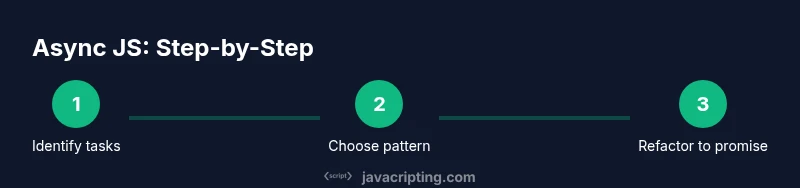
- 1
Identify asynchronous tasks
Survey the codebase to mark operations that involve waiting on I/O, timers, or external services. Create a block diagram showing where data is requested and where the UI depends on results. This helps you decide which parts to refactor first.
Tip: Start with the smallest, isolated async function to gain confidence before touching larger flows. - 2
Choose a pattern
Decide whether to use callbacks, promises, or async/await for a given API. For new code, prefer promises or async/await because they lead to clearer error handling and easier composition.
Tip: If you have legacy APIs, plan a gradual migration path rather than a big rewrite. - 3
Refactor to return a Promise
Modify a function so it returns a Promise that resolves with the desired value or rejects on error. Ensure all internal error paths reject consistently to avoid unhandled rejections.
Tip: Wrap each callback path with resolve/reject to maintain a clean contract. - 4
Consume with async/await
Wrap the asynchronous logic inside an async function and use await to pause until promises settle. Handle errors with try/catch for readable, linear control flow.
Tip: Keep await points minimal; regroup related awaits to reduce sequential latency. - 5
Parallelize independent tasks
If tasks don’t depend on each other, run them in parallel using Promise.all to minimize total duration. Always handle potential rejections from any of the promises.
Tip: Be mindful of rate limits and resource usage when firing many requests at once. - 6
Add robust error handling
Centralize error handling at a boundary, log useful context, and implement retries or fallbacks where appropriate. Consider using finally for cleanup actions.
Tip: Don’t swallow errors; propagate meaningful messages to callers and UIs. - 7
Test edge cases
Create tests for success paths, network failures, timeouts, and partial failures when using Promise.all. Validate that cleanup and state consistency hold across outcomes.
Tip: Automated tests catch regressions from refactoring async logic. - 8
Document the flow
Add inline comments and a short diagram in the codebase describing the async flow, so future maintainers understand the execution order and error paths.
Tip: Maintain an at-a-glance map of which tasks can run in parallel and which depend on previous results.
Questions & Answers
What does asynchronous JavaScript mean?
Asynchrony allows code to start a task and continue without waiting for it to finish. Results arrive later through callbacks, promises, or async/await, driven by the event loop and task queues.
Asynchrony lets your code start work and move on, with results coming back later.
What’s the difference between callbacks and promises?
Callbacks pass a function to run when an operation completes, which can lead to nested structures. Promises represent a value that resolves later and support chaining with then and catch for cleaner error handling.
Callbacks are functions called later; promises wrap the result and support cleaner chaining.
When should I use async/await?
Async/await provides a readable, synchronous-like flow for asynchronous code. Use it for complex async logic and when you want linear control flow with straightforward error handling.
Use async/await for clearer, linear async code with simple error handling.
How do I convert a callback-based API to a Promise?
Wrap the callback-based API in a new Promise and resolve or reject based on the callback results. For Node, util.promisify can simplify this pattern.
Wrap the callback API in a Promise and resolve or reject in the callback.
What is Promise.all and when should I use it?
Promise.all runs multiple promises in parallel and resolves when all finish. Use it for independent tasks to reduce total time, but handle any rejections carefully.
Use Promise.all to run multiple async tasks at once, and handle failures.
How can I prevent unhandled promise rejections?
Always attach a catch handler or use try/catch within async functions. Consider global handlers for unexpected rejections in Node or browser environments.
Always catch errors from promises and async functions to avoid crashes.
Watch Video
What to Remember
- Asynchrony keeps UI responsive and apps fast.
- Promises and async/await simplify error handling and flow control.
- Parallel execution speeds up independent tasks with Promise.all.
- Follow structured error handling and testing to ensure reliability.
- Document the async flow for long-term maintainability.