How to Deal with Asynchronous JavaScript
Learn to manage asynchronous JavaScript using promises, async/await, and event loop concepts. This comprehensive guide covers patterns, debugging, testing, and performance considerations for robust frontend and Node.js apps in 2026.


By the end of this guide, you will be able to handle asynchronous JavaScript confidently. You’ll understand the event loop, promises, and async/await, apply common patterns for sequencing and parallelism, and implement reliable error handling and testing strategies across frontend and Node.js contexts. Expect practical examples, troubleshooting tips, and a reusable checklist for your projects.
Why asynchronous JavaScript matters
According to JavaScripting, asynchronous JavaScript is essential for building responsive, non-blocking web apps. If you are asking how to deal with asynchronous javascript, this guide provides actionable patterns. In the browser, user interactions cannot be paused by long running tasks. On the server, asynchronous patterns enable high concurrency and efficient I/O. This section explains why asynchronous behavior matters and how it shapes architecture.
When code runs synchronously, the JavaScript runtime blocks further work until the current task completes. The event loop orchestrates a balance between the call stack and a queue of pending tasks, so the UI remains responsive. Understanding this flow is the first step in learning how to deal with asynchronous javascript.
Key benefits include improved user experience, better resource utilization, and easier composition of asynchronous operations. For frontend apps, asynchronous patterns help fetch data, render progressively, and handle user input without stalling interactions. For backend services, non blocking code allows servers to serve more requests with the same hardware.
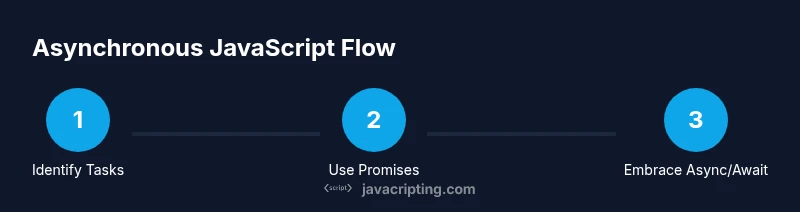
In practice, you will encounter three central concepts: callbacks, promises, and async/await. Each pattern helps you model asynchronous work, but they differ in readability and error handling. The JavaScripting team found that choosing the right pattern early simplifies code maintenance and debugging over the life of a project.
Core concepts you must know
To master the topic of how to deal with asynchronous javascript, you need a solid grasp of a few core concepts: the event loop, callbacks, promises, and async/await. The event loop manages a queue of tasks (macrotasks) and a queue of microtasks that run after the current task but before rendering. Callbacks are the traditional pattern for async work, but they can become hard to manage as flows grow. Promises provide a cleaner abstraction with then/catch chaining and centralized error handling. Async/await lets you write code that reads like synchronous code while remaining non-blocking, relying on promises under the hood.
Understanding these patterns helps you write robust asynchronous code and reason about complex flows. It also makes it easier to combine operations, coordinate external APIs, and handle failures gracefully. Remember, the choice between callbacks, promises, and async/await often depends on readability, error handling, and how you structure error propagation across modules. The event loop plays a central role in all of these patterns, so grounding your understanding here makes the rest much clearer.
When evaluating concurrency, distinguish between parallel tasks and sequential steps. Use Promise.all to run independent tasks in parallel when possible, and await each step in order when results depend on previous work. A common pitfall is ignoring rejection handling; ensure you attach catch handlers or use try/catch in async functions to avoid unhandled rejections.
Practical patterns for dealing with async
This section provides practical patterns you can apply to real projects. Start with the simplest approach and progressively adopt safer, more maintainable patterns as complexity grows. We will cover common scenarios and show concise examples for each pattern. The goal is to give you repeatable tools you can reuse across frontend and Node.js code paths.
Pattern 1: Callback-based flows (legacy code). While straightforward, callbacks quickly become hard to read and debug as nesting grows. Prefer converting to promises where possible.
Pattern 2: Promise chaining. Promises enable linear reasoning about asynchronous sequences. Chain then blocks for success paths and a final catch for errors. This keeps error handling near the source and avoids callback hell.
Pattern 3: Async/await. This is the most readable approach for sequential logic. Wrap any awaitable expression in try/catch to handle errors locally and keep the flow easy to follow.
Pattern 4: Parallel tasks with Promise.all. If multiple independent operations can run at the same time, Promise.all runs them concurrently and resolves once all complete. Handle partial failures gracefully with individual error handling if needed.
Pattern 5: Race conditions with Promise.race. When only the fastest result matters, use Promise.race to proceed as soon as any worker completes. This is useful for timeouts or fallback strategies.
Pattern 6: Concurrency control. For expensive operations or API rate limits, implement a simple limiter to avoid overloading resources. A small queue can throttle concurrent requests without blocking the UI.
Pattern 7: Streaming and incremental results. For large datasets, fetch data in chunks and process as it arrives rather than waiting for all results. This improves perceived performance and responsiveness.
Code examples accompany each pattern to illustrate usage and common pitfalls. By the end of this section you will have practical, repeatable patterns for how to deal with asynchronous javascript in real apps.
Managing errors and debugging asynchronous code
Error handling in asynchronous code is a critical skill. Promises expose errors via rejection paths that can slip through without proper handling. Async/await makes errors look synchronous, but you still need try/catch blocks around awaits. Centralized error handling—such as an error boundary in UI code or a global error handler in Node—helps you surface failures reliably without crashing the app.
Useful debugging techniques include: adding meaningful logs around awaits, inspecting promise chains in dev tools, and using stack traces to pinpoint where an error originates. When a promise rejects, examine the error object for code, message, and any custom fields that indicate context. If your code interacts with external services, ensure you handle network errors, timeouts, and invalid payloads gracefully.
Try to write tests that specifically exercise failure paths. This makes your code more robust and reduces the chance of unhandled rejections. Finally, consider using utilities that track unhandled promise rejections during development to catch gaps early.
Testing asynchronous code effectively
Testing asynchronous code requires deterministic control over timing and external dependencies. Start by isolating units with mocks or stubs for external services. Use tests that assert both the happy path and error paths. For time-based code, fake timers or simulated clocks help you run tests quickly and deterministically. When testing code that uses fetch or promises, await the result or return the promise from the test so the framework can detect completion.
In Node and browser environments, integrate tests with a test runner like Jest, Mocha, or Vitest. Validate edge cases such as partial data, timeouts, and retry logic. For performance minded tests, measure how your asynchronous code scales with multiple simultaneous requests and ensure you have cleanup routines to prevent resource leaks after tests finish.
Performance considerations and pitfalls
Asynchrony enables speed but can introduce subtle performance problems if misused. Too many concurrent requests can exhaust browser or server resources, causing degraded UX or timeouts. Use a sensible cap on concurrency and reuse connections where possible. Avoid unnecessary awaits on independent tasks; instead, run them in parallel and await when results are ready. Keep memory usage in check by canceling stale operations when possible and avoiding unreferenced callbacks that linger.
Be mindful of microtasks versus macrotasks. A heavy number of microtasks can block rendering, leading to jank. Use techniques like chunked processing or requestAnimationFrame to balance work between frames. Finally, design architectures that gracefully degrade under slow networks or partial failures rather than cascading errors across the system.
The practical takeaway is to measure and reason about the cost of asynchrony in your specific context and implement guards that keep the app responsive under load.
A practical, end-to-end example
Here is compact, end-to-end code that demonstrates how to deal with asynchronous javascript in a real scenario: fetching user data from an API, transforming it, and rendering results. The example shows both sequential and parallel approaches, plus error handling. Start with a small dataset and expand as you gain confidence.
// Example: sequential fetches
async function fetchUser(userId) {
  const res = await fetch(`https://api.example.com/user/${userId}`);
  if (!res.ok) throw new Error('Network error');
  return res.json();
}

async function loadUsersSequential(ids) {
  const results = [];
  for (const id of ids) {
    results.push(await fetchUser(id));
  }
  return results;
}

// Example: parallel fetches with Promise.all
async function loadUsersParallel(ids) {
  const promises = ids.map(id => fetchUser(id));
  return Promise.all(promises);
}
To balance performance and reliability, you might fetch in parallel but apply a limit on concurrency, then merge results and render. This practical pattern is a cornerstone of how to deal with asynchronous javascript in real apps. Remember to handle errors from any individual request and to provide user feedback when data is loading.
Summary: building robust async code
Asynchronous programming is not a hurdle but a design choice that, when made correctly, yields fast, responsive applications. By understanding the event loop, choosing appropriate patterns, and validating with tests and performance checks, you can build resilient code bases. Practice by converting legacy callback-based code to promises, then to async/await, and always validate error paths. With consistency, your code will be easier to read, safer to extend, and more reliable in production.
Tools & Materials
- Code editor(Any modern editor (VS Code, Sublime Text, WebStorm))
- Node.js installed(Use an LTS version for compatibility)
- Browser with DevTools(Chrome or Edge recommended for debugging)
- Network access / mock API(Helpful for realistic integration tests)
Steps
Estimated time: 60-90 minutes
- 1
Identify asynchronous tasks
List every operation that runs asynchronously in your feature. Clarify which tasks can run in parallel and which must wait for others. This step sets the foundation for the subsequent refactoring.
Tip: Write down each task and its expected completion time to design a safe concurrency plan. - 2
Choose an initial pattern
Decide whether your flow will use callbacks, promises, or async/await. Start with promises for readability if you currently rely on callbacks. This is about migrating complexity in small, manageable chunks.
Tip: Prefer promises over callbacks when you can; it makes future refactors easier. - 3
Refactor to promises
Wrap asynchronous tasks in Promise constructors or use existing promise-based APIs. Ensure rejection is propagated to a single error handler.
Tip: Check for non-promise values and wrap them with Promise.resolve when needed. - 4
Convert to async/await
Rewrite promise chains as async functions with await. Use try/catch blocks to handle errors and keep control flow straightforward.
Tip: Avoid mixing await with non-awaited calls; each await should be part of a logical sequence. - 5
Add parallelism where safe
Identify independent tasks and run them with Promise.all or a custom concurrency limiter. This can dramatically reduce total latency.
Tip: Measure before and after to validate performance gains and monitor for rate limits. - 6
Test and monitor
Create tests that cover success paths, failures, and partial successes. Add monitoring to catch unhandled rejections in production.
Tip: Use deterministic mocks to ensure repeatable tests and reduce flaky results.
Questions & Answers
What is asynchronous JavaScript and why should I care?
Asynchronous JavaScript lets code run without blocking the main thread, enabling smooth UIs and scalable servers. It matters for API calls, timers, and I/O operations.
Async JavaScript lets your code run without freezing the page, keeping your app responsive.
What is the difference between promises and callbacks?
Callbacks are a traditional pattern that can lead to nesting and hard-to-follow flows. Promises provide structured chaining and centralized error handling, improving readability.
Promises offer a cleaner way to handle asynchronous results and errors compared to callbacks.
Why should I use async/await?
Async/await reads like synchronous code while staying non-blocking. It simplifies sequencing and error handling when working with promises.
Async/await makes async code easier to read and reason about.
How do I test asynchronous code effectively?
Test both success and failure paths, mock external calls, and verify timing-related behavior with deterministic tests. Use a test runner that supports async tests.
Test async code by simulating success and failure paths with mocks.
What are common async pitfalls I should avoid?
Unhandled promise rejections, mixing paradigms, and overusing parallel calls without limits are common issues. Plan error handling and concurrency early.
Watch out for unhandled rejections and uncontrolled concurrency.
Watch Video
What to Remember
- Master the event loop basics
- Use promises/async-await for clarity
- Guard against unhandled rejections
- Test async flows with mocks