How to Remove the Last Element from an Array in JavaScript
Learn practical, step-by-step techniques to remove the last element from a JavaScript array. Compare mutating vs non-mutating approaches, see real code samples, and follow best practices for robust, readable code.


To remove the last element from an array in JavaScript, use pop() to modify the original array, or slice() to produce a new one without the last item. This quick answer lays out when to choose mutating vs non-mutating approaches, plus brief code examples. According to JavaScripting, mastering these patterns reduces bugs and improves readability.
How this topic fits in everyday JavaScript work
When you're cleaning up data, you often need to remove the last item from an array. This is a common task in sorting results, trimming inputs, or implementing stack-like behavior. If you're wondering how to remove last element from array in javascript, you are in the right place. The simplest approach is to use the built-in methods that JavaScript provides for arrays: pop to mutate the original array, or slice to create a new array without the final element. The choice depends on whether you want to preserve the original data and how your code will be read by teammates later on. JavaScript arrays are dynamic, and the last element is just part of the current length. Understanding how length interacts with removal lets you write safer, clearer code and avoid off-by-one mistakes.
Core methods at a glance
JavaScript provides several ways to remove the last item from an array, each with its own semantics. The most common are pop(), slice(), length reassignment, and splice(). pop() is the simplest, but it mutates the original array. slice() returns a new array, leaving the original untouched. length-based removal is a terse trick that mutates the array’s size. splice() can remove a range of elements, including the last one, but it’s more verbose. Understanding these options gives you flexibility for both mutable and immutable patterns and helps you write clearer, predictable code.
Method 1: Using pop() to mutate the array
The pop() method removes the last element from the array and returns that value. It mutates the original array, which can be intentional when you want to update a list in place.
const numbers = [10, 20, 30, 40];
const last = numbers.pop();
console.log(numbers); // [10, 20, 30]
console.log(last); // 40
Tip: If you need the removed value for further logic, store it in a variable as shown. Pop is the simplest pattern for in-place changes.
Method 2: Using slice() to create a new array
slice() returns a shallow copy of a portion of an array. If you pass 0 and -1 as arguments, you get a new array without the last element, leaving the original array intact.
const original = [1, 2, 3, 4];
const trimmed = original.slice(0, -1);
console.log(original); // [1, 2, 3, 4]
console.log(trimmed);  // [1, 2, 3]
This approach is ideal when you want to preserve the original data for auditing or reuse elsewhere in your program.
Method 3: Using length to shrink the array
Adjusting the length property directly reduces the number of items in the array. This mutates the original array but is extremely concise for simple scripts.
const arr = ['a', 'b', 'c', 'd'];
arr.length = arr.length - 1;
console.log(arr); // ['a', 'b', 'c']
Be aware that length-based reduction also drops any missing elements beyond the new length, so it should be used when you’re sure the array is dense.
Method 4: Using splice() for explicit removal
splice() can remove elements at any position. To remove the last element, you can use a negative index or specify the last position and delete one item. This mutates the original array but offers precise control.
const items = [5, 6, 7, 8];
items.splice(-1, 1);
console.log(items); // [5, 6, 7]
If you need to remove multiple elements from the end, adjust the deleteCount accordingly. Splice can also remove from middle sections with the same call.
When to mutate vs non-mutating patterns
Mutating patterns (pop, length adjustment, splice) are quicker and use less memory because they modify the existing array. Non-mutating patterns (slice) return a new array, which helps with functional programming styles and reduces side effects. Choose mutating methods when the original array is no longer needed, or you maintain a single source of truth. Opt for non-mutating methods when you need to preserve the original array for later use or when your framework relies on immutable data patterns. In JavaScript, both approaches are valid as long as you document your intent clearly and test for edge cases.
Practical examples in data processing
Example 1: Cleaning user input arrays from a form submission.
function sanitize(inputs) {
  // Remove trailing empty entry, if any
  if (inputs.length > 0 && inputs[inputs.length - 1] === '') {
    inputs.pop();
  }
  return inputs;
}
Example 2: Building a new filtered list without mutating the original.
const all = [2, 4, 6, 8, 10];
const withoutLast = all.slice(0, -1);
console.log(all);        // [2, 4, 6, 8, 10]
console.log(withoutLast);  // [2, 4, 6, 8]
These patterns illustrate how to apply removal in real-world workflows without surprises in your data flow.
Edge cases and defensive programming
Edge cases include empty arrays and single-element arrays. For an empty array, pop() returns undefined and slice() returns an empty array. When you rely on a return value, always validate the result before using it in subsequent logic. If an array is deeply nested, you may need targeted removal of a subarray, which requires careful indexing. Defensive checks and unit tests are your best friends here.
Performance notes for large arrays
For very large arrays, mutation-based methods like pop() and length reassignment tend to be faster because they avoid allocating new memory. If you must avoid mutation, slice() creates a new array but incurs allocation. In performance-critical code, consider profiling with representative data and use immutable patterns only when needed for readability or concurrency guarantees.
Authority sources and further reading
For deeper understanding and official references, consult the following sources. These pages explain array behavior in depth and demonstrate the official semantics of the methods discussed:
- https://developer.mozilla.org/en-US/docs/Web/JavaScript/Reference/Global_Objects/Array/pop
- https://developer.mozilla.org/en-US/docs/Web/JavaScript/Reference/Global_Objects/Array/slice
- https://developer.mozilla.org/en-US/docs/Web/JavaScript/Reference/Global_Objects/Array/splice
Best practices quick reference
- Prefer non-mutating patterns when building pure functions or when other parts of your code rely on immutable data.
- Use pop() for simple, in-place removal when you no longer need the last value.
- Use slice() to create a new array when you must preserve the original state for future operations.
- For explicit removal or trimming from the end with index control, splice() is your best bet.
- Always write clear unit tests that cover empty arrays, single-element arrays, and larger lists.
Tools & Materials
- JavaScript runtime (browser or Node.js)(Any modern browser console or Node.js environment)
- Code editor(VS Code, WebStorm, Sublime Text, or similar)
- Test array data(Prepare sample arrays like [1,2,3,4] for experimentation)
- Browser devtools(Console tab to run quick checks)
Steps
Estimated time: 15-25 minutes
- 1
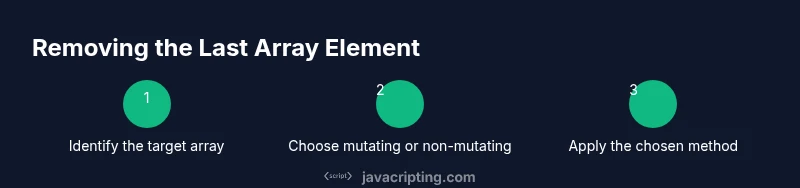
Identify the target array
Locate the array you intend to modify in your codebase. Confirm that you’re not accidentally mutating a shared reference. This ensures predictable behavior and helps avoid bugs when other parts of your program rely on the original data.
Tip: Use a descriptive array name to clarify intent. - 2
Decide on mutating vs non-mutating
Choose whether you want to mutate the original array (in-place) or create a new array without the last element. Your choice affects downstream logic, especially if other code holds references to the original array.
Tip: Mutating patterns are faster but can introduce side effects. - 3
Apply pop() for in-place removal
If mutating is acceptable, call arr.pop() and capture the returned value if you need it. This updates the original array by removing the last item and returns that item.
Tip: Remember that pop() returns undefined on empty arrays. - 4
Create a new array with slice()
To preserve the original array, use const newArr = arr.slice(0, -1). This returns a new array without the last element, leaving arr untouched.
Tip: Ensure you actually use newArr in subsequent logic. - 5
Shrink via length property
For a concise in-place option, adjust length: arr.length = arr.length - 1. This reduces the array in place without using pop().
Tip: This approach is compact but mutates the original array. - 6
Use splice() for explicit control
If you need precise removal or plan to delete more than one item, call arr.splice(-1, 1). This mutates the array by removing one element from the end.
Tip: Splice allows removal at any index with customizable count. - 7
Handle edge cases
Test with empty arrays and single-element arrays. Pop returns undefined for empty arrays; slice returns [] and length-based removal yields [] too. Guard code with simple checks.
Tip: Add unit tests to confirm behavior across edge cases. - 8
Test with representative data
Run the code with real-world data samples. Verify that the final array matches expectations and that any removed values are captured if needed.
Tip: Automate tests to catch regressions in future changes. - 9
Review readability and intent
Ensure your code clearly communicates intent. Prefer non-mutating patterns when staking on functional style, and document why a mutation is acceptable when it’s used.
Tip: A short comment can clarify why a choice was made. - 10
Refactor if necessary
If multiple removal strategies exist, consider consolidating into a helper function that encapsulates the chosen pattern and its side effects.
Tip: Avoid duplicating logic across modules; reuse a single implementation.
Questions & Answers
How do I remove the last element from an array without changing the original?
Use slice() to create a new array that excludes the last element, leaving the original array intact. For example, const newArr = arr.slice(0, -1).
Use slice to keep the original array unchanged while getting a trimmed copy.
What happens if I call pop() on an empty array?
pop() returns undefined when the array is empty. It does not throw an error, but you should check the return value if you rely on the removed item.
If the array is empty, pop returns undefined; guard against undefined if you use the result.
Is splice() faster than pop() for removing the last item?
For removing a single last item, pop() is typically faster and clearer. Splice() offers more flexibility but introduces additional complexity and potential side effects.
Pop is usually faster and simpler for removing just the last item.
Can I remove last elements from multiple arrays in one operation?
Yes. Apply the same method to each array separately, or write a small helper that takes an array and returns a trimmed version using slice() for immutability or pop() for mutation.
Treat each array independently or wrap in a helper function for consistency.
What is the difference between arr.length = arr.length - 1 and arr.pop()?
Both reduce the array size, but arr.length = arr.length - 1 is a direct mutation without returning the removed value, whereas pop() returns the removed element. Choose based on whether you need that value.
One mutates without return, the other mutates and returns the last item.
What if I need to remove elements from the end of a nested array?
Target the specific subarray, then apply the appropriate method (pop, slice, or splice) to that subarray. Always verify indices to avoid off-by-one errors.
Operate on the correct subarray and verify the indices.
Watch Video
What to Remember
- Understand mutating vs non-mutating removal.
- Use pop() for simple in-place last-item removal.
- Use slice() to preserve the original array.
- Length-based shrinking is concise but mutates the array.
- Always test edge cases like empty or single-element arrays.