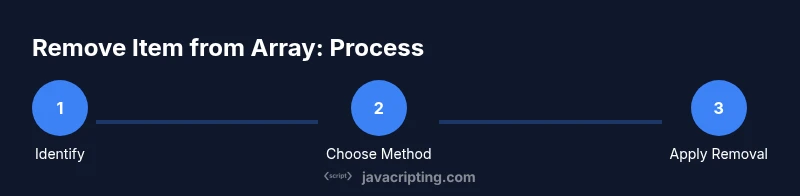
How to Remove Item from Array JavaScript
Learn practical, battle-tested methods to remove items from arrays in JavaScript. From splice to filter, with immutable patterns and real examples you can adapt in your projects.


By the end, you will confidently remove items from a JavaScript array using index-based methods like splice, value-based approaches with filter, and immutable patterns that return a new array. You’ll learn when to mutate versus preserve the original data, with practical examples you can adapt in real projects. This quick guide sets you up for both in-place and non-destructive techniques.
Understanding the problem: removing items from an array in JavaScript
When you work with arrays in JavaScript, you frequently need to remove one or more elements. This is the core question behind how to remove item from array javascript: what method preserves data integrity, what method mutates the original array, and how you can write clear, maintainable code. In practice, removal operations must consider the array type (primitive vs object), whether you need to maintain order, and whether you want to mutate the original array or return a new one. Understanding these choices upfront makes the rest of the guide more practical and less error-prone.
Think about your use case: Is the array part of state in a UI, or a simple helper collection in a script? The approach you choose changes in-place behavior, time complexity, and readability. JavaScript offers several strategies, from splice and index-based removal to filter and immutable patterns that produce a new array without changing the original.
Common techniques: splice, filter, and more
JavaScript exposes a few reliable ways to remove items. The most direct is splice, which mutates the array by removing elements at a given index. If you need to remove by value or condition, splice is often paired with indexOf/findIndex. For non-destructive removal, filter creates a new array that excludes items matching a predicate. Each method has trade-offs: splice is efficient for small numbers of removals but mutates, while filter is safe for immutable patterns but may allocate a new array. When removing by value, indexOf finds the first match, while findIndex lets you specify a complex predicate for objects. Remember to consider edge cases like missing values and multiple matches.
Mutating vs non-mutating removal
Mutating removal changes the original array in place, which can be faster and simpler in short scripts. However, mutating data can lead to bugs when other parts of your code rely on the prior state. Non-mutating approaches return a new array, preserving the original data. This pattern is especially important in modern front-end development, where immutable state shapes such as Redux require new references for change detection. When choosing a method, weigh the risk of side effects against the convenience of in-place changes.
Removing by index: splice explained
Splice removes elements by index and can remove multiple items in a single call. Example: arr.splice(startIndex, deleteCount). If deleteCount is 0, nothing is removed. Important: splice returns an array of removed elements, which you can use or ignore. When removing a single item, end up with the same logical result as creating a new array, but with less code. If you need to preserve the original array later, you should clone first or use non-mutating alternatives.
Removing by value: indexOf/findIndex and splice
To remove by value, first locate the index using indexOf for primitives or findIndex for objects. Then call splice with that index and a deleteCount of 1. If multiple items share the same value, you may loop or repeatedly call findIndex in a loop, or switch to a non-mutating approach like filter to remove all instances in one pass. Handling NaN is special: indexOf cannot find NaN, so use findIndex with a predicate like Number.isNaN or a custom comparator.
Removing all matches: filter approach
Filter returns a new array containing elements that do not satisfy the predicate. This is ideal for removing all occurrences of a value or removing based on a condition. For primitive values, you can write arr.filter(x => x !== value). For objects, use a property comparison, e.g., arr.filter(item => item.id !== targetId). While filter creates a new array, it keeps your original data intact and is often easier to reason about in complex code.
Removing with objects and properties
When arrays hold objects, you typically remove by a property value. Use findIndex with a predicate or build a new array with filter. For example, arr.filter(obj => obj.id !== targetId) removes all objects with a matching id. If you must mutate, locate indices with findIndex and splice them out one by one. Keep in mind that multiple matches require careful handling to avoid skipping elements after removal.
Immutable patterns and practical tips
Immutable patterns favor returning a new array rather than mutating the original. Examples include using the spread operator with slices, or using filter to exclude elements. These patterns align well with modern frameworks and reduce bugs from hidden mutation. If performance is critical for very large arrays, profile both approaches: splice may be faster for a small, known number of removals, while a well-crafted filter can be cleaner and safer in state-heavy apps.
Performance considerations and pitfalls
For small arrays, differences in performance between splice and filter are negligible. As arrays grow, consider the cost of reallocation in filter and the in-place mutation cost of splice. In UI-driven code, immutability often wins in maintainability even if a tiny performance cost exists. Also beware of off-by-one errors when removing in loops, and always validate indices before mutating. Use console logging to verify outcomes during development.
Common mistakes and quick debugging tips
A frequent pitfall is mutating an array while iterating over it, which can skip elements or produce unexpected results. Another mistake is assuming indexOf will find NaN or complex objects; use appropriate predicates with findIndex. Always test with edge cases: empty arrays, arrays with a single element, and multiple matching values. Quick checks include logging the array before and after removal and verifying length matches expectations.
Real-world scenarios: practice exercises and next steps
Practice by building small utilities: a removeAtIndex function, a removeValue function, and a purgeByPredicate function. Compare mutating versus non-mutating outcomes across three sample arrays, including numbers, strings, and objects. When you’re ready, integrate these utilities into a UI workflow (e.g., a to-do list where removing items updates the UI without mutating global state). The key is choosing the method that best fits your application's state management strategy.
Tools & Materials
- Code editor(VS Code, Sublime Text, or any modern editor with JavaScript syntax highlighting)
- JavaScript runtime(Browser console or Node.js environment to run snippets)
- Example arrays(Create primitives and objects arrays to test different methods)
- Debugger/console(Use console.log, breakpoints, or a debugger for step-by-step validation)
- Optional libraries(Lodash or Ramda can illustrate immutable patterns, not required)
Steps
Estimated time: 20-35 minutes
- 1
Identify the removal goal
Define whether you are removing by index, by value, or by a condition. Clarify if you need to mutate the original array or preserve it. This step sets the method you'll use.
Tip: Write a small test array and a target value to remove to keep this step concrete. - 2
Remove by index with splice
If you know the index, use arr.splice(index, 1) to remove a single item. Splice mutates the original array and returns the removed elements.
Tip: Validate index is within bounds before mutating. - 3
Find the index by value or predicate
For primitive values, use indexOf to locate the first match. For objects, use findIndex with a predicate function.
Tip: Be mindful of NaN; indexOf won't find NaN, use a predicate instead. - 4
Remove by value with splice
Combine findIndex/indexOf with splice to remove the matching element. Handle multiple matches if needed by looping or switching to non-mutating patterns.
Tip: If multiple matches exist, consider filtering instead of multiple splices. - 5
Remove all matches with filter
Use arr.filter(item => item !== value) to create a new array that excludes all occurrences of a value.
Tip: This method is ideal when you want to keep the original array intact. - 6
Remove by property in objects
When items are objects, use a predicate like arr.filter(obj => obj.id !== targetId). This removes all objects matching the target condition in one pass.
Tip: Ensure the property used in the predicate uniquely identifies what you want to remove. - 7
Immutable patterns for safety
Prefer non-mutating methods to avoid side effects. Build a new array using spread, slice, or filter to preserve original data.
Tip: Immutable patterns simplify state management in UI frameworks. - 8
Performance quick-checks
For large arrays, profile both methods. Splice can be faster for few removals; filter may incur more allocations but improves readability.
Tip: Benchmark with representative data to choose the right approach. - 9
Test and debug
Test with empty arrays, arrays with one element, and arrays containing duplicates. Validate length and contents after removal.
Tip: Add unit tests to lock in the expected behavior. - 10
Apply in a real task
Create a small utility module (e.g., removeAtIndex, removeValue, removeWhere) and reuse it across projects.
Tip: Document the expected input and edge cases for future maintenance.
Questions & Answers
How do I remove an item by index in JavaScript?
Use splice(startIndex, 1) to remove a single item by index. It mutates the original array and returns the removed element(s).
Use splice to remove an item by index; it changes the array in place.
How can I remove all occurrences of a value without mutating the original array?
Use filter to create a new array that excludes the target value, e.g., newArr = arr.filter(x => x !== value). This preserves the original array.
Create a new array with filter to exclude the value you want to remove.
What’s the difference between splice and filter?
Splice mutates the original array, while filter returns a new array. Use splice for in-place edits and filter for immutable patterns.
Splice edits in place; filter returns a new array. Choose based on mutability needs.
Can I remove items from an array of objects by a property value?
Yes. Use findIndex or filter with a predicate on the object property, e.g., arr.filter(o => o.id !== idToRemove).
Filter with a predicate on the object property to remove matches.
Is there a best practice for large arrays?
Profile both mutating and non-mutating approaches. If you manage UI state, immutability often improves maintainability even if it costs a bit of performance.
For large arrays, weigh mutability against maintainability and test performance.
How do I remove an item when multiple matches exist?
Consider using filter to remove all matches in a single pass, or loop with findIndex/splice if you need selective removal.
Use filter for removing all matches, or loop with findIndex for selective removal.
Watch Video
What to Remember
- Choose removal method based on mutability needs.
- Splice mutates; filter does not.
- Use findIndex for object-based removal with predicates.
- Prefer immutable patterns in UI/state code.
- Test with edge cases to prevent off-by-one errors.