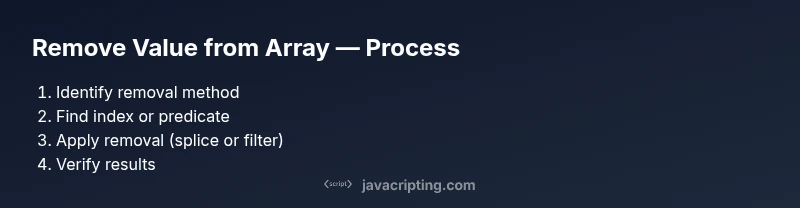
How to Remove Value from Array in JavaScript
Learn practical methods to remove values from arrays in JavaScript: splice, filter, and immutable patterns. This guide covers single removals, multiple occurrences, objects, NaN values, and common edge cases to boost your JS proficiency.


According to JavaScripting, you can remove a value from an array in JavaScript using mutating methods like splice or immutable approaches like filter. This quick answer previews when to use each method, how to remove a single occurrence or all matches, and how to handle objects and NaN values safely.
how to remove value from array in javascript: Core concepts
In JavaScript, arrays are mutable by default, meaning you can change the original data. However, many modern code patterns prefer immutable updates, creating a new array without the removed value. The topic how to remove value from array in javascript covers both approaches and a range of scenarios: removing the first match, removing all matches, or handling special values like NaN. You’ll also learn the most common array methods used for removal: splice, filter, and index helpers like indexOf and findIndex. By mastering these, you can write cleaner, safer code and avoid off-by-one bugs. According to JavaScripting, choosing the right method depends on whether you want to mutate the original array or preserve it for state management. For beginners, start with filter-based removal to emphasize immutability, then learn splice for precise, in-place changes.
Relevant keywords include: splice, filter, indexOf, findIndex, immutability, and mutability. The first goal is to decide whether you need a new array or to alter the existing one, since this decision drives which methods you should use.
Removing a single occurrence by index using splice
To remove a single occurrence by value, you typically find the index first and then use splice. Splice mutates the original array, removing count elements starting at the given index. Example:
let arr = [1, 2, 3, 2, 4];
const value = 2;
const idx = arr.indexOf(value); // first occurrence
if (idx !== -1) arr.splice(idx, 1);
console.log(arr); // [1, 3, 2, 4]
Pro tip: if you need to remove multiple non-contiguous matches, consider a different approach (see section on removing multiple occurrences). The key is understanding that splice mutates the original array and shifts indices after removal.
Removing by value using filter
Filter creates a new array, excluding elements that you specify. This immutable approach is simple and readable for removing a single value or multiple occurrences. Example:
let arr = [1, 2, 3, 2, 4];
const valueToRemove = 2;
const result = arr.filter(v => v !== valueToRemove);
console.log(result); // [1, 3, 4]
If you’re updating UI state or passing data to a function without mutating the original array, this pattern is preferred. It’s also useful when you want to remove all instances in one pass.
Removing multiple occurrences with filter
If you need to remove all instances of a value, filter is again your friend. You can also remove multiple different values by combining predicate logic. Example removing two different values:
let arr = [1, 2, 3, 2, 4, 1];
const toRemove = new Set([1, 2]);
const cleaned = arr.filter(v => !toRemove.has(v));
console.log(cleaned); // [3, 4]
Using a Set for values to remove improves readability and performance when the removal list is large or dynamic.
Working with arrays of objects and NaN
Removing elements from arrays of objects often uses a predicate that inspects a property. For example, remove items with a specific id:
let users = [
  { id: 1, name: 'A' },
  { id: 2, name: 'B' },
  { id: 3, name: 'C' }
];
const idToRemove = 2;
users = users.filter(u => u.id !== idToRemove);
console.log(users);
To remove NaN values from an array of numbers, use Number.isNaN to filter safely:
const nums = [1, NaN, 2, NaN, 3];
const cleaned = nums.filter(n => !Number.isNaN(n));
console.log(cleaned); // [1, 2, 3]
These patterns help avoid subtle bugs when dealing with complex data structures.
Performance considerations and pitfalls
Performance for removal depends on the method and array size. filter runs in O(n) time and returns a new array, which is typically fine for moderate datasets. Splice is also O(n) in the worst case but mutates the original array, which can be efficient for small, short-lived arrays. A common pitfall is using a loop with splice to remove items—this can lead to O(n^2) behavior if you repeatedly re-scan the array. Prefer a single-pass approach (like filter) when readability and immutability are priorities, and reserve in-place mutations for performance-critical paths with careful index management.
As discussed in our analysis, JavaScripting highlights that selecting the right approach hinges on your project's architecture and state management strategy.
Real-world examples: common tasks
Here are a few typical tasks you’ll encounter:
- Remove a single target value: use indexOf/findIndex + splice or a single-pass filter if mutating is not required.
- Remove all occurrences of a value: use filter with a value-check or a Set-based predicate for speed.
- Remove by condition in arrays of objects: combine findIndex with splice or filter to target specific properties.
- Remove NaN values from a numeric array: filter with Number.isNaN check.
Practice with small datasets first, then scale to larger arrays to understand performance implications and edge cases.
Putting it all together: best practices and human-friendly patterns
When you’re learning how to remove value from array in javascript, adopt a simple decision heuristic:
- Is the original array needed afterward? If yes, use immutable removal (filter).
- Do you need to mutate the original array for performance? Consider splice, but carefully manage references.
- Are you removing based on a condition across objects? Prefer predicate-based filters (possibly using findIndex in combination with splice for in-place updates).
The JavaScripting team emphasizes readable, maintainable code first. For most frontend tasks, immutable patterns provide safer state management and easier debugging.
Final notes and next steps
Now you have a toolkit for removing values from arrays in JavaScript that covers single removals, multiple occurrences, object arrays, and NaN handling. Practice with small examples, then refactor real projects to use the approach that aligns with your state management and performance goals. By mastering both splice and filter, you’ll be prepared for a wide range of coding challenges.
Tools & Materials
- Code editor(VS Code, WebStorm, or any editor)
- JavaScript runtime(Browser or Node.js (12+) with console access)
- Browser DevTools / Console(For testing and debugging snippets)
- Test arrays for practice(Small arrays to experiment with values and objects)
- Linter or formatter(Optional, helps keep code clean)
Steps
Estimated time: 25-45 minutes
- 1
Decide removal approach (mutable vs immutable)
Choose whether you will mutate the original array (splice) or return a new array (filter). This decision influences readability and state management in your project.
Tip: If you’re in a React-like environment, prefer immutable removal to avoid unintended re-renders. - 2
Identify the target index for a single removal
Find the index of the first occurrence using indexOf (for primitive values) or findIndex (for objects).
Tip: If indexOf returns -1, the value isn’t present; no removal needed. - 3
Remove a single element by index
Use splice(index, 1) to remove exactly one element in place.
Tip: Be mindful that subsequent indexes shift after removal. - 4
Remove all occurrences with filter
Create a new array excluding the target value using arr.filter(v => v !== value).
Tip: Great for immutable patterns and clear intent. - 5
Remove by condition in arrays of objects
Use filter with a predicate that checks object properties, e.g., arr.filter(x => x.id !== idToRemove).
Tip: Combine with map if you need to transform elements after removal. - 6
Handle NaN values safely
Use Number.isNaN to detect NaN and remove them with filter composition.
Tip: Avoid isNaN, which coerces non-numeric values. - 7
Remove a range of elements by index
Use splice(startIndex, deleteCount) to remove a contiguous block.
Tip: This is efficient for removing sections, but mutates the original array. - 8
Verify results and update references
Log results, re-run tests, and ensure all references reflect the change.
Tip: Automated tests help catch off-by-one errors quickly.
Questions & Answers
What is the difference between splice and filter for removing elements?
Splice mutates the original array and can remove a specific range; filter returns a new array and excludes elements matching the predicate. Choose based on whether you want to mutate or preserve the original.
Splice changes the original array; filter creates a new one. Choose based on whether you need mutation or safekeeping of the original.
How do I remove a specific value if there are duplicates?
Use filter to remove all occurrences or use findIndex with splice to remove the first match. Filter is usually clearer for multiple removals.
Use filter to drop all matches, or findIndex with splice to remove the first one.
How can I remove NaN values from an array?
Filter with Number.isNaN to detect NaN and omit those values. This avoids coercion issues common with isNaN.
Filter out NaN values using Number.isNaN to safely clean the array.
How do I remove elements from an array of objects by property?
Use filter with a predicate on the property, e.g., array.filter(item => item.id !== targetId). This avoids mutating the original objects.
Filter by the object property to remove matching items without mutating them.
Are there performance concerns with large arrays?
All common removal operations are linear in the array length. Favor immutable methods for clarity, but consider in-place splice when handling very large arrays and proven performance needs.
Performance is generally linear; use immutable methods for clarity, but splice can be faster in tight loops if you manage it carefully.
What is the best practice for removing a value in a stateful React app?
Prefer immutable updates (e.g., setState with a new array from filter) to avoid mutating existing state and enabling reliable re-renders.
In React, update state with a new array instead of mutating the old one.
Watch Video
What to Remember
- Decide mutable vs immutable before coding.
- Use splice for a single removal in place; filter for immutability.
- For objects, rely on predicates rather than direct equality checks.
- Handle NaN with Number.isNaN to avoid subtle bugs.
- Test edge cases: missing values, empty arrays, and range removals.