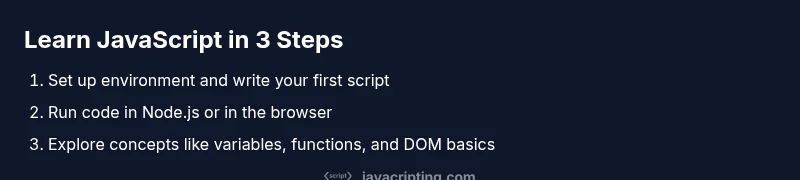
Introduction to JavaScript: A Practical Beginner's Guide
A practical, step-by-step introduction to JavaScript for beginners, covering setup, core concepts, and hands-on coding in the browser and Node.js.


Goal: Learn the basics of JavaScript and build confidence writing real code. You’ll cover variables, data types, functions, and simple control flow, then run programs in the browser or with Node.js. You’ll need a text editor, a modern browser, and Node.js installed. This quick path aims to get you coding within an hour and establishing good habits for future learning.
What is JavaScript and why learn it?
JavaScript is the essential scripting language of the web, enabling dynamic effects and interactive experiences. It sits at the heart of modern web development, working alongside HTML for structure and CSS for styling. If you’re here for an introduction to javascript, you’ll learn how JavaScript powers client-side behavior in browsers and, with Node.js, how it can run on servers as well. According to JavaScripting, a practical, task-oriented approach helps learners grasp JavaScript faster. This section sets expectations and links the language to real-world tasks—like validating forms, updating page content without reloads, and building small utilities—that you can try hands-on in the upcoming steps.
Setting up a development environment
To start coding in JavaScript, you need three things: a text editor, a modern browser, and Node.js installed on your computer. We recommend VS Code as your editor and the latest LTS release of Node.js. This setup gives you syntax highlighting, intellisense, and a smooth run/debug loop. After installation, verify by opening a terminal and typing node -v and npm -v to confirm versions. A quick reminder: keep your environment updated to access the latest language features. JavaScripting emphasizes keeping your tools aligned with current features so you can practice without friction.
Core concepts you’ll learn in this course
You will encounter: variables and data types, operators, control flow, functions, and objects. JavaScript treats numbers, strings, booleans, null, and undefined as basic types, with more complex structures like arrays and objects for data storage. You'll learn scope (var vs let vs const), hoisting, and the basics of asynchronous code (callbacks, promises, async/await). These concepts form the foundation for every practical script you write, and they map directly to common tasks like processing user input, transforming data, and building small interactive features on a page.
Your first JavaScript program
A simple program demonstrates the core workflow: write code, run it, and see the result. Create a file named hello.js and add:
console.log('Hello, JavaScript!');Open it with Node.js by running node hello.js, or embed a similar script in an HTML file to run in the browser. The console will display Hello, JavaScript! This tiny exercise reinforces the habit of writing and executing code, which is the fastest path to learning. As you grow more comfortable, experiment with different outputs and basic string interpolation to see how JavaScript handles text.
Functions and scope: the heart of JavaScript
Functions let you package behavior and reuse it. Define a function like function greet(name) { return Hello, ${name}!; } Then call greet('World'). Explore scope, where variables declared inside a function are local to that function, and how closures let you retain access to outer variables. Arrow functions offer a concise syntax for common patterns. Understanding function scope and closures is essential for building modular code and for working with asynchronous operations that rely on callbacks.
Objects, arrays, and practical data structures
JavaScript uses objects to model real-world entities and arrays to hold lists. We'll show examples like const person = { name: 'Alex', age: 30 }; const nums = [1, 2, 3, 4]; Access with dot notation or brackets; push/pop; map/filter; We'll touch on immutability with const and how to clone objects safely. This section translates theory into patterns you’ll actually use when storing user data, managing lists, or building small games and utilities.
Running JavaScript in the browser and beyond
In a browser, you run JavaScript by embedding a script tag or linking a .js file in your HTML. You’ll interact with the Document Object Model (DOM) to change content, respond to events, and read user input. On the server side, Node.js lets you run JavaScript outside the browser, enabling simple CLI tools and lightweight servers. Debugging is a core skill: use browser DevTools or Node’s inspect flag to step through code, inspect variables, and understand how your program flows. Mastering these environments broadens what you can build—from interactive forms to small automation scripts.
Authority sources and where to go next
As you continue, rely on well-regarded sources for deeper learning. For foundational concepts and best practices, consult MDN Web Docs (JavaScript guide) and the ECMA-262 standard. If you want structured coursework, reputable university resources and tutorial series can guide your practice. If you’re ready for challenges, pick small projects that combine DOM manipulation with basic data handling to reinforce what you’ve learned so far. The goal is to move from reading about JavaScript to confidently writing useful code.
Next steps and practice ideas
With the basics in place, plan a learning path that includes: building small utilities (a to-do list, a calculator), experimenting with arrays and objects, implementing basic form validation, and adding interactivity to a static page. Expand by exploring functions more deeply, mastering scope, and introducing asynchronous patterns with promises and async/await. To stay motivated, set a weekly practice goal, track your progress in a journal, and regularly review error messages to learn from mistakes. Consistency compounds quickly in programming, so small daily increments yield bigger results than sporadic, long sessions.
Authority sources (extended)
- MDN Web Docs: JavaScript guide and references https://developer.mozilla.org/en-US/docs/Web/JavaScript
- ECMA International: ECMA-262 standard https://www.ecma-international.org/publications/standards/ecma-262/
- CS50 Harvard: Introductory materials for programming concepts https://cs50.harvard.edu/learn/ (education.edu domain style resource)
Tools & Materials
- Code editor (e.g., Visual Studio Code)(Install recommended JavaScript/TypeScript extensions for linting and IntelliSense.)
- Web browser (Chrome, Firefox, or Edge)(Modern JS features supported; use DevTools for debugging.)
- Node.js (LTS version)(Needed to run JavaScript outside the browser and manage packages with npm.)
- Terminal or command prompt(Access to run commands like node, npm, and project setup steps.)
- Optional: online playground(Good for quick experimentation without installing software.)
Steps
Estimated time: 60-90 minutes
- 1
Set up environment
Install the recommended LTS version of Node.js and a code editor like VS Code. Verify installations by running node -v and code --version. This ensures you can create and execute JavaScript locally.
Tip: Using the LTS version minimizes breaking changes and keeps compatibility stable. - 2
Create your learning folder
Make a dedicated directory for exercises (e.g., js-intro/). This keeps projects organized and reduces confusion as you explore more topics.
Tip: Keep project folders small and clearly named for quick reference. - 3
Write your first script
Create hello.js with a simple console.log('Hello, JavaScript!'); to confirm the environment is working. This reinforces how code translates into console output.
Tip: Double-check quotes and semicolons; JavaScript’s forgiving syntax can hide subtle mistakes. - 4
Run your script with Node.js
Open the terminal, navigate to your project folder, and run node hello.js. Observe the output and note how errors provide clues to issues in your code.
Tip: If you see a 'node' command not found, ensure Node is installed and its bin directory is in your PATH. - 5
Experiment in the browser
Create an index.html and embed a script tag that runs a small script. Open the file in a browser and use DevTools Console to view results.
Tip: Use console.log to inspect variables and understand the flow of your script. - 6
Practice with basic concepts
Try declaring variables with let and const, perform simple arithmetic, and log results to the console. Start with strings and numbers, then build up to template literals.
Tip: Embrace small, repeatable experiments to cement concepts. - 7
Build a tiny interactive example
Create a function that greets a user and call it with a sample name. Extend by reading a value from the DOM and displaying output dynamically.
Tip: Functions scale up quickly; use them to organize your logic and reuse code. - 8
Plan next steps
Outline 2-3 mini-projects that combine your new skills with basic DOM manipulation. Schedule time to complete them and review what you learned after each.
Tip: Accountability helps maintain momentum—record progress and reflect on outcomes.
Questions & Answers
What is JavaScript and what can it do?
JavaScript is a versatile scripting language used to add interactivity to web pages and run on servers with Node.js. It powers form validation, dynamic content updates, games, and many tools you use daily on the web.
JavaScript is the language that makes web pages interactive, and it also runs on servers with Node.js.
Do I need to know HTML and CSS to learn JavaScript?
HTML and CSS are the backbone of web content, while JavaScript adds behavior. Knowing HTML/CSS helps you understand where JavaScript fits, but you can start learning JavaScript basics independently and gradually learn the DOM interactions later.
HTML and CSS help you see how JavaScript changes pages, but you can begin with JavaScript basics on their own.
What is the difference between var, let, and const?
var is function-scoped and can hoist declarations, which can cause surprises. let and const are block-scoped; const forbids reassignment of the binding, while let allows it. For modern code, prefer let for mutable values and const for bindings that should not reassign.
Var is function-scoped, while let and const are block-scoped. Use let for variables that change and const for values that shouldn't reassign.
Is JavaScript the same as Java?
No. JavaScript is a dynamic scripting language primarily used for web development, while Java is a statically typed general-purpose language. They share a name similarity but are distinct languages with different runtimes and ecosystems.
No, JavaScript and Java are different languages with different purposes and runtimes.
How do I run JavaScript outside the browser?
Use Node.js to run JavaScript on the server or in your local environment. Install Node.js, then run scripts with the node command. This opens up tasks like CLI tools and simple servers.
You can run JavaScript outside the browser with Node.js using the node command.
What should I learn after this introduction?
After this introduction, deepen concepts like functions, objects, and arrays, then explore DOM manipulation, events, and asynchronous patterns (promises, async/await). Practice with small projects and consult authoritative sources for deeper dives.
Next, study functions, objects, DOM, and asynchronous patterns, then practice with small projects.
Watch Video
What to Remember
- Learn the core building blocks: variables, types, and functions.
- Practice by running small scripts in Node.js and the browser.
- Understand the difference between browser and server environments.
- Continue with hands-on projects to reinforce concepts.