Play JavaScript: A Practical Beginner's Guide
Learn how to play JavaScript by running real code in browsers and Node, with a clear step-by-step workflow, practical examples, and debugging tips for beginners to build confidence quickly.


This guide shows you how to play JavaScript by running real code, not just reading theory. You will set up browser-based testing, run Node environments, and practice with small projects. By the end, you'll have a repeatable workflow to experiment confidently, collaborate with others, and track your progress from day one.
What it means to play JavaScript
To play JavaScript is to treat the language as a hands-on playground rather than a rigid syllabus. You’ll experiment with small snippets, observe how the runtime responds, and iterate quickly. This practical approach aligns with how developers build real projects: you test ideas, see results, and adjust. According to JavaScripting, practicing JavaScript in short, focused sessions yields meaningful progress, especially when you pair exploration with deliberate reflection. Start with tiny experiments and gradually increase their complexity as your curiosity leads the way. The goal is pattern recognition: recognizing how variables behave, how functions transform inputs, and how control flow shapes outcomes. By reframing study as play, you’ll stay motivated and retain concepts longer.
Why this approach works for beginners
A hands-on, incremental approach anchors learning in experience. Beginners who code small, repeatable exercises build muscle memory for syntax, error handling, and the mental model of the runtime. The emphasis on iteration helps you surface mistakes early and learn through curiosity. It also reduces intimidation: you’re not expected to master everything at once, only to complete approachable experiments and reflect on what happened. JavaScripting analysis shows that learners who practice regularly report clearer understanding and faster debugging when they combine theory with practice. Keep sessions short, focused, and fun to sustain momentum.
Setting up a practical workflow
Your workflow should balance three activities: write small code, run it in the right environment, and observe the results. Start by choosing where you’ll run code (browser console, Node, or an online playground), then create a tiny project that you can repeat. Document what you try, what you see, and what you change next. This habit creates a personal knowledge base you can revisit. As you grow, you’ll add more tools (linters, preprocessors, or a tiny test suite), but your foundation remains simple and reliable. The key is consistency: regular, focused practice beats rare, lengthy marathons.
Best environments for instant feedback
Browsers offer immediate, visual feedback through the console, DOM, and alert mechanisms, which makes them ideal for quick experiments. Node.js opens the door to server-side JavaScript and scripting outside the browser, broadening what you can explore. Online sandboxes provide a low-friction way to test ideas without local setup. Start with the browser console for your first steps, then expand to Node to see how JavaScript behaves in a runtime without a DOM. The goal is to understand core concepts in multiple contexts and recognize how environment differences affect your code.
Your first practical experiments
Begin with a few tiny experiments that demonstrate core ideas:
- Print messages and inspect values with console.log to understand output and types.
- Use basic arithmetic to see how JavaScript handles numbers and strings.
- Create and use variables, functions, and simple conditionals to see how logic flows.
Document what you try and why certain results occur. This reflective practice helps you internalize concepts and accelerates future problem-solving. As you gain comfort, add small features to your experiments: input handling, basic data structures like arrays, and simple loops.
A small project you can complete quickly
Try building a tiny calculator in plain HTML and JavaScript. Create an input field for numbers, a few buttons for operations, and a display area for results. Implement the logic with functions that take inputs, perform calculations, and update the display. This project reinforces fundamental syntax, event handling, and DOM interaction—without overwhelming you with complexity. Completing a concrete project gives you a tangible artifact to review and improve.
Debugging and learning from errors
Errors are not failures; they’re opportunities to learn. Learn to read error messages carefully, reproduce issues in a controlled way, and isolate root causes using console traces. Practice common patterns: undefined variables, type coercion, and asynchronous timing issues. By adopting a systematic debugging mindset, you’ll reduce frustration and build confidence. Remember to test small changes one at a time and verify each result.
Sustaining momentum with a simple routine
Set a fixed, realistic practice schedule—daily or several times per week—and stick to it. Use a short list of goals for each session: write a tiny script, run it, observe the output, and note what you learned. Track your progress with a quick journal or notes file; revisit earlier experiments to compare outcomes. The habit of regular practice compounds quickly, especially when you attach curiosity to each session.
Going beyond basics with structured steps
Once you’re comfortable with basics, introduce small, repeatable workflows: create a sample repository, write a few scripts, and add simple tests. This structure makes it easier to extend projects and collaborate with others. You’ll also start seeing the benefits of version control, modular code, and clearer documentation. Keep your scope modest and gradually expand as you gain confidence.
The JavaScripting perspective on practice
From the JavaScripting team’s viewpoint, learning JavaScript is a journey of consistent, hands-on exploration. Build a routine that emphasizes curiosity, reflection, and practical application. The emphasis is not on memorizing every rule but on recognizing patterns, testing ideas, and learning from mistakes. With a steady, thoughtful approach, you’ll gain fluency and independence in applying JavaScript to real problems.
Tools & Materials
- A computer with internet access(Any modern OS (Windows, macOS, Linux))
- Web browser (Chrome, Firefox, Edge, or Safari)(Latest version recommended)
- Code editor (e.g., VS Code)(Any editor that supports JavaScript)
- Node.js installed(Use the LTS version)
- MDN or JavaScript reference docs(Helpful for quick lookups)
Steps
Estimated time: 1-2 hours
- 1
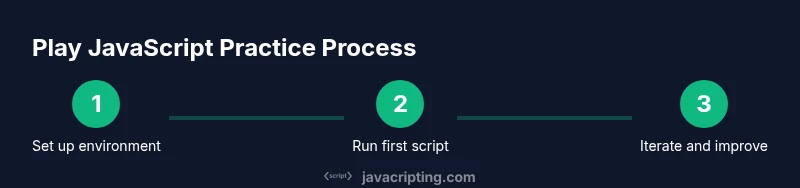
Prepare your workspace
Open your editor and create a dedicated folder for practice. Inside, add an index.html to host a script and a separate script.js for experiments. This separation helps you organize code and keeps your workflow clean. You’ll reference the script from HTML to simulate a real project.
Tip: Keep experiments small and isolated to make debugging easier. - 2
Run your first script in the browser
Open the browser, load the HTML page, and access the developer tools console. Type a simple console.log('Hello, JavaScript!') and press Enter to see output. Observe how values are displayed and how the runtime handles strings and numbers.
Tip: Use console.log frequently to inspect variables at different points in your code. - 3
Experiment with Node.js
Install Node.js if you haven’t already, then create a file hello.js and run it with node hello.js. Observe how inputs and outputs work in a non-DOM environment, including how modules export and import values. This expands your mental model beyond the browser.
Tip: Use require() or import/export to explore basic module behavior. - 4
Build a tiny project
Create a simple calculator or a to-do list in plain HTML and JS. Attach events to buttons, read user input, perform calculations, and update the UI. This project integrates DOM manipulation with your JavaScript logic in a concrete way.
Tip: Aim for a single, clear feature per loop: input handling, processing, and output rendering. - 5
Debug and refine
Deliberately introduce a bug, then use the console and breakpoints to locate it. Step through code line by line to observe the flow and verify assumptions. Refine the code until the behavior matches your intention.
Tip: Use breakpoints strategically on key lines to watch variables’ values over time. - 6
Document and commit progress
Record what you learned after each session and commit changes to a version-controlled folder. Write brief notes about what worked, what didn’t, and what you’ll try next. This habit creates a personal knowledge base you can revisit.
Tip: Keep a one-page log of each experiment for quick reference.
Questions & Answers
What does it mean to 'play' JavaScript, and why is it important?
Playing JavaScript means actively experimenting with code, testing ideas, and observing outcomes. This experiential approach helps you internalize concepts faster than theory alone. It’s important because you learn to predict runtime behavior and develop problem-solving instincts.
Playing JavaScript means experimenting with code to see how it behaves, which helps you learn by doing.
Do I need to know HTML/CSS to start?
You don’t need deep HTML/CSS knowledge to start; however, basic familiarity helps when you want to see JavaScript affect a web page. You can begin with pure JavaScript in the console and later layer in simple HTML elements.
Basic HTML is helpful, but not required at the very start.
Which environment is best for a beginner to start with?
Begin with the browser console for immediate feedback. Once comfortable, try Node.js to explore non-DOM JavaScript. Online editors are also great for quick tests without local setup.
Start in the browser console, then try Node, and use online editors if you prefer.
How long should I practice to feel comfortable with basics?
Consistency matters more than duration. Short, focused sessions several times per week tend to build familiarity with syntax, patterns, and debugging habits faster than long, sporadic sessions.
Regular, short practice sessions help you learn faster.
Are online editors safe for learning JavaScript?
Yes, most online editors are safe for learning as they run in isolated sandboxes. Avoid pasting sensitive data and review terms of service if you’re unsure about data handling.
Online editors are generally safe for learning; just be mindful of data privacy.
Where can I find good practice ideas?
Begin with small, solvable problems like string manipulation, array tasks, or simple calculators. Then gradually add features to keep the tasks interesting and challenging.
Look for tiny problems like calculators or word games to practice.
Watch Video
What to Remember
- Practice JavaScript regularly with small, concrete experiments.
- Use browser consoles and Node to explore in different runtimes.
- Build tiny projects to connect theory with real behavior.
- Debug methodically and document your progress.
- Develop a sustainable routine to grow confidence over time.