JavaScript Guide: Learn, Build, Debug with Confidence
A practical, step-by-step JavaScript guide for beginners and professionals. Learn syntax, DOM manipulation, asynchronous patterns, debugging, and best practices with hands-on examples.


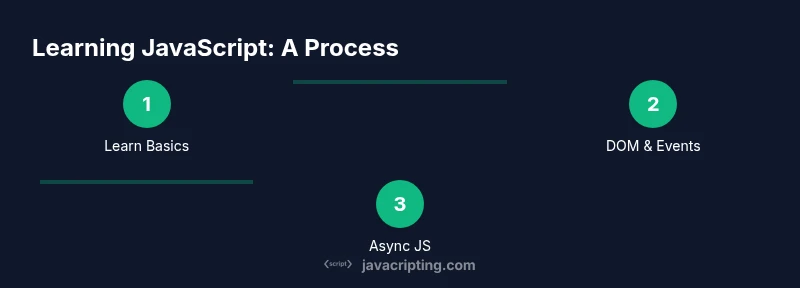
By the end of this guide, you’ll be able to write solid JavaScript, run code in a browser or Node.js, and debug efficiently. You’ll start with setup, learn the core syntax, master functions and scope, manipulate the DOM, and handle asynchronous patterns. The steps below provide a practical path from zero to ready-to-build, with real-world tips and examples you can apply immediately. This guide is designed for aspiring developers and frontend enthusiasts.
What JavaScript Is and How It Fits in the Web Stack
JavaScript sits at the heart of modern web development. It runs in browsers to create interactive user interfaces and, via Node.js, extends to servers, tooling, and automation. In this javascript guide, you’ll learn a practical path from curiosity to confident coding. According to JavaScripting, JavaScript is not just a language but a versatile toolkit for shaping user experiences, managing data flows, and orchestrating UI logic. This guide emphasizes approachable explanations, real-world examples, and actionable steps you can apply immediately. You’ll start by grounding yourself in the core concepts and gradually expand to asynchronous patterns, testing, and maintainable code. By following the sequence, you’ll build a solid foundation that scales as you learn frameworks, libraries, and modern tooling. The goal is not merely to memorize syntax but to understand how to think like a JavaScript developer and ship reliable software.
Core JavaScript Concepts You Must Know
JavaScript is a dynamic language with a few core ideas that recur across projects. Start with variables using let and const, and understand the historical role of var for context. Distinguish primitive types (string, number, boolean, null, undefined, symbol) from objects and arrays. Practice basic operators, control flow statements (if/else, switch, loops), and the concept of truthy vs falsy values. Functions are the primary building blocks—learn function declarations, expressions, and arrow functions. Grasp scope, closures, and the difference between lexical and dynamic scoping. Performance-minded developers also consider hoisting, the call stack, and memory management. Throughout, write small, testable snippets, and use console.log for quick feedback. This foundation enables you to reason about more advanced topics like asynchronous code and DOM interaction with confidence.
Setting Up a Practical Development Environment
A productive environment accelerates learning and reduces frustration. Install a modern code editor such as Visual Studio Code or a comparable IDE, and set up essential extensions for JavaScript/TypeScript, linting, and formatting. Install Node.js (the LTS version) to run scripts and manage packages with npm or pnpm. Ensure a modern browser with robust developer tools is available for in-browser debugging and profiling. Create a dedicated workspace for your JavaScript practice, initialize git for version control, and adopt a simple project structure with src and test folders. Finally, configure a basic npm script to run your code (for example, npm run start or npm test) so you can execute commands consistently across projects.
Syntax and Operators: A Practical Guide
Understand the building blocks of JavaScript syntax: statements, expressions, and blocks. Use semicolons consistently, though JavaScript’s automatic semicolon insertion is forgiving in many cases. Get comfortable with data types and operators: arithmetic (+, -, *, /), comparison (==, ===, !=, !==), and logical (&&, ||, !). Embrace template literals for readable string interpolation: const greeting = Hello, ${name}!``. Practice with conditional (ternary) expressions for concise decision-making. Learn about destructuring assignments for cleaner code: const { a, b } = obj; and array destructuring like const [x, y] = arr;. Finally, emphasize readability and maintainability: name variables clearly, keep expressions short, and favor expressive, explicit code over clever tricks.
Functions, Scope, and Closures with Real-World Examples
Functions are central to JavaScript. Start with function declarations and function expressions, then explore arrow functions for concise syntax. Grasp scope rules: the difference between var, let, and const, and how closures capture variables from their surroundings. Learn how to create and return functions dynamically, enabling powerful patterns like currying and factory functions. Demonstrate practical use with a small calculator or event handler where inner functions access outer variables. Remember the importance of side effects management and writing pure functions when possible. By internalizing these concepts, you’ll design modular, maintainable code that scales as your projects grow.
Objects, Arrays, and Data Structures in JS
JavaScript handles data using objects and arrays as primary structures. Practice creating objects with properties and methods, and learn about prototypal inheritance and the this keyword. Work with arrays through common methods: push, pop, map, filter, reduce, and find. Explore immutability patterns and the spread operator for copying and combining structures. When storing related data, consider using arrays of objects or objects of objects for quick lookups. For debugging, print previews of structures with console.dir and JSON.stringify. As you gain experience, implement simple data models for applications like a contact list or inventory system to reinforce practical data handling.
The DOM, Events, and Browser Interaction
Interacting with the Document Object Model (DOM) is essential for web pages. Learn to select elements using querySelector and querySelectorAll, and manipulate classes, attributes, and content. Practice event handling with addEventListener, and consider event delegation to manage many child elements efficiently. Explore common patterns like toggling UI states, form validation, and dynamic content rendering. Use browser devtools to inspect the DOM, profile performance, and set breakpoints. Understanding the DOM is the bridge between JavaScript logic and user-facing interfaces, enabling you to create responsive, accessible experiences.
Asynchronous JavaScript: Promises, async/await, and Events
Asynchronous programming is a core skill for modern web apps. Start with Promises, chaining then/catch, and error handling. Move to async/await for readable asynchronous code, treating asynchronous calls as if they were synchronous while preserving non-blocking behavior. Learn to compose multiple asynchronous tasks with Promise.all and race conditions. Don’t forget about fetch for HTTP requests, handling JSON responses, and gracefully handling network errors. For event-driven patterns, understand microtasks and the event loop’s role in keeping the UI responsive. Build confidence by implementing a small fetch-based feature, such as loading data from an API and rendering it on the page.
Debugging, Testing, and Quality Assurance
Effective debugging saves time and headaches. Use console.log for quick checks, but also leverage the built-in debugger and browser breakpoints. Learn to reproduce issues with minimal code, isolate root causes, and write targeted tests. Adopt a testing strategy with unit tests, integration tests, and practical end-to-end tests where feasible. Choose lightweight tooling like Jest or Vitest for unit testing, and consider simple linting rules with ESLint to catch common mistakes. Finally, establish a habit of reviewing code for readability, accessibility, and performance, ensuring your JavaScript remains robust as your projects evolve.
Tools & Materials
- Code editor (e.g., Visual Studio Code)(Install extensions for JavaScript/TypeScript)
- Node.js (latest LTS)(Includes npm for package management)
- Web browser with developer tools(Chrome/Edge/Firefox; enable DevTools)
- Git(Version control for projects)
- Terminal or command prompt(For npm scripts and tooling)
- Sample project starter(Boilerplate repo or template)
Steps
Estimated time: 6-8 weeks
- 1
Define your learning path
Set clear goals for what you want to build and a realistic timeline. Outline a small, concrete project (e.g., a todo app) to anchor your practice.
Tip: Write down measurable milestones and check them off as you progress. - 2
Install and configure your environment
Install Node.js, your code editor, and create a dedicated project folder. Initialize a Git repository and set up a basic npm script for running code.
Tip: Enable ESLint and Prettier early to enforce consistency. - 3
Learn core syntax and data types
Study variables, basic types, operators, and control flow. Practice with short snippets and small exercises daily.
Tip: Convert every concept into at least one runnable snippet. - 4
Master functions and scope
Dive into function declarations, expressions, arrows, and closures. Build patterns like function factories to reinforce understanding.
Tip: Prefer pure functions when possible to reduce side effects. - 5
Manipulate the DOM and handle events
Practice selecting elements, updating content, and wiring up events. Implement delegation for scalable event handling.
Tip: Test events across different screen sizes and input methods. - 6
Work with asynchronous code
Implement Promises, async/await, and fetch-based data fetching. Learn error handling and loading states for UI feedback.
Tip: Use Promise.all for parallel requests when possible.
Questions & Answers
What is JavaScript and why should I learn it?
JavaScript is a versatile language that runs in browsers to create interactive web pages and on servers via Node.js. It powers UI behavior, data handling, and many modern web apps. This guide provides practical steps to learn JS from basics to advanced patterns.
JavaScript lets you add interactivity to websites and build full-stack apps. This guide shows you how.
Do I need to learn TypeScript after JavaScript?
TypeScript adds static types to JavaScript, which can help catch errors early in larger projects. It's optional but increasingly common in professional codebases.
TypeScript is optional but can be a great follow-up after you’re comfortable with JavaScript.
How long does it take to become proficient?
Proficiency depends on practice frequency and project complexity. With consistent study over several months, you’ll gain confidence and fluency.
Expect months of regular practice to feel proficient.
What are essential modern JS topics I should cover?
Focus on ES modules, modern syntax, asynchronous patterns, DOM APIs, and debugging workflows. Build small projects that integrate these topics.
ES modules, modern syntax, and async patterns are essential.
What common beginner pitfalls should I avoid?
Avoid overuse of globals, skip error handling, and neglect testing. Start with small, testable units and iterate.
Watch out for globals and missing tests.
Watch Video
What to Remember
- Learn fundamentals before frameworks
- Set up a productive dev environment
- Practice DOM and events with real DOM manipulation
- Adopt async patterns early and correctly
- Practice, test, and debug regularly