Learn Online JavaScript: A Practical Path to Mastery
A comprehensive, practical guide to learning JavaScript online—from fundamentals to advanced patterns. Learn, practice, and debug with confidence through hands-on projects and structured study.


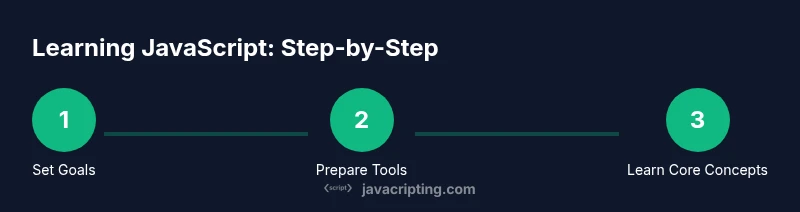
By learning online JavaScript, you’ll master core concepts, modern syntax, and practical debugging skills through hands-on exercises, guided projects, and clear explanations. You’ll begin with setup and fundamentals, then progress to real-world tasks that reinforce best practices and problem-solving. This structured approach helps you ship small features quickly, build confidence, and develop a portfolio you can showcase to peers or mentors.
Why Learn JavaScript Online
JavaScript powers the web and is the most in-demand language for frontend development. If you’re aiming to build interactive user interfaces, dynamic websites, or full-stack prototypes, learning online javascript is a practical, scalable path. Online courses, guided projects, and community support let you tailor your pace and focus. In this context, you’ll learn not just syntax, but how to think in patterns that apply across frameworks and environments. According to JavaScripting, a structured online plan yields faster progress than sporadic, untracked practice, especially when you combine concise lessons with hands-on projects. The goal here is to move from theory to action: you’ll set milestones, code regularly, and ship small features you can show to peers or potential mentors. This approach also helps you build a portfolio early, so you can demonstrate progress even while you’re still learning. By the end of this section, you’ll understand the practical value of an online JavaScript journey and how to design yours for long-term retention.
Core Concepts to Master
JavaScript is a versatile language with a large ecosystem. At the core, you’ll want to master variables (var, let, const), data types, and basic operators. Functions and scope are essential tools for organizing logic, while arrays and objects let you store and manipulate data efficiently. ES6+ brings syntax sugar and powerful features like template literals, destructuring, default parameters, and arrow functions that improve readability and maintainability. You’ll also encounter asynchronous programming through promises, async/await, and event-driven patterns. A solid foundation here makes learning frameworks and libraries much easier, because you’ll recognize common patterns rather than relearning basics for each tool. In practice, you should tie each concept to small experiments: write a function, log results, and refactor until it reads clearly. This is where the habit of consistent practice begins to take hold.
Tools & Materials
- Computer with internet access(Prefer a modern machine (Windows/macOS/Linux) with a stable connection.)
- Code editor (e.g., VS Code)(Install extensions for JavaScript, linting, and Git integration.)
- Node.js and npm(Useful for running scripts, packages, and local servers.)
- Web browser (Chrome/Edge/Firefox)(DevTools for debugging and performance profiling.)
- Git and GitHub account(Version control for projects and portfolios.)
- Browser-based playgrounds(Great for quick experiments when away from your main device.)
Steps
Estimated time: 6-8 hours
- 1
Set clear goals
Define what you want to accomplish in the next 4–6 weeks. Write concrete milestones (e.g., build a to-do app, implement a fetch call, or create a small game). Break goals into weekly targets to maintain momentum.
Tip: Use SMART goals (Specific, Measurable, Achievable, Relevant, Time-bound). - 2
Set up your environment
Install a code editor, Node.js, and Git. Create a dedicated project folder and initialize a Git repository for version control. Ensure you can run a simple console.log('Hello, world!') script.
Tip: Configure a small, personal starter project so you can ship value quickly. - 3
Learn fundamentals
Study variables, data types, operators, and control flow. Write tiny programs to reinforce concepts, such as a calculator, a temperature converter, or a word counter. Focus on readability and debugging habits.
Tip: Comment your code and explain why decisions were made. - 4
Practice with small exercises
Commit to short daily practice sessions. Use bite-sized challenges that require applying a single concept, then gradually combine multiple ideas.
Tip: Track your practice with a running list of completed exercises. - 5
Build a mini project
Create a small, interactive project (e.g., a to-do list or weather widget) to apply core concepts end-to-end. This builds confidence and a tangible portfolio piece.
Tip: Push code to your GitHub repository and write a brief README. - 6
Learn DOM basics
Understand how JavaScript interacts with HTML and CSS. Practice selecting elements, handling events, and updating the DOM in response to user actions.
Tip: Use querySelectorAll and event delegation for scalable code. - 7
Debugging and testing
Learn debugging workflows: console.log statements, breakpoints, and using browser DevTools. Write small tests to verify behavior and catch edge cases early.
Tip: Use descriptive error messages and test one assumption at a time. - 8
Review and reflect
Regularly review progress, refactor messy code, and plan next steps. Celebrate small wins to maintain motivation and momentum.
Tip: Schedule weekly retrospectives to adapt your plan.
Questions & Answers
What is the fastest way to learn JavaScript online?
The fastest path combines focused fundamentals with small, regular practice and a project-based approach. Start with essential concepts, then build a simple project and iterate. Commit to consistent daily micro-lessons and apply what you learn immediately in code.
Focus on fundamentals, build a small project, and practice daily for fastest results.
Do I need to know HTML/CSS before starting JavaScript?
Basic familiarity helps since JavaScript often manipulates HTML and CSS. You can start with core JS concepts and gradually learn DOM interactions as you progress.
Some HTML/CSS knowledge helps, but you can start with JavaScript fundamentals now.
Which resources are best for beginners to learn online JavaScript?
Look for concise tutorials that pair explanations with small projects. Prioritize interactive learning, code-along sessions, and guided exercises over long theory-only videos.
Start with concise tutorials and guided exercises to build hands-on skills quickly.
How long does it take to become proficient in JavaScript?
Proficiency varies with practice. Consistent daily study over several months typically yields comfortable competence, while deep mastery can take longer depending on goals and project complexity.
With steady daily practice, expect a few months for solid proficiency.
Should I learn ES6+ features first or mix in older syntax?
Prioritize ES6+ features like let/const, arrow functions, template literals, and promises. Understanding modern syntax makes learning frameworks faster and cleaner.
Start with modern syntax to keep pace with current tools.
Watch Video
What to Remember
- Start with a clear plan and concrete milestones
- Master core JavaScript concepts before jumping to frameworks
- Build small projects to demonstrate progress and learn by shipping
- Use DevTools and debugging as daily practice
- Document your code and reflect weekly to improve