How to Call a Function in JavaScript
Master calling a function in JavaScript with practical examples. Learn invocation syntax, parameter passing, return values, this-binding, and handling async calls to write reliable, maintainable code.


You will learn how to call a function in JavaScript: how to invoke a function, pass arguments, and handle return values. You’ll also understand the difference between function declarations, expressions, and methods, plus how this and scope affect calls. By the end, you’ll confidently call plain functions, arrow functions, and async functions in real code.
Understanding function declarations and calls
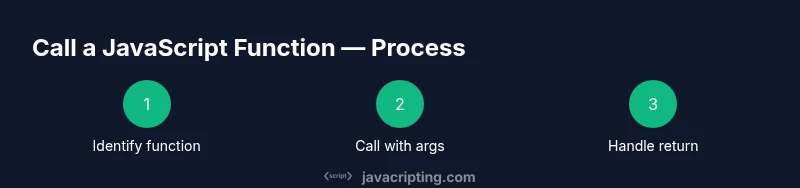
In JavaScript, you call a function by its name followed by parentheses, optionally passing arguments inside the parentheses. There are several ways to define a function: function declarations, function expressions, and arrow functions. Each has different rules about hoisting and scope, and they affect how you call them in code. According to JavaScripting, mastering function invocation is foundational for building interactive web apps. Start by identifying the function you want to run and ensuring it is in scope. If you declare a function using a declaration, it is hoisted to the top of its scope, meaning you can call it before the declaration. If you use a function expression or an arrow function assigned to a variable, the variable must be initialized before you call it. When you call the function, you use the syntax functionName(arg1, arg2, ...). The function body executes, and any value returned with return is handed back to the caller. Hoisting, scope, and binding all influence what you can call and when.
How to define and call functions: a quick refresher
- Function declarations: function greet(name) { return
Hello, ${name}!; } You can call greet('Alice') anywhere in the same scope, thanks to hoisting. - Function expressions: const sayHi = function(name) { return
Hi, ${name}; }; You must initialize sayHi before calling sayHi('Bob'). - Arrow functions: const add = (a, b) => a + b; You can call add(2, 3) to get 5. Arrow functions inherit this from their surrounding scope and are often used for concise callbacks. The key takeaway is that invocation uses the same parentheses syntax, but the function type determines when and where you can call it.
Practice tips for quick wins
- Always verify the function is in scope before calling it. If you see a ReferenceError, check where the function is defined relative to where you call it.
- If you expect a value back, ensure the function uses return to provide it. Otherwise, the result will be undefined.
- When using function expressions or arrow functions, guard against calling them before initialization.
Practical examples you can run
// Function declaration (hoisted)
function square(n) { return n * n; }
console.log(square(4)); // 16

// Function expression (not hoisted)
const squareExpr = function(n) { return n * n; };
console.log(squareExpr(5)); // 25

// Arrow function (concise)
const add = (a, b) => a + b;
console.log(add(3, 7)); // 10
Tools & Materials
- Code editor(VS Code, Sublime Text, or similar)
- JavaScript runtime(Browser console or Node.js)
- Sample function snippets(Small tests to call functions with different signatures)
- Console output tool(Console.log or browser dev tools)
- Optional: TypeScript tooling(For type-checking function signatures)
Steps
Estimated time: 40-60 minutes
- 1
Identify the function to call
Find the function name and verify it exists in the current scope. If it’s a function declaration, hoisting means you can call it before its definition; if it’s a function expression or arrow function, ensure the variable is initialized before invocation.
Tip: Double-check the scope to avoid ReferenceError; if unsure, log the function to confirm it’s a function before calling. - 2
Call with simple arguments
Invoke the function using the basic syntax: functionName(arg1, arg2). Start with one or two simple values to confirm the call works and returns a result.
Tip: Use console.log to print the result and verify output immediately. - 3
Pass multiple and different types
Test with mixed parameter types (numbers, strings, objects) to observe how the function handles each type and if type coercion occurs.
Tip: Document expected types in comments or with TypeScript annotations to reduce surprises. - 4
Capture the return value
Store the result in a variable or use it directly in a larger expression. If there is no return, the value will be undefined.
Tip: Separate concerns by assigning to a clearly named variable for readability. - 5
Call an arrow function
Define an arrow function and call it like a normal function. Arrow functions are ideal for short callbacks and concise logic.
Tip: Remember that arrow functions do not have their own this binding; they inherit it from the surrounding scope. - 6
Pass a function as a callback
Pass another function as an argument to illustrate first-class function behavior. This pattern is common in array methods and event handlers.
Tip: Ensure the callback signature matches what the caller expects. - 7
Call a method on an object
If the function you call is a method (obj.method()), ensure you understand the object context and how this is bound.
Tip: When extracting a method, bind it or wrap it to preserve this. - 8
Bind this to preserve context
Use Function.prototype.bind to fix the this value when passing a method as a callback or storing it for later use.
Tip: Binding creates a new function with a permanent this value. - 9
Call async function and handle promises
If a function is async, await its result or attach a then() handler to process the resolved value.
Tip: Top-level await isn’t universally available; use an async IIFE or chain promises in non-module contexts.
Questions & Answers
What is a function call in JavaScript?
A function call invokes a function by writing its name followed by parentheses, optionally with arguments. The function runs and may return a value.
A function call runs a function by its name with any arguments you pass in the parentheses.
How do you pass arguments to a function?
Place comma-separated values inside the parentheses in the same order as the parameters. You can also use default parameters for optional values.
Pass arguments inside parentheses in the same order as the parameters; defaults can help with optional values.
What’s the difference between a function declaration and a function expression?
Function declarations are hoisted and usable before their definition. Function expressions are not hoisted; the variable must be initialized first.
Declarations are hoisted, expressions aren’t, which affects where you can call them.
What about this inside a function?
Inside a regular function, this depends on how the function is called. Arrow functions capture this from the surrounding scope.
This depends on the call site; arrow functions don’t bind their own this.
Can I call async functions from sync code?
Yes. Use await or then() to handle the promise. Top-level await may not be available everywhere.
Yes, but you must await the promise or chain with then to handle the result.
What are common mistakes when calling functions?
Mismatched argument order, wrong number of arguments, and forgetting to handle return values or this binding.
Common mistakes include wrong argument order and forgetting to manage the return value.
Watch Video
What to Remember
- Call functions with the correct syntax: name + parentheses.
- Return values are captured by the caller with return statements.
- This binding varies by function type and invocation context.
- Async calls require await or promise chaining.
- Practice with real code to master function invocation.