JavaScript Node Tutorial: Learn Node.js Basics
A comprehensive, hands-on guide to running JavaScript on the server with Node.js. Learn setup, core concepts, building a small HTTP server, npm workflows, debugging, and best practices for scalable Node.js apps.


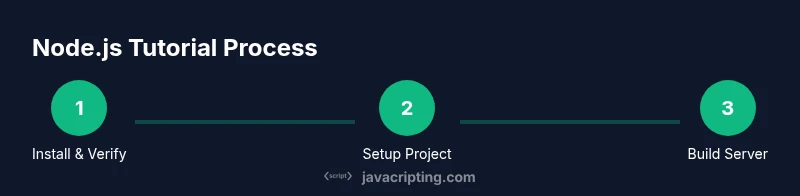
This guide helps you install Node.js, run JavaScript on the server, and build a practical Node.js project from scratch. You’ll cover environment setup, asynchronous patterns, core modules, and a simple HTTP server, plus npm workflows and debugging strategies. By the end, you’ll be ready to dive into real-world Node.js development.
Why Node.js matters for JavaScript development\n\nNode.js is a runtime that lets JavaScript run on the server, outside the browser. It uses an event-driven, non-blocking I/O model that makes it ideal for real-time apps, APIs, and tooling. In this javascript node tutorial, you’ll learn how to apply these concepts to practical server-side projects. According to JavaScripting, Node.js unlocks a unified language stack across client and server, enabling faster iteration and fewer context switches. The JavaScripting team found that teams adopting Node.js often experience shorter development cycles and easier deployment, especially when combined with npm packages and modern async patterns. As you progress, you’ll see how these advantages translate into maintainable code and smoother collaboration, which is essential for aspiring developers and frontend enthusiasts aiming to extend their JavaScript skills to the backend.
Core reasons to learn Node.js and its ecosystem\n\nFirst, Node.js enables full-stack JavaScript development, reducing language fragmentation. Its non-blocking I/O model shines in I/O-heavy apps like streaming services and chat backends. Second, the npm ecosystem provides access to millions of packages, speeding up development and enabling best practices without reinventing the wheel. Third, Node.js supports modern JavaScript (ESNext) features, async/await, and promise-based code that scales as projects grow. By understanding the event loop, you’ll write code that stays responsive under load. Finally, Node.js integrates well with cloud platforms and CI/CD pipelines, helping teams deploy and iterate quickly.
Aligning Node.js with your learning path\n\nIf you’re an aspiring developer or a frontend enthusiast, treat Node.js as the practical bridge from browser-focused JS to server-side programming. Start with small utilities, then expand toward APIs and microservices. This journey relies on consistent practice with real-world patterns, such as asynchronous data handling, error propagation, and robust testing. The JavaScripting guidance emphasizes building concrete, end-to-end projects to solidify concepts like streams, buffers, and middleware, all within a Node.js context.
Tools & Materials
- A computer with internet access(Prefer a modern laptop or desktop; screen real estate helps when editing code and viewing logs.)
- Node.js installed (LTS version)(Recommended to install via NVM to manage versions easily.)
- Text editor or IDE (e.g., VS Code)(Install JavaScript/Node extensions for improved intellisense and debugging.)
- Terminal or command prompt(Used to run node, npm, and script tasks.)
- Sample project skeleton or repository(Having a starter project speeds up hands-on practice.)
Steps
Estimated time: 2 hours 15 minutes
- 1
Install Node.js and verify
Download and install the recommended LTS release (or use a version manager). Open a terminal and run node -v and npm -v to confirm installations. If you see version numbers, you’re ready to proceed. This step ensures your environment is capable of running server-side JavaScript.
Tip: Using nvm to install Node.js lets you switch versions quickly for testing across environments. - 2
Create a project folder and initialize package.json
Create a dedicated directory for your project and run npm init -y to generate a package.json with defaults. This file will manage dependencies and scripts for your Node.js app. Review the file to understand the basic fields like name, version, and main.
Tip: Keep the project name simple and unique; you’ll reference it in scripts and repositories. - 3
Write a simple Hello World script
Create a file app.js with a minimal console.log('Hello, Node!') or equivalent. Run node app.js to verify that your script executes. This confirms your runtime is operating and you can start executing server-side JavaScript.
Tip: Use console.log for quick checks; consider console.table for structured data during experiments. - 4
Build a basic HTTP server with built-in module
Use the built-in http module to create a tiny server that responds with a plain text message. Bind to a port, listen for requests, and log incoming connections. This demonstrates the server-side capabilities of Node.js in real time.
Tip: Hard-code a port like 3000 for local development; later, use process.env.PORT for flexibility in deployment. - 5
Install Express and scaffold a simple route
Add Express as a dependency (npm install express) and create a basic route that returns JSON. Express abstracts lower-level networking details, letting you focus on business logic and response shapes.
Tip: Lock down your dependencies with npm shrinkwrap or package-lock.json to ensure repeatable builds. - 6
Handle JSON payloads and errors
Set up middleware to parse JSON bodies (express.json()) and add a simple error handler. This teaches your app to process input safely and respond with meaningful messages when things go wrong.
Tip: Validate input early; use a lightweight validation library to keep code clean. - 7
Add basic testing and logging
Incorporate a few tests (e.g., using a simple assert or a tiny test runner) and enhanced logging. Observability is essential for understanding how your server behaves in different conditions.
Tip: Log levels (info, warn, error) help filter important messages during debugging. - 8
Run, test, and iterate
Launch the server, exercise the endpoints with curl or Postman, and iterate on features. This step brings the concepts from theory into a working, testable application.
Tip: Automate repetitive tests with npm scripts to save time during iterations.
Questions & Answers
What is Node.js and how does it differ from browser JavaScript?
Node.js is a server-side runtime that executes JavaScript outside the browser. Unlike browser JS, Node.js uses a non-blocking event loop and provides modules for file I/O, networking, and more. This makes it ideal for APIs and real-time applications.
Node.js lets you run JavaScript on the server, with a focus on asynchronous I/O.
Do I need npm to start a Node.js project?
npm is the default package manager for Node.js. It helps install libraries, manage dependencies, and run scripts defined in package.json. You typically start with npm init and then add dependencies as you build.
Yes, npm is essential for managing libraries in Node.js projects.
Can Node.js run JavaScript on the server without a browser?
Yes. Node.js provides a runtime environment that executes JavaScript on the server, enabling back-end logic, APIs, and tooling without a browser.
Absolutely, Node.js runs JS on the server.
What is the difference between CommonJS and ESM in Node?
CommonJS uses require() and module.exports, while ESM relies on import/export syntax. Node.js supports both (with some caveats); choosing affects syntax and module resolution.
CommonJS uses require, while ESM uses import/export.
Is Express required to start with Node.js?
No. You can start with Node’s built-in http module, but Express simplifies routing and middleware for many projects. Pick based on the project needs and complexity.
Express isn’t required, but it helps for most APIs.
What are good next steps after finishing this tutorial?
Continue by building a small REST API, learning about databases, and exploring asynchronous patterns like streams and worker threads. Practice by pairing down complexity and gradually adding features.
Keep building small projects to reinforce what you’ve learned.
Watch Video
What to Remember
- Learn Node.js enables server-side JS execution.
- Set up a clean project structure with npm.
- Practice asynchronous patterns and event-driven design.
- Build a small HTTP server to solidify concepts and patterns.