How to Format JavaScript Date: A Practical Guide
Learn to format JavaScript dates with built-in methods, Intl.DateTimeFormat, and libraries. Step-by-step guidance for ISO, locale-aware, and custom formats across browser and Node.js environments.


By the end, you will know how to format javascript date for ISO strings, locale-aware outputs, and custom patterns. According to JavaScripting, rely on a thoughtful mix of built-in Date methods and Intl.DateTimeFormat, plus lightweight libraries for consistency. This guide covers browser and Node environments, common pitfalls, and practical examples you can reuse today.
Why formatting JavaScript dates matters
Understanding how to format dates is essential for data interchange, user interfaces, and logging. If you’re learning how to format javascript date, this guide will help you choose the right approach for storage, display, and analytics. Time zones, locale differences, and inconsistent defaults can lead to subtle bugs that ripple through an app. By adopting a clear formatting strategy, you ensure that dates render predictably across browsers and servers. In this section, we’ll map the decision points you’ll face and set the foundation for reliable date handling across your projects. The goal is to reduce surprises when you display dates to users or send data to APIs, where ISO or locale-aware formats are common expectations.
The built-in Date object: what it can and can't do
JavaScript ships with a Date object that represents a point in time. You can create dates with new Date(), extract components with getFullYear(), getMonth(), and getDate(), and convert to strings with toISOString() or toDateString(). However, parsing date strings is notoriously unpredictable across engines, and local times can creep into outputs without you noticing. A pragmatic starting point is to treat Date as a time container and perform formatting at display time. When you need consistent formatting, you’ll often move beyond raw Date methods toward dedicated utilities or Intl APIs. This section explains practical patterns and caveats you should know before formatting dates for UI or data exchange.
ISO formatting: the backbone for data interchange
ISO 8601 strings (e.g., 2026-02-18T15:30:00Z) are the default choice for storing and transferring dates because they are unambiguous and sortable. In code, you can obtain an ISO string with date.toISOString(), which uses UTC time. For display, you may strip or adjust parts of the string depending on your needs, but always store or transmit the ISO form. When you only need a date without time, consider extracting the date portion safely, for example by using date.toISOString().slice(0, 10). Be mindful of time zone implications when converting local times to UTC.
Locale-aware formatting with Intl.DateTimeFormat
For user-facing formatting, Intl.DateTimeFormat provides locale-sensitive options that render dates in familiar formats. You can specify locales like en-US or fr-FR and options such as year, month, day, hour, and minute. This approach is especially powerful for apps with international users, as it adapts to user preferences without writing custom formatting logic. Example: new Intl.DateTimeFormat('en-US', { year: 'numeric', month: 'short', day: '2-digit' }).format(date).
Manually formatting dates without libraries
If you need a lightweight, dependency-free solution, you can construct strings manually from the Date object. Use getFullYear(), getMonth() + 1 (since months are zero-based), and getDate(), then pad with leading zeros as needed. This approach is straightforward for simple formats like 2026-02-18 or 18/02/2026, but be cautious with DST and time-zone edge cases. A tiny utility function makes the logic reusable across components.
Using libraries for consistency: date-fns and Luxon
When formatting dates across an app, libraries can reduce boilerplate and boost consistency. date-fns offers modular functions like format(date, 'yyyy-MM-dd') that are tree-shakeable, while Luxon provides a richer API with DateTime objects and built-in locale support. Both approaches help avoid manual parsing mistakes and align formatting behavior across environments. Choose a library if you have multiple formats, internationalization needs, or complex scheduling logic.
Best practices and common pitfalls
Establish a single source of truth for how dates are formatted in each project. Prefer UTC storage, convert to local time at the last moment for display, and rely on Intl.DateTimeFormat for localization. Watch for leap years, DST transitions, and parsing inconsistencies when converting user input. Test across browsers and Node to ensure determinism, especially when dealing with time zones and cross-origin data.
Performance considerations and testing strategies
Date formatting can affect UI responsiveness in large lists or dashboards. Prefer lightweight, pure functions for simple formats and avoid heavy monolithic libraries in performance-critical paths. Create unit tests that cover edge cases: leap days (Feb 29), DST shifts, and locale-specific quirks. Benchmark formatting calls in representative scenarios to identify bottlenecks and cache formatted values when possible.
Example scenarios: putting it all together
Scenario A: You need an ISO timestamp for API payloads. Scenario B: You want a user-friendly, locale-aware date for a UI label. Scenario C: You need a compact file name-friendly date like 20260218. This section demonstrates practical code snippets for each scenario, compares the trade-offs, and shows how to use a small utility module to share formatting logic across components.
Tools & Materials
- Code editor(Any IDE; VS Code recommended for intellisense)
- JavaScript runtime(Node.js 18+ or modern browser console)
- Date formatting libraries (optional)(date-fns, Luxon, or Moment.js (legacy))
- Testing environment(Jest, Vitest, or browser-based tests)
- Browser console / DevTools(For quick experiments and logging)
Steps
Estimated time: 60-90 minutes
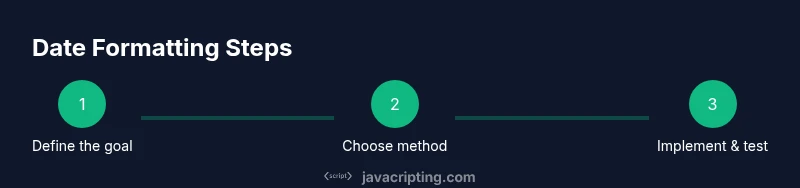
- 1
Define the formatting goal
State the exact output you need (ISO string, locale format, or custom pattern). Clarify whether you need a date, a datetime, or a timezone-adjusted value. This sets the formatting approach and avoids scope creep.
Tip: Write the target format string or options before coding. - 2
Choose a baseline method
Decide whether to start with built-in Date methods, Intl.DateTimeFormat, or a library. For simple tasks, built-in methods suffice; for localization, Intl is preferred; for multiple formats, consider a library.
Tip: If unsure, start with Intl.DateTimeFormat for locale-aware outputs. - 3
Implement the formatting logic
Create a small utility function that takes a Date and returns the formatted string using your chosen approach. Keep it pure (no side effects) and deterministic.
Tip: Avoid mutating the original Date object; work with new Date(date) when needed. - 4
Handle time zones deliberately
Decide storage vs display rules: store in UTC, convert to local for display, or use explicit offsets. Time zones are the main source of inconsistency in formatting.
Tip: Document your time zone policy in a README for future maintainers. - 5
Test edge cases
Test leap years, DST transitions, and boundary dates across locales. Automated tests help prevent regressions as code evolves.
Tip: Include tests for both server and client environments. - 6
Benchmark and optimize
If formatting runs on a hot path (e.g., rendering thousands of items), profile and optimize. Consider caching frequently used formats.
Tip: Profile in a representative environment to get realistic results. - 7
Document and share
Publish a small utility module and usage examples so teammates reuse formatting logic consistently.
Tip: Provide at least two clear examples: ISO and locale-based output.
Questions & Answers
What is the best way to format dates for storage?
Storing dates as ISO 8601 strings in UTC keeps them unambiguous and sortable. Convert to local time only for display.
Store as ISO 8601 UTC strings, convert to local time when displaying.
How do I format a date for display in multiple locales?
Use Intl.DateTimeFormat with the user’s locale and a consistent option set. This provides locale-aware formatting without custom logic.
Format using Intl.DateTimeFormat with the user’s locale.
When should I use a library like date-fns or Luxon?
If you need multiple formats, parsing, or advanced localization, a library helps maintain consistency and reduces boilerplate.
Use a library when you need consistent, multiple formats and parsing.
Can I format dates without any libraries?
Yes, for simple patterns you can build strings from Date components, but be mindful of time zones and DST. For more than simple patterns, consider a library.
You can format with core JS for simple cases, but libraries help with complexity.
How do I test date formatting reliably?
Write unit tests that cover leap years, DST changes, and locale variations. Include both ISO and human-readable formats in tests.
Test edge cases like leap years, DST, and locales.
What about performance for large lists?
Benchmark formatting in realistic scenarios. Cache repeated formats when possible and prefer lightweight utilities for hot paths.
Benchmark and optimize; cache frequent formats when feasible.
Watch Video
What to Remember
- Define target format before coding
- Prefer ISO for data interchange
- Use Intl.DateTimeFormat for locale-aware output
- Consider libraries for complex patterns
- Test edge cases and document formatting rules