How to Remove Substrings in JavaScript: A Practical Guide
Learn practical, safe techniques to remove substrings from strings in JavaScript using slice, replace, replaceAll, and regex. Includes real-world examples, edge cases, and performance tips for frontend and Node.js.


javascript remove substring from string is a common task, and this guide shows practical, safe techniques to accomplish it in browsers and Node.js. You can slice around the substring or replace it with an empty string; for multiple occurrences, regex or replaceAll is preferred. This quick answer covers first-occurrence and all-occurrence patterns you’ll encounter in real projects.
What removing substrings means in JavaScript
Substring removal is the act of creating a new string by omitting a specified sequence of characters from the original string. In JavaScript, strings are immutable, which means every removal creates a new string rather than changing the original one in place. This distinction matters for performance, especially in tight loops or large text processing tasks. The most common use cases include sanitizing user input, trimming sensitive data, normalizing identifiers, and cleaning URLs or logs before storage. Understanding how to remove a substring safely helps you avoid off-by-one errors, unintended gaps, and corrupted data.
Two core approaches exist: direct slicing around the target and replacing the target with an empty string. When you know the exact location, slicing is fast and explicit. When you don’t know whether the substring appears and how many times it occurs, replacing with an empty string (or a regex-based replacement) is more ergonomic. Throughout this guide, you’ll see practical examples you can adapt to your codebase and write tests around. The examples apply in both browser environments and Node.js, ensuring your solutions generalize across platforms.
Essential JavaScript String Methods You Should Know
To efficiently remove substrings, you’ll rely on a handful of string methods and patterns. Key players include indexOf and lastIndexOf for locating substrings; slice and substring for extracting parts of a string around a found segment; and replace, replaceAll for removing occurrences. split and join provide another approach when you need to reconstruct strings from parts. In addition, you’ll encounter newer techniques like RegExp with the global flag for complex removal rules, and utility helpers to escape regex characters when building dynamic patterns. The goal is to choose a method that matches the problem’s constraints: first occurrence or all occurrences, exact literal matching or case-insensitive matching, and performance considerations for large inputs. JavaScripting readers will recognize many of these patterns from everyday JavaScript tasks, especially when cleaning form data or parsing URLs.
Removing a Substring Occurrence with indexOf and slice
Begin by finding the first position of the substring in the string using indexOf. If indexOf returns a non-negative position, construct the new string by taking the portion before the substring and concatenating with the portion after it. For example, given the string "Hello world, world" and the substring "world", you can produce "Hello , world" or "Hello , " depending on your exact slicing. Code:
let s = "Hello world, world";
let sub = "world";
let pos = s.indexOf(sub);
if (pos !== -1) {
  s = s.slice(0, pos) + s.slice(pos + sub.length);
}
Note: indexOf is case-sensitive and only removes the first occurrence.
Using replace to Remove Substrings
The replace(pattern, replacement) method can remove the first occurrence when you pass a string literal. For example:
let s = "aa bb aa";
let result = s.replace("aa", ""); // " bb aa"
If you need to remove every occurrence, use a global regex or the replaceAll method when available:
let s2 = "aa bb aa";
let withRegex = s2.replace(/aa/g, ""); // " bb "
let withReplaceAll = s2.replaceAll("aa", ""); // " bb " (ES2021+)
Removing All Occurrences with replaceAll and Regular Expressions
For dynamic substrings or when you want to guarantee every instance is removed, replaceAll is the most straightforward approach if the environment supports it. For broader compatibility, use a global RegExp:
let s = "foo-foo-foo";
let removed = s.replaceAll("foo", ""); // "- -"
Using a regex approach is also powerful when you need to remove patterns rather than fixed substrings. Remember to escape any special regex characters in the substring:
function escapeRegExp(string) {
  return string.replace(/[.*+?^${}()|[\]\\]/g, "\\$&");
}
let pattern = new RegExp(escapeRegExp("a+b"), "g");
let text = "a+b a+b a+b";
text = text.replace(pattern, ""); // "   "
Handling Edge Cases: Overlapping Substrings and Case Sensitivity
Overlapping substrings pose a challenge: removing "aa" from "aaaa" with non-overlapping rules leaves behind one pair. The non-overlapping regex /aa/g will typically remove two characters at a time and may leave leftovers. If you need true overlapping removal, you can loop until no occurrence remains or apply a specialized pattern. Case sensitivity matters: "Hello" removing "hello" will fail unless you use a case-insensitive flag or normalize case first.
let s = "aaaa";
let substr = "aa";
let r = s.replace(/aa/g, ""); // "aa" remains
// For overlapping removal, use a loop
while (s.includes(substr)) {
  s = s.replace(substr, "");
}
Performance Considerations: When to Favor Regex vs. Splits
Performance depends on input size and the removal pattern. A simple replace with a literal string is fast for a single occurrence, while replaceAll or a global regex is appropriate for multiple removals. Splitting a string on the target substring and joining the parts can be efficient for long strings with many occurrences, but it creates intermediate arrays. In practice, measure with realistic data and prefer readability; choose a straightforward approach first, then optimize if benchmarks show bottlenecks.
Real-World Scenarios: Cleaning User Input, URLs, and Logs
Common tasks include sanitizing user input by removing dangerous substrings like certain script tags, trimming whitespace, or normalizing identifiers. In URLs, you might remove specific query parameters or unwanted fragments; prefer URL interfaces (URL and URLSearchParams) when possible to avoid encoding issues. In logs, removing sensitive tokens or identifiers can be handled with a global replace. Always test with edge cases like empty strings, very long inputs, and inputs that contain characters with special meaning in regex.
Practical Examples in a Minimal Project
Consider a small utility function that removes a given substring from any string, with an option to remove all occurrences. The function should be robust to empty substrings, undefined inputs, and different environments. Start with a simple first-occurrence removal using indexOf and slice, then extend to all occurrences with replaceAll or a safe global regex. Add unit tests for a variety of inputs: single occurrence, multiple occurrences, overlapping substrings, and mixed case inputs. These tests help prevent regressions as the project evolves.
Tools & Materials
- Modern browser or Node.js runtime(ES2021+ features recommended)
- Code editor(Any editor with syntax highlighting)
- Console or browser DevTools(For quick experimentation)
- Regex escape utility (optional)(Helper to escape dynamic substrings)
- Unit testing framework (optional)(Jest/Mocha to validate edge cases)
Steps
Estimated time: 15-25 minutes
- 1
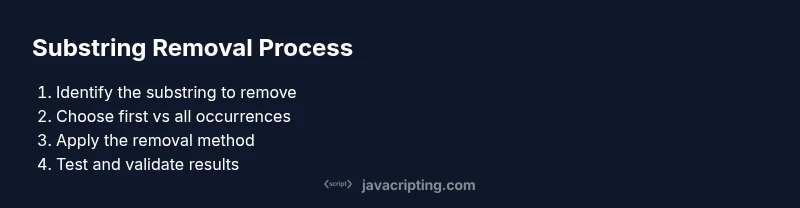
Identify the substring to remove
Decide the exact sequence you want to remove from the source string. Clarify whether you need the first occurrence or all occurrences, and whether the match should be case-sensitive.
Tip: Prefer a literal match when possible to avoid regex complexity. - 2
Choose the removal method
If you only need the first occurrence, a simple replace with an empty string works. For all occurrences, consider replaceAll or a global regex.
Tip: For dynamic substrings, implement an escaping strategy before building a regex. - 3
Remove the first occurrence with indexOf + slice
Find the position with indexOf and reconstruct the string using slice, concatenating the parts before and after the substring.
Tip: Remember to handle -1 (not found) gracefully. - 4
Remove all occurrences with replaceAll or a global regex
Use replaceAll(substr, '') when available, or a global regex like /substr/g. Ensure you escape substrings if they may contain regex metacharacters.
Tip: Test both methods on representative inputs. - 5
Handle regex special characters safely
If you build a dynamic regex, escape special characters in the substring using a helper like escapeRegExp.
Tip: Avoid injecting raw user input into regex without escaping. - 6
Test edge cases and performance
Check with empty substrings, very long strings, overlapping patterns, and mixed case inputs. Profile performance on realistic data.
Tip: Use small unit tests first, then scale up. - 7
Document the chosen approach
Add comments explaining why a particular method was chosen for first vs all occurrences. Include examples.
Tip: Clear intent makes future maintenance easier.
Questions & Answers
How do I remove the first occurrence of a substring?
Use indexOf to locate the substring, then reassemble the string with slice around that position. If indexOf returns -1, the substring is not present and no change is made.
Find the position with indexOf, rebuild the string with slice, and handle the not-found case.
How can I remove all occurrences of a substring quickly?
If substring is fixed, use replaceAll(substr, ''). For dynamic substrings, use a global regex like new RegExp(escapeRegExp(substr), 'g').
Use replaceAll for fixed substrings, or a global regex for dynamic ones.
What about substrings with special regex characters?
Escape the substring before creating a regex, or use split/join to avoid regex entirely.
Escape the characters or use split/join to avoid regex issues.
Is replace deprecated?
No, replace is not deprecated. replaceAll is newer and may require polyfills for older environments.
Replace is standard; replaceAll is newer and may need polyfills for older browsers.
How do I remove a substring from a URL query parameter?
Prefer URLSearchParams or the URL API to modify queries safely, avoiding manual string slicing and encoding issues.
Use URLSearchParams for safe, robust URL query manipulation.
Watch Video
What to Remember
- Choose the right method (first vs all occurrences).
- Escape regex characters when using dynamic patterns.
- Prefer readable, well-tested code over clever hacks.
- Test edge cases and measure performance in real scenarios.