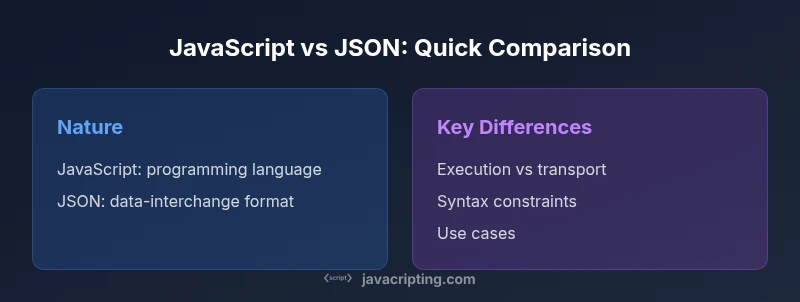
JavaScript vs JSON: A Practical Comparison for 2026
Explore the key differences between JavaScript and JSON, when to use each, how parsing and serialization work, performance and security considerations, and practical guidelines for developers.


JavaScript is a full programming language, while JSON is a minimal data-interchange format derived from JavaScript object syntax. They complement each other: JSON is parsed into JavaScript objects, and JavaScript can generate JSON with JSON.stringify. In practice, use JSON for data transport and JavaScript for logic and behavior. This distinction shapes API design and client-side rendering. According to JavaScripting, clarity between code and data reduces bugs.
What are JavaScript and JSON? Origins and roles
JavaScript is a full-fledged programming language that enables logic, interactivity, and dynamic behavior in web applications. JSON (JavaScript Object Notation) is a lightweight, text-based data-interchange format derived from JavaScript object syntax. While JSON began as a way to serialize data in JavaScript-friendly form, it evolved into a language-agnostic standard used across APIs, services, and configuration. According to JavaScripting, understanding these origins helps developers respect each tool's scope: code vs data. In practice, you use JavaScript to implement features, and JSON to transport state and payloads between systems. This separation is a cornerstone of modern web development and cross-platform data exchange.
Core differences at a glance
When you compare JavaScript and JSON, the most obvious distinction is purpose: JavaScript executes logic, manipulates the DOM, and drives application behavior; JSON is a pure data format designed for transport and storage. JSON is language-agnostic and relies on a strict subset of syntax rules, whereas JavaScript supports functions, expressions, and a broad set of features. For practitioners, this means JSON should be treated as a data language only, while JavaScript governs logic and control flow. Understanding the boundary helps prevent mixing concerns and reduces security risks associated with executing data as code.
Data representation vs code execution
In JavaScript, values are variables, objects, arrays, functions, and more, and code is executed by the JavaScript engine. JSON, by contrast, encodes data structures: objects (key-value maps), arrays, strings, numbers, booleans, and null. When you receive JSON, you typically parse it into JavaScript objects for use within your program. Conversely, you serialize JavaScript objects into JSON strings for network transmission or storage. The clear separation means you should never rely on JSON as executable code, nor attempt to embed behavior directly in JSON data.
Syntax and validity rules
JSON enforces strict syntax: keys must be double-quoted strings, string values require double quotes, and trailing commas are not allowed. JSON does not support comments, which can catch developers off guard when reading API payloads. JavaScript's syntax is more permissive: you can define functions, use comments, and include single-quoted strings in some contexts. This asymmetry is a common source of bugs when transforming JSON into JavaScript or vice versa. Always validate JSON against a schema or parser before integration.
Parsing and serialization
JavaScript exposes JSON.parse to turn a JSON string into a JavaScript value and JSON.stringify to convert a JavaScript value into a JSON string. These built-in methods support optional reviver/replacer functions that tailor how data is transformed during parsing or stringification. In contrast, JavaScript code often constructs objects directly and then serializes them as JSON for transmission. The interplay between parse/stringify and object mutation is a frequent source of subtle bugs, so adopt consistent conventions and test edge cases carefully. JavaScripting analysis shows that the choice between in-memory objects and serialized payloads often shapes API and UI performance more than raw language features.
Parsing and performance considerations
Parsing JSON is typically CPU-bound and depends on the size and complexity of the payload, while JavaScript execution performance depends on the engine and the code path. For client-side apps, large JSON payloads can impact initial render and network latency, so streaming or incremental parsing can help. In Node.js environments, streaming parsers can improve throughput for large data feeds. You should also consider memory overhead when building large in-memory graphs from JSON, and avoid duplicating data unnecessarily. The design decision should balance data fidelity with responsiveness.
Security implications and best practices
Never execute JSON data as code; avoid using eval or similar constructs on JSON. Prefer safe parsing with JSON.parse and consider reviver to convert date strings to Date objects when appropriate. Be cautious of JSONP usage in legacy applications, and ensure correct content-type and CORS policies for API responses. Validate and sanitize all inputs, and implement robust error handling for malformed JSON to prevent crashes and injection vectors. Good security practices reduce risks without sacrificing performance or usability.
Ecosystem and tooling around JavaScript and JSON
The ecosystem provides extensive tooling for both domains. JSON Schema and validation libraries help enforce structural contracts, while RFC 8259 and MDN documentation offer authoritative guidance. JavaScript tooling—linters, formatters, and bundlers—facilitate safe code development, whereas API clients and fetch-based pipelines simplify JSON handling in web apps. Understanding the best practices for both languages makes it easier to design robust, maintainable systems that rely on clean data contracts.
Practical decision guidelines for developers
As a rule of thumb, reserve JSON for data payloads, API responses, and configuration, and reserve JavaScript for application logic, event handling, and UI updates. When integrating with APIs, model your payloads as JSON objects, validate them with a schema, and deserialize to in-memory objects for use in code. Always keep a clean boundary: parse JSON into plain objects, and avoid mixing JSON data with executable code. Consider security, performance, and maintainability when choosing where JSON ends and JavaScript begins.
Real-world scenarios and patterns
In modern web apps, you typically fetch JSON from a server, parse it into JavaScript objects, and render UI based on that data. You might store JSON configurations or API responses in the client, then apply business logic in JavaScript to transform the data for presentation. For server-side code, JSON serves as an exchange format between microservices or between a frontend and backend. By keeping data transport separate from business logic, you create robust, testable architectures that scale across platforms.
Comparison
| Feature | JavaScript | JSON |
|---|---|---|
| Nature | Programming language for code and UI | Text-based data-interchange format |
| Syntax rules | Flexible; supports functions and comments in some contexts | Strict; keys/strings double-quoted; no comments |
| Supported data types | Functions, symbols, objects, arrays | Strings, numbers, booleans, null, objects, arrays |
| Mutability | Mutable values; dynamic typing | Immutable by nature when parsed as data; data mutates via JS objects after parsing |
| Usage context | Code execution, logic, interactivity | Data payloads, config, API interchange |
| Parsing/serialization | Executes code paths; JSON not involved in data transport | JSON.parse/JSON.stringify for data interchange |
| Security considerations | Code risk; careful with eval | Serialization risk; ensure trusted sources; avoid JSONP |
| Performance considerations | Depends on code complexity; engine optimizations | Parsing/serialization overhead; payload size matters |
| Best practice | Developers write logic; separate data concerns from code | Model server data as JSON; validate and parse safely |
Benefits
- Clear separation of concerns between data (JSON) and logic (JavaScript)
- JSON enables language-agnostic data interchange
- Built-in JSON.parse/JSON.stringify provide safe serialization
- Widespread tooling and community knowledge
The Bad
- JSON cannot carry behavior or functions
- Confusion can arise if developers treat JSON as code
- Misuse of JSON as code can introduce security risks
- Parsing very large payloads can impact performance
JSON is best for data transport; JavaScript is best for logic and UI behavior.
JSON excels as a transport/data format, while JavaScript powers computation and UI. The JavaScripting team recommends keeping a strict boundary between data payloads and executable code, using JSON.stringify/JSON.parse for safe data interchange.
Questions & Answers
What is the fundamental difference between JavaScript and JSON?
JavaScript is a programming language used to write logic and behavior in applications. JSON is a text-based data format designed for data interchange. They interoperate via parsing and stringification, but JSON should never be executed as code.
JavaScript is for coding; JSON is for data interchange. They connect through parsing and stringifying, not by running JSON as code.
Can JSON be executed or evaluated as JavaScript?
No. JSON is data, not executable code. Avoid eval or any code execution path on JSON data. Use JSON.parse to convert it into JavaScript objects before use.
JSON is data, not code. Don’t execute it—parse it into JavaScript objects first.
How do you convert between JSON and JavaScript objects?
Use JSON.parse to convert a JSON string into a JavaScript object, and JSON.stringify to serialize a JavaScript value into JSON. These are built-in, standardized methods with optional reviver/replacer helpers.
Use JSON.parse to read JSON into objects and JSON.stringify to write objects as JSON.
When should I use JSON vs embedding data in code?
Use JSON for data exchanged between systems or configuration files. Use JavaScript for logic, UI updates, and dynamic behavior. Keeping a clear boundary reduces maintenance costs and security risks.
Use JSON for data exchange and code for logic; keep data separate from code.
Is JSON a strict subset of JavaScript?
JSON is inspired by JavaScript object syntax but is a separate data format with stricter rules. While JSON syntax resembles part of JavaScript, it is not executable JavaScript.
JSON is based on JavaScript syntax but is not JavaScript and cannot be executed as code.
What to Remember
- Use JSON for API payloads and configuration
- Use JavaScript for logic, event handling, and UI rendering
- Parse and stringify JSON safely with built-in methods
- Avoid treating JSON as executable code to prevent security issues