How to Deal with JSON in JavaScript
Learn practical strategies for handling JSON in JavaScript: safe parsing, fetch-based retrieval, robust validation, and serialization. Avoid common pitfalls and build reliable data workflows across APIs, local storage, and data transformations.


According to JavaScripting, JSON handling in JavaScript centers on safe parsing, efficient serialization, and validation. This quick guide shows how to parse JSON strings with JSON.parse, fetch JSON safely with fetch and response.json(), handle errors with try/catch, and convert data back with JSON.stringify. You’ll learn practical patterns for working with API responses, localStorage, and data transformations.
Understanding JSON in JavaScript
JSON is a text-based data interchange format that is widely used to transmit information between servers and clients. JavaScript objects and JSON have different roles: objects are in-memory data structures, while JSON is a string representation that can be parsed into objects or generated from them. In practice, you convert between the two with JSON.parse and JSON.stringify. Remember that valid JSON is strict: strings must be in double quotes, keys must be quoted, and trailing commas are not allowed. By understanding this distinction, you’ll avoid common missteps when consuming APIs or storing data locally. This foundational knowledge also helps you reason about error handling and data transformation across your application. According to JavaScripting analysis, developers commonly rely on strict parsing patterns and explicit error messages to improve reliability.
Parsing JSON safely
Parsing JSON safely means guarding against malformed input and unexpected shapes. Use JSON.parse inside a try/catch block to capture syntax errors and provide meaningful feedback. If you receive data from an API, prefer the native JSON.parse only after you have confirmed the payload type and size. The reviver parameter can help you transform values during parsing (for example, converting date strings into Date objects). Based on JavaScripting research, many developers rely on try/catch around JSON.parse to avoid runtime crashes and to surface clearer error information. Keep in mind that JSON.parse cannot execute functions or comments; these require separate processing.
Fetching JSON from APIs
When pulling JSON from a remote source, using fetch with async/await is a clean, readable pattern. Check the response.ok flag and the content-type header before parsing. Prefer response.json() when the API returns proper JSON; it abstracts away manual parsing and applies appropriate decoding. If you must handle raw text, fall back to response.text() and then parse explicitly with JSON.parse. This approach reduces the chance of encountering partial reads or incorrect types. A robust workflow also includes timeouts and retry logic to cope with flaky networks.
Stringifying data for transmission
Serializing data for storage or network transmission is done with JSON.stringify. Use the replacer parameter to filter or transform fields, and the space parameter to produce readable output for debugging. Be mindful of circular references; JSON.stringify will throw on objects with cycles, so apply a detection strategy or use a custom serializer. Prefer deterministic results by sorting keys where possible and always validating the output against expected schemas before sending it to a server or saving it locally.
Handling errors and edge cases
Even well-formed JSON can fail to meet runtime expectations. Always validate data shapes after parsing and before usage. Normalize missing fields with defaults, handle null values deliberately, and guard against type mismatches (e.g., string vs number). When working with dates, convert ISO strings to Date objects only after confirming the value exists. This section emphasizes defensive programming: anticipate failure modes and design clear recovery paths for UI and business logic.
Validating JSON structure with schemas
JSON Schema provides a formal contract for your data. Define required properties, types, and constraints, then validate input against that schema. While you can implement lightweight checks manually, using a validator (e.g., Ajv) enforces consistency across endpoints and reduces runtime surprises. Even without a library, you can validate essential fields and formats (e.g., email patterns, numeric ranges) to catch problems early in your data flow.
Working with JSON in storage and local state
LocalStorage and IndexedDB provide durable persistence for JSON data. When saving, call JSON.stringify on your object and store the resulting string. When reading, retrieve the string and parse it back into a JS object. Be mindful of storage limits and JSON size; large payloads may slow down the UI and complicate serialization. Centralize these operations in utility functions so you keep a single source of truth for how data is serialized and deserialized.
Practical patterns and anti-patterns
Practical patterns include parsing on input boundaries, validating early, and using immutable updates after parsing. Anti-patterns to avoid: relying on implicit type coercion of JSON data, using eval on JSON strings, or bypassing validation for speed. Also watch out for numeric precision losses in JSON, and remember that JSON cannot represent functions or undefined values. Choose clear data structures that map cleanly to your UI state and API contracts.
Putting it all together: a practical workflow
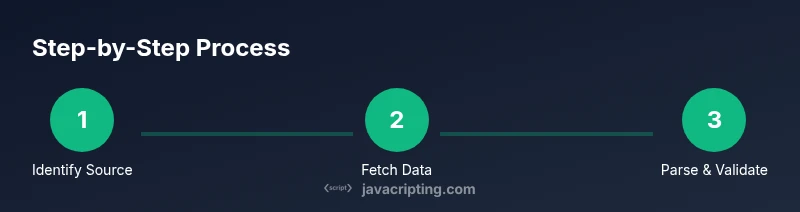
A typical workflow starts by identifying the JSON source, retrieving it cautiously, and confirming its type. You then parse (with try/catch or response.json()), validate against a schema, transform as needed, and finally serialize back for storage or sending to a server. In real-world apps, you’d incorporate error handling, fallback UI, and metrics to monitor JSON-related failures. This end-to-end flow helps you maintain robust data pipelines in frontend and Node.js environments. Authority sources for JSON handling include the official JSON specification and MDN documentation for JSON in JavaScript.
Tools & Materials
- Code editor (e.g., VS Code)(Open a project and edit JS files related to JSON handling.)
- Modern browser with DevTools(Test parsing, network fetches, and debugging.)
- Node.js (latest LTS)(Run utilities and standalone JSON scripts.)
- HTTP client or fetch-capable environment(Fetch API to retrieve JSON from APIs.)
- JSON Validator (optional)(Helpful for validating JSON strings or schemas.)
Steps
Estimated time: 60-90 minutes
- 1
Identify the JSON source
Determine where the JSON data comes from (API response, file, string in memory). Clear source identification prevents misusing parsing logic and helps select the right retrieval method. If the source is a network response, plan for network errors and timeouts.
Tip: Document the source of JSON early to choose the correct parsing path. - 2
Fetch or obtain the JSON
If pulling from an API, use fetch with proper error handling and content-type checks. For local strings, ensure the data is indeed a string before parsing. Keep network concerns isolated from parsing logic to improve readability.
Tip: Always verify the response is valid JSON before parsing. - 3
Parse JSON safely
Use JSON.parse inside a try/catch to catch syntax errors. If using API responses, prefer response.json() when appropriate, but fall back to JSON.parse when you know you have a string. Consider a reviver to transform values during parsing.
Tip: Wrap parsing in try/catch to surface precise error messages. - 4
Validate the structure
Check that required fields exist and have correct types. Use a schema or explicit checks to prevent downstream errors. Normalize missing values with defaults to avoid undefined behavior in your code.
Tip: Fail fast with clear validation messages. - 5
Transform data for your app
Once parsed, adapt the data to your app’s needs: map fields, compute derived values, and ensure immutability when updating state. Remember that JSON parsing gives plain JS objects, so you control their shape after parsing.
Tip: Prefer immutable updates when transforming parsed data. - 6
Serialize data for storage or transport
When sending data back, use JSON.stringify with a replacer if needed and an optional spacing parameter for readability. Be mindful of circular references which JSON.stringify cannot serialize.
Tip: Avoid circular structures; detect them before serializing. - 7
Handle errors and edge cases
Prepare for malformed JSON, missing fields, and type mismatches. Provide user-friendly error messages and fallback data paths. Log issues for monitoring and debugging without exposing sensitive details.
Tip: Centralize error handling to maintain consistency. - 8
Test with real-world data
Test with actual API responses and representative payloads. Include edge cases such as empty arrays, nulls, and unexpected types to ensure your app remains robust under real conditions.
Tip: Use test fixtures that mimic production payloads. - 9
Review performance and security
Be mindful of JSON size and parsing costs in performance-critical paths. Avoid evaluating JSON with dangerous code and ensure that data flows respect security best practices, such as sanitizing input before rendering.
Tip: Profile hot paths and guard against JSON-related vulnerabilities.
Questions & Answers
What is JSON and how is it used in JavaScript?
JSON is a text-based data interchange format used to transmit data between servers and clients. In JavaScript, JSON data is parsed into objects with JSON.parse and serialized back with JSON.stringify. Understanding the distinction between JSON strings and JS objects helps prevent common pitfalls.
JSON is a data format for exchanging information; in JS, you convert JSON strings to objects and back using parse and stringify.
How do I safely parse JSON in JS?
Use JSON.parse inside a try/catch block to catch syntax errors. If the JSON comes from an API, confirm the payload is valid before parsing and consider using a reviver function to transform values during parsing.
Wrap JSON parsing in a try/catch to handle invalid JSON gracefully.
JSON.parse vs response.json()?
JSON.parse converts a JSON string to a JS object, while response.json() parses the body of a Response into a JS object automatically. Use response.json() when you know you’re dealing with HTTP JSON responses.
Use response.json() for HTTP responses dealing with JSON; use JSON.parse for manual strings.
How do I handle JSON errors in fetch?
Check response.ok and content-type before parsing. Use try/catch around parsing and provide user-friendly messages. Implement retries or fallbacks for network-related failures.
Always validate the HTTP response and catch parsing errors to keep the UI responsive.
Can JSON contain dates and how are they handled?
JSON strings can represent dates, typically in ISO 8601 format. Convert them to Date objects after parsing, and convert back to strings when serializing.
Dates in JSON are strings; convert to Date objects after parsing and stringify when saving.
How do I validate JSON against a schema?
Define a JSON Schema that describes required fields and types, then run a validator like Ajv or write lightweight checks. Validation helps catch mismatches early in the data flow.
Use a schema to ensure data conforms to expectations before using it in your app.
Watch Video
What to Remember
- Parse JSON safely with try/catch
- Validate structure before use
- Serialize with care to avoid issues
- Prefer clear error messages and robust handling
- Document sources and contracts for JSON data