How to Protect JavaScript Code from Reverse Engineering
Learn how to protect javascript code from reverse engineering with practical, defense-in-depth strategies including obfuscation, bundling, server-side logic, and careful maintenance.


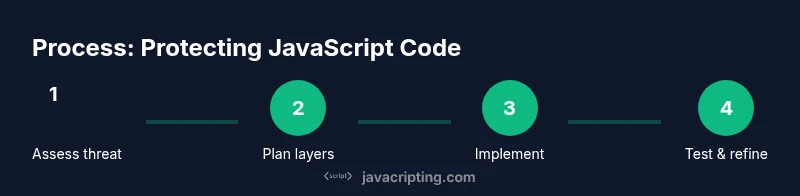
In this guide you’ll learn actionable steps to protect javascript code from reverse engineering, including obfuscation, bundling, server-side shielding, and ongoing risk assessment. You’ll also see what protections work, where they fail, and how to balance security with performance. This quick outline highlights essential controls and tradeoffs so you can start applying protections immediately.
How to protect javascript code from reverse engineering: Core concepts and goals
Protecting client-side code is fundamentally about increasing the effort and cost for an attacker, not eliminating risk. The JavaScripting team emphasizes that any protection strategy should be selected as part of a defense-in-depth plan, where multiple layers reduce the attack surface. In practice, this means combining careful build configuration, code hardening techniques, and architectural choices that minimize exposed logic. The goal is to make reverse engineering effort-intrusive enough to dissuade casual probes while preserving a good developer experience for your team and your users.
From a threat-model perspective, you should distinguish between data, business rules, and UI behavior. Purely client-side logic that could be inferred or replicated should not drive critical decisions; sensitive computations and secrets must live on the server or rely on verifiable APIs. This approach aligns with common security best practices used across web platforms and is consistent with industry guidance from major publications. As you plan protections, keep a realistic view: client-side protections can raise the barrier but cannot guarantee invulnerability.
According to JavaScripting, the most effective strategy is defense-in-depth: implement multiple overlapping controls so that compromising one layer does not expose the entire application. This section introduces the core concepts you’ll apply across the rest of this article.
note»:null,
Tools & Materials
- Obfuscation/minification tool(Choose reputable tool; balance readability and protection, and review settings to avoid breaking functionality.)
- Code bundler with tree-shaking(Webpack, Rollup, or similar; enable code-splitting and performance-friendly output.)
- Source maps policy(Decide production vs. development exposure; disable or protect source maps in production.)
- Server-side API and logic isolation(Move sensitive logic and decisions to server components; implement strict API validation.)
- Security linting and reviews(Incorporate security-focused linting and periodic code reviews to catch weak protections.)
- Monitoring/build pipeline access controls(Protect the build pipeline and distribution channels to prevent tampering.)
Steps
Estimated time: 2-6 hours
- 1
Define threat model and protection goals
Identify which parts of your codebase are sensitive or could be exploited if exposed. Establish acceptable risk levels and define concrete protection objectives aligned with business needs.
Tip: Document objectives before selecting tools or configurations. - 2
Choose a layered protection strategy
Plan a defense-in-depth approach combining obfuscation, minification, bundling, and architectural decisions that minimize client-side exposure. Do not rely on a single technique.
Tip: Treat obfuscation as a deterrent, not a shield. - 3
Configure build tools for safe output
Set up your bundler/minifier to produce optimized code while preserving essential functionality. Ensure source maps are off in production or access-controlled.
Tip: Test builds on multiple devices to catch edge cases early. - 4
Move sensitive logic to the server
Identify computations or decisions that should not run in the browser and implement secure APIs to perform them server-side.
Tip: Use signed tokens and server-side validation to prevent tampering. - 5
Implement runtime resilience and checks
Add lightweight runtime checks to detect tampering, unusual calls, or unexpected environments. Avoid exposing such checks as easily bypassable secrets.
Tip: Document the expected runtime environment for maintainers. - 6
Protect delivery and assets
Use secure hosting, integrity checks, and strict Content Security Policy to limit where code can run and what it can access.
Tip: Review third-party scripts and dependencies for risk. - 7
Test and measure impact
Assess performance, memory usage, and maintainability after each protection step. Ensure UX remains unaffected for real users.
Tip: Instrument with realistic user scenarios and devices. - 8
Document and maintain protections
Keep a maintenance plan for protections, including tool updates, dependency changes, and re-evaluations after major releases.
Tip: Schedule periodic security reviews as part of release cycles. - 9
Create a practical deployment checklist
Publish a checklist for teams to follow when releasing updates, including protection configurations, source-map policy, and server-side API contracts.
Tip: Make the checklist easy to follow for engineers across roles.
Questions & Answers
Can obfuscation fully prevent reverse engineering?
No. Obfuscation raises the effort required but cannot guarantee safety against a determined attacker. Combine with server-side logic and secure API design.
Obfuscation raises the barrier but cannot fully prevent reverse engineering.
Is exposing source maps in production risky?
Yes. Source maps can reveal the original source code and structure. Disable production source maps unless they are strictly needed and properly protected.
Source maps can reveal code; disable them in production unless needed.
What is the best toolkit for code protection?
There is no single best toolkit. Use a layered approach: minification, bundling, optional obfuscation, and server-side logic.
No single best tool—use layered protections.
Does bundling protect code?
Bundling complicates reading but does not stop reverse engineering on its own. Combine with other protections.
Bundling helps readability, not a full shield.
How should I assess performance impact?
Test on devices representative of your user base; measure startup time and runtime overhead after applying protections.
Test performance on target devices after protections.
What about ongoing maintenance?
Protections must be maintained as dependencies and tools evolve; schedule periodic reviews.
Keep protections updated with dependencies.
Watch Video
What to Remember
- Adopt defense-in-depth for code protection
- Obfuscation deters casual readers but is not a complete shield
- Move sensitive logic to the server when possible
- Balance protection with maintainability and performance
- Regularly audit protections and tooling updates