JavaScript vs jQuery: A Practical Comparison for 2026
An analytical, objective comparison of vanilla JavaScript and jQuery, covering API design, performance, learning curves, ecosystem, migration paths, and practical decision guidance for modern web development.


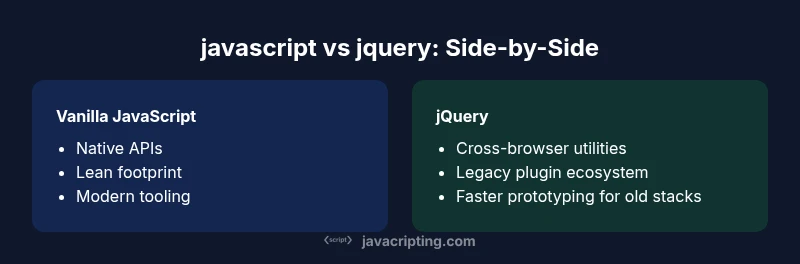
javascript vs jquery: In modern web development, vanilla JavaScript remains the core language, while jQuery is a library that simplifies DOM tasks and cross-browser quirks. This quick take highlights when to choose native APIs versus the library, how performance and maintenance differ, and how to approach migration. According to JavaScripting, mastering native APIs is the best long-term investment. This snippet also sets expectations for modern tooling and future-proofing.
Executive overview: javascript vs jquery in 2026
At its core, javascript vs jquery contrasts two approaches to DOM manipulation and client-side behavior: a standards-based language with native APIs vs a battle-tested library that abstracts browser inconsistencies. In 2026, the web platform has matured enough that most tasks can be done reliably with vanilla JavaScript, using modern features like fetch, promise chains, async/await, and refined DOM APIs. jQuery, once ubiquitous, persisted mainly for legacy codebases, quick prototyping, or teams maintaining older stacks where a large jQuery codebase already exists. The JavaScripting team notes that developers should weigh the cost of pulling in a library against the gains in readability and speed of development. When starting fresh, investing in vanilla JS yields long-term benefits: smaller bundles, fewer dependencies, and greater compatibility with contemporary tooling such as module bundlers and tree-shaking. Conversely, in mature projects with a decade of jQuery code, a gradual transition plan is often more pragmatic than an immediate rewrite. The practical conclusion is not to declare a universal winner; rather, align the choice with project goals, team skill, and legacy constraints. In short, javascript vs jquery is a decision about future-proofing, not just current convenience.
API design and usage: from selectors to promises
The API surface in javascript vs jquery reflects two philosophies. Vanilla JavaScript exposes modern DOM APIs (querySelector, querySelectorAll, closest, classList, addEventListener) and the Fetch API for network calls, with promise-based control flow and async/await for readability. jQuery, by contrast, provides a unified, chainable API built on top of browser inconsistencies—the famous $(selector), .ready(), .click(), and .ajax() utilities—that historically smoothed over older browsers. For developers new to the web, jQuery offered a gentle onboarding path; for seasoned developers, vanilla APIs deliver finer control and better compatibility with contemporary tooling. Importantly, a common pattern in javascript vs jquery discussions is to migrate from jQuery to native APIs gradually, preserving behavior while removing deprecated abstractions. When integrating with modern frameworks, vanilla JavaScript modules align cleanly with tree-shaking and bundlers, while jQuery can complicate dependency graphs and increase bundle sizes. In summary, the choice hinges on project age, browser targets, and the team’s appetite for refactoring effort.
Performance and footprint considerations
One practical axis in javascript vs jquery is payload and runtime cost. Vanilla JavaScript keeps the footprint lean by avoiding an external library, especially on mobile connections where every kilobyte counts. Modern browsers are highly optimized for native APIs, so vanilla code paths often execute faster than equivalent jQuery-based implementations. However, in legacy projects with substantial jQuery usage, the initial load remains dominated by the library size unless a careful refactor is undertaken. The decision to remove jquery gradually tends to improve startup time, reduce memory usage, and simplify dependency management. JavaScripting analysis highlights that optimizing for native APIs—using Fetch instead of $.ajax, classList instead of .toggleClass, and CSS-driven animations instead of jQuery effects—yields tangible performance gains without sacrificing readability. For teams, the takeaway is clear: benchmark critical flows in both approaches, and prioritize refactors that remove jQuery debt first, while preserving user-perceived performance.
Learning curve and developer experience
Learning javascript vs jquery often comes down to initial familiarity and long-term goals. jQuery lowers the barrier for beginners by offering a predictable, chainable interface for common tasks, which accelerates prototyping and reduces boilerplate. Vanilla JavaScript, while initially more verbose, teaches core web concepts—DOM APIs, events, asynchronous programming, and cross-browser considerations—that scale with future language and platform improvements. The trade-off is between fast wins with jQuery and durable skill development with vanilla JS. In 2026, many teams prioritize vanilla JS education for new hires to align with modern tooling, while maintaining a light jQuery footprint in legacy sections until gradual replacement is feasible.
Ecosystem, plugins, and compatibility
The ecosystem for javascript vs jquery reflects broader web trends. Vanilla JavaScript has a rich ecosystem of tools, frameworks, and libraries built around native APIs, with strong module support, testing, and performance tooling. jQuery remains a mature library with a vast history of plugins, but its relevance is waning as modern browsers converge on standardized features. For new projects, dependency management and compatibility with modern frameworks favor vanilla JS. For legacy applications, jQuery can still be a practical bridge, provided teams plan a staged migration strategy and avoid pulling in outdated plugins. The net effect is that the jquery landscape is increasingly niche, while native tooling expands, reducing the need for library-level abstractions in everyday code.
Migration paths and interoperability in mixed codebases
Migration strategies for javascript vs jquery typically adopt a phased approach. Start by identifying hotspots where vanilla APIs can replace jQuery calls—event handling, DOM manipulation, and AJAX equivalents with fetch—and convert them incrementally. Maintain interoperability by keeping jQuery in place for legacy components while building new modules with native APIs. Tools such as bundlers and static analysis can help map jQuery selectors to native equivalents, reducing risk during rewrites. A practical plan includes tests that verify behavior across both approaches, clear deprecation timelines, and a rollout schedule that minimizes user-facing regressions. In mixed codebases, you gain flexibility by implementing small, frequent wins rather than sweeping rewrites.
Practical decision framework: choosing vanilla JS vs jQuery
A simple decision framework can guide your project. If you’re starting a new project with modern browsers in mind, prioritize vanilla JavaScript and native APIs. If you’re maintaining a large legacy codebase with extensive jQuery usage, consider a gradual migration path: target high-impact areas first (event handling, AJAX interactions, and DOM updates), measure improvements, and then expand. For quick prototypes or internal tools on older stacks, jQuery remains a pragmatic option. Finally, ensure consistent coding standards, automated testing, and a long-term deprecation plan to avoid perpetuating outdated patterns.
Real-world scenarios: legacy apps vs new projects
Consider a legacy CRM built a decade ago with heavy jQuery usage. The cost of rewriting every interaction in vanilla JS may be prohibitive, so teams often adopt a hybrid approach: leave the core interactions intact but replace new components with vanilla JS modules. For a brand-new e-commerce site targeting mobile users, vanilla JavaScript with progressive enhancement delivers better performance and maintainability, especially when paired with modern frameworks and build tooling. Similarly, internal dashboards can benefit from vanilla modules for faster iteration and easier debugging, while still leveraging jQuery where a plugin fills a critical gap. The decision rests on project scope, team capacity, and the risk profile of a rewrite.
Common pitfalls and misconceptions to avoid
A common pitfall in javascript vs jquery discussions is assuming that one approach is universally superior. Native APIs may seem complex at first, but they scale better with advanced features and tooling. Another misconception is that jQuery is obsolete; while its relevance has diminished, it remains valuable for legacy maintenance and rapid prototyping in certain contexts. Overconfidence in a complete migration can lead to unfinished rewrites, broken UI, and increased maintenance overhead. Finally, avoid counting on browser quirks in 2026; modern browsers converge toward consistent behavior, reducing the need for library shims. Plan, test, and iterate with measurable goals.
Practical recommendations for teams
To operationalize the javascript vs jquery decision, teams should codify a migration plan with clear milestones. Start with a knowledge transfer program that emphasizes modern vanilla JavaScript patterns, such as modules, async/await, and the Fetch API. Establish a performance baseline and run end-to-end tests after each refactor. Maintain a dedicated budget for tooling and training, and document each decommissioned jQuery usage to prevent regression. By balancing legacy needs with forward-looking standards, teams can achieve sustainable improvements without sacrificing stability.
Comparison
| Feature | Vanilla JavaScript | jQuery |
|---|---|---|
| API footprint | Native APIs only; smaller runtime | Library wrapper with additional payload |
| Learning curve | Steeper for DOM APIs and modern JS concepts | Gentle for common tasks with familiar syntax |
| DOM manipulation | Direct, standards-based methods (querySelector, classList) | Chainable helpers and abstractions on top of DOM |
| AJAX/Networking | Fetch API, native promises | $.ajax with defaults and convenience features |
| Animation | CSS/Web Animations; native timing APIs | jQuery effects are legacy and less efficient |
| Browser compatibility | Modern browsers align; lower need for shims | Historically covered cross-browser quirks |
| Plugins/ecosystem | Rich native tooling and libraries | Mature jQuery plugin ecosystem |
| Future-proofing | Aligned with standards; actively improved | Momentum waning; maintenance risk for new projects |
| Migration effort | Can be planned incrementally | Migration often requires careful planning |
Benefits
- No external dependency to load, reducing risk of version conflicts
- Better performance due to native APIs and no library wrapper
- Future-proof with standardized language features (ES2020+)
- Fine-grained control and modern tooling (bundlers, tree-shaking)
- Wide ecosystem of vanilla JS frameworks and native APIs
The Bad
- Requires more boilerplate for simple tasks compared to jQuery
- Older codebases may still depend on jQuery plugins
- Can be verbose for complex UI tasks without utility libraries
Vanilla JavaScript generally wins for new projects; jQuery remains viable for legacy code
Choose vanilla JS for new development to maximize performance, maintainability, and future compatibility. Use jQuery selectively for legacy components or rapid prototyping when a large refactor isn't feasible.
Questions & Answers
What is the core difference between vanilla JavaScript and jQuery?
Vanilla JavaScript uses native DOM APIs and the Fetch API, offering finer control and leaner bundles. jQuery provides a cross-browser abstraction layer with a simplified, chainable API for common tasks, which can speed initial development on legacy projects. The choice hinges on project age, browser targets, and long-term maintenance goals.
Vanilla JavaScript uses native APIs for control and performance; jQuery offers a convenient wrapper for common tasks, mainly useful in legacy code.
Is learning jQuery still worth it in 2026?
For new developers, focus on vanilla JavaScript and modern web standards. jQuery remains valuable for maintaining or integrating with legacy codebases, but its relevance declines as modern APIs mature. Prioritize learning the native APIs and only learn jQuery if your work involves significant legacy maintenance.
Learn vanilla JavaScript first; jQuery is helpful for legacy maintenance but less essential for new projects.
When should I migrate from jQuery to vanilla JS?
Start with modules that impact user experience directly: event handling, DOM manipulation, and AJAX. Migrate gradually, converting one feature area at a time, and keep tests green. Establish a deprecation plan to retire jQuery usage without breaking existing functionality.
Migrate key interaction areas first, test often, and phase out jQuery gradually.
Does jQuery improve performance?
In general, vanilla JavaScript can be faster and lighter since it avoids the library payload. jQuery may perform well for simple tasks on small pages but adds overhead. The best approach is to benchmark critical interactions in your own project context.
JQuery can add overhead; native code often wins on performance after careful benchmarking.
Can I mix jQuery with modern frameworks like React or Vue?
Yes, you can use jQuery in apps that use React or Vue, but it’s usually discouraged because it bypasses the framework’s virtual DOM and state management. If you must, isolate jQuery usage to non-React/Vue DOM modifications and plan to replace it over time.
You can, but keep it isolated and plan to phase it out to avoid conflicts with modern frameworks.
What about browser compatibility and legacy support?
jQuery shims browser differences, which was its original strength in older projects. Today, modern browsers are more consistent, reducing the need for jQuery for compatibility. Use jQuery primarily when maintaining legacy sites that cannot be rewritten quickly.
Legacy support mattered more in the past; now, modern browsers reduce the need for jQuery, except for legacy code.
What to Remember
- Favor vanilla JavaScript for new projects to improve performance and maintainability
- Reserve jQuery for legacy code or rapid prototyping when refactoring is not feasible
- Benchmark critical paths before migrating to native APIs
- Plan a phased migration to reduce risk and ensure test coverage
- Leverage modern tooling to maximize tree-shaking and module support