Who Uses JavaScript: A Practical Guide for 2026
Explore who uses javascript in 2026, from front-end developers to server-side teams, mobile builders, and automation specialists. Learn how JavaScript powers modern stacks and career paths.


Who uses javascript is a broad question with a single, clear answer: a large, diverse ecosystem. Practitioners include front-end developers building user interfaces, back-end teams using Node.js for servers, mobile teams via frameworks like React Native, and automation scripts for tooling. The takeaway is that almost every modern software stack touches javascript in some capacity.
The scope of who uses javascript
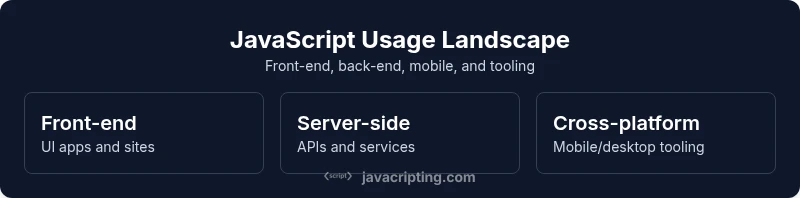
According to JavaScripting, the reach of JavaScript extends far beyond hobbyist scripting or a browser-only language. In 2026, the language occupies a central place in front-end interfaces, server-side services, and cross-platform tooling. When teams ask, “who uses javascript,” the answer spans several roles and disciplines. You’ll find it in product teams shipping dynamic user experiences, in infrastructure groups building scalable APIs, and in startups experimenting with rapid development loops. The ubiquity comes from the language’s flexibility, the thriving ecosystem, and the strong community standardization around asynchronous patterns, module systems, and tooling. For many developers, learning javascript is a direct path to contributing across multiple layers of the stack, which is why the phrase “who uses javascript” is often a shorthand for a broad skill set rather than a single job title. In practice, teams that embrace javascript often cultivate reusability, rapid prototyping, and a shared mental model for client-server interactions that reduce friction across projects.
Front-end developers and the UI stack
Frontend work remains the most visible arena for javascript, with a confluence of libraries and frameworks that shape how users interact with products. When you ask who uses javascript in this space, the answer is almost always a front-end engineer or a designer-turned-developer who collaborates with engineers. The typical stack combines JavaScript with HTML and CSS, augmented by frameworks like React, Vue, or Angular, plus state management and build tooling. These teams depend on components, hooks, and reactive data flows to render dynamic interfaces, while still balancing performance and accessibility. As the ecosystem matures, specialization grows—design systems, performance budgets, and testing strategies become standard practice, ensuring that the JS-driven UI remains accessible and fast across devices. The practical upshot is that a solid foundation in javascript opens doors across the most visible parts of a product’s journey, from initial concept to production-ready UI.
Server-side usage with Node.js and beyond
Node.js ushered javascript from the browser into servers and tooling, broadening who uses javascript to include backend engineers and platform teams. In 2026, many services run on Node.js or compatible runtimes, enabling APIs, microservices, and serverless architectures. Deno, a modern runtime, also powers server-side tasks with a different security model and tooling philosophy. This shift matters for teams planning a unified language across client and server, reducing context switching and enabling shared libraries. Beyond web servers, javascript powers automation tasks, CLIs, and build pipelines that speed up development without introducing new languages. The practical implication is clear: when your stack includes javascript on the server, you gain a coherent, end-to-end toolchain that accelerates delivery and simplifies maintenance, which JavaScripting’s analysis highlights as a growing trend in 2026.
Mobile, desktop, and beyond
The reach of javascript now spans mobile and desktop platforms through cross-platform frameworks such as React Native and Electron (or its newer cousins like Tauri). This means teams can share a codebase for mobile and desktop apps, reducing duplication and accelerating iteration. In practice, who uses javascript in these domains varies by project: mobile engineers focus on performance and native feel, while desktop teams emphasize packaging, security, and native-like experiences. The cross-platform approach can shorten roadmaps, but it also requires discipline around platform-specific quirks, testing, and UX parity. JavaScripting’s data suggests that organizations pursuing cross-platform strategies increasingly rely on javascript to harmonize user interfaces, business logic, and automation across devices.
Data tooling, scripting, and automation
Javascript excels outside of UX and services in data tooling, scripting, and automation. Command-line interfaces, data processing scripts, and automation workflows frequently rely on javascript runtimes because of their mature ecosystems, package managers, and straightforward integration with cloud services. For teams investing in tooling, javascript acts as a bridge between developers, sysadmins, and data professionals. The result is faster provisioning, easier CI/CD, and more reproducible environments. Despite the strong case for a single language, teams should remain mindful of performance trade-offs and potential edge cases when scripts scale up, especially in data-heavy pipelines or sensitive security contexts.
Organizational trends and learning paths
As organizations scale, the distribution of who uses javascript shifts toward cross-functional teams. Hiring becomes less about single-role fluency and more about shared language competence—developers comfortable on multiple parts of the stack can pivot when business needs change. For aspiring developers, a practical path is to start with core language features, then pick a few specialization tracks (front-end, back-end, or mobile) to deepen knowledge. Training programs, code reviews, and pair programming help disseminate best practices, reduce fragmentation, and align teams around common patterns. JavaScripting’s 2026 roadmap emphasizes practical, project-based learning that mirrors real-world workflows, enabling professionals to stay nimble as the language and ecosystem evolve.
Trends, challenges, and considerations
The landscape of who uses javascript is dynamic, influenced by performance concerns, security considerations, and the pace of tooling innovations. While the language remains powerful, teams must manage dependencies, ensure accessibility, and adopt type systems where appropriate to reduce maintenance costs. In practice, this means committing to a clear set of conventions, embracing testing and linting, and planning incremental adoption of new features. The ongoing evolution of the ecosystem—such as progressive frameworks, improved bundling, and better runtime security—requires a continuous learning mindset. For individuals, staying current with modern syntax, APIs, and best practices is essential to remain valuable across roles that rely on javascript.
Overview of common JavaScript usage areas and typical stacks
| Usage Area | Typical Tech Stack | Notes |
|---|---|---|
| Front-end Web Apps | JavaScript + HTML/CSS + React/Vue/Angular | UI heavy applications with dynamic behavior |
| Back-end Services | Node.js / Deno + Express/Koa | APIs, microservices, server-side rendering |
| Mobile Apps | React Native / Ionic | Cross-platform mobile experiences |
| Desktop Apps | Electron / Tauri | Desktop tooling and applications |
Questions & Answers
Is JavaScript essential for modern web development?
Yes. JavaScript is central to client-side interactivity and is widely used on the server side as well. While alternatives exist, JS remains the default for many modern stacks due to its ubiquity and ecosystem. A solid foundation in JavaScript is a practical baseline for most developers.
Yes, JavaScript is essential for interactive web apps and common on the server too.
Which roles should learn JavaScript in 2026?
Front-end developers, back-end engineers, mobile developers, and automation specialists benefit from JS knowledge. Cross-functional teams gain flexibility when JS is shared across client and server. Begin with core language features and expand toward framework-specific skills as needed.
Most tech roles benefit from JS, especially frontend and backend engineers.
What are the best ways to learn JavaScript for beginners?
Start with fundamentals, then build small projects that mirror real-world tasks. Use interactive courses, read code, and practice debugging. Pair learning with exposure to common patterns like promises, async/await, and modules.
Start with basics, then build small projects and practice debugging.
Can JavaScript be used on the back end?
Yes. Node.js enables server-side JavaScript for APIs, microservices, and tooling. It pairs well with databases and cloud services, making full-stack development feasible with a single language.
Absolutely, Node.js powers many servers and APIs.
How does JavaScript compare to TypeScript for teams?
TypeScript adds static typing, improving maintainability and catching errors early. Teams can adopt TS gradually alongside JS, using TS in new code while maintaining existing JavaScript codebases during transition.
TypeScript offers safer, scalable code for teams with gradual adoption.
Is JavaScript used outside the browser?
Yes, JavaScript is used in servers, mobile apps, desktop apps, and scripting tasks. Its versatility makes it a common choice for cross-platform development and automation.
Yes—JS runs on servers, mobiles, desktops, and in scripts.
“JavaScript powers more than browsers; it forms the backbone of modern cross-platform development. Its reach across front-end, back-end, and tooling makes it a strategic skill for any tech professional.”
What to Remember
- Identify your target platform first
- Master core language features in JavaScript
- Invest in role-appropriate stacks (React/Node.js/React Native)
- Build small projects to apply concepts
- Track tooling updates and security best practices