How to Handle JavaScript Errors: A Practical Guide
A complete, practical guide to diagnosing, debugging, and preventing JavaScript errors across frontend and Node.js environments. Learn actionable tactics, tools, and patterns to improve reliability.


Learn how to handle javascript errors with a practical, repeatable workflow. This guide covers diagnosing runtime and syntax errors, organizing logs, and applying robust handling patterns in both frontend and Node.js contexts. You will reproduce issues, isolate causes, implement targeted fixes, and verify results with tests and safe fallbacks. By following these steps, you’ll reduce debugging time and improve app resilience across environments.
Understanding the landscape of JavaScript errors
JavaScript errors come in multiple flavors, from syntax issues that prevent code from running to runtime exceptions that occur during execution. Grasping how these errors manifest helps you pick the right debugging approach. According to JavaScripting, most debugging time is spent on runtime problems introduced by asynchronous code, network calls, or dynamic type coercion. Browser consoles and Node.js error messages both provide stack traces, but you need a strategy to translate those traces into precise fixes. In practice, treat errors as signals: each one points to where your code violated an assumption. Start by noting where the error first appears, then track the path the code took to reach that point. Regularly reviewing the call stack and the surrounding code helps you separate root causes from symptoms.
- Syntax errors: problems with parsing due to missing punctuation or illegal tokens.
- Reference errors: attempting to access variables or properties that don’t exist.
- Type errors: operations on incompatible types.
- Network and fetch errors: issues during HTTP calls or resource loading.
Best practice: enable strict mode and use a linter to catch issues early. Logging and stack traces are your allies, but avoid over-logging in production; signal, not noise.
Common error types you will encounter
Identify what kind of issue you’re facing by looking at the error type. Common categories include:
- SyntaxError: problems with parsing code due to missing punctuation or illegal tokens.
- ReferenceError: trying to access a variable or property that doesn’t exist.
- TypeError: performing an operation on an incompatible value.
- RangeError: a value is outside allowed range (e.g., array length or numeric bounds).
- URIError: invalid URL encoding/decoding.
- NetworkError/FetchError: problems loading resources or performing HTTP requests.
- UnhandledPromiseRejection: a promise rejection without a catch.
Best practice: enable strict mode, use a linter, and configure source maps to map minified code back to the original. Document the error messages you see and map them to a likely cause in your codebase. This discipline helps you build a mental model of where and why errors arise.
A practical debugging workflow
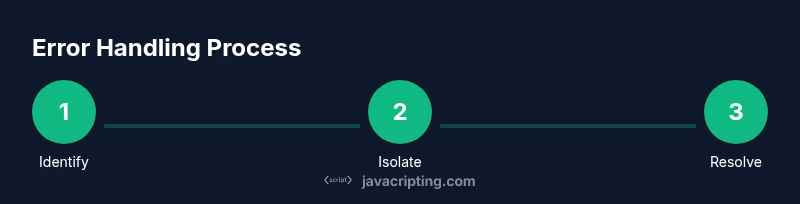
To efficiently handle javascript errors, follow a repeatable workflow:
- Reproduce the error with a minimal input in a controlled environment. Capture exact conditions under which it occurs.
- Open browser DevTools (Console, Network, Sources) or the Node.js Inspector and inspect the stack trace to identify the failing file and line.
- Create a minimal reproduction that isolates the failing behavior, removing unrelated logic.
- Add contextual logs and breakpoints at critical moments to observe state changes.
- Re-run the repro after each change to confirm whether the issue persists.
- Once isolated, craft a focused fix and re-verify across environments (browser, Node, mobile) to ensure consistency.
This workflow minimizes guesswork and improves reproducibility, making it easier to coordinate fixes across a team.
Frontend error handling strategies
Frontend errors require both defensive programming and UX considerations. Key techniques include:
- Use try/catch around synchronous code that may fail and around risky dynamic imports.
- For asynchronous code, prefer async/await with try/catch blocks to handle errors gracefully.
- In UI frameworks like React, implement error boundaries to catch rendering errors without crashing the entire app.
- Implement global handlers such as window.onerror and window.onunhandledrejection to catch uncaught issues, but log and report them for triage.
- Show user-friendly fallback UI, avoid leaking technical details, and preserve a smooth user experience.
Concrete example: wrap potentially failing operations in try/catch, log structured error data, and present a friendly message to end users while keeping the rest of the app functional.
Node.js error handling and asynchronous code
Node.js environments add complexity with asynchronous patterns. Best practices include:
- Use error-first callbacks and propagate errors up the call chain when appropriate.
- Use Promises and async/await with try/catch to handle asynchronous failures.
- Listen for unhandledRejection events to catch promise rejections that aren’t awaited or caught.
- Be cautious with process.on('uncaughtException'); prefer logging and exiting gracefully rather than continuing in a bad state.
- Use diagnostics tools and structured logging to surface error context, including stack traces, request IDs, and environment details.
These strategies help keep server applications reliable under load and during network hiccups.
Preventative practices and tooling
Prevention beats debugging. Build a robust error-handling culture with:
- Strong type systems (TypeScript) to catch issues at compile time.
- Linting rules that discourage unsafe practices and enforce consistent error patterns.
- Comprehensive tests (unit, integration, and end-to-end) that simulate error conditions.
- Thoughtful logging with levels (error, warn, info) and contextual metadata.
- Source maps and minification-aware debugging to trace production errors back to the original source.
- Monitoring and incident tooling (e.g., Sentry, Rollbar) to surface errors in production quickly.
A disciplined approach to error handling reduces runtime failures and speeds up remediation when problems occur.
Testing and validating error handling
Testing the reliability of error handling is essential. Focus on:
- Verifying both success paths and failure paths in unit tests.
- Mocking network failures, timeouts, and invalid responses to ensure your code handles them gracefully.
- End-to-end tests that simulate user interactions under error conditions.
- Regression tests to ensure new changes don’t reintroduce old errors.
- CI checks that enforce error-handling coverage, log hygiene, and alerting rules.
Document expected behaviors with explicit assertions and maintain a clear mapping between error codes and user-facing messages.
Case studies and examples
Case study A: An API call in a React app fails due to a bad network response. The repro was minimalized, the fetch error was caught with a try/catch around the await call, and a user-friendly message was displayed while an error code was sent to the backend for triage. The result was a smoother user experience and quicker triage.
Case study B: A Node.js service encounters an undefined value from a third-party library. After reproducing, the team added a defensive check with a clear error message and enhanced logging to include request context. The fix reduced downstream crashes and improved observability.
Authority sources
For deeper reading and best practices, consult these authoritative resources:
- https://developer.mozilla.org/en-US/docs/Web/JavaScript/Guide/Control_flow_and_error_handling (MDN - Control flow and error handling)
- https://nodejs.org/api/errors.html (Node.js Errors documentation)
- https://web.dev/how-to-fix-errors/ (Web.dev practical guidance on debugging and error handling)
These sources provide concrete guidance on error handling concepts, patterns, and tooling that complement the strategies outlined above.
Tools & Materials
- Browser and Node.js debugging tools(Chrome DevTools, Firefox Debugger, Node.js Inspector, or equivalent)
- Code editor with linting(VS Code or your preferred editor with ESLint/Stylelint integrations)
- Test runner(Jest, Vitest, or your chosen test framework)
- Logging library(pino, winston, or equivalent structured logger)
- Environment mocks(Mock servers or fixtures to simulate failures)
Steps
Estimated time: 45-90 minutes
- 1
Identify the error
Reproduce the error in a controlled environment and review the exact message, stack trace, and implicated file. Note any preceding user actions or data that trigger the issue to guide your investigation.
Tip: Capture a minimal repro and avoid including unrelated logic to keep focus on the failing path. - 2
Isolate the failing path
Use breakpoints and console logs to narrow down which function or module is causing the failure. Reduce the code to a minimal snippet that still reproduces the error.
Tip: Label log statements with contextual data (IDs, user actions, and environment) to speed triage. - 3
Examine the stack trace
Read the stack trace from the end of the call chain to identify the originating location. Look for mismatched types, undefined access, or failed asynchronous boundaries.
Tip: Check for transpilation or bundling steps that could rewrite paths and obscure the source. - 4
Create a minimal reproduction
Extract the failing behavior into a small, standalone snippet or test that demonstrates the problem with minimal dependencies.
Tip: If the error depends on external data, mock it to keep the test deterministic. - 5
Implement targeted fixes
Apply a precise fix in the smallest possible scope. Prefer explicit checks, proper type handling, and safe fallbacks rather than sweeping changes.
Tip: Add or adjust tests to cover the fixed scenario. - 6
Enhance logging and observability
Augment error logs with context such as request IDs, user identifiers, and environment details. Ensure errors surface to the right monitoring channel.
Tip: Use structured logging to ease search and correlation across systems. - 7
Validate UI behavior
For frontend issues, verify the UI gracefully handles failures (error boundaries, loading states) and remains responsive.
Tip: Test across devices and screen sizes to ensure UX resilience. - 8
Verify fixes with tests
Run unit, integration, and end-to-end tests to confirm the issue is resolved and regression risk is minimized.
Tip: Automate the repros so future changes don’t reintroduce the problem.
Questions & Answers
What is the first thing to do when you see a javascript error?
Reproduce the error with minimal input and examine the console or stack trace to identify where the problem originates.
First, reproduce the error and check the console to find where it begins.
How do syntax errors differ from runtime errors?
Syntax errors occur during parsing and prevent code from running, while runtime errors happen while code executes due to invalid operations or conditions.
Syntax errors prevent code from running; runtime errors happen during execution.
What strategies prevent errors in production?
Use strong typing, thorough testing, and robust error handling patterns plus monitoring to catch issues early and recover gracefully.
Strong typing, solid tests, and careful error handling with monitoring help prevent production issues.
Which tools help diagnose asynchronous errors in Node.js?
Leverage Promises with proper catch blocks, process.on('unhandledRejection'), and logging to trace asynchronous failures.
Use promises with catch blocks and unhandledRejection listeners to track async errors.
Should I use try/catch everywhere?
Not everywhere. Use try/catch where failures are expected or recoverable, and avoid masking issues by overusing it.
Only wrap risky code; don’t catch everything, or you might hide real problems.
How can I test error handling effectively?
Write unit tests that simulate failures, plus integration tests that exercise error flows and user-facing fallback behavior.
Test error scenarios with mocks and integration tests to ensure reliable behavior.
Watch Video
What to Remember
- Identify error type and reproduce precisely.
- Isolate the failing path before changing code.
- Add targeted error handling and meaningful logs.
- Validate fixes with automated tests and monitoring.