How to Deal with Promises in JavaScript
Learn how to deal with promises javascript with step-by-step patterns: create, chain, parallelize, and error-handle promises using async/await and Promise combinators in browser and Node.js.


By the end of this guide, you'll be able to use promises confidently, understand how to create, chain, and parallelize async tasks, and handle errors effectively in both browser and Node.js environments. This quick answer introduces practical patterns for how to deal with promises javascript, covering core concepts, common pitfalls, and beginner-friendly examples to get you started quickly.
What promises are and why they matter
Promises represent the future result of an asynchronous operation. They help you avoid callback hell by providing a clear, chainable API. When you dive into how to deal with promises javascript, you’ll see how Promises simplify sequencing asynchronous tasks, error handling, and concurrency in both browser and Node.js environments. According to JavaScripting, promises anchor async flow, letting you compose tasks in a predictable way and reason about success or failure in one place. A solid mental model is: a promise is a placeholder for a value, not the value itself, and its callbacks run as microtasks after the current stack clears. This makes asynchronous code feel more like synchronous code without blocking the event loop.
Creating and Resolving Promises: Basics
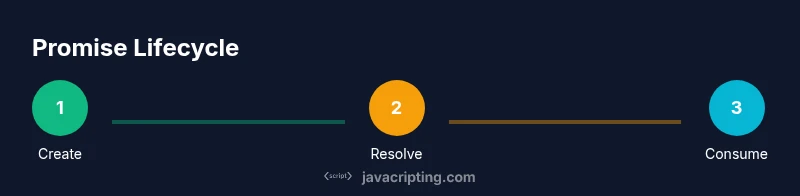
A Promise is created with new Promise((resolve, reject) => { ... }). Inside the executor, you perform async work and call resolve(value) on success or reject(error) on failure. Consuming a promise is done with then for success, catch for errors, and finally for cleanup. Example:
const p = new Promise((resolve, reject) => {
  setTimeout(() => resolve('done'), 500);
});
p.then(result => console.log(result)).catch(err => console.error(err));
Promises automatically propagate results through chained calls, helping you structure complex async flows without nested callbacks.
Chaining Promises for Sequential Work
Chaining allows you to perform tasks in sequence where each step depends on the previous one’s result. Each then returns a new promise, enabling a readable flow like a pipeline. If any step fails, control jumps to the nearest catch in the chain. Example:
doTaskA()
  .then(resA => doTaskB(resA))
  .then(resB => doTaskC(resB))
  .catch(err => handleError(err));
This pattern keeps error handling centralized and makes debugging easier, especially in long sequences of operations.
Parallel Promise Patterns: Promise.all, Promise.allSettled, Promise.any
When multiple independent tasks run at once, use Promise.all to wait for all of them, Promise.allSettled to know the outcome of all tasks regardless of rejection, and Promise.any to proceed when any one promise fulfills. These patterns dramatically improve performance for fetches and I/O-bound work. Example:
const requests = [fetch(url1), fetch(url2), fetch(url3)];
Promise.all(requests)
  .then(results => Promise.all(results.map(r => r.json())))
  .then(data => console.log(data))
  .catch(e => console.error(e));
All three have different semantics—choose the one that matches your failure tolerance and user experience goals.
Async/Await: Writing Promises Like Synchronous Code
Async functions provide a cleaner syntax on top of promises. Await pauses execution until a promise settles, allowing you to write sequential logic without chaining. Use try/catch for error handling to mirror synchronous try/catch semantics. Example:
async function load() {
  try {
    const r1 = await fetch(url1);
    const data1 = await r1.json();
    const r2 = await fetch(url2);
    const data2 = await r2.json();
    return [data1, data2];
  } catch (err) {
    handleError(err);
  }
}
Async/await improves readability, but remember it always returns a promise, so callers can still chain or await it.
Error Handling, Timeouts, and Cancellation
Promises don’t have built-in cancellation, so use AbortController for fetch-like operations to cancel in-flight work. Timeouts can be implemented by racing a timeout promise with the main promise. Example:
const controller = new AbortController();
const p = fetch(url, { signal: controller.signal });
const timeout = new Promise((_, reject) => setTimeout(() => reject(new Error('timeout')), 5000));
Promise.race([p, timeout]).then(res => res.json()).catch(err => console.error(err));
Cancellation and timeouts help prevent wasted work and improve UX by surfacing timely feedback.
Practical Pitfalls and Best Practices
Promising code can still bite you if you don’t structure it well. Avoid forgetting to return promises in chain steps, watch for unhandled rejections, and keep error paths explicit. Prefer Promise.all for parallel work when you need all results, but fallback to allSettled if some tasks may fail. Always document responsibilities and dependencies between tasks to minimize race conditions and debugging time.
Real-World Examples: Fetch API, Debounce, and Race Conditions
In real apps, promises power data fetching, debounced inputs, and race condition management. For example, fetching user data from an API should include proper error handling and caching strategies. Debounce helps limit rapid promise-heavy calls, reducing unnecessary network traffic. Beware of race conditions when multiple user actions trigger overlapping promises; cancel or ignore superseded promises to maintain consistency.
Summary of the Promise Lifecycle and Best Practices
A promise represents a future value, and its chain is the foundation of async logic. Use async/await for readability, but understand the underlying promises for error handling and concurrency. Leverage Promise combinators for parallel tasks and adopt cancellation strategies where possible. With careful design, promises enable robust, maintainable async code in JavaScript.
Tools & Materials
- Code editor(VS Code or WebStorm; install Node.js for local testing)
- Browser and/ or Node.js environment(Chrome/Edge for devtools; Node.js v18+ recommended)
- Console or debugger(Use browser DevTools Console or Node.js REPL)
- Sample API endpoints or mock data(Helpful for realistic fetch examples)
Steps
Estimated time: 60-90 minutes
- 1
Identify asynchronous tasks and promise candidates
List operations that run asynchronously (fetch, timers, I/O) and decide which should be wrapped in Promises. This sets the scope for your promise-based flow.
Tip: Document each task’s expected outcome and error scenarios to plan handling upfront. - 2
Create and resolve a basic Promise
Write a simple Promise that simulates async work, resolve on success, reject on failure. This builds intuition for the executor function and resolve/reject callbacks.
Tip: Ensure the executor handles both success and failure paths explicitly. - 3
Consume with then/catch/finally
Attach handlers to react to fulfillment or rejection and execute cleanup in finally. This makes error handling predictable across chains.
Tip: Reuse a single error handler in the catch block when possible to avoid duplication. - 4
Chain promises for sequential tasks
Return new promises in each then to create a readable sequence where each step uses the previous result.
Tip: Keep data shape stable across steps to minimize type checks and conversions. - 5
Parallelize with Promise.all/allSettled/any
When tasks are independent, run them in parallel. Choose the appropriate combinator based on required guarantees and failure tolerance.
Tip: If one failure should not block others, prefer allSettled or any. - 6
Refactor to Async/Await
Convert promise chains into async functions to improve readability and error handling with try/catch.
Tip: Keep async functions small and focused; compose with smaller async helpers. - 7
Test and validate error handling
Create tests or manual scenarios that exercise success and failure paths, including cancellations/timeouts where applicable.
Tip: Test edge cases such as rapid repeated calls and overlapping promises to ensure safe cancellation.
Questions & Answers
What is a JavaScript Promise and why do we use them?
A Promise is an object representing the eventual completion or failure of an asynchronous operation. It allows you to attach handlers for success or failure, enabling clearer, non-blocking code. Promises help avoid callback hell and support chaining for sequential work.
A Promise represents a future value from an async operation, letting you handle success or failure cleanly without blocking the main thread.
How does Promise.all differ from Promise.allSettled?
Promise.all waits for all promises to fulfill and rejects if any reject. Promise.allSettled waits for all promises to settle (fulfill or reject) and returns an array describing each result.
All of the promises must finish; allSettled gives you a full report of outcomes.
When should I use async/await instead of then/catch?
Async/await offers cleaner syntax and error handling via try/catch. Use it for most sequential async flows, but remember it still returns promises and should be used with care in parallel tasks.
Async/await reads like synchronous code, but you still work with promises under the hood.
Can I cancel a Promise in JavaScript?
There is no built-in cancel for standard promises. You can implement cancellation patterns using AbortController for fetch-like tasks or design your own cancellation signals in your async helpers.
Promsies don’t cancel by themselves, but you can implement cancellation with controllers for certain APIs.
What are common pitfalls when working with promises?
Common pitfalls include unhandled rejections, forgetting to return promises in chains, and not considering cancellation. A clean structure with proper error handling prevents hard-to-debug issues.
Watch out for unhandled errors and ensure every path handles a rejection.
How do I test promise-based code effectively?
Test both success and failure paths, including timeouts and cancellation scenarios. Use async test helpers to await promises or rely on assertions in then/catch blocks for deterministic results.
Test both outcomes and ensure your code handles failures gracefully.
Watch Video
What to Remember
- Master promises to manage asynchronous tasks effectively
- Async/await improves readability, with try/catch for errors
- Use Promise.all, allSettled, or any for parallel flows
- Handle cancellations and timeouts to avoid wasted work
- Adopt consistent patterns to prevent unhandled rejections