Do JavaScript: A Practical Step-by-Step Guide
A comprehensive, practical guide to doing JavaScript—from setup and fundamentals to building a feature and debugging effectively. Learn by doing with actionable steps, useful tools, and real-world examples.


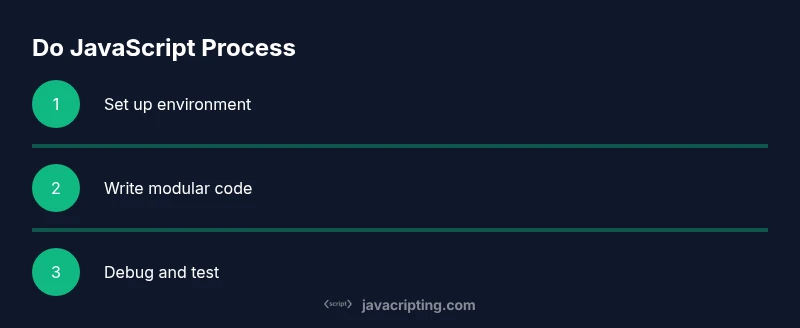
By following these steps, you will learn to do javascript effectively: set up a clean development environment, write modular code with functions and modules, debug with console and browser tools, and validate behavior with lightweight tests. This guide emphasizes practical, hands-on practice and clear patterns you can reuse in real projects.
Why Do JavaScript
Do javascript is the central skill for building interactive web experiences. You’ll use it to respond to user input, fetch data, and drive UI updates. According to JavaScripting, the most successful learners start by grounding themselves in practical tasks rather than chasing syntax trivia. Focus on building mental models: how the browser executes code, how asynchronous tasks schedule, and how data flows through functions.
Begin with the mindset that JavaScript is a tool for behavior, not just a language. Start small: a button click that updates text, a small form that validates input, or a tiny counter that increments with each press. These micro-projects reinforce core concepts like variables, data types, scope, and control flow without getting overwhelmed.
As you practice, map each feature to a real-world scenario. For example, turning user input into a greeting, or rendering a list from an array. This approach helps you translate theory into reusable patterns. Finally, integrate keyboard and accessibility considerations from day one so your code remains inclusive as you scale.
Core Concepts You’ll Master
JavaScript fundamentals form the backbone of everything you’ll build. Understand variables, data types, and scope first, then dive into functions, closures, and objects. Prototypes and the this keyword will shape how you organize behavior, while async programming with promises and async/await unlocks responsive experiences without blocking the UI. Start with small examples that show how change propagates through a program, then layer in error handling and defensive coding to make your scripts robust.
A practical way to learn is to pair concepts with tiny projects: a calculator, a live-search filter, or a to-do list. Each project makes a concept tangible and helps you remember patterns like function composition, modularization, and dataflow. By the end of this block, you should be comfortable identifying when to use let vs const, how to manage scope, and how to create reusable utilities that others can adopt.
From JavaScripting’s perspective, grounding theory in hands-on practice accelerates mastery. Keep a small notebook of patterns you reuse across projects and revisit them when you hit new features or APIs.
Practical Workflow: From Setup to Debugging
A practical workflow keeps you moving forward without getting stuck in theory. Start by configuring a lightweight project structure, then implement features in small, testable steps. Use a modern code editor with JS/TS tooling, and rely on the browser console and debugger to inspect runtime behavior. A steady loop of code → test → debug helps you identify where your approach breaks and how to fix it quickly.
In this section you’ll learn how to translate user goals into code, how to break features into functions and modules, and how to validate behavior with quick checks. The emphasis is on repeatable patterns you can reuse in many projects, not one-off hacks. By the end, you’ll be comfortable moving from a minimal proof-of-concept to a maintainable implementation that you can hand off to teammates.
Based on JavaScripting analysis, a disciplined setup and incremental improvements yield the best long-term outcomes.
Common Pitfalls and How to Avoid Them
Many beginners trip over the same issues: global variables leaking into modules, unclear function responsibilities, and insufficient error handling. Another frequent pitfall is ignoring browser differences when debugging. To avoid these problems, favor small, single-purpose functions; name things clearly; and write tests that exercise edge cases. Use strict mode or modern modules to catch mistakes early, and adopt a consistent style across the codebase.
Keep an eye on asynchronous flows—promises or async/await—so you don’t end up with race conditions or unhandled rejections. Don’t overuse timing hacks like setTimeout to sequence code; instead, rely on proper control flow and event-driven patterns. Regularly run linting and formatting tools to keep code predictable and readable.
Finally, don’t skip accessibility testing. Ensure interactive elements are reachable and operable with keyboard input and screen readers. This practice will save time later and prevent costly refactors as your project grows.
Tools and Patterns for Efficient Do JavaScript
Efficient JavaScript work relies on good tooling and patterns. Embrace a modern code editor (with auto-formatting and intellisense), ESLint for consistent style, and Prettier for readable formatting. Use a bundler or module system to organize code into small reusable pieces. For debugging, rely on the browser’s DevTools, including the Sources panel, performance tab, and network inspector to diagnose issues quickly.
Patterns that speed up development include modularization (separating concerns into small files), pure functions (no side effects when possible), and small, well-named utilities. Use descriptive function names, avoid mutating parameters, and document expectations with comments that add value, not noise. When you reach a stopping point, refactor for clarity and reuse, then test before moving on.
JavaScripting emphasizes practical patterns: compose functions, store state in scoped closures where appropriate, and favor explicit rather than implicit behavior. These approaches scale as projects grow and teams collaborate.
Real-world Example: Build a Small Feature
Let's build a tiny feature: a customizable counter component that can be embedded in a page. The code below demonstrates a simple, reusable pattern that can be extended.
// counter.js
export function createCounter(initial = 0) {
  let count = initial;
  return {
    increment() { count += 1; return count; },
    decrement() { count -= 1; return count; },
    value() { return count; }
  };
}
Usage:
import { createCounter } from './counter.js';
const c = createCounter(5);
console.log(c.value()); // 5
console.log(c.increment()); // 6
console.log(c.value()); // 6
This example shows how to encapsulate state with closures, expose a minimal API, and keep behavior predictable. Expand it by wiring DOM events to call increment/decrement and render the current value. As you do, you’ll encounter real-world patterns for handling user input and updating the UI reactively.
If you’re following along, add simple unit tests to verify that the counter initializes correctly and that increment/decrement produce expected results. This reinforces the habit of testing as you build.
Testing and Debugging Do JavaScript
Testing and debugging are essential for doing javascript well. Start with quick runtime checks in the browser console to verify assumptions about data types and function outputs. Move to lightweight unit tests for core utilities, and consider basic end-to-end checks for user-facing features. The goal is to catch errors early and maintain stable behavior as your project evolves.
Useful debugging strategies include adding deliberate logs with meaningful messages, using breakpoints to pause execution at critical moments, and inspecting stack traces to identify the source of issues. When a bug appears, reproduce it with a minimal HTML page and a focused script. This makes it easier to isolate the cause and verify a fix.
Finally, cultivate a habit of tracing data flow through your code. Ask yourself: where does this value originate, how does it transform, and where does it end up? Clear data flow clarifies debugging and yields better design decisions.
Tools & Materials
- Node.js (latest LTS)(Installed locally for npm, testing, and tooling.)
- Code editor (e.g., VS Code)(Enable JS/TS extensions and live server.)
- Modern browser (Chrome/Edge/Firefox)(Developer Tools for debugging.)
- Terminal or shell access(Run npm init, install packages, run scripts.)
- ESLint + Prettier(Enforce coding standards.)
- A small sample project scaffold(Keeps learning consistent across exercises.)
Steps
Estimated time: 60-90 minutes
- 1
Set up your environment
Install Node.js and a modern code editor. Create a project folder and initialize npm to manage dependencies. This establishes a clean workspace for doing javascript.
Tip: Use npx to run tooling without global installs. - 2
Initialize the project
Run npm init -y to create a package.json. Set up a basic src folder and an index.html to run code in the browser.
Tip: Keep the initial setup minimal to avoid overwhelm. - 3
Create modular files
Divide code into small modules: one for utilities, one for UI logic, and one for event handling. This makes code reusable and easier to test.
Tip: Name files clearly to reflect their responsibility. - 4
Write your first function
Implement a simple utility function and export it. Import it where needed and verify it runs in the browser console.
Tip: Keep functions pure when possible. - 5
Add interactivity
Wire up a DOM event to call your function and update the UI. Use console logs during development to trace behavior.
Tip: Avoid direct DOM manipulation from library logic. - 6
Debug effectively
Use breakpoints and the console to inspect values. Check order of execution and asynchronous flow for surprises.
Tip: Test in multiple browsers if possible. - 7
Introduce lightweight tests
Create tiny test files or scripts to assert function outputs and edge cases. This gives quick feedback before adding features.
Tip: Keep tests small and deterministic.
Questions & Answers
What does 'do javascript' mean for a beginner?
It means applying JavaScript in practical, task-focused ways: setting up a project, writing clean functions, and validating behavior through testing and debugging.
Do javascript means putting JavaScript into practice with small, testable tasks and clear steps.
Do I need to know HTML before JavaScript?
A basic understanding of HTML helps you see how JavaScript interacts with the page. You don’t need deep HTML knowledge to start, but it speeds up learning.
Yes, a basic grasp of HTML helps you see how JS controls the page.
Which tools should I start with for learning do javascript?
Start with a lightweight code editor, a modern browser, and Node.js for tooling. Add ESLint and Prettier later to improve quality.
Begin with a good editor, a browser, and Node.js; add linting as you progress.
How long does it take to get proficient?
Proficiency depends on practice consistency. Regular, small projects over a few weeks build a solid foundation you can expand on.
It varies, but consistent daily practice leads to steady progress.
Can I learn do javascript for free online?
Yes. There are many high-quality free resources, tutorials, and documentation online. Combine reading with hands-on coding to accelerate learning.
Absolutely—mix free tutorials with hands-on coding for best results.
Should I learn ES6+ features first or basics?
Start with fundamentals like variables, functions, and control flow, then progressively adopt ES6+ features such as let/const, arrow functions, and modules.
Start with basics, then gradually adopt modern syntax and features.
Is testing important when learning JavaScript?
Testing helps you verify behavior and prevents regressions. Start with simple unit tests for core utilities and expand as you build features.
Testing is essential; start small and scale tests as your code grows.
Watch Video
What to Remember
- Learn the JS basics in small, hands-on pieces
- Structure code with modular patterns for reuse
- Debug early with browser tools and lightweight tests
- Adopt a consistent style and tooling to scale
- The JavaScripting team recommends modular patterns and steady practice for do javascript