What to Do in JavaScript: A Practical How-To Guide
Master practical JavaScript with a task-based approach: setup, syntax, DOM and API work, modular code, debugging, and hands-on projects that translate theory into real-world results.


This guide helps you plan and execute practical JavaScript learning: set up your environment, learn syntax, practice small tasks, manipulate the DOM, fetch APIs, organize code with modules, build a small project, and add tests. You'll apply best practices and debugging techniques. By the end you'll be ready to tackle real-world tasks with confidence.
Why learning what to do javascript matters
Having a clear sense of what to do javascript means turning curiosity into concrete practices. For beginners, it's not enough to memorize syntax or library names; you should practice a sequence of tasks that progressively build competence. When you frame learning as a set of repeatable actions—setup, implement, test, refactor—you create a reliable pathway from study to production code. This approach reduces overwhelm by breaking complex ideas into smaller, manageable steps. It also makes it easier to measure progress. In real-world work, the ability to translate a feature request into a working piece of JavaScript is the difference between frustration and momentum. The JavaScripting team emphasizes the value of starting with small, tangible goals: implement a function, wire it to a UI, and verify the result in the browser. Over time, these small wins compound into bigger capabilities, such as building interactive dashboards or responsive forms. The key is to ship something functional, then iterate. As you grow, adopt a consistent naming convention, keep functions focused, and document intent to support future maintenance.
Core tasks you can automate with JavaScript
JavaScript shines when you translate human needs into repeatable code. Start with data manipulation: filter, map, and reduce arrays to transform datasets. Move on to DOM updates: respond to user input, show/hide elements, and keep the UI in sync with state. Add event handling to react to clicks, key presses, and form submissions. Practice making small API calls to fetch data and render it on the page, handling success and error cases gracefully. You can also automate client-side validation, ensuring inputs meet rules before submission. As you gain confidence, refactor repetitive snippets into reusable functions or modules. Finally, explore local storage or session storage to persist user preferences between visits. All these tasks, together or in combination, form a practical bootstrap for larger projects.
Setting up a robust development environment
A stable setup reduces friction and speeds learning. Install Node.js and a modern code editor, enable essential extensions, and configure a linting workflow. Create a simple project folder with a package.json, so you can manage dependencies later. Use a local development server to test changes quickly. Install a browser debugger and learn to use breakpoints, console logs, and performance panels. The small routines you establish here—consistent file structure, meaningful commit messages, and automated tests—pay dividends as your projects scale. JavaScripting analysis shows that learners who start with a disciplined environment gain momentum faster and retain concepts longer. Keep your workspace clean: ignore build artifacts, set up a basic git workflow, and document your setup steps for future teammates.
Practical projects to apply your skills
Choose 2-3 starter projects that require you to apply the concepts you learn. A to-do list with stateful interactions teaches DOM updates and event handling. A weather widget pulling data from a public API demonstrates asynchronous code and error handling. A small calculator or tip-splitting app reinforces functions, scopes, and user input. Add authenticity by adding simple testing or at least console-based checks. As you complete each project, reflect on what went well, what was tricky, and how you improved the code structure. Completing tangible projects helps you build a portfolio and connect theory to real-world needs.
Common patterns and problems
Expect to encounter closures, asynchronous behavior with promises, and error handling across tasks. Practice writing pure functions, understand scope and the this keyword, and learn to manage asynchronous flow with async/await. When APIs fail, implement retry logic and clear user feedback. Use consistent naming, modularization, and small, testable units. Debugging habits—unit tests, console tracing, and using the browser DevTools—reduce the time you spend chasing bugs. Accessibility considerations, such as that keyboard navigation and semantic HTML, should be part of your thinking from day one. By recognizing these patterns, you’ll more quickly recognize bugs and craft robust solutions.
How to structure your learning journey
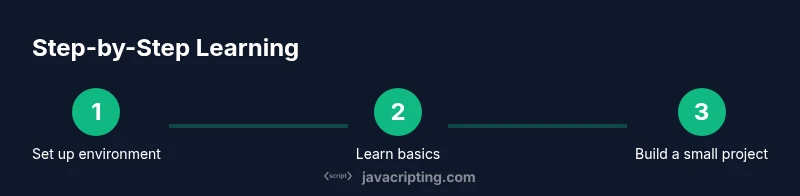
Plan a progressive, hands-on curriculum that matches your goals. Start with fundamentals: variables, types, functions, and basic control flow. Then move to the DOM, events, and basic fetch requests. Allocate time blocks for practice, mini projects, and reflection. Periodically review your code, refactor for clarity, and add tests as your confidence grows. Set measurable milestones, such as completing a small project, implementing a feature, and demonstrating your work to a peer. According to JavaScripting, a steady, cumulative approach yields deeper understanding and long-term retention.
Tools and environments
Equip yourself with a reliable stack. A modern code editor with syntax highlighting and snippets saves keystrokes and reduces errors. Node.js and npm enable you to run scripts and manage libraries. A local server lets you preview changes instantly. Browser DevTools provide powerful debugging and profiling capabilities. Linting and formatting tools help enforce consistency. Version control with Git tracks progress and makes collaboration smoother. Always keep a small, organized repository of learning notes, snippets, and exercises.
Debugging and testing strategies
When something breaks, replicate the issue with a minimal reproduction and isolate the cause. Use breakpoints to pause execution, inspect variables, and step through code. Write small, focused tests or write console-based checks to verify behavior. Practice rubber-duck debugging: explain the problem aloud to surface assumptions. For asynchronous code, carefully inspect promise chains and use async/await with try/catch. Include automated tests when possible, and maintain a habit of running tests before you ship.
Performance considerations and accessibility
Performance matters as your apps scale. Avoid unnecessary re-renders, batch DOM updates, and memoize expensive calculations. Use efficient event handling techniques and lazy loading for resources. Add accessibility considerations from day one: semantic HTML, keyboard navigability, and ARIA attributes where appropriate. Write clean, readable code with clear contracts and minimal side effects. Finally, continuously learn from real usage data and user feedback to improve performance and usability.
Tools & Materials
- Computer with internet access(Any modern OS, verify you can install software.)
- Node.js and npm(Install from nodejs.org and ensure npm is available.)
- Code editor (e.g., VS Code)(Enable JavaScript/TypeScript extensions.)
- Web browser with DevTools(Familiarize with Console, Elements, Network, Performance.)
- Git for version control(Useful for tracking progress.)
- ESLint and Prettier(Enforce consistent style.)
- API access for fetch tasks (optional)(Public APIs or mock endpoints.)
- Notebook for notes/snippets(Jot down patterns and solutions.)
Steps
Estimated time: Estimated total time: 6-10 hours
- 1
Set up your environment
Install Node.js and a modern editor. Create a project folder and initialize package.json. Verify installations by running basic commands in the terminal.
Tip: Keep your workspace clean and commit early to track setup changes. - 2
Learn core syntax basics
Study variables, data types, operators, control flow, and functions. Write small code snippets to reinforce concepts and experiment in the browser console.
Tip: Practice naming conventions and avoid global variables. - 3
Practice small tasks
Implement tiny utilities like a sum function, a palindrome checker, or a simple debounce. Each task reinforces a concept and builds confidence.
Tip: Aim for testable units and minimal dependencies. - 4
Manipulate the DOM
Create elements, attach event listeners, and update the UI in response to user actions. Keep DOM access efficient and avoid excessive reflows.
Tip: Batch DOM updates when possible to improve performance. - 5
Fetch data from APIs
Use fetch or async/await to retrieve data and render it. Handle errors gracefully and verify loading states in the UI.
Tip: Prefer async/await for readability and correct error handling. - 6
Organize code with modules
Refactor repeated logic into reusable functions and split code into modules using ES modules. Export/import to keep concerns separated.
Tip: Name modules and functions meaningfully for future reuse. - 7
Build a small end-to-end project
Combine DOM, API calls, and modular code in a single mini-app. Plan, implement, test, and refactor based on feedback.
Tip: Document decisions and rationale as you go. - 8
Add testing and debugging practices
Introduce basic tests or console checks. Use breakpoints and devtools to locate issues quickly and verify fixes.
Tip: Run tests before deployment to catch regressions.
Questions & Answers
What should I learn first in JavaScript?
Start with syntax basics: variables, types, operators, and simple functions. Build comfort with writing small snippets before moving to larger concepts.
Begin with the basics: variables and functions, then practice with small snippets.
How long does it take to be proficient in JavaScript?
Proficiency comes with consistent practice over time. Set weekly goals and complete small projects to translate knowledge into skills.
With steady practice, you’ll grow steadily and build confidence.
Should I learn fundamentals before frameworks?
Yes. A strong foundation in core concepts makes learning frameworks faster and more effective. Start with vanilla JavaScript before jumping into libraries.
Yes—get the basics solid before jumping into frameworks.
What tools do I need to start?
A computer, a code editor, Node.js, a browser with DevTools, and basic version control. Optional but helpful: ESLint and Prettier for consistency.
You mainly need a computer, editor, and browser tools.
How do I test JavaScript code effectively?
Write small, focused tests or console checks for critical paths. Use breakpoints and browser DevTools to debug and verify behavior.
Test small parts of your code and use devtools for debugging.
Can I learn JavaScript without prior programming experience?
Yes. Start with the fundamentals, practice daily, and build small projects to reinforce concepts. Progress comes from doing, not just reading.
Absolutely—start with basics and practice regularly.
Watch Video
What to Remember
- Plan tasks before coding and grow from small wins.
- Practice DOM and API work to build practical skills.
- Use modules to keep code organized and reusable.
- Debug with real data and automated checks.
- Commit to a steady, hands-on learning rhythm.