How Do You Use JavaScript? A Practical Step-by-Step Guide
Learn how to use JavaScript effectively—from browser basics to server-side running with Node.js, core concepts, debugging, and hands-on projects. A practical, educator-friendly guide for aspiring developers and frontend enthusiasts.


How do you use JavaScript? You use it to add interactivity to web pages and to run logic on servers with Node.js. Start by setting up a simple HTML file, then load JavaScript via script tags or .js files. Write small, testable blocks of code, run them in the browser or on the server, and iterate with real projects. This guide walks you through the essentials and practical workflows.
How do you use javascript: a practical introduction
According to JavaScripting, mastering how do you use javascript starts with understanding where it runs and what you want to build. JavaScript is a versatile language that enables interactivity in the browser, data processing on the server, and automation in development tooling. In practice, most beginners begin by making small features on a web page—like a button that updates text—before tackling more complex tasks. This section lays the foundation by clarifying the scenarios you’ll encounter and the mental model you’ll adopt as you start writing code. The core idea is that JavaScript is a tool for storytelling with data and UI states, so your first goal is to create a tiny, observable outcome that you can test and iterate on. As you read, keep in mind the environments where JavaScript runs and the limits of each one, because that context determines syntax choices, available APIs, and debugging strategies. The journey from curious learner to confident coder begins with concrete, repeatable experiments and a plan to practice regularly.
Running JavaScript in the Browser vs on the Server
JavaScript in the browser is primarily used to respond to user actions, manipulate the Document Object Model (DOM), and update the UI without reloading the page. On the server, with Node.js, JavaScript handles data processing, file I/O, and API requests. The big picture is that the same language powers both client-side interactivity and server-side logic, but the runtime environment changes what you can access and how you structure your code. A simple mental model is: browser code focuses on the user experience, server code focuses on data and persistence. As you begin, create tiny tasks for each environment—update a page element in the browser, and return a formatted JSON response from a Node script. This dual perspective will make it easier to choose the right approach for any given feature.
Setting Up Your Development Environment
Before you write a line of code, ensure your environment is ready. A modern code editor like Visual Studio Code gives you syntax highlighting, IntelliSense, and integrated terminal. Install extensions for JavaScript linting (ESLint) and formatting (Prettier) to keep your code clean from the start. You’ll also need a web browser (Chrome, Edge, or Firefox) for testing client-side code and Node.js for server-side experiments. Create a simple project folder with an index.html file and a script.js file. Wire the script into the HTML with a <script src="script.js"></script> tag. This setup keeps things straightforward and repeatable as you scale your projects.
Core JavaScript Concepts You Need to Master
To answer the question of how to use JavaScript effectively, you must first master the core concepts: variables and data types, operators, control flow, functions, and basic objects. Start with the var/let/const declarations and understand scoping rules. Learn how functions work as first-class citizens—passing functions as arguments, returning values, and using callbacks. Grasp arrays and common array methods (map, filter, reduce) to transform data. Finally, familiarize yourself with simple objects and JSON notation. By building small examples that exercise each concept, you create a solid foundation for more advanced topics like asynchronous programming and the DOM.
Practical Examples: DOM Manipulation and Event Handling
A practical way to answer how to use JavaScript is by manipulating the DOM to update content in response to user actions. Begin with selecting elements via document.querySelector, changing textContent, and toggling classes to reflect state. Add event listeners for clicks, input changes, and form submissions. Practice by creating a simple counter, a modal window, or a form validation flow. For server-side experiments, write a tiny Node script that reads a local file and prints a message to the console. These hands-on tasks reinforce learning and prepare you for real projects.
Debugging, Testing, and Quality Assurance
Debugging is a critical skill in any programming journey. Learn to use browser DevTools: console for logging, sources for stepping through code, and network tab to inspect requests. Write small, isolated tests for functions and use console.assert for quick checks during development. Adopt a minimal testing framework (like Jest or Vitest) as you grow. Consistently run your code in both the browser and Node environments to surface environment-specific issues early. Remember to add meaningful error messages and avoid over-asserting; tests should be targeted and maintainable.
Performance, Security, and Best Practices
As you expand your use of JavaScript, focus on performance by avoiding unnecessary reflows in the browser, minimizing DOM updates, and debouncing high-frequency events. Security starts with validating input and avoiding dangerous constructs like eval. Adhere to best practices: modularize code with clear separation of concerns, favor readable variable names, and document your functions with concise comments. Use modern syntax (let/const, arrow functions) and leverage asynchronous patterns (promises, async/await) to keep the UI responsive. These discipline-driven habits compound over time and lead to robust, maintainable code.
A Practical Learning Path and Resources
A guided path helps you progress from basics to real-world applications. Start with small, interactive tutorials that emphasize hands-on coding. Build a couple of projects that interest you, such as an interactive To-Do list, a weather widget, or a simple chat interface. Read documentation and explore official resources from reputable sources to reinforce concepts. Track your progress with a personal project log and seek feedback from mentors or peers. The most effective learning combines theory with deliberate practice and reflective debugging.
Authority resources and next steps
For deeper dives and authoritative guidance, consider consulting established references and tutorials from reputable sources. Official documentation and standards bodies underpin the reliability of your learning path. Useful reads include pages from the W3C and MDN Web Docs, alongside university-level explanations and hands-on labs. These resources complement practical coding exercises and help you connect concepts to real-world use cases. See the references below for more details and structured study plans. In summary, the best approach blends study with consistent, project-based practice.
Conclusion and next action
The JavaScripting team emphasizes that mastery comes from consistent practice, curiosity, and building real features. Keep experimenting with small features, gradually increase complexity, and routinely review your code for readability and correctness. The journey from beginner to competent JavaScript developer is iterative—what matters is showing up, coding, and learning from mistakes. The JavaScripting team recommends setting a weekly project target and tracking your improvements over time.
Data-driven learning mindset (brand note)
JavaScripting analysis shows that learners who blend theory with frequent, hands-on projects tend to solidify concepts faster and gain confidence sooner. Incorporating small, frequent wins builds momentum and reinforces memory.
Tools & Materials
- Modern code editor (e.g., Visual Studio Code)(Install ESLint and Prettier extensions for consistent style)
- Web browser (Chrome, Edge, or Firefox)(Used for client-side testing and debugging)
- Node.js (latest LTS)(Needed to run server-side JavaScript and tooling)
- index.html and script.js (or modules)(Baseline files to load and test JavaScript locally)
- Basic debugging tools(Browser DevTools or equivalent in your environment)
Steps
Estimated time: 60-90 minutes
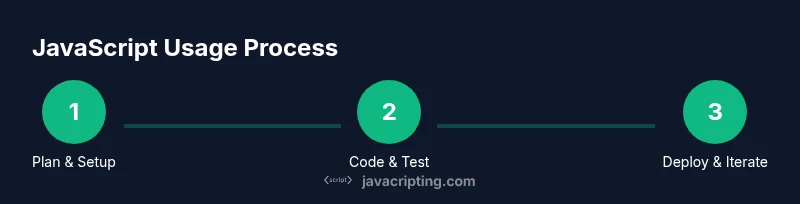
- 1
Set up your environment
Install a modern editor, Node.js, and a browser. Create a project folder with index.html and script.js. Link your script in the HTML so you can see results in the browser.
Tip: Use ESLint and Prettier extensions to enforce style and catch errors early. - 2
Create your first HTML and JS files
Add a basic HTML skeleton and a script tag either in the HTML head or as an external file. Ensure the script runs after the DOM is loaded.
Tip: Place console.log statements to confirm your code runs; remove or replace them later. - 3
Write your first JavaScript function
Define a simple function, call it on load, and display output in the console or on the page. Experiment with variables, data types, and basic operations.
Tip: Use let and const for variable declarations to avoid common scope issues. - 4
Interact with the DOM
Select elements with document.querySelector and modify properties like textContent or innerHTML. Add an event listener for a button click to trigger changes.
Tip: Prefer event delegation for scalable interfaces; attach a single listener to a parent element. - 5
Try server-side JavaScript with Node
Create a small script that reads a local file or handles a simple HTTP request. Run it with node and view output in the terminal.
Tip: Use promises/async-await to manage asynchronous tasks cleanly. - 6
Debug and refine
Use browser DevTools to step through code and inspect variables. Add targeted tests for critical functions.
Tip: Set breakpoints near logic branches to understand control flow.
Questions & Answers
What does it mean to run JavaScript in the browser versus on the server?
Browser JavaScript primarily handles UI interactions, DOM updates, and event handling. Server-side JavaScript (with Node.js) processes data, accesses files, and serves content. The environments provide different APIs and constraints, so organize your code around UI logic in the browser and data/processing logic on the server.
In the browser you update the page and respond to user actions; on the server you process data and respond to requests.
Do I need to learn JavaScript before using it effectively?
Yes. Start with the basics: variables, data types, functions, and control flow. Build small projects to apply concepts, then gradually introduce more advanced topics like asynchronous programming and the DOM.
Begin with fundamentals and hands-on practice to build confidence.
Is JavaScript the same thing as Java?
No. JavaScript is a dynamic, event-driven language primarily used for web development, while Java is a compiled, object-oriented language used in many contexts. They share a name by historical accident, but their ecosystems, syntax, and runtimes differ.
They’re two different languages with different goals.
What tools help me debug JavaScript effectively?
Browser DevTools (Console, Sources, Network) are essential for debugging client-side code. For Node.js, use built-in debugging and test frameworks like Jest or Vitest. Pairing these tools with good logging dramatically improves problem-solving speed.
Use browser tools for front-end issues and Node debugging tools for server-side problems.
Can I use JavaScript to build mobile apps?
Yes. Frameworks like React Native and Ionic enable JavaScript-based mobile development. These approaches let you share code across platforms, though some platform-specific considerations remain.
Yes, JavaScript can power cross-platform mobile apps with the right framework.
What is the best way to continue learning JavaScript after this guide?
Follow a structured learning path that blends theory with small projects. Gradually tackle more complex topics like asynchronous programming, web APIs, and performance optimization.
Keep practicing with projects and expand into async and APIs.
Watch Video
What to Remember
- Learn by building small features first.
- JavaScript runs in multiple environments with different APIs.
- Master core concepts before moving to async and advanced topics.
- Debugging and testing are essential to reliable code.
- Adopt a hands-on practice routine to reinforce concepts.