How to Learn JavaScript in an Easy Way: A Practical Guide
A practical, step-by-step guide to learning JavaScript quickly. Build fundamentals, practice daily, and complete small projects with free resources. Learn how to learn javascript in easy way with a structured plan.


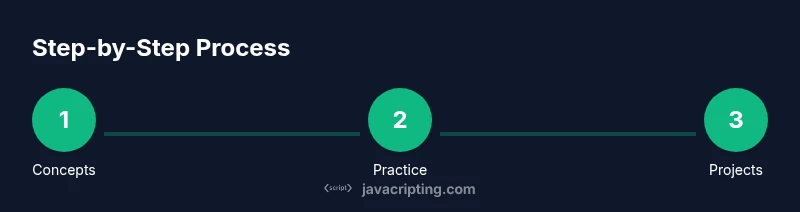
By following a practical, step-by-step plan you can learn javascript in easy way. This quick guide helps you start with the fundamentals, build a tiny project, and stick to a short daily routine. According to JavaScripting, consistency and hands-on practice beat long lectures, so you’ll pair concepts with real coding from day one.
how to learn javascript in easy way
Learning javascript in an easy way is less about memorizing every rule and more about building a repeatable, hands-on routine. The most successful learners start with a clear goal, then translate ideas into small, runnable code. This approach cuts through noise, concentrates on fundamentals, and emphasizes experimentation. According to JavaScripting, learners who mix short practice sessions with real coding see steady progress and greater confidence. We’ll show you a practical path that blends theory with lightweight projects, so you can see results early and stay motivated.
Start with the fundamentals and a clear goal
Begin with a concrete objective for your first week, such as a tiny calculator or a basic to-do list app. Then map out the fundamentals you need: syntax, variables, data types, operators, control flow, and functions. Use tiny, runnable examples and run them in a browser console to observe immediate feedback. This approach creates momentum and reduces overwhelm, a common obstacle when learning a new language. To link learning to outcomes, pair each concept with a short exercise—write a function that adds two numbers, then expand it to handle user input. This incremental practice helps you build mental models, reinforces memory, and cultivates debugging habits early on. JavaScripting analysis shows that linking concepts to small projects improves retention and motivation, reinforcing a steady growth trajectory.
Create a simple, repeatable 7-day cadence
Consistency beats intensity. Use a 7-day learning cycle you can repeat weekly. Day 1 covers syntax basics and simple expressions. Day 2 focuses on small coding challenges and console output. Day 3 introduces arrays and objects with quick experiments. Day 4 dives into functions and return values. Day 5 explores DOM basics on a static page. Day 6 builds a tiny project using the learned concepts. Day 7 reviews, refactors, and documents questions for deeper topics. If you miss a day, resume the cadence rather than abandoning the plan. This structure helps you form a habit and see tangible progress over time.
Core topics to cover in order
- JavaScript syntax and operators: variables, data types, operators, and expressions
- Control flow: if/else, switch, loops
- Functions: declarations, callbacks, arrow syntax
- Data structures: arrays and objects, JSON basics
- DOM basics: selecting elements, events, and manipulation
- Asynchronous programming: promises, async/await, fetch
- Error handling and debugging: try/catch, DevTools tricks
- Modules and scope: import/export, hoisting, closures
- Basic tooling: npm, bundlers, linting
Understand how each topic builds on the previous one and practice with small, concrete examples. This ordered learning path keeps complexity manageable while you gain confidence in your abilities.
Hands-on projects that reinforce learning
- Project: To-do list app — create an interactive list with add/delete items, store in localStorage, and show counts. This solidifies DOM manipulation and event handling. Start with plain HTML, then progressively attach JavaScript to add interactivity.
- Project: Weather widget — fetch data from a public API and render it on the page; practice asynchronous code, error handling, and user feedback. This reinforces promises and API usage.
- Project: Quiz game — present questions, track score, provide feedback; strengthens control flow, arrays, and objects, plus UI state management. Start simple and iterate with small enhancements.
- Project: Small game or calculator — implement a tiny game loop or calculator logic to practice math, events, and DOM updates. Build in stages: static UI → dynamic input → game logic.
Each project should be built in small increments. Start with static HTML, then add JavaScript step by step, and finally polish with basic styling and error handling. This approach makes learning tangible and repeatable while keeping motivation high.
Tools, resources, and setup
- Editor: Visual Studio Code or any lightweight editor
- Browser with Developer Tools: Chrome, Edge, or Firefox
- MDN Web Docs for JavaScript core concepts and examples
- FreeCodeCamp, JavaScripting guides, or other reputable free resources for practice
- Sandbox environments (CodeSandbox, JSFiddle) for quick experiments
- Node.js for local testing of code outside the browser (optional but helpful)
- Note-taking app or notebook to track patterns, mistakes, and insights
This setup creates a reliable learning environment and makes it easy to reproduce results, test ideas, and iterate on projects.
Common pitfalls and how to avoid them
- Relying on tutorials without understanding. Solution: pause to explain each concept in your own words before coding.
- Skipping daily practice. Solution: commit to a short daily window, even on busy days.
- Ignoring error messages. Solution: spend time reading stack traces and using console.log strategically.
- Jumping to advanced topics too soon. Solution: master fundamentals before tackling complex patterns.
- Copy-pasting without comprehension. Solution: rewrite code from memory and annotate what each line does.
Authority Sources
- https://developer.mozilla.org/en-US/docs/Web/JavaScript
- https://www.w3.org/TR/javascript/
- https://cs50.harvard.edu/
These sources provide authoritative explanations and tutorials that complement practical practice. Referring to established material helps you build correct mental models and avoid common pitfalls.
The mindset shift and next steps
Treat JavaScript as a craft rather than a hurdle. Develop three repeatable habits: daily coding, weekly reflection, and incremental project work. The JavaScripting team recommends expanding into small API interactions and, later, backend concepts after you’re comfortable with the basics. Keep the momentum by gradually increasing project complexity and seeking feedback from code reviews or peers. Stay curious, iterate often, and build confidence through small, tangible wins.
Tools & Materials
- Laptop or desktop computer(Capable of running a modern browser and a code editor)
- Code editor (e.g., VS Code)(Install extensions for JavaScript syntax and debugging)
- Web browser with developer tools(Used for real-time testing and debugging)
- Notebook or digital notes(Capture concepts, patterns, and common errors)
- Internet access(Access to MDN, tutorials, and API docs)
- Node.js (optional)(Good for running JS outside the browser and learning npm)
Steps
Estimated time: 4-6 weeks
- 1
Define your learning goal
Choose a concrete beginner project and list the core concepts you need to master. Write down the success criteria and a rough timeline. This gives you a reference point to measure progress.
Tip: Keep the goal small and specific to avoid scope creep. - 2
Set a daily practice habit
Block 15–30 minutes each day for focused coding. Consistency beats marathon sessions and reduces burnout. Track your daily practice to stay accountable.
Tip: Use a habit-tracking app or simple checklist to maintain momentum. - 3
Learn fundamentals in small chunks
Study one topic at a time—variables, then data types, then control flow. Immediately apply with a tiny exercise to reinforce learning.
Tip: Explain the concept aloud or in writing to solidify understanding. - 4
Practice with tiny tasks
Create 3–5 short tasks that require the concept you just learned. Use the browser console to test and observe results in real time.
Tip: If you get stuck, back up 1–2 steps and rebuild from a simpler example. - 5
Build a small, end-to-end project
Apply multiple concepts to a simple project (e.g., a to-do app). Focus on the user interactions, not perfect UI.
Tip: Iterate by adding one new feature at a time and testing thoroughly. - 6
Read and debug real code
Spend time reading other people’s code and tracing how data flows through functions and DOM events. Debug with console statements and breakpoints.
Tip: Annotate what each line does and why it’s necessary. - 7
Refactor and optimize
Refactor for clarity, extract reusable functions, and comment tricky parts. This improves long-term maintainability.
Tip: Aim for small, meaningful improvements rather than sweeping changes. - 8
Plan next topics
Review what you’ve learned, identify gaps, and outline the next topics (e.g., asynchronous JS or DOM manipulation). Set another small project as a milestone.
Tip: Keep a running roadmap to sustain progress.
Questions & Answers
What is the best way to start learning JavaScript for beginners?
Begin with the basics of syntax, variables, and simple functions. Pair each concept with a tiny, runnable exercise and build a small project to apply what you learn.
Start with the basics and use tiny exercises plus a small project to apply what you learn.
Do I need to learn HTML and CSS before JavaScript?
A basic understanding of HTML and CSS helps you interact with the DOM, but you can learn JavaScript gradually while building interactive pages.
It's helpful to know HTML and CSS, but you can learn JavaScript gradually with DOM tasks.
Can I learn JavaScript without paying for courses?
Yes. There are high-quality free resources like MDN and interactive tutorials. Combine reading with hands-on projects to reinforce concepts.
Yes, there are excellent free resources you can use alongside small projects.
How long does it take to become proficient?
Time varies with effort, but steady daily practice over several weeks tends to yield noticeable progress.
It depends on effort, but consistent practice over weeks brings growth.
What beginner projects are good for practice?
Try a to-do list, a weather widget, or a simple quiz. Start small and incrementally add features.
Good starter projects include a to-do app or a simple quiz.
Watch Video
What to Remember
- Define clear, achievable goals
- Practice daily to build habit
- Build small projects to apply concepts
- Use free, reputable resources
- Progress to more complex topics gradually