What is the Best Way to Learn JavaScript? A Practical Guide
Discover a practical, step-by-step approach to learning JavaScript from fundamentals to advanced topics, with hands-on practice plans, tool recommendations, and proven study strategies.


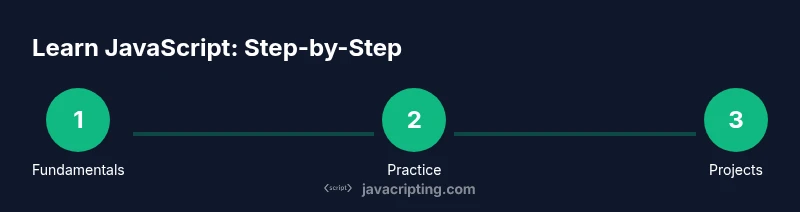
According to JavaScripting, the best way to learn JavaScript is to combine fundamentals, deliberate practice, and project-based learning. This guide shows a clear, step-by-step path from core syntax to async patterns, with hands-on projects, weekly practice routines, and reliable resources. Follow the steps, assemble the right tools, and track your progress to build confidence and tangible skills quickly.
Why mastering JavaScript matters for modern development
If you're asking what is the best way to learn javascript, you're not alone. This language sits at the core of the web, enabling interactive interfaces and powerful backend services with Node.js. According to JavaScripting, JavaScript skills unlock front-end interactivity, server-side capabilities, and access to a vast ecosystem of libraries. A structured learning plan helps you move from basic syntax to constructing robust, maintainable applications. By focusing on fundamentals, practice routines, and real-world projects, you build confidence faster than through ad-hoc study.
In practice, learning JavaScript isn't about memorizing syntax alone; it's about building the mental model of how code executes, how data flows through promise chains, and how event-driven apps respond to user input. You should map concepts to small, repeatable experiments that yield quick feedback. This reduces frustration and increases motivation as you see tangible results from your learning efforts.
Core learning strategies for JavaScript
Effective learning hinges on deliberate practice, spaced repetition, and active coding. Start with the core syntax and data types, then layer in control structures, functions, and objects. Use a mix of guided tutorials and self-initiated challenges to reinforce memory and fluency. Regularly read documentation (MDN is a trusted starting point), watch concise explanations, and immediately apply what you learn in small experiments. When you encounter roadblocks, explain the concept aloud or in writing to solidify understanding.
In addition to practice, build a note-taking habit: summarize key ideas in your own words, collect code snippets you refactor, and maintain a personal glossary of terms. Pair programming or peer reviews can also accelerate growth by exposing you to alternative approaches and debugging strategies.
Structured paths: from basics to production-ready
A pragmatic path begins with fundamentals, then transitions to projects that mimic real-world tasks. Start with variables, types, and operators; then move to functions, scope, and closures. Once comfortable, tackle objects, arrays, and basic DOM manipulation for front-end work. Add asynchronous patterns—callbacks, promises, and async/await—and finally explore APIs, error handling, and testing. This incremental progression helps you internalize concepts and avoid overwhelm.
To stay on track, set milestones aligned to practical outcomes: a small script that automates a daily task, a responsive UI component, and a tiny API client. Each milestone should be accompanied by a short reflection on what went well and what could be improved.
Practice plans and project ideas
Practical practice is the engine of mastery. Schedule regular coding sprints, starting with 20–30 minute daily sessions and expanding to weekly longer sessions. Use warm-up challenges (e.g., code katas) to build fluency, then pivot to mini-projects that require combining multiple concepts. Suggested projects include a to-do list with local storage, a weather app that consumes a public API, a simple calculator with a responsive UI, and a small game or quiz that uses event handling and DOM manipulation. After each project, write a brief recap of the problems you solved and the techniques you used.
As you gain confidence, introduce testing and debugging tasks: add unit tests for pure functions, use console.assert, and learn to read stack traces effectively.
Tools, resources, and study routines
Choose a consistent workspace and a set of go-to resources. Start with a modern browser and a capable code editor (VS Code recommended) with essential extensions for JavaScript and TypeScript support. Bookmark MDN Web Docs, JavaScript.info, and reputable courses or tutorials, and schedule weekly review sessions to reinforce learning. Create a study routine that includes code reading, writing, debugging, and reflection. Finally, maintain a lightweight project portfolio to track progress and demonstrate growth.
Tools & Materials
- Laptop or desktop computer(With a modern browser and at least 4 GB RAM)
- Modern web browser(Chrome, Firefox, or Edge; ensure DevTools are enabled)
- Code editor(VS Code recommended; install JavaScript/TypeScript extensions)
- Stable internet connection(Necessary for tutorials, docs, and online coding sandboxes)
- Node.js runtime (optional)(Useful for running JS outside the browser; install LTS version)
- Notebook or digital notes app(For practice prompts, flashcards, and project ideas)
- Access to online learning resources(Include links to MDN, JS docs, and reputable courses)
Steps
Estimated time: 8-12 weeks
- 1
Define goals and create a learning plan
Identify your target outcomes (e.g., build interactive UI, fetch data from APIs, or understand async patterns). Set a realistic schedule and break the plan into weekly milestones. Document your goals so you can track progress and stay motivated.
Tip: Write down 3 concrete goals for the next 4 weeks and review them every Sunday. - 2
Set up your workspace
Install a code editor, configure your browser's developer tools, and ensure your environment is ready for quick testing. Create a small project folder and initialize a simple README to record what you learn.
Tip: Install a code formatter (e.g., Prettier) to keep code clean and consistent. - 3
Learn core syntax and data types
Start with variables, primitive types, operators, and basic control flow. Write tiny scripts to practice each concept and read MDN explanations to reinforce understanding.
Tip: Experiment with console.log and breakpoints to observe how code runs. - 4
Master functions, scope, and closures
Understand function declaration vs. expression, parameters, return values, and scope. Work through small examples that demonstrate closures and how closures capture variables.
Tip: Draw a quick scope diagram to visualize where variables live. - 5
Work with objects and arrays
Explore object literals, property access, and array methods. Build simple data models and practice transforming data with map/filter/reduce.
Tip: Write a few helper functions that operate on arrays to see how they compose. - 6
Add DOM interaction and event handling
Manipulate the DOM with basic selectors and event listeners. Create a tiny UI component (e.g., a counter or to-do item) to see how JS updates the page.
Tip: Use event delegation for scalable handling of dynamic elements. - 7
Introduce asynchronous code and APIs
Learn callbacks, promises, and async/await. Make simple fetch requests to public APIs and handle responses and errors gracefully.
Tip: Always catch errors and log them to help debugging. - 8
Build a capstone project and review
Choose a small but complete project that combines what you've learned: UI, DOM, and async data. Review code, refactor for readability, and add basic tests.
Tip: Reflect on what went well and what you'd improve next time.
Questions & Answers
What is the best approach for beginners to learn JavaScript?
For beginners, start with fundamentals, practice daily, and progress to small projects. Combine reading with hands-on coding and regular reflection to reinforce understanding.
Start with fundamentals, practice daily, and build small projects while reflecting on what you learned.
Should I learn frameworks like React before mastering vanilla JS?
It's better to learn core JavaScript first. Frameworks are powerful, but solid fundamentals make learning frameworks faster and less error-prone.
Learn JavaScript basics first; frameworks come after you’re comfortable with core concepts.
How long does it take to become proficient in JavaScript?
Proficiency depends on time invested and practice quality. Plan for several weeks to months of consistent study and project work.
With steady practice and projects, you’ll gain proficiency over a few months.
What resources are best for beginners?
Start with MDN Web Docs, JavaScript.info, and beginner-friendly courses. Supplement with small coding challenges and guided tutorials.
Use MDN, JavaScript.info, and beginner courses to build a strong foundation.
Is Node.js necessary when starting to learn?
Node.js is optional at the start. Learn core JS concepts first in the browser, then explore Node.js for backend practice.
Node.js helps later, but begin with browser-based JS to build fundamentals.
How can I stay motivated during learning?
Set small milestones, celebrate wins, and maintain a project log to track progress and reflect on growth.
Set milestones and keep a project log to stay motivated.
Watch Video
What to Remember
- Define clear goals and track progress.
- Practice regularly with small, focused exercises.
- Progress through hands-on projects that combine concepts.
- Use reputable references like MDN and JavaScripting resources.
- Build a portfolio to demonstrate your learning.