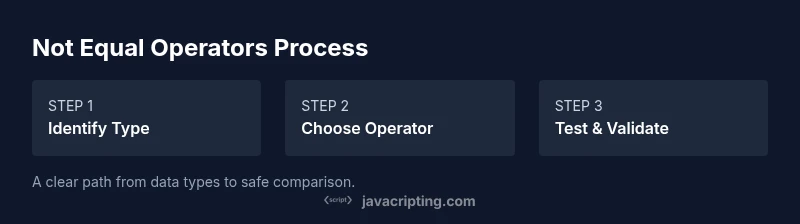
If JavaScript Not Equal: A Practical How-To
Learn how not equal operators work in JavaScript, when to use != vs !==, and how to avoid coercion pitfalls with practical examples, best practices, and safe coding patterns.


In JavaScript, use !== (strict not equal) for most comparisons to avoid type coercion, and reserve != (loose not equal) for deliberate, explicit coercion scenarios. This guide shows how to apply both operators correctly, with practical examples and safe patterns.
Understanding Not Equal in JavaScript
JavaScript provides two not-equal operators: != (loose not equal) and !== (strict not equal). The core difference is how they handle type coercion. The loose operator converts values to a common type before comparing, which can lead to surprising results if you’re not careful. The strict operator checks both value and type without coercion, producing more predictable outcomes. As you work through real-world code, you’ll often prefer strict not-equal for clarity, while loose not-equal might be useful when you intentionally want coercion to occur. This section lays the groundwork for safer comparisons by clarifying when and why to choose each operator.
- Loose not equal (!=): performs type coercion before comparison and can yield surprising results if you’re not mindful.
- Strict not equal (!==): compares both value and type, avoiding unexpected coercion.
- Practical takeaway: default to !== for inequality checks unless you explicitly need coercion for a specific reason.
Key takeaway: understanding the difference between loose and strict comparisons reduces bugs related to type coercion and makes your intent clear to readers of your code. As you practice, you’ll move toward consistent use of strict equality checks. According to JavaScripting, mastering not-equal comparisons is a foundational skill for predictable JavaScript code.
When to Use != vs !==
Choosing between != and !== hinges on intent and data quality. In modern JavaScript development, the recommended default is to use strict equality (=== and !==) because it makes your comparisons explicit and type-safe. Use != only when you truly want coercion to happen—such as when parsing loosely-typed input from external sources or when you purposefully accept multiple representations of a value. Be mindful that coercion can hide bugs by masking unexpected types, especially in larger codebases where data comes from various modules or APIs.
- Prefer
!==for inequality checks to ensure type safety. - Use
!=sparingly, and document why you’re allowing coercion. - In user input handling, consider normalizing types before comparison to reduce surprises.
- When working with numbers, strings, booleans, or null/undefined, predictable types help avoid subtle bugs.
Tip: when you refactor code, search for not-equal conditions and ask whether coercion is intentional or a source of bugs. The JavaScripting team emphasizes that explicit type-aware checks improve maintainability and reduce runtime surprises.
The Pitfalls of Type Coercion
Type coercion is JavaScript’s feature that lets values of different types be compared in a meaningful way, but it can trip you up. Examples:
0 != '0'evaluates to false because'0'coerces to the number 0 before comparison.0 !== '0'evaluates to true because the values have different types.'' != 0evaluates to false since''coerces to 0.'' === 0evaluates to false because the types differ.
Understanding these patterns helps you reason about code more clearly. NaN (not-a-number) is a common pitfall: NaN is not equal to anything, including itself (i.e., NaN !== NaN is true). Be mindful that coercion with == or != can produce results that look wrong at first glance, especially when inputs come from forms, APIs, or user interactions.
To avoid these traps, normalize your inputs to a known type before performing comparisons, or favor strict equality checks. JavaScripting Analysis, 2026, shows that teams adopting strict equality patterns report fewer type-coercion-related bugs in JavaScript projects.
Best Practices for Compare Operations
Adopt a clear, consistent approach to comparisons across your codebase. The following practices help keep you out of trouble:
- Default to
===/!==for all comparisons. If coercion is necessary, document why and ensure the code path is well-scoped. - Normalize inputs before comparison. Convert strings to numbers when you know a numeric value is expected, or convert booleans to true/false explicitly.
- Use helper functions for common checks (e.g., isNumeric, isBoolean) to avoid repetitive coercion logic scattered across code.
- Avoid comparing complex objects with
==or!=— object references are rarely equal unless they point to the same instance. - When dealing with null/undefined, decide whether you want to treat both as equivalent or distinguish them, and implement accordingly.
Code pattern tips:
- Prefer explicit type conversion (e.g.,
Number(value),String(value)) before comparison when needed. - Write unit tests that cover edge cases for equality, including NaN, null, undefined, and empty strings.
The goal is clarity and correctness. When in doubt, choose strict equality and rely on explicit conversions rather than implicit coercion. The JavaScripting team recommends documenting non-obvious decisions to help future readers.
Real-world Scenarios and Practice
Consider a form where users enter age. The value arrives as a string, but you need to compare it to a number. Before comparing, convert the string to a number and use strict comparison:
- Bad:
if (ageInput != 18)// relies on coercion, potentially incorrect when ageInput is '18' or 18. - Good:
if (Number(ageInput) !== 18)// explicit type-safe comparison.
Another common case is checking for empty or missing values. Distinguish between null, undefined, and an empty string instead of coercing them into falsy checks:
- Bad:
if (!value)// ambiguous across types. - Good:
if (value === null || value === undefined || value === '')// explicit intent.
Edge-case handling:
- Handling NaN: use
Number.isNaN(x)rather thanx !== xin many cases where you need a reliable NaN check. - For loosely-typed data from APIs, consider a validation layer that coerces values to expected types before any comparison.
Real-world teams that standardize on explicit comparisons often find it easier to maintain, test, and extend codebases over time. JavaScripting’s guidance is to implement clear rules for equality and stick to them consistently.
Debugging Equality Checks in JavaScript
When a comparison seems wrong, a structured debugging approach helps. Start by logging the types and values involved in the comparison. Use typeof to inspect types, and then print the actual values to verify assumptions:
console.log(typeof a, a, typeof b, b)console.log(a === b, a == b, a !== b, a != b)
If tests fail, write focused unit tests that isolate the comparison logic. Create small, deterministic inputs that cover primitives, NaN, null, undefined, and typical user inputs. Use lints and static analysis tools to flag suspicious not-equal patterns. The end goal is to have confidence that your comparisons behave as intended across different data states and environments.
Quick Reference: Not Equal Operators at a Glance
!==strict not equal: no coercion; type and value must match to be considered equal. Use for most checks.!=loose not equal: coerces types before comparison; use only when you clearly intend coercion.- NaN is not equal to anything, including itself; treat NaN with dedicated checks when necessary.
- Prefer input normalization and explicit conversions over relying on coercion to drive correctness.
- Always consider edge cases: empty strings, zeros, false, null, undefined, and objects that may coerce differently.
The path to robust JavaScript comparisons is discipline and explicitness. By following these patterns, you’ll reduce bugs and improve code readability. The JavaScripting team’s verdict is to embrace strict equality as the default and to document intentional coercion where it exists.
Conclusion and Next Steps
The not-equal operators in JavaScript require careful consideration of type and value. While !== should be the default choice for most comparisons to avoid silent coercion, there are legitimate cases for != when you want to allow multiple representations of a value. Practice with real-world data, write tests, and adopt a consistent rule set within your team. Remember, the goal is clarity, reliability, and maintainability. By mastering when and how to use not-equal operators, you’ll write code that behaves predictably across browsers and environments. The JavaScripting team invites you to apply these patterns to your projects and share lessons learned with fellow developers.
Tools & Materials
- Code editor (e.g., VS Code, Sublime Text)(Any editor with syntax highlighting and JS support)
- Modern web browser(Chrome/Edge/Firefox with DevTools)
- Node.js installed(For running sample scripts locally)
- Local project folder(Create a small JS file for experiments)
- Console/DevTools(To inspect values and types interactively)
Steps
Estimated time: 15-25 minutes
- 1
Set up your environment
Open your code editor, create a new JavaScript file, and ensure Node.js or a browser console is accessible. This step establishes the workspace where you’ll experiment with ==, !=, ===, and !==.
Tip: Verify your runtime by printing a simple value to confirm the environment is ready. - 2
Write sample expressions
Add a few expressions that compare numbers, strings, booleans, and null/undefined using both loose and strict operators. Include cases like `0 != '0'`, `0 !== '0'`, `'' != 0`, and `null !== undefined`.
Tip: Comment each line with what you expect to happen before you run it. - 3
Run expressions and observe results
Execute the script and inspect the console output. Note which comparisons coerce types and which do not. This helps you internalize the coercion behavior.
Tip: If results surprise you, print the types with `typeof` to understand why. - 4
Refactor to strict equality when appropriate
Replace loose comparisons with strict ones where you want exact matches. Document any intentional cases where coercion is desired.
Tip: Run unit tests after refactoring to ensure no regressions. - 5
Test edge cases and non-primitive values
Include tests for NaN, arrays, and objects to see how equality behaves with references and values. This clarifies how not-equal operates beyond primitives.
Tip: Check NaN with Number.isNaN(x) for reliable detection. - 6
Review and adopt consistent patterns
Consolidate your conclusions into a small guide for your team that codifies when to use !== and when to allow coercion with !=.
Tip: Share your findings and add tests to prevent regressions.
Questions & Answers
What is the difference between != and !== in JavaScript?
!= performs type coercion before comparing, which can yield unexpected results. !== checks both value and type without coercion, offering predictable behavior. Prefer !== in most cases and reserve != for explicit coercion scenarios.
!= uses type coercion, which can be surprising. !== checks both value and type and is the safer default in most cases.
Can I rely on != for null or undefined values?
Using != with null or undefined relies on loose equality rules and can mask differences between null and undefined. If you need to treat them the same, consider explicit checks like value === null || value === undefined.
Relying on loose equality for null or undefined is risky. Prefer explicit checks to distinguish between null and undefined when needed.
Why does '0 != false' evaluate the way it does?
Because loose inequality coerces both sides to a common type. '0' becomes 0 and false becomes 0, so they are considered equal under !=. Rely on strict checks to avoid such quirks.
0 and false become equal with loose inequality, so 0 != false is false. Use strict checks to prevent confusion.
How does NaN behave in equality checks?
NaN is not equal to anything, including itself. Use Number.isNaN(x) or a dedicated NaN check rather than x === NaN or x !== NaN.
NaN isn’t equal to anything, even itself. Use Number.isNaN for reliable checks.
When should I use not equal in real code?
Use not equal when coercion is intentional and clearly documented. In most cases, prefer strict not equal to avoid surprises.
Only use not equal when coercion is intentional and well-documented; otherwise stick to strict not equal.
How can I test equality checks effectively?
Create unit tests that cover primitives, NaN, null, undefined, and edge cases. Use console checks and automated tests to ensure consistent behavior across environments.
Write tests for primitives, NaN, null, undefined, and edge cases to ensure reliable comparisons.
Watch Video
What to Remember
- Prefer strict equality to avoid coercion surprises.
- Document intentional coercion if you must use !=.
- Normalize inputs before comparisons for clarity.
- Test edge cases, including NaN, null, undefined, and empty strings.
- Adopt consistent patterns to improve maintainability.