JavaScript Learn: A Practical Guide for Beginners
Master javascript learn with a practical, step-by-step guide. From setup to DOM basics and beyond, this educational resource helps aspiring developers build real skills through structured practice and projects.


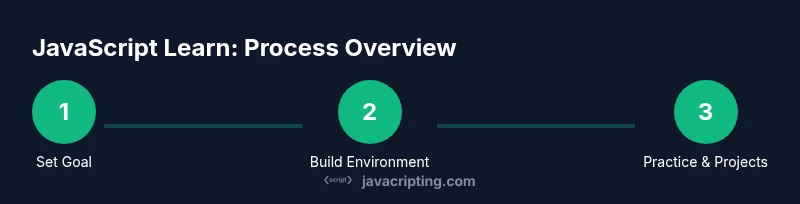
Goal: Learn JavaScript effectively by following a practical, step-by-step path. Start with a ready-to-use development environment, as you master core concepts, then build small projects to reinforce learning. You’ll progressively tackle the DOM, events, and debugging tools. This guide from JavaScripting shows a structured plan to learn javascript learn with confidence.
Why javascript learn matters
In today’s web development landscape, javascript learn is not simply a hobby—it's a foundational skill. JavaScript runs in every modern browser, powering interactive features from simple form validation to complex single-page applications. For aspiring developers, committing to a structured learning path yields measurable results: clearer thinking about problem solving, faster debugging, and the ability to transform ideas into working prototypes. According to JavaScripting, a practical approach to learning JavaScript emphasizes building small, repeatable projects that incrementally increase complexity. The JavaScript learning journey should balance theory with hands-on practice, ensuring concepts click through real code rather than abstract definitions. As you start, expect to encounter syntax, variables, and control flow, then layer in functions, objects, and eventually asynchronous patterns. The JavaScripting team found that learners who couple study with frequent coding cycles retain concepts longer and gain confidence sooner. Remember, javascript learn is a marathon, not a sprint, and steady progress compounds over weeks and months.
Core concepts you’ll master
Mastery begins with fundamentals: syntax, variables, and data types. You should become comfortable declaring strings, numbers, booleans, and null/undefined values, then practice operators, type coercion, and simple control flow. Functions unlock modular thinking and reusability, while objects and arrays teach you how to model data. Scope, closures, and the this keyword explain how JavaScript manages context, which is critical when building interactive components. Hoisting, event handling, and basic error handling round out the essentials. As you progress, relate each concept to real-world tasks—creating a small calculator, filtering lists, or validating forms. This phased approach reduces overwhelm and strengthens retention as you connect syntax with behavior in your code.
Setting up a productive learning environment
A solid learning environment accelerates javascript learn. Install a lightweight code editor (like VS Code) with essential extensions for JavaScript linting and intellisense. Install Node.js (LTS version) to run JavaScript outside the browser, run package managers, and test scripts. Use a modern browser with robust developer tools to inspect DOM, debug, and profile performance. Create a dedicated learning folder, initialize a project with npm init, and keep a simple README to track goals and progress. Regularly back up your code to a cloud drive or version control repository. Finally, establish a routine: short daily practice sessions paired with weekly reviews to reinforce what you’ve learned. This combination of tools and discipline is key to sustainable javascript learn momentum.
Structured learning paths for javascript learn
A structured path helps you progress without getting stuck. Start with Week 1–2: basics—syntax, variables, data types, and simple functions. Week 3–4 introduces arrays, objects, and basic loops, plus light DOM interaction. Week 5–6 covers more advanced topics like scope, closures, and event handling. Week 7–8 adds debugging skills, console methods, and a first small project (e.g., a to-do app) to apply concepts. Week 9–10 ramps up with asynchronous patterns—promises and fetch—followed by a second project that consumes an API. Finally, Week 11–12 consolidates learning with refactoring, code organization, and a plan to continue growing. The core idea is to learn by building, not by passively reading.
Building real projects to reinforce learning
Project-based practice cements javascript learn. Start with a small, runnable project: a to-do list that stores data in memory and persists to localStorage. Then expand to a weather dashboard that fetches data from an API and updates the UI in response to user interactions. Each project should include a clear goal, a short checklist, and a simple testing plan. As you gain confidence, refactor code into modular functions, create reusable components, and add basic error handling. Projects provide concrete proof of progress and give you material to showcase in portfolios or interviews. Keep a log of challenges faced and solutions discovered to accelerate future learning.
Debugging and tooling you should know
Effective debugging transforms javascript learn into practical mastery. Learn to use console.log with meaningful messages, explore breakpoints in Chrome DevTools, and inspect network requests to diagnose API issues. Practice step-by-step debugging: reproduce a bug, isolate it, hypothesize causes, implement a fix, and verify the outcome. Get comfortable with npm scripts to automate tasks, and use simple linters to enforce consistent style. Learning to read stack traces and understanding asynchronous code flow will save you hours of frustration. By treating debugging as a normal part of development, you’ll build resilience and competence in JavaScript.
Common pitfalls and how to avoid them
New learners often stumble over scope, hoisting, and misunderstanding asynchronous patterns. Avoid global variables; prefer module scope and clear function boundaries. Don’t ignore error handling—unhandled exceptions cascade into hard-to-trace bugs. Resist the urge to jump straight into frameworks before mastering vanilla JavaScript; solid fundamentals simplify future learning. Practice reading error messages carefully and rely on small, deterministic experiments to test hypotheses. Finally, keep your environment consistent across machines to prevent “works on my laptop” syndrome. Awareness of these pitfalls helps you maintain steady javascript learn progress.
Advanced topics to expand after basics
Once you’ve got the basics, broaden your horizon with ES6+ features like arrow functions, template literals, destructuring, and modules. Explore the event loop, promises, and async/await for writing asynchronous code cleanly. Learn about fetch for API calls, and practice handling JSON data. Start working with the DOM more deeply: querySelector, event delegation, and manipulating classes to build responsive interfaces. Understand modular design, scope isolation, and memory management basics to write efficient code. Finally, experiment with small tooling setups, such as simple bundlers or task runners, to streamline your workflow. These topics extend your javascript learn journey into practical, job-ready skills.
Tools & Materials
- Code editor (e.g., Visual Studio Code)(Install extensions for JavaScript/TypeScript and linting)
- Node.js (LTS version)(Use Node to run scripts and manage packages)
- Modern web browser (Chrome/Firefox/Edge)(Enable DevTools for debugging and inspection)
- Terminal/Command prompt(For installing packages and running scripts)
- Starter project scaffold(Optionally clone a starter repo or create a simple one)
Steps
Estimated time: 4-6 weeks
- 1
Define your learning goal
Identify what you want to achieve with javascript learn. Set a specific target, such as building a to-do app or fetching data from an API. Write down measurable milestones and a timeline to stay focused.
Tip: Write a one-sentence goal and place it where you’ll see it daily. - 2
Set up your development environment
Install a code editor, Node.js, and a modern browser. Create a dedicated project folder and initialize with npm if needed. Ensure you can run JavaScript both in the browser and on the command line.
Tip: Run a simple console.log('Hello, JS learn!') to verify setup. - 3
Learn fundamentals
Study syntax, variables, data types, operators, and control flow. Practice with small snippets and explain what each line does. Use exercises that reinforce the concepts you’re studying.
Tip: Comment your thought process to reinforce understanding. - 4
Practice with small exercises
Complete short challenges daily: string manipulations, array methods, and basic functions. Keep a log of solutions and why they work. Gradually increase complexity as confidence grows.
Tip: Aim for 3–5 exercises per day, with at least one that stretches you. - 5
Dive into functions and scope
Focus on functions, parameters, return values, closures, and scope rules. Write examples showing how closures capture variables from outer scopes. Translate problems into modular functions.
Tip: Refactor a monolithic block into small reusable functions. - 6
Explore the DOM basics
Learn to select elements, read and set content, and respond to user events. Build small UI interactions to solidify how JavaScript manipulates the page. Practice event delegation for scalable code.
Tip: Use event listeners instead of inline handlers. - 7
Debugging fundamentals
Use console methods, breakpoints, and network inspection. Reproduce issues methodically and verify fixes by running through the scenario again. Document fixes for future reference.
Tip: Create a personal debugging checklist you follow every time. - 8
Build a first real project
Create a small project (e.g., a to-do list) that integrates DOM interactions and local storage. This consolidates what you’ve learned and produces tangible results for your portfolio.
Tip: Start simple, then progressively add features. - 9
Review and plan next steps
Assess what you’ve learned, identify gaps, and set goals for advanced topics like async/await or API usage. Create a roadmap for continued practice and new challenges.
Tip: Schedule a monthly skill review to stay on track.
Questions & Answers
What should I learn first in JavaScript?
Start with syntax, variables, data types, and basic control flow. Build small scripts to confirm understanding before moving on to more advanced topics.
Begin with syntax and basics, then practice with small scripts.
Is Node.js necessary to learn JS?
Node.js is not required to learn JavaScript for the browser, but it helps with tooling, builds, and practicing outside the browser.
Not required, but helpful for tooling and server-side practice.
How long does it take to learn JavaScript?
Learning ranges from a few weeks for fundamentals to months for mastery. Consistent practice and project work speed up progress.
Foundational knowledge can take a few weeks; mastery takes longer with practice.
What are good resources to learn JS?
Refer to reputable online documentation and courses such as MDN Web Docs and official language references. Practice with guided tutorials and real projects.
Use MDN and practical projects to learn effectively.
How can I practice JavaScript effectively?
Blend small challenges with a real project. Review and refactor code regularly, and gradually introduce new topics as you grow confident.
Mix small challenges with a real project and steadily expand.
Watch Video
What to Remember
- Set up a solid learning environment
- Master fundamentals before complexity
- Practice with small projects regularly
- Use debugging as a core skill