javascript master: Practical Path to Mastery
A detailed, hands-on path to JavaScript mastery, covering core concepts, patterns, debugging, tooling, and project-based practice for aspiring developers seeking real-world outcomes.


By the end of this guide you will be able to pursue true mastery of JavaScript. You’ll learn essential concepts, patterns, and workflows that turn ambiguity into confident coding. Required gear includes a modern browser and Node.js, plus a capable editor. Expect a hands-on, project-focused path that emphasizes practice over theory and concrete results.
Why JavaScript Mastery Matters
According to JavaScripting, becoming a deliberate, practice-driven coder in JavaScript opens doors across web, server, and embedded environments. A true javascript master can translate complex user requirements into robust, maintainable code, ship features faster, and debug with precision. This mastery is not about memorizing every API; it’s about fluency with core concepts like closures, the event loop, prototypal inheritance, and modern syntax (let/const, arrow functions, destructuring). When you pursue javascript master, you gain the confidence to refactor safely, reason about performance, and compose reliable modules that scale with your projects. In practice, mastery means being able to reason about tradeoffs between simplicity and power, choose the right tool for the job, and communicate solutions clearly to teammates and stakeholders.
Core Foundations to Master
Mastery starts with ironclad fundamentals. You should understand variable scoping, data types, and the differences between var, let, and const. Grasp function concepts—first-class functions, closures, and higher-order patterns. Dive into ES6+ features such as arrow functions, template literals, modules, and promises. Learn how the this keyword behaves in different contexts and how binding affects code in real-world apps. A javascript master also understands the DOM and event handling well enough to create accessible, interactive experiences. Prototypal inheritance, object literals, and modern object-oriented patterns complete the mental model you’ll apply in debugging and architecture decisions.
Practice Framework: Projects, Patterns, Debugging
Practice is the engine of javascript master. Build small, focused projects that force you to apply patterns like the Module pattern, Revealing Module, and IIFE for clean, encapsulated code. Develop an understanding of common design patterns in JavaScript, including factory vs. constructor, and when to use classes vs. plain objects. Debugging is a muscle: learn to use console, browser devtools, and Node.js inspector effectively, with a habit of adding targeted tests. Adopt a practical approach to error handling, logging, and defensive coding. This section emphasizes project-oriented learning: create features incrementally and test each step to reinforce your understanding of concepts such as asynchronous flows and error boundaries.
Modern Tooling and Ecosystem
The journey to javascript master includes embracing tooling that improves reliability and speed. Set up a Node.js environment and npm or yarn for dependency management. Use a code editor with strong JavaScript support, plus linters like ESLint and formatters like Prettier to keep code clean. Learn bundling and transpilation with tools like Vite or Webpack, and explore testing frameworks such as Jest or Vitest to verify behavior. Version control (Git) and CI pipelines help you scale your practices from rookie projects to professional codebases. Understanding tooling isn’t just about features; it’s about adopting workflows that reduce bugs and accelerate iteration. Scripting and automation will become second nature as you assemble reusable components, utilities, and templates that accelerate future work.
Advanced Topics and Best Practices
A javascript master doesn’t stop at basics. Dive into asynchronous patterns (async/await, promises, and async iterators) and understand the event loop, microtasks, and macrotasks. Optimize for performance by avoiding unnecessary reflows, debouncing, and efficient DOM manipulation. Deeply understand memory management concepts such as closures’ impact on lifetimes and garbage collection behavior. Embrace modern patterns like functional programming with pure functions, immutable data, and safe composition. Learn security considerations (input sanitization, avoiding eval misuse) and cross-origin concerns for web apps. Finally, cultivate a habit of continuous learning: stay updated with spec changes, community best practices, and evolving tooling.
Learning Path and Schedule
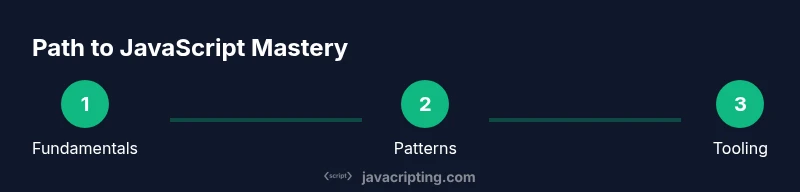
A practical, long-term path to javascript master blends fundamentals with progressive complexity. Start with day-to-day practice focused on core concepts, then layer in small projects that require integrating different modules and APIs. Move into patterns, tooling, and testing, then tackle larger applications that resemble real-world product work. A sustainable plan emphasizes consistency: regular coding sessions, weekly project milestones, and regular code reviews. Keep a learning journal to track improvements, note recurring gaps, and reflect on choices made during debugging sessions. The goal is steady progress rather than overnight mastery, with each project building on the last.
Common Pitfalls and How to Avoid Them
Even aspiring javascript masters trip over common traps. Over-reliance on global variables and insufficient module boundaries lead to brittle code. Underestimating the asynchronous nature of JavaScript creates race conditions and hard-to-debug bugs. Ignoring tooling and tests can mask issues until late in the lifecycle. A rigorous approach—emphasizing modular design, explicit error handling, and incremental testing—helps you avoid these pitfalls. Be mindful of performance traps like excessive DOM access, unnecessary re-renders, and blocking code in the main thread. Finally, remember to balance theory and practice: read, but always code. This balanced approach keeps you moving toward true javascript master status without getting stuck in memorization-only habits.
Tools & Materials
- A computer with Node.js and a modern browser(Install the latest LTS Node.js; keep browsers up to date for devtools compatibility.)
- Code editor (e.g., VS Code)(Enable JavaScript/TypeScript language services and extensions for linting and formatting.)
- Project scaffolding utilities(NPM/Yarn, npm init, or beginner-friendly templates to bootstrap practice projects.)
- Git version control(Create a dedicated learning repo to track experiments and progress.)
- Browser DevTools(Learn Console, Network, Performance, and Memory for debugging and profiling.)
- Testing framework(Jest or Vitest to practice test-driven learning as you advance.)
Steps
Estimated time: 6-8 weeks (concepts + projects + tooling)
- 1
Define your mastery goals
Clarify what javascript master means for you: are you focusing on frontend interactivity, Node.js backend, or full-stack versatility? Write concrete goals and map them to a learning plan that includes projects and milestones.
Tip: Document goals in a single page and revisit them weekly to stay aligned. - 2
Set up your environment
Install Node.js, choose a code editor, and configure linting. Create a starter project to practice basic syntax, functions, and module imports. Ensure your environment runs on your preferred OS.
Tip: Automate checks with a simple npm script to run linting and tests locally. - 3
Build a fundamentals project
Create a small, interactive web page or a CLI utility that uses variables, scope, arrays, and objects. Focus on readability, naming, and comments, then refactor to show your understanding of patterns.
Tip: Aim for at least two reusable functions with clear interfaces. - 4
Master functions and scope
Deep dive into closures, higher-order functions, and function composition. Demonstrate how to pass behavior as data and how to design pure functions where possible.
Tip: Write tests that verify function behavior across edge cases. - 5
Explore asynchronous JavaScript
Practice promises, async/await, and async iterators. Build a small data fetch pipeline and handle errors gracefully with try/catch and finally blocks.
Tip: Use async/await to avoid callback hell and keep error handling consistent. - 6
Delve into patterns and tooling
Implement module patterns, learn modern ES modules, and introduce a bundler like Vite. Add ESLint and Prettier, then automate checks in your CI workflow.
Tip: Prefer small, composable modules over large monolithic files. - 7
Build a capstone project
Create a real-world project that combines DOM interactions, async data, and a Node-based backend or API integration. Show off testing, performance considerations, and clean architecture.
Tip: Document decisions and trade-offs to explain your reasoning to others. - 8
Review, optimize, and repeat
Conduct code reviews, optimize hot paths, and iterate on feedback. Regularly revisit fundamentals to reinforce long-term mastery.
Tip: Set small, measurable milestones to maintain momentum.
Questions & Answers
What does it mean to be a 'javascript master'?
A javascript master fluently uses core concepts, patterns, and tooling to build reliable, maintainable apps. Mastery is demonstrated by clean architecture, robust debugging, and the ability to adapt to new language features.
Being a JavaScript master means you fluently apply core concepts, patterns, and tools to build reliable applications and adapt to new language features.
Do I need TypeScript to master JavaScript?
TypeScript is optional for JS mastery. It often helps with maintainability and large projects, but a strong JavaScript foundation remains essential regardless of TypeScript usage.
TypeScript helps with code quality, but it's not required to master JavaScript. Focus on fundamentals first.
How long does it take to become proficient?
Proficiency comes with consistent practice and practical projects. There is no fixed timeline; progress depends on daily effort and target project complexity.
It varies, but steady daily practice with real projects accelerates progress.
What resources best support practice?
Combine official docs, structured tutorials, and hands-on projects. Use linters, testing, and browser devtools to reinforce learning and maintain quality.
Official docs, guided tutorials, and project-based practice, plus tooling for quality, are your best resources.
How should I showcase mastery in a portfolio?
Include a capstone project, well-documented code, tests, and a write-up describing architecture decisions and trade-offs. Demonstrate problem-solving, not just code snippets.
Show a capstone project with clean code, tests, and a clear write-up explaining your decisions.
Is debugging more important than writing new code?
Debugging is as important as writing new features. Efficient debugging reduces wasted time and improves overall code quality.
Great debugging skills save time and improve reliability just as much as adding new features.
Watch Video
What to Remember
- Mastery blends fundamentals, patterns, and tooling.
- Practice with real projects to translate theory into skill.
- A disciplined workflow accelerates long-term growth.