Learning HTML, CSS, and JavaScript: A Practical Guide
A practical, hands-on guide to learning HTML, CSS, and JavaScript. Build foundations, experiment in the browser, and grow toward interactive web experiences with clear steps and real-world examples.


By the end, you will confidently build a simple web page from scratch using HTML for structure, CSS for styling, and JavaScript for interactivity. You’ll learn a practical learning path, essential tools, and hands-on strategies to test and iterate your projects in a real browser environment with real-world examples, step by step, from setup to basic interactivity.
Why learning HTML, CSS, and JavaScript matters
In the modern web, HTML provides the structure of a page, CSS handles presentation, and JavaScript adds behavior. Together, they form the foundation of interactive experiences. For aspiring developers, mastering these three technologies opens doors to front-end roles, freelance work, and creative projects. According to JavaScripting, a structured, hands-on approach yields faster retention and practical skills. Start by seeing how these layers interact: HTML builds the skeleton, CSS dresses it, and JavaScript animates and responds to user actions. You’ll learn to read and write semantic HTML, apply accessible CSS, and write small, reusable JavaScript modules. The goal isn’t to memorize everything at once; it’s to build confidence with small projects and incremental challenges. As you progress, you’ll gain fluency in debugging, performance considerations, and responsive design principles that work across devices.
Core building blocks: HTML, CSS, JavaScript
HTML provides the document structure with elements and attributes. CSS supplies styling through selectors, properties, and values, enabling responsive layouts and visual design. JavaScript brings pages to life by responding to user actions, manipulating the DOM, and fetching data. A small, practical mental model is to think of HTML as a skeleton, CSS as the skin, and JavaScript as the nervous system. You’ll learn semantic HTML tags, CSS layout techniques (flexbox and grid), and JavaScript fundamentals like variables, functions, and events. Practice with tiny examples first, then combine them into a complete page.
The practical learning path: from basics to projects
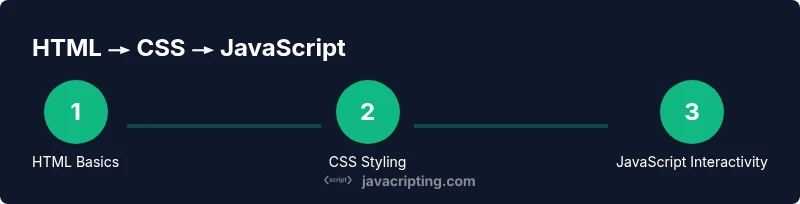
Start with HTML basics: doctype, structure, headings, lists, links, and images. Move to CSS basics: selectors, colors, typography, spacing, and responsive design. Finally, introduce JavaScript: simple interactions, form validation, and basic DOM manipulation. The most effective path blends theory with hands-on projects. Create a small landing page, then progressively enhance it: add a stylesheet, implement client-side interactivity, and optimize structure for accessibility. Regularly test in multiple browsers to understand quirks and consistency across environments.
Common pitfalls and how to avoid them
Overloading pages with inline styles and scripts makes maintenance hard. Avoid duplicate CSS, overly specific selectors, and unsemantic HTML. Don’t ignore accessibility—use semantic elements, alt text for images, and keyboard navigation. When learning JavaScript, resist jumping into advanced topics before mastering basics like scope and functions. Consistent practice, small incremental projects, and reflective reviews help you spot mistakes early and reinforce good habits.
Practice project blueprint: a personal landing page
Design a small landing page as your first real project. Organize files with a clear structure: index.html, styles.css, script.js, and assets/. Use semantic HTML for sections, a responsive layout with CSS Grid or Flexbox, and a touch of JavaScript to handle a simple form or interactive button. Add a readable color palette, accessible typography, and responsive design that adapts from mobile to desktop. This project will become a reusable template you can evolve over time.
Testing and iteration techniques
Test frequently in at least two browsers and enable developer tools to inspect HTML, CSS, and JavaScript. Use the console for errors, the elements panel for DOM inspection, and network tools to observe requests. Iteratively tweak code, re-run tests, and document changes. Build a habit of small, repeatable improvements rather than large rewrites. This disciplined approach accelerates learning and produces reliable results.
Tools & Materials
- Text editor(Choose a lightweight editor (e.g., VSCode, Sublime Text) for syntax highlighting and extensions.)
- Web browser(Use the latest version of Chrome or Firefox to access developer tools and features.)
- Local development server(Optional but helpful for dynamic testing; use a simple live-server extension or built-in server.)
- MDN and spec references(Keep MDN Web Docs and WHATWG specs handy for reference and deep dives.)
- Project scaffolding(Create a dedicated project folder with index.html, styles.css, and script.js.)
Steps
Estimated time: Estimated total time: 6-8 hours
- 1
Set up your learning environment
Install a text editor and open a new project folder. Create index.html, styles.css, and script.js. Open the HTML file in a browser to see changes live as you code.
Tip: Keep a consistent file structure from day one to simplify maintenance. - 2
Write your first HTML skeleton
Create a basic HTML document with a doctype, head, and body. Add a few semantic elements like header, main, section, and footer. View the rendered page and confirm the structure mirrors your intent.
Tip: Use semantic tags to improve accessibility and SEO. - 3
Apply simple CSS styles
Link your stylesheet and define typography, colors, and spacing. Experiment with a responsive layout using flexbox. Refresh the page to see immediate results.
Tip: Use relative units (%, em, rem) for scalable typography. - 4
Add interactivity with JavaScript
Write a small script to respond to a click event or form submission. Manipulate the DOM by changing text content or classes. Test in the browser and watch the changes occur in real time.
Tip: Start with a single small interaction before expanding functionality. - 5
Integrate HTML, CSS, and JS into a project
Create a landing page that uses semantic HTML, a cohesive CSS layout, and a JavaScript-driven interaction (e.g., a modal or form validation). Ensure accessibility and responsiveness remain intact.
Tip: Keep a checklist for accessibility and performance as you add features. - 6
Review, iterate, and document
Review code for readability, consistency, and comments. Iterate on feedback, refactor where needed, and document decisions. Save and commit changes regularly to track progress.
Tip: Document your decisions to reinforce learning and project maintenance.
Questions & Answers
What is the best order to learn HTML, CSS, and JavaScript?
Start with HTML to understand structure, then learn CSS for styling, and finally JavaScript for interactivity. This order builds a solid foundation and makes each subsequent topic easier to grasp.
Begin with HTML for structure, then CSS for styling, and finish with JavaScript for interactivity.
Do I need to know programming to start learning JavaScript?
You don’t need advanced programming experience. JavaScript basics are approachable for beginners, and you can learn by building small projects that reinforce concepts like variables, functions, and events.
No prior programming is required; start with basic concepts and small projects.
How long does it take to become proficient?
Proficiency depends on practice time and project complexity. A consistent schedule of several weeks to a few months typically yields solid competency in HTML, CSS, and JavaScript.
Progress varies, but regular practice over weeks to months builds solid skills.
What are common mistakes beginners make?
Common mistakes include overusing inline styles, ignoring accessibility, and not testing across browsers. Focus on semantic HTML, modular CSS, and progressive enhancement.
Avoid inline styles, prioritize accessibility, and test across browsers.
Should I use frameworks or plain JavaScript first?
Start with plain HTML, CSS, and JavaScript to understand fundamentals. Once comfortable, gradually explore lightweight libraries or frameworks to complement your projects.
Learn the basics first, then consider lightweight libraries later.
Where can I find reliable learning resources?
Rely on trusted sources like MDN for documentation and WHATWG/W3C specs for standards. Supplement with structured tutorials and hands-on projects.
Use MDN and standards docs for guidance, plus practical, hands-on practice.
Watch Video
What to Remember
- Build a solid HTML foundation first.
- Learn CSS for responsive, accessible design.
- Add JavaScript for interactivity and behavior.
- Practice with small, real projects to reinforce learning.