Handle Errors in JavaScript: A Practical Guide for Robust Apps
Discover practical techniques to handle errors in JavaScript across synchronous and asynchronous code, including try/catch, promise rejection handling, logging, and testing strategies for resilient apps.


You will learn practical techniques to handle errors in JavaScript across synchronous and asynchronous code, including try/catch usage, promise rejection handling, and global error strategies. You'll see real-world patterns for async code, error boundaries in frontend apps, and best practices to report and recover from failures. This concise guide also highlights how to structure error objects, implement centralized handling, and verify robustness with tests.
Why handling errors matters in modern JavaScript applications
Errors are inevitable in any software, but the way you handle them defines your application's reliability and user experience. Robust error handling reduces crashes, improves debuggability, and helps you recover gracefully from failures. According to JavaScripting, handle errors javascript effectively improves reliability and user experience for frontend and backend code. When you build with proper error handling in mind, you create clear failure modes, predictable behavior, and easier maintenance for yourself and teammates. In practice, you’ll categorize errors (syntax, runtime, network, and logical errors) and decide on a response strategy for each: retry, fallback, user-friendly messages, or escalation to a monitoring system. This foundation not only protects users but also simplifies debugging because errors carry actionable context, stack traces, and reproducible reproduction steps. In short, effective error handling is a core skill every JavaScript developer should master.
Core concepts: synchronous vs asynchronous error handling
JavaScript apps run in both synchronous and asynchronous modes, and each mode requires different strategies to manage errors. Synchronous code throws exceptions that can be caught with try/catch, while asynchronous operations often reject promises or invoke callbacks. The JavaScripting team found that confusion between these models is a common source of unhandled errors. By separating error handling into a model for synchronous code and a model for asynchronous code, you create clearer paths for failure and recovery. You’ll learn to map error sources to recovery actions, so a failed API request triggers a user-friendly message and a fallback flow, while a transient parsing error leads to a retry or a corrected input workflow. The goal is a consistent, predictable experience across the entire codebase, even when the underlying operations differ in timing and control flow.
Structured error handling with try/catch
Try/catch remains a fundamental tool for controlling errors in JavaScript. Use try only around code that can throw and move heavy or optional operations outside the block to avoid masking genuine problems. Within the catch, capture meaningful context (message, stack, input values) and decide on a policy: log for diagnosis, rethrow for higher-level handling, or return a safe fallback. Proactively avoid empty catch blocks that swallow errors without explanation. A practical pattern is to create small, focused try blocks, each with its own catch that translates raw errors into structured, actionable objects. As you refactor legacy code, introduce a centralized error wrapper to standardize error shapes across modules. The result is easier debugging, clearer error messages, and more reliable rollback or recovery flows.
Handling errors in promises and async/await
Promises introduce a different error-handling surface than synchronous code. Always attach .catch handlers to promises you don’t await, and prefer try/catch inside async functions. When using async/await, wrap the awaited calls in try/catch blocks to convert low-level errors into high-level failure signals. Avoid mixing multiple awaits in a single try without clear separation, as it makes it hard to identify which operation failed. For global error handling, listen for unhandledrejection events in the browser and unhandledRejection in Node.js, then route them to your logging and monitoring system. This approach ensures you don’t miss errors that silently fail and are never observed during normal execution.
Error boundaries and frontend UX
In frontend applications, an error boundary is a safety net that prevents the entire UI from crashing when a component throws. While not every framework uses the same terminology, the principle remains: isolate failure to a specific area, render a fallback UI, and preserve user context. Implement boundary components or equivalent mechanisms in your chosen framework, and always provide a clear message plus next steps (retry, reload, contact support). A well-designed boundary reduces user friction and helps you collect actionable diagnostics for the backend teams. By planning for errors at the UI layer, you maintain a trustworthy experience even when APIs or data sources fail temporarily.
Logging, reporting, and observability
Error data without a home is hard to act on. Set up structured logging that captures error type, message, stack, and relevant state, then ship those events to a centralized backend or a service like Sentry or another observability platform. Keep logs human-readable and searchable, and avoid logging sensitive user data. Implement a lightweight sampling strategy so you don’t overwhelm your telemetry during peak traffic while still catching rare errors. Observability goes beyond logs: track error rates, latency, and user impact to prioritize fixes. JavaScripting analysis shows that teams with good error reporting spend more time shipping improvements and less time chasing down issues in production.
Testing error handling strategies
Tests validate that your error-handling code behaves as expected under failure conditions. Write unit tests for each failure path, including network timeouts, invalid input, and parsing errors. Use mocks to simulate failed dependencies and asynchronous code, ensuring your tests cover both success and failure scenarios. Add integration tests that exercise end-to-end failure modes in a controlled environment. Consider property-based testing for robust input validation, and include tests for user-facing messages and fallback flows. Automated tests, combined with CI, ensure new changes don’t regress error-handling behavior as your codebase grows.
Common pitfalls and how to avoid them
Avoid swallowing errors, which hides root causes and delays fixes. Don’t log excessively or leak sensitive information. Refrain from rethrowing generic errors without preserving context. Ensure your error objects carry a consistent shape, so downstream code can inspect and react reliably. Resist the urge to centralize every failure under a single catch-all; instead, route errors to specific handlers that know how to respond. Finally, never assume that a successful HTTP status means the operation succeeded—check the payload and server responses carefully.
A repeatable workflow for robust error handling
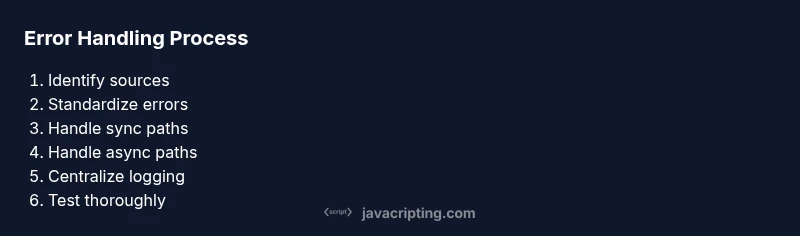
Adopt a repeatable workflow: identify error sources, decide on handling policies, implement focused try/catch blocks, handle rejections in promises, instrument logging, test for both success and failure, and review results with the team. This disciplined approach reduces debugging time and improves code maintainability. Start mentally labeling errors as unrecoverable, transient, or user-caused, and apply an appropriate strategy for each. Document your chosen error shapes and recovery options so future contributors can follow the same path. JavaScripting emphasizes consistency and discipline as the cornerstones of resilient error handling.
Authority sources
- https://developer.mozilla.org/en-US/docs/Web/JavaScript/Guide/Control_flow_and_error_handling
- https://tc39.es/ecma262/
- https://developer.mozilla.org/en-US/docs/Web/JavaScript/Reference/Global_Objects/Promise
Tools & Materials
- Code editor (e.g., VS Code)(Enable linting and snippets for faster feedback)
- Node.js installed(Use an LTS version for compatibility)
- Terminal or shell(For running scripts and tests)
- Project with JavaScript codebase(A sample app to practice error handling)
- Testing framework (e.g., Jest)(Run unit/integration tests)
- Logging/monitoring library (optional)(E.g., Sentry, LogRocket)
- Mocking tool (optional)(To simulate errors in tests)
Steps
Estimated time: 1-2 hours
- 1
Identify error sources
Survey the codebase to categorize potential failures (network calls, parsing, user input, and third-party integrations). Map these sources to expected failure modes so you can plan responses.
Tip: Document each source with a brief example and expected failure type. - 2
Normalize error shapes
Design a consistent error object with fields like type, message, code, and context. This standardization makes downstream handling predictable.
Tip: Avoid throwing raw Error objects; wrap them to preserve context. - 3
Wrap sync critical sections
Add focused try/catch blocks around operations that can throw in hot paths. Keep blocks small to avoid catching unrelated errors.
Tip: Prefer specific catches for known error types. - 4
Handle promise rejections
Attach .catch to promises you don’t await and use try/catch inside async functions for awaited calls.
Tip: Avoid leaving promises unhandled; unhandledrejection matters in browsers. - 5
Implement centralized handler
Create a central error handler that logs, formats, and routes errors to monitoring. This reduces duplication and ensures consistency.
Tip: Use a single entry point to transform errors to a standard shape. - 6
Instrument logging
Log error type, message, stack, and relevant state; avoid sensitive data. Add correlating IDs to trace issues across services.
Tip: Consider log level rules to manage verbosity. - 7
Test error paths
Write unit tests for failure modes and integration tests for end-to-end scenarios. Use mocks to simulate failures.
Tip: Test messages and user-facing fallbacks, not just code paths. - 8
Review and iterate
Periodically review error patterns with the team and refine error shapes, thresholds, and responses.
Tip: Regular post-mortems improve future resilience.
Questions & Answers
What is the difference between throw and error in JavaScript?
Throw is a statement that creates an error object or value to signal an exceptional condition. An Error object provides standardized properties like name and message. Use throw to signal your own error conditions and catch to respond.
In short, throw creates an error when something goes wrong, and you catch it to handle the situation.
How can I handle errors in asynchronous code effectively?
For async code, prefer try/catch inside async functions and attach .catch to promises you don’t await. Also listen for unhandledrejection events to avoid silent failures in browsers and Node.js.
Handle async errors with try/catch inside async functions and global rejection handlers.
What is an error boundary and do I need one?
An error boundary is a safety net that catches rendering-time errors in a section of the UI, preventing the whole app from crashing. It’s particularly relevant in frontend frameworks to provide a graceful fallback.
An error boundary protects parts of your UI, showing a fallback instead of crashing the entire app.
How do I test error handling in unit tests?
Use mocks to simulate failed dependencies, create tests for each failure path, and verify both user-facing messages and fallback behavior. Include asynchronous failures and timeouts.
Test error paths with mocks and verify the UI and fallback logic.
What are best practices for logging errors?
Log structured data: type, message, stack, and relevant state. Avoid sensitive user data, and make logs easily searchable with unique request IDs and consistent levels.
Log errors with structured data and avoid sensitive details.
Watch Video
What to Remember
- Identify error sources clearly and categorize them
- Standardize error objects for consistent handling
- Use try/catch for sync paths and awaits for async paths
- Log with context and route errors to monitoring
- Test error paths rigorously to prevent regressions