Difference Between JavaScript and jQuery: A Practical Comparison
Explore the difference between JavaScript and jQuery: language vs library, when to use each, performance implications, and practical guidance for modern web development in 2026.


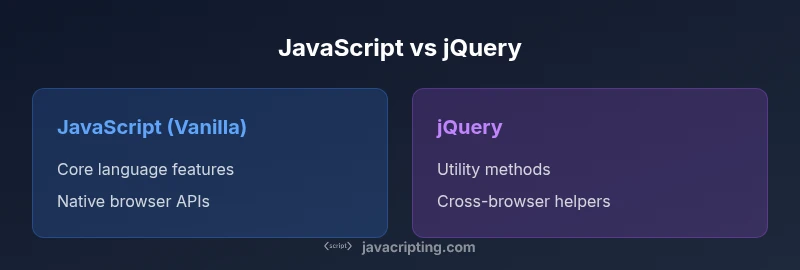
JavaScript is the core language powering web browsers, while jQuery is a library written in JavaScript that streamlines common tasks. The difference between javascript and jquery lies in scope: JavaScript exposes native browser APIs, while jQuery wraps them with a cohesive API to simplify DOM manipulation, events, and Ajax with cross-browser compatibility. By 2026, many teams rely less on jQuery, favoring native APIs and modern tooling, but the distinction remains essential for choosing the right tool for a given task.
The Core Difference: JavaScript vs jQuery\n\nAt its essence, the difference between javascript and jquery is straightforward: JavaScript is the language that powers the browser, and jQuery is a library built on top of JavaScript that provides a collection of utilities to perform common tasks more succinctly and with broader cross-browser compatibility. When you write vanilla JavaScript, you call standard DOM APIs, fetch, or XMLHttpRequest; with jQuery, you use the $ function, chaining, and a consistent API that attempts to hide browser quirks. This distinction matters for maintainability, performance, and future-proofing. In 2026, the gap between modern native APIs and traditional jQuery utilities has narrowed, but the conceptual separation remains: language vs library. Understanding this helps teams decide whether to rely on core JavaScript features or a library that accelerates development for certain scenarios. The difference between javascript and jquery is not about one being better; it's about choosing the right tool for the job given project requirements, performance budgets, and team skill sets.
Historical Context: Why jQuery Was Created\n\nTo understand the difference between javascript and jquery, it helps to know why jQuery emerged. In the early 2000s, browser inconsistencies made DOM manipulation and event handling painful for developers. JQ complained about cross-browser quirks and verbose boilerplate, so a library was born to normalize behaviors and provide a simpler, more readable API. jQuery offered concise selectors, easy event handling, and a uniform approach to AJAX across browsers. Over time, browsers aligned more closely with standards, and newer APIs diminished the need for some jQuery features. Yet, the library remains a cultural touchstone in web development history. The difference between javascript and jquery thus reflects a shift from language-centric coding to library-aided productivity, followed by a modern resurgence of native capabilities.
Core Capabilities: JavaScript's Strengths\n\nJavaScript shines as the foundation of web development. It exposes direct access to the DOM, Web APIs, and the evolving language features (ES6+). With vanilla JavaScript, you gain fine-tuned control over performance, scope, memory management, and modular design. JavaScript supports asynchronous patterns, prototypal inheritance, and a broad ecosystem of transpilers, bundlers, and frameworks. For complex apps, this depth is a major strength because you can tailor architecture, adopt new standards rapidly, and avoid unnecessary dependencies. The difference between javascript and jquery is evident when you compare language power to library convenience: JavaScript handles complex logic and performance-sensitive tasks, while jQuery acts as a friendly layer that compresses multiple steps into concise calls.
Core Capabilities: Where jQuery Excels That JavaScript Requires More Boilerplate\n\njQuery's core appeal lies in practicality and consistency. It abstracts away repetitive tasks such as DOM selection, event delegation, and succinct animation. Its chainable API enables writing fluent, readable code. For AJAX, jQuery provides a unified path across browsers and simplifies response handling. In the context of the difference between javascript and jquery, jQuery's value is evident in legacy projects and rapid prototyping scenarios where developers want to ship features quickly with fewer lines of boilerplate. This does not undermine JavaScript; it highlights how a library can accelerate tasks without requiring developers to master every browser quirk. Modern developers often balance the two, depending on project constraints and team familiarity.
API Footprint and Syntax Style\n\nVanilla JavaScript emphasizes explicit API calls and modern syntax. You write document.querySelector, fetch, addEventListener, and create modular structures with modules and classes. The syntax is flexible but can be verbose, especially when handling cross-browser edge cases or complex event flows. jQuery's API wraps these native calls, offering a consistent interface for selectors, events, effects, and AJAX with chaining. The difference between javascript and jquery becomes clear here: JavaScript exposes the language surface; jQuery provides a curated, higher-level API that emphasizes simplicity and cross-browser normalization, often at the cost of additional payload in the browser. For modern projects, many teams favor native APIs, but jQuery remains a speedier option for certain legacy or rapid-UI tasks.
Performance and Footprint in Modern Web Apps\n\nPerformance in the browser is a key consideration when weighing the difference between javascript and jquery. Vanilla JavaScript avoids the library overhead entirely, which can yield leaner bundles and faster initial load times, especially when code is tree-shaken and modularized. In contrast, including jQuery adds library weight and can introduce overhead in scenarios where you only need a few utilities. That said, in small apps or legacy pages, the productivity gains from jQuery's concise syntax and cross-browser reliability may offset the extra payload. As browsers have become more performant and standards more uniform, many teams reduce or eliminate jQuery usage in favor of native features. The trade-off boils down to project size, performance budgets, and the maintenance model you choose.
Practical Scenarios: When to Use Vanilla JavaScript\n\nFor new projects, start with vanilla JavaScript and the modern API surface. Use native modules, fetch for network requests, and DOM APIs like querySelectorAll for precise selections. This approach minimizes dependencies and aligns with contemporary frameworks. When you must support older browsers or prefer rapid UI prototyping without a build step, vanilla JavaScript remains viable, particularly if you can replicate common patterns with small, well-documented utilities. The difference between javascript and jquery manifests in how you prioritize long-term maintainability, performance, and learning overhead. If your team values explicit control and minimal payload, vanilla JavaScript is the way to go, especially for performance-conscious apps.
Practical Scenarios: When to Use jQuery\n\njQuery still earns a place in certain scenarios. For legacy sites with extensive DOM scripting, or teams with existing jQuery-heavy codebases, using a familiar library can reduce maintenance risk and accelerate feature delivery. If you're prototyping an interface with a lot of cross-browser inconsistencies or you need reliable, concise AJAX calls without writing a lot of boilerplate, jQuery can be a pragmatic choice. In 2026, the community tends to favor native APIs for new work, but the difference between javascript and jquery remains meaningful for evaluating trade-offs in legacy migration projects or quick turnaround tasks.
Migration and Maintenance in 2026\n\nMigration from jQuery to vanilla JavaScript is common as teams modernize their stacks. Start by auditing code for touch points that rely on jQuery utilities and replace them with native equivalents (e.g., querySelector\u202f/\u202fquerySelectorAll, addEventListener, fetch). Use progressive enhancement to avoid breaking features, and consider using small helper modules rather than replacing the entire library at once. For maintenance, document conversion decisions, track performance impact, and align with the project's broader architecture goals. The difference between javascript and jquery in migration terms is most pronounced when you shift from a library-centric approach to a standards-driven, framework-based workflow.
Best Practices and Common Pitfalls\n\nTo navigate the difference between javascript and jquery effectively, adopt best practices that favor maintainability. Keep vanilla JavaScript modules small and focused, avoid overusing global scope, and prefer modern language features such as async/await and modules. When using jQuery, avoid loading the library just for a couple of utilities; instead, extract those helpers into small, reusable functions and progressively migrate away from jQuery where possible. Pitfalls to watch for include relying on deprecated jQuery methods, creating heavy dependency chains, and ignoring performance implications of large DOM manipulations. A thoughtful balance between native code and library usage yields robust, scalable web applications.
Comparison
| Feature | JavaScript (Vanilla) | jQuery |
|---|---|---|
| Core API surface | Native browser APIs | A library wrapping common tasks |
| Learning curve | Requires grasp of language concepts and APIs | Can be easier for quick wins with a smaller set of utilities |
| File size / footprint | No mandatory library size | Adds a library payload to the page |
| Cross-browser handling | Relies on standards; manual checks as needed | Historically normalized cross-browser quirks |
| Best use case | Lean projects using modern frameworks | Legacy or rapid prototyping where a lot of DOM work is needed quickly |
| Performance considerations | Often leaner when using native APIs | In some cases, extra weight from library overhead |
Benefits
- Helps developers understand when to pick language features over libraries
- Encourages learning native APIs first for solid fundamentals
- Clarifies maintenance and dependency decisions for teams
- Highlights the evolution of web tooling and standards
- Supports better decision-making for future projects
The Bad
- Can lead to overemphasis on old practices if not contextualized
- Risk of misapplying library patterns to vanilla code
- Potential confusion about when to migrate away from libraries
- May tempt beginners to favor browser quirks over standardized APIs
JavaScript remains the foundational tool; jQuery offers practical benefits for legacy or rapid UI work, but modern web development increasingly relies on native APIs and lightweight tooling.
For new projects, prioritize vanilla JavaScript and standards-based approaches. Use jQuery only when you must maintain or rapidly enhance existing codebases, or when time-to-delivery outweighs the overhead of a library. The difference between javascript and jquery is about choosing the right tool for the job based on project needs and team capability.
Questions & Answers
What is the difference between JavaScript and jQuery?
JavaScript is a programming language that runs in the browser and provides direct access to web APIs. jQuery is a library written in JavaScript that offers a simplified, cross-browser-friendly API for common tasks such as DOM manipulation, events, and AJAX. The difference lies in language versus library and in how much abstraction you want.
JavaScript is the language; jQuery is a library built on top of JavaScript that makes common tasks easier to write.
Is jQuery still necessary in 2026?
For new projects, jQuery is often unnecessary due to modern native APIs and framework ecosystems. It remains relevant for maintaining large legacy codebases or rapid prototyping where jQuery can speed up DOM tasks. The decision depends on project scope and team expertise.
In new work, you usually don\'t need jQuery; for legacy sites, it can still be practical.
Can I replace jQuery with vanilla JavaScript?
Yes. You can migrate common jQuery tasks to vanilla JavaScript by using modern DOM APIs, fetch for network requests, and standard event handling. The migration should be incremental, preserving functionality while improving performance and reducing dependencies.
Yes, you can swap out jQuery for native APIs step by step.
What tasks does jQuery simplify?
jQuery simplifies DOM selection, event handling, animations, and AJAX calls with a consistent API and cross-browser normalization. It often reduces boilerplate and makes common interactions quicker to implement.
jQuery makes DOM work and AJAX feel simpler.
What should I learn first, JavaScript or jQuery?
Learn JavaScript first to build solid fundamentals. Then assess whether jQuery adds value for your project, especially if you are working with legacy code or need rapid UI prototyping.
Start with JavaScript, then decide if jQuery is needed for your task.
How does cross-browser compatibility differ between the two?
JavaScript now aligns closely across major browsers, reducing the need for library-level normalization. jQuery originally offered cross-browser consistency; in modern contexts, you rely on native APIs and progress toward frameworks that manage compatibility.
Browsers are more aligned now; you often don\'t need jQuery for cross-browser fixes.
What to Remember
- Learn JavaScript first; it is the language that underpins the web
- Use jQuery only for legacy or rapid-UI tasks where its utilities simplify work
- Prefer native APIs for new projects to reduce dependencies and improve performance
- Plan migration from jQuery to vanilla JS when teams are ready to adopt modern standards
- Balance between readability, maintainability, and bundle size is key
- Understand the historical context to appreciate why libraries like jQuery emerged