Difference Between Node.js and Angular: Key Differences Explained
A practical, analytical comparison of Node.js and Angular, clarifying their roles, ecosystems, best-use scenarios, and how to pair them for full-stack projects in 2026.


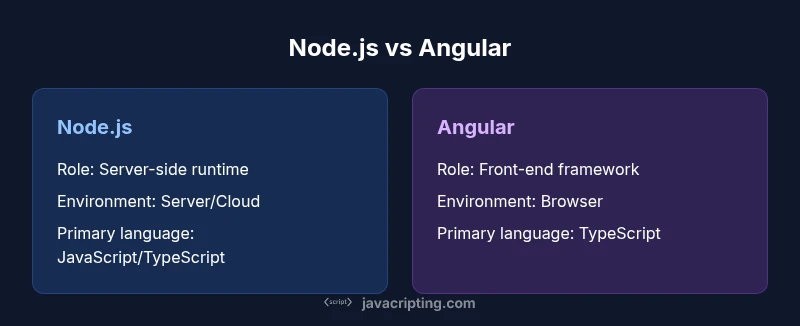
The difference between node js and angular boils down to role and runtime: Node.js is a server-side JavaScript runtime, Angular is a browser-based front-end framework. Node.js powers APIs and back-end services; Angular drives rich client apps. Together they cover full-stack needs, but they operate in different execution environments. According to JavaScripting, your choice should align with project scope, team skills, and deployment targets.
What Node.js and Angular are in practice
Node.js is a server-side JavaScript runtime built on Chrome's V8 engine. It enables developers to write back-end services, REST APIs, and real-time servers using familiar JavaScript syntax. Angular, by contrast, is a browser-based front-end framework that lets you build dynamic single-page applications (SPAs) with a component-driven architecture. The difference between node js and angular becomes clear when you map responsibilities: Node.js handles data processing, networking, and server logic, while Angular focuses on rendering, user interactions, and client-side state. In many modern projects, teams use both: Node.js for the server and Angular for the frontend, forming a cohesive full-stack solution. Analytics from the JavaScripting team emphasize that choosing the right tool for the right layer reduces complexity and accelerates delivery.
Core architectural differences
At a high level, Node.js runs on the server and handles non-blocking I/O to serve data efficiently. It uses an event-driven model to manage concurrent connections without creating a thread per request. Angular runs in the browser, rendering UI, managing user input, and communicating with the backend via APIs. This dichotomy is essential: Node.js is a runtime and ecosystem for server-side code, while Angular is a framework that structures client-side code with components, templates, and services. The architectural separation supports clean, scalable architecture but requires coordination between the backend API and the frontend client to ensure consistent data models and authentication flows.
Language and tooling ecosystems
Node.js supports JavaScript (and TypeScript via transpilation) and benefits from a vast npm ecosystem of libraries for databases, messaging, and utilities. Common back-end stacks pair Node.js with frameworks like Express or NestJS. Angular is TypeScript-based and ships with Angular CLI for scaffolding, development servers, and build optimization. The Angular ecosystem emphasizes component libraries, RxJS for reactive programming, and tooling for ahead-of-time (AOT) compilation and tree-shaking. Learning both ecosystems expands capabilities but also increases the mental model a developer must manage, especially around TypeScript types and asynchronous patterns.
Use cases by scenario
For APIs and back-end services, Node.js shines with fast I/O, streaming, and scalable event loops. It’s well-suited for microservices, real-time apps, and middleware that handles data transformation. Angular is the go-to for client-heavy dashboards, e-commerce front-ends, and apps requiring rich interactivity, modular UI, and responsive layouts. In a typical full-stack project, you’d use Node.js to expose REST or GraphQL endpoints and Angular to render the UI and fetch data from those endpoints. JavaScripting analyses suggest that pairing them reduces the risk of overloading either layer with responsibilities.
Performance implications and optimization
Node.js performance hinges on non-blocking I/O, efficient data streaming, and careful resource management. Optimizations often involve choosing non-blocking libraries, implementing proper caching strategies, and tuning server configurations. Angular performance depends on the browser runtime: change detection strategies, lazy loading, and optimized bundle sizes. Techniques like Ahead-of-Time compilation, code-splitting, and avoiding excessive re-renders help keep the UI responsive. When used together, back-end optimizations reduce API latency, while front-end optimizations reduce perceived load times for users. JavaScripting notes that thoughtful API design and efficient data contracts matter as much as raw server throughput.
Learning curve and developer experience
Node.js offers a relatively gentle entry for JavaScript developers seeking back-end capabilities, with concepts like asynchronous programming and event loops to master. Angular presents a steeper learning curve due to its structured architecture, components, services, dependency injection, and RxJS. The learning path includes mastering TypeScript, UI patterns, and tooling, but the payoff is a robust framework for scalable, testable front-ends. Teams should budget time for onboarding and establish coding standards to keep both back-end and front-end codebases maintainable.
Deployment, hosting, and ecosystem considerations
Deploying Node.js applications typically involves servers or cloud platforms that run a persistent Node process, plus a process manager and monitoring. Angular applications are built into static assets served from CDNs or web servers, with server-side rendering possible via frameworks like Angular Universal. CI/CD pipelines often feature separate workflows for back-end services and front-end builds, ensuring that API contracts remain stable while UI bundles are optimized for performance. When choosing strategies, consider deploy targets, uptime requirements, and the desired level of front-end interactivity.
Common pitfalls and misperceptions
A common misperception is that Node.js is a front-end technology; it is not. Conversely, using Angular solely for server-side tasks is inefficient and misaligned with its design. Another pitfall is treating TypeScript as optional in a Node.js back-end; while not mandatory, TypeScript enhances maintainability. Developers sometimes over-optimize early and create overly complex API gateways or client-heavy front ends without considering user experience or accessibility. Clear boundaries, contracts, and documentation help mitigate these issues.
How to choose for your project (guided decision)
Start with project scope: back-end APIs and data processing usually point to Node.js, while client-side heavy UI and SPA requirements point to Angular. If you need both, plan a layered architecture where Node.js serves API endpoints and Angular renders the UI, communicating via well-defined data contracts. Consider team strengths, timeline, and hosting strategy. For many teams, this combination yields the most flexible and scalable solution, aligning with modern best practices and industry guidance from JavaScripting.
Comparison
| Feature | Node.js | Angular |
|---|---|---|
| Core role | Server-side runtime for JavaScript | Front-end framework for building SPAs |
| Primary environment | Server/hosted environments | Browser/client-side |
| Language and typing | JavaScript/TypeScript runtime | TypeScript-based framework |
| Key ecosystems/tools | npm, Express, databases | Angular CLI, RxJS, Angular Material |
| Rendering approach | Does not render UI by itself | Renders UI via components/templates |
| Typical projects | APIs, microservices, real-time back-ends | Single-page apps, dashboards, complex UIs |
| Hosting considerations | Server hosting or cloud functions | Static assets served from CDN + API calls |
| Learning curve | Moderate (back-end concepts, asynchronous I/O) | Steep (architecture, TypeScript, RxJS) |
| Performance focus | I/O efficiency, concurrency, non-blocking I/O | Client performance, rendering efficiency, bundle size |
Benefits
- Clear division of concerns between back-end and front-end
- Widens job opportunities by covering full-stack needs
- Large ecosystems and extensive community support
- Promotes structured, scalable architectures
The Bad
- Learning two distinct ecosystems increases initial effort
- Maintaining API contracts adds coordination overhead
- Front-end tooling can be complex and opinionated
- Overhead of building and deploying two separate layers
Leverage Node.js for back-end APIs and Angular for rich front-end UIs; use both when building full-stack apps.
Node.js and Angular address different parts of the stack. Node.js excels at server-side logic and data handling, while Angular provides a robust client-side framework for interactive UIs. When used together, they form a powerful, scalable architecture that aligns with modern development practices.
Questions & Answers
What is the difference between Node.js and Angular?
Node.js is a server-side runtime for executing JavaScript, while Angular is a browser-based front-end framework for building SPAs. They serve different purposes but can be paired to create full-stack applications.
Node.js runs on the server to handle data and logic, while Angular runs in the browser to render UI; use both for full-stack apps.
Can I run Angular code on the server with Node.js?
Angular code runs in the browser. Node.js runs on the server. You can render Angular apps on the server using server-side rendering techniques, but that is a separate pattern from running Angular directly in Node.js.
Angular runs in the browser; Node.js runs on the server. Server-side rendering is possible but separate from client-side Angular use.
Is Angular necessary if I already know Node.js?
Knowing Node.js helps with back-end tasks, but Angular is not required for back-end work. If you’re building a rich SPA, learning Angular adds value to your front-end skills.
Node.js helps backend work; Angular adds frontend capabilities if you’re building SPAs.
Which should I learn first for a full-stack project?
Begin with the back-end Node.js concepts to design solid APIs, then learn Angular to build the UI. Mastering both layers gives you full-stack versatility.
Start with Node.js for APIs, then pick up Angular for the UI.
Do both require npm?
Both ecosystems use npm for package management. Node.js uses npm to install back-end libraries; Angular uses npm to install front-end tooling and libraries via the Angular CLI.
Yes, npm is the common package manager for both back-end and front-end tooling.
How do I deploy a Node.js + Angular stack?
Deploy the Node.js back-end on a server or cloud function and host the Angular front-end as static assets. Use CI/CD pipelines to coordinate builds and deployments for both layers.
Deploy back-end to a server and front-end as static assets, with CI/CD coordinating the process.
What to Remember
- Define roles early: back-end = Node.js, front-end = Angular
- Prefer pairing for full-stack projects to separate concerns
- Invest in API contracts and clean interfaces between layers
- Expect a steeper learning curve for Angular but big payoff in UI quality
- Plan deployment as two pipelines: back-end services and front-end assets